
1. Pengenalan
Terima kasih kerana membeliasing the Geevon DCF 0397 Weather Station. This device provides accurate indoor and outdoor temperature and humidity readings, a 12-hour weather forecast, DCF radio-controlled time, moon phase display, and an alarm clock function. This manual will guide you through the setup, operation, and maintenance of your new weather station.
2. Maklumat Keselamatan
- Read all instructions carefully before use and keep this manual for future reference.
- Jangan dedahkan unit utama atau sensor kepada suhu ekstrem, cahaya matahari langsung atau kelembapan.
- Use only the specified power adapter (if included) and batteries.
- Do not attempt to disassemble or repair the device. Contact customer support if service is required.
- Jauhkan bateri daripada kanak-kanak. Buang bateri terpakai dengan cara yang bertanggungjawab.
3. Kandungan Pakej
Sila semak kandungan pakej untuk memastikan semua item ada:
- Geevon DCF 0397 Main Weather Station Unit
- Penderia Luar Wayarles (1 unit)
- Penyesuai Kuasa
- Bateri AA (5 keping)
- Manual Pengguna (dokumen ini)
4. Produk Lebihview
Main Unit and Outdoor Sensor Components
Familiarize yourself with the main components of your weather station:

Image 4.1: Main Unit and Outdoor Sensor Components. This image displays the front and back of the main weather station unit, along with the outdoor sensor. Key features labeled include the weather forecast display, frost warning, low battery indicator, max/min temperature/humidity records, comfort indicator, city display, sunrise/sunset times, automatic dimming, alarm, snooze, RCC (Radio Controlled Clock) indicator, hanging hole, DC jack, battery compartment, stand, channel slide switch, and rope eyelet.
Main Unit (Front Display)
- Suhu & Kelembapan Dalam/Luar: Displays current readings.
- Ramalan cuaca: Ikon yang menunjukkan keadaan cuaca yang diramalkan untuk 12 jam akan datang.
- Masa & Tarikh: DCF radio-controlled time, day of the week, and date.
- Fasa Bulan: Current moon phase display.
- Penunjuk Keselesaan: Shows indoor comfort level based on temperature and humidity.
- Alarm & Snooze: Indicators for active alarms and snooze function.
- Penunjuk Bateri Rendah: For both main unit and outdoor sensor.
Main Unit (Rear)
- Bicu DC: Untuk menyambungkan penyesuai kuasa.
- Petak Bateri: For backup batteries.
- Berdiri: Untuk penempatan meja.
- Lubang Gantung: Untuk pemasangan dinding.
Sensor Luar
- Petak Bateri: For AA batteries.
- Channel Slide Switch: To select the transmission channel (1, 2, or 3).
- Penunjuk LED: Berkelip semasa penghantaran data.
5. Persediaan
5.1 Pemasangan Bateri
- Penderia Luaran: Open the battery compartment on the back of the outdoor sensor. Insert 2 AA batteries, observing the correct polarity (+/-). Close the compartment.
- Unit Utama: Open the battery compartment on the back of the main unit. Insert 3 AA batteries, observing the correct polarity (+/-). Close the compartment. These batteries serve as a backup in case of power loss.
5.2 Sambungan Kuasa
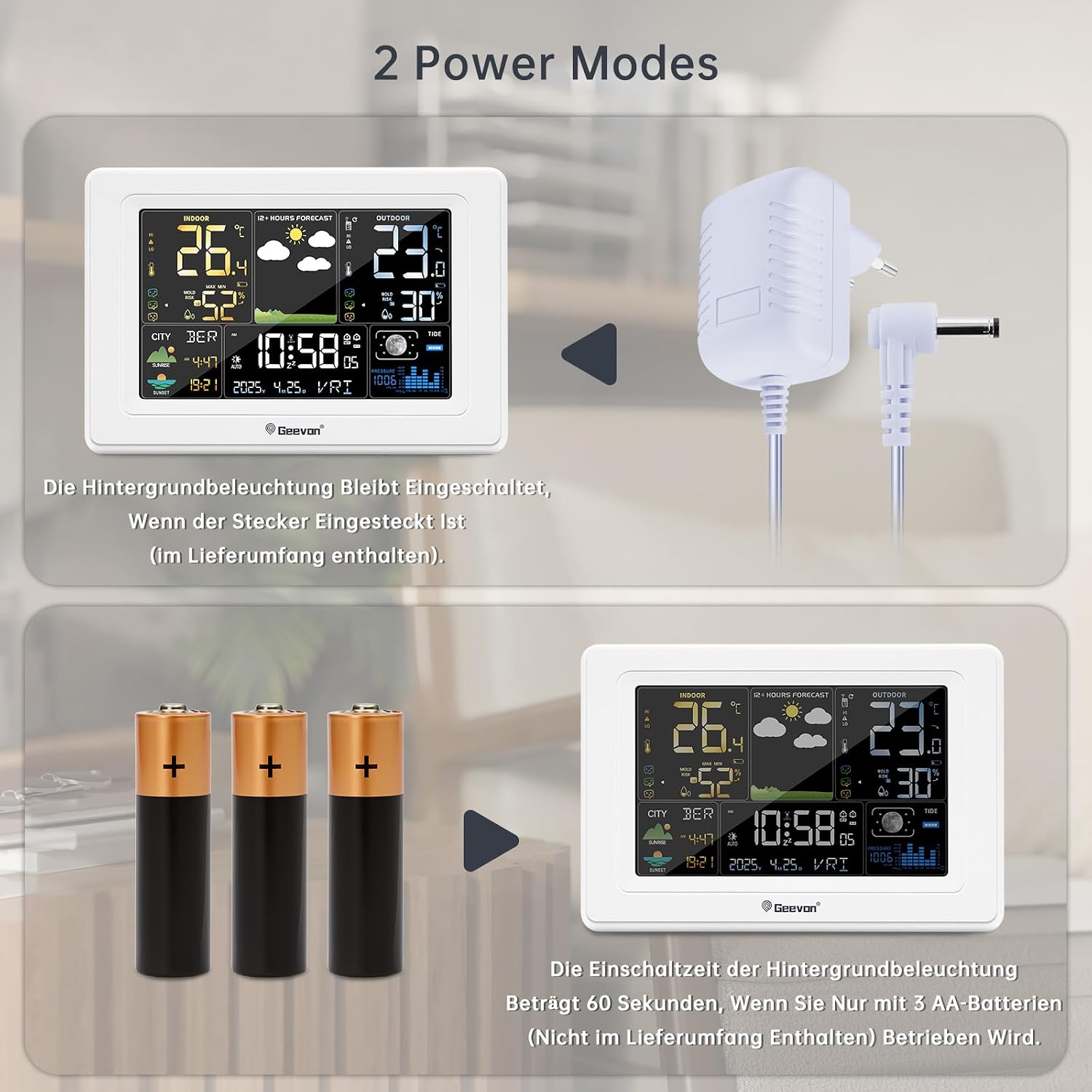
Image 5.1: Power Modes. The weather station can be powered by the included AC adapter for continuous backlight, or by 3 AA batteries (not included for primary power) for temporary use, where the backlight activates for 60 seconds when a button is pressed.
For continuous display backlight and optimal functionality, connect the included power adapter to the DC jack on the back of the main unit and plug it into a power outlet. The backlight will remain on when powered by the adapter.
5.3 Penempatan Sensor Luar
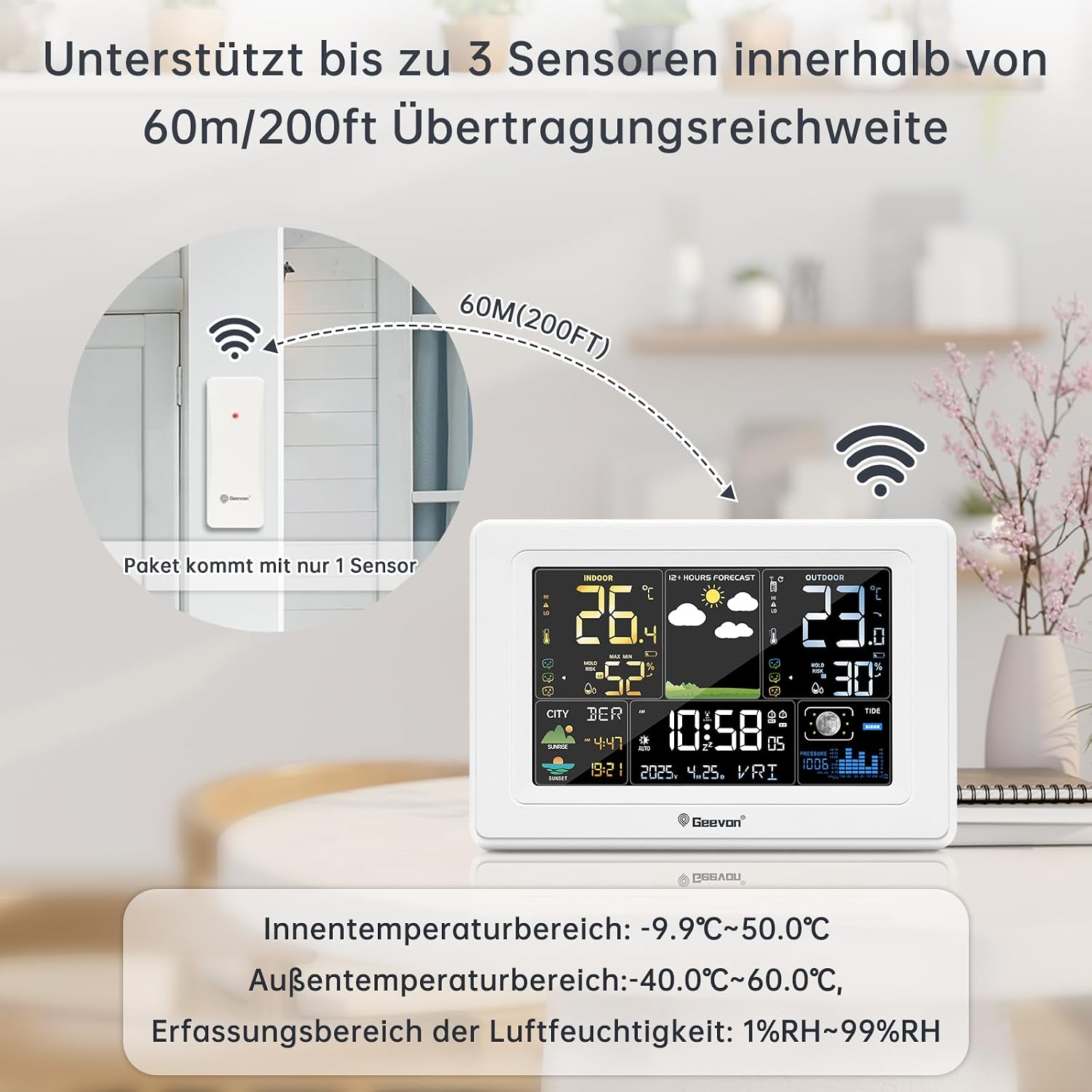
Image 5.2: Sensor Placement. This image illustrates the recommended placement of the outdoor sensor, emphasizing that it supports up to 3 sensors within a 60m/200ft transmission range. The package includes only one sensor.
- Place the outdoor sensor in a shaded, dry location, protected from direct sunlight and rain, to ensure accurate temperature and humidity readings.
- Ensure the sensor is within the maximum transmission range of 60 meters (200 feet) from the main unit. Walls and other obstacles can reduce this range.
- Select a channel (1, 2, or 3) on the outdoor sensor using the slide switch. The main unit will automatically detect the sensor.
5.4 Penyegerakan Awal
After powering on both units, the main unit will automatically search for the outdoor sensor signal and the DCF radio signal. This process may take a few minutes. Once synchronized, the outdoor temperature/humidity and the correct time will be displayed.
6. Arahan Operasi
6.1 Fungsi Paparan
The main unit's display provides a wealth of information at a glance. Refer to Image 4.1 for a visual guide to the display sections.
6.2 Time and Date Setting (DCF Atomic Clock)

Image 6.1: DCF Atomic Clock with DST. This image highlights the DCF atomic clock feature with Daylight Saving Time (DST) support, covering 150 cities in Europe, 24 time zones, 7 week languages (German, English, French, Italian, Spanish, Dutch, Danish), and 3 barometric pressure formats.
The weather station automatically synchronizes with the DCF atomic clock signal, ensuring accurate time and date, including automatic adjustment for Daylight Saving Time (DST). The display supports 7 languages for the day of the week: German, English, French, Italian, Spanish, Dutch, and Danish.
- Tetapan Masa Manual: If the DCF signal is weak or unavailable, you can manually set the time and date. Consult the full instruction manual for specific button sequences.
- Zon Waktu: The device supports 24 time zones. Adjust as needed for your location.
6.3 Fungsi Penggera

Image 6.2: Alarm and Snooze. This image demonstrates the alarm and snooze functions. Pressing the SNZ/LIGHT button activates a 5-minute snooze. Pressing any other button (besides SNZ/LIGHT) will turn off the alarm. Two separate alarm times can be set for weekdays and weekends, with snooze duration adjustable from 5 to 60 minutes.
- Menetapkan Penggera: The weather station allows setting two separate alarm times, which can be configured for weekdays, weekends, or daily.
- Fungsi Tunda: Apabila penggera berbunyi, tekan butang SNZ / CAHAYA button to activate the snooze function. The snooze duration is adjustable from 5 to 60 minutes.
- Mematikan Penggera: To turn off the alarm completely, press any button other than SNZ / CAHAYA.
6.4 Weather Forecast, Moon Phase, and Brightness
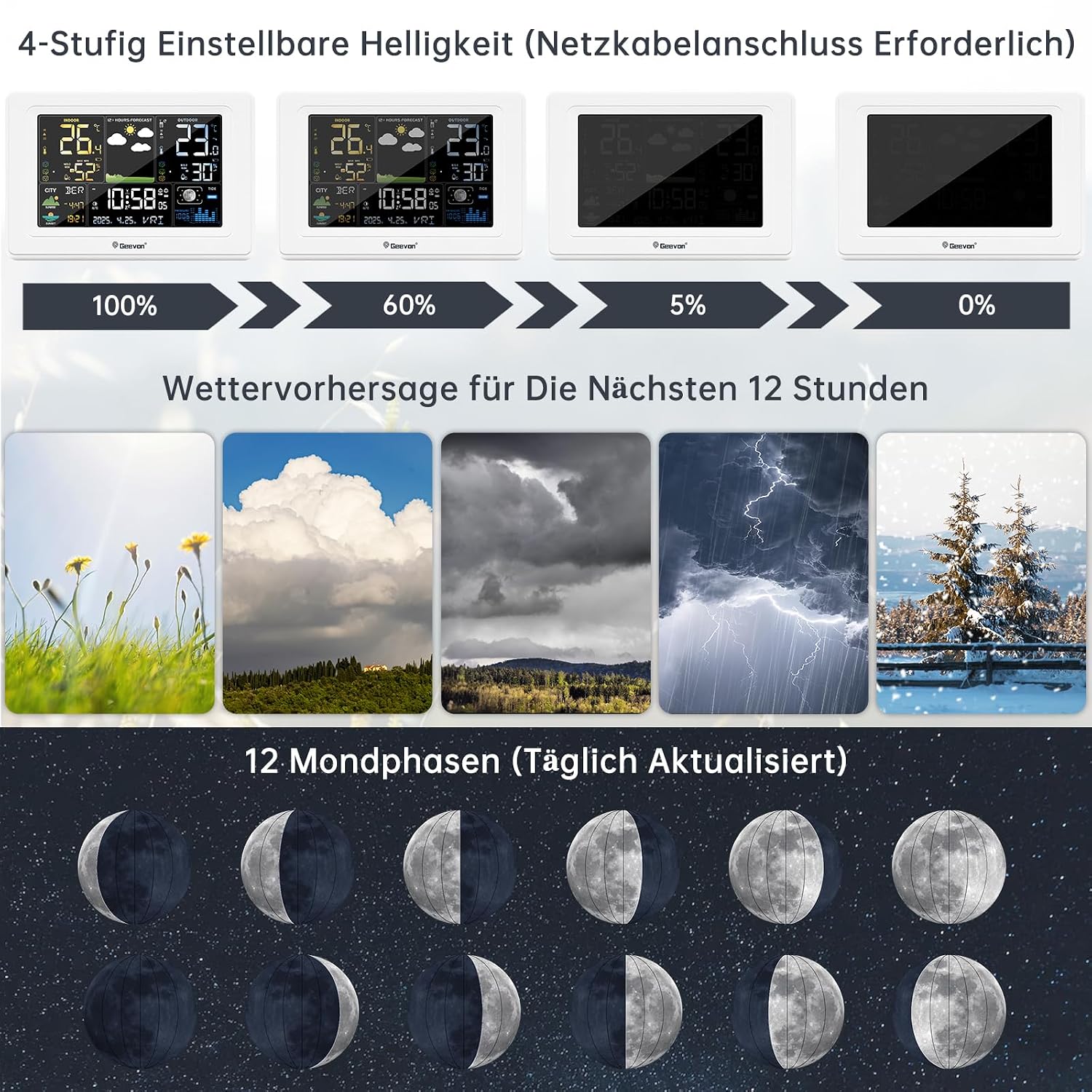
Image 6.3: Display Features. This image illustrates the 4-level adjustable brightness (requires power adapter), the 12-hour weather forecast icons (sunny, cloudy, overcast, stormy, snowy), and the 12 moon phases, which are updated daily.
- Ramalan cuaca: The station provides a 12-hour weather forecast using intuitive icons (e.g., sunny, partly cloudy, cloudy, rainy, snowy). This forecast is based on barometric pressure changes.
- Fasa Bulan: The display shows 12 different moon phases, updated daily.
- Kecerahan boleh laras: When powered by the AC adapter, the display backlight has 4 adjustable brightness levels (100%, 60%, 5%, 0%). Use the appropriate button (refer to the full manual) to cycle through these levels.
6.5 Pilihan Penempatan

Image 6.4: Placement Options. This image demonstrates two ways to place the weather station: standing on a surface using its integrated stand, or hanging on a wall using the hanging hole. It also highlights the 350° clear viewsudut paparan.
The main unit can be placed on a tabletop using its integrated stand or mounted on a wall using the hanging hole on the back. The display is designed for a 350° clear viewsudut ing.
7. Penyelenggaraan
- Pembersihan: Lap unit utama dan sensor dengan lembut, damp kain. Jangan gunakan pembersih atau pelarut yang melelas.
- Penggantian Bateri: Gantikan bateri pada unit utama dan sensor luar apabila penunjuk bateri rendah muncul pada paparan. Pastikan kekutuban yang betul.
- Penjagaan Sensor: Periodically check the outdoor sensor for debris or obstructions that might affect its performance.
8. Penyelesaian masalah
| Masalah | Kemungkinan Punca | Penyelesaian |
|---|---|---|
| Tiada bacaan suhu/kelembapan luar | Sensor out of range or interference; low sensor battery; incorrect channel. | Move sensor closer to main unit; replace sensor batteries; ensure sensor and main unit are on the same channel. Press the 'Sensor' button on the main unit to re-search. |
| Paparan masa yang salah | Weak DCF signal; manual time not set correctly. | Move main unit to a location with better signal reception (e.g., near a window); manually set the time and date. |
| Display is dim or off | Main unit not connected to power adapter; low main unit batteries. | Connect the power adapter for continuous backlight; replace main unit batteries if running on battery power. |
| Weather forecast seems inaccurate | Weather forecasts are predictions based on barometric pressure changes and may not always be 100% accurate for local conditions. | Use the forecast as a general guide. The device predicts for the next 12 hours. |
9. Spesifikasi
| Ciri | Perincian |
|---|---|
| Nombor Model | 250397 |
| Nombor Bahagian Pengilang | 0397 |
| Dimensi (L x W x H) | 3 x 5 x 10 cm (Unit Utama); 350 gram |
| bahan | Akrilonitril Butadiena Stirena (ABS) |
| Sumber Kuasa | Battery Powered (Main Unit: 3x AA, Sensor: 2x AA) and AC Adapter |
| Bateri Termasuk | Ya (5 bateri AA) |
| Jenis Paparan | LCD |
| Julat Suhu Dalaman | -9.9°C hingga 50.0°C (14.2°F hingga 122°F) |
| Julat Suhu Luar | -40.0°C hingga 60.0°C (-40°F hingga 140°F) |
| Julat Pengesanan Kelembapan | 1% RH hingga 99% RH |
| Temperature Reading Accuracy | ±0.5°C |
| Teknologi Sensor | Radio (Tanpa Wayar) |
| Julat Tanpa Wayar | Sehingga 60 meter (200 kaki) di udara terbuka |
| Teknologi Ketersambungan | Wi-Fi (Note: This likely refers to internal wireless communication, not internet Wi-Fi) |
| Ciri Khas | DCF Atomic Clock, Alarm, Snooze, Weather Forecast, Moon Phase |
| Language (Manual) | German (Original provided, translated to English here) |
10. Waranti dan Sokongan
Geevon is committed to providing high-quality products and customer satisfaction. We offer a lifetime consulting service for our products.
If you have any questions or encounter problems with your Geevon DCF 0397 Weather Station, please do not hesitate to contact our customer support. Your feedback is important to us, and we are dedicated to resolving any issues you may experience.
For specific warranty details, please refer to the documentation provided with your purchase or contact your retailer.