
1. Pengenalan
This manual provides essential information for the safe operation, maintenance, and troubleshooting of your Redact RT002i 2400W Portable Inverter Generator. Please read this manual thoroughly before operating the generator to ensure proper use and to prevent injury or damage.

Figure 1: Redact RT002i 2400W Portable Inverter Generator
2. Maklumat Keselamatan
WARNING: Carbon Monoxide Hazard
Menggunakan penjana di dalam rumah BOLEH MEMBUNUH ANDA DALAM MINIT. Ekzos penjana mengandungi karbon monoksida. Ini adalah racun yang anda tidak boleh lihat atau bau. JANGAN sesekali gunakan di dalam rumah atau garaj, WALAUPUN pintu dan tingkap terbuka. HANYA gunakan LUAR dan jauh dari tingkap, pintu dan lubang angin.
- Sentiasa kendalikan penjana di kawasan luar yang mempunyai pengudaraan yang baik.
- Jauhkan kanak-kanak dan haiwan peliharaan daripada penjana semasa operasi.
- Ensure the generator is placed on a level surface.
- Do not refuel while the engine is running or hot. Allow the generator to cool before adding fuel.
- Pakai peralatan pelindung diri (PPE) yang sesuai semasa mengendalikan bahan api atau melakukan penyelenggaraan.
- The generator is equipped with a CO Shield technology that automatically shuts down the engine if dangerous carbon monoxide levels are detected. Do not bypass this safety feature.
3. Kandungan Pakej
Sahkan bahawa semua item terdapat dalam pakej:
- Redact RT002i Inverter Generator
- Manual Pemilik
- Perengkuh Palam Pencucuh
- Corong Minyak
- Kabel Pengecas DC
- Parallel Cables (if included with specific model variant)
4. Pengenalan Komponen

Rajah 2: Panel Kawalan Selesaiview
- Suis Mod ECO: Engages or disengages Eco Mode for fuel efficiency.
- V.F.R.T. Display: Digital meter showing Voltage, Frequency, Run Time, etc.
- AC 120V 20A Duplex Outlets: Cawangan isi rumah standard.
- USB Type-A & Type-C Ports: Untuk mengecas peranti elektronik.
- CO Alert Indicator: Lights up if carbon monoxide is detected.
- Penunjuk Minyak Rendah: Menyala apabila paras minyak rendah.
- Penunjuk Lebihan: Menyala jika penjana terlebih muatan.
- Penunjuk Output: Green light indicates power output is stable.
- Pelabuhan Selari: For connecting two compatible generators for increased power.
- AC Reset Button: Resets the AC circuit breaker.
- Terminal Pembumian: Untuk pembumian penjana yang betul.
- Starting Handle: Used for manual recoil start.
- Three-in-one Switch Knob: Controls engine Off/On/Choke.
5. Persediaan
5.1 Menambah Minyak Enjin
The generator is shipped without engine oil. You must add the correct amount of oil before first use.
- Letakkan penjana pada permukaan yang rata.
- Remove the side maintenance cover (usually secured by screws).
- Locate the oil fill cap/dipstick. Remove it.
- Using the provided oil funnel, slowly add 10W-30 engine oil until it reaches the upper mark on the dipstick. Do not overfill.
- Replace the oil fill cap/dipstick and the maintenance cover.
5.2 Menambah Bahan Api
Use only fresh, unleaded gasoline with an octane rating of 87 or higher.
- Pastikan penjana dimatikan dan telah disejukkan.
- Unscrew the fuel cap located on top of the generator.
- Carefully pour gasoline into the fuel tank. Do not overfill. Leave some space for fuel expansion.
- Gantikan penutup bahan api dengan selamat.

Figure 3: Fuel Tank and Runtime
6. Arahan Operasi
6.1 Memulakan Penjana
- Ensure the generator is on a level surface and all electrical devices are disconnected.
- Turn the Three-in-one Switch Knob to the 'CHOKE' position.
- Pull the Starting Handle slowly until resistance is felt, then pull firmly and quickly.
- Once the engine starts, slowly move the Three-in-one Switch Knob to the 'ON' position.
- Allow the generator to run for a few minutes to warm up before connecting electrical loads.
6.2 Menyambung Peranti
Once the generator is running and the Output Indicator light is green, you can connect your electrical devices.
- Plug your devices into the appropriate AC 120V 20A outlets or USB ports.
- Monitor the Overload Indicator. If it lights up, reduce the connected load to prevent damage.
6.3 Mod Eko
The Eco Mode switch allows the generator to automatically adjust engine speed to match the load, improving fuel efficiency and reducing noise levels. For optimal performance and fuel savings, engage Eco Mode when running lighter loads.
6.4 Operasi Selari
For increased power output, two compatible Redact inverter generators can be connected in parallel using a parallel kit (sold separately).
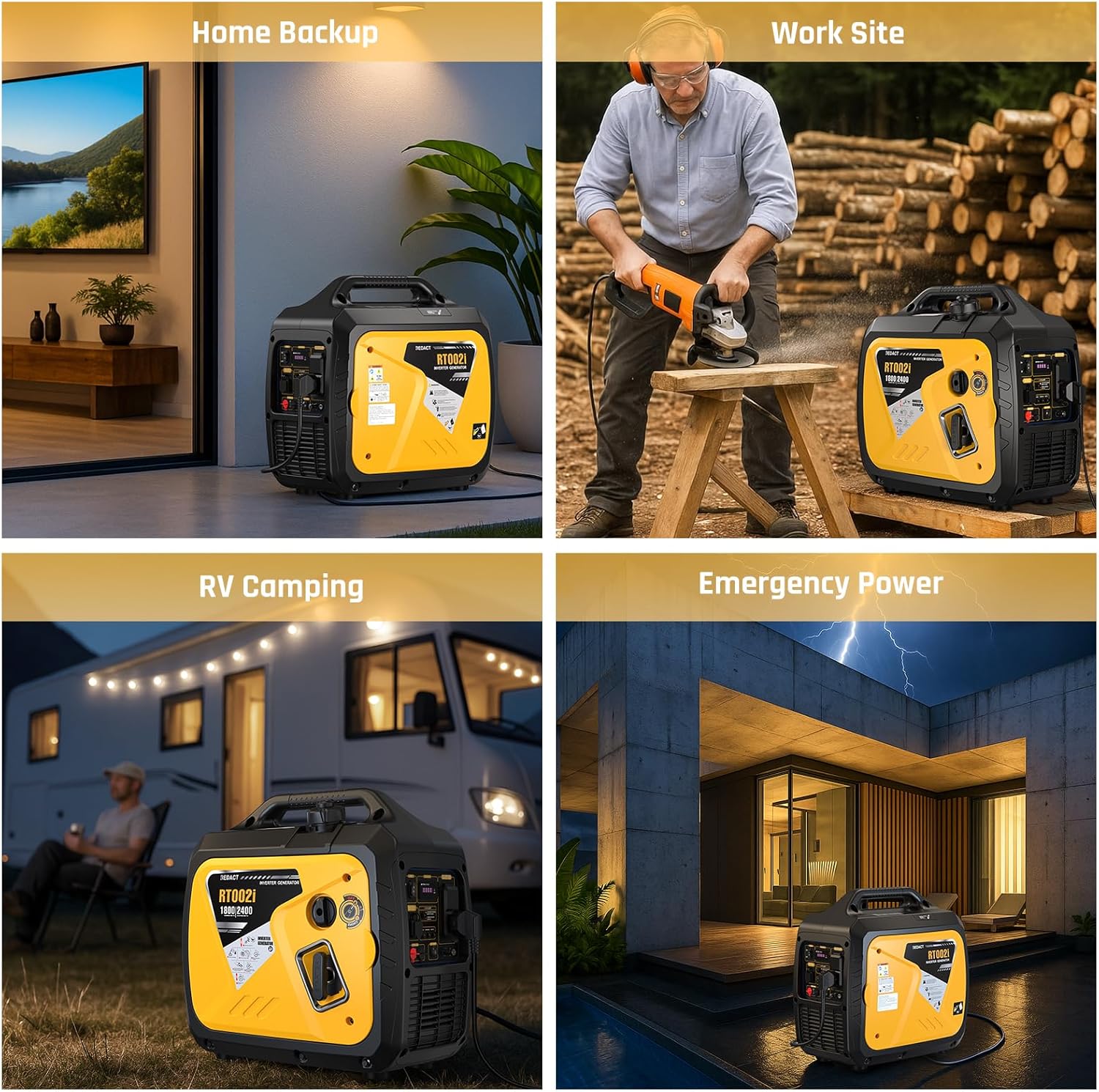
Figure 4: Parallel Operation Setup
- Ensure both generators are turned OFF and cooled.
- Connect the parallel cables to the designated parallel ports on both generators.
- Start both generators individually as per Section 6.1.
- Once both generators are running stably, they will operate in parallel, providing combined power output.
7. Penyelenggaraan
Regular maintenance is crucial for the longevity and reliable operation of your generator. Refer to the maintenance schedule in the full owner's manual for detailed intervals.
7.1 Penyelenggaraan Am
- Periksa Minyak Enjin: Sebelum setiap penggunaan, periksa paras minyak enjin dan tambah jika perlu.
- Penapis Udara Bersih: Regularly inspect and clean the air filter. Replace if damaged.
- Periksa Palam Pencucuh: Periksa palam pencucuh untuk haus dan celah yang betul. Bersihkan atau gantikan mengikut keperluan.
- Clean Fuel Filter: Periodically clean or replace the fuel filter.
- Periksa Kerosakan: Before each use, check for any loose fasteners, fuel leaks, or damaged components.
7.2 Penyimpanan
For long-term storage (more than 30 days), follow these steps:
- Toskan tangki bahan api dan karburetor.
- Add a fuel stabilizer to the fuel tank if not draining completely. Run the engine for a few minutes to circulate the stabilizer.
- Tukar minyak enjin.
- Tanggalkan palam pencucuh dan tuangkan sedikit minyak enjin ke dalam silinder. Tarik starter sentakan beberapa kali untuk mengagihkan minyak, kemudian pasang semula palam pencucuh.
- Bersihkan bahagian luar penjana.
- Store the generator in a clean, dry, and well-ventilated area.
8. Penyelesaian masalah
| Masalah | Kemungkinan Punca | Penyelesaian |
|---|---|---|
| Enjin tidak akan dihidupkan | Tiada bahan api Paras minyak rendah Tercekik tidak ditetapkan dengan betul Isu palam pencucuh | Tambah bahan api Tambah minyak Laraskan tercekik Periksa/gantikan palam pencucuh |
| Tiada output kuasa | Lebihan beban AC circuit breaker tripped ECO mode engaged with high load | Kurangkan beban Press AC Reset button Disengage ECO mode for higher loads |
| Enjin hidup, kemudian berhenti | Paras minyak rendah CO dikesan Kekurangan bahan api | Tambah minyak Move generator to well-ventilated area Tambah bahan api |
| Kebisingan yang berlebihan | ECO mode off with light load Komponen longgar | Engage ECO mode Check and tighten components |
9. Spesifikasi
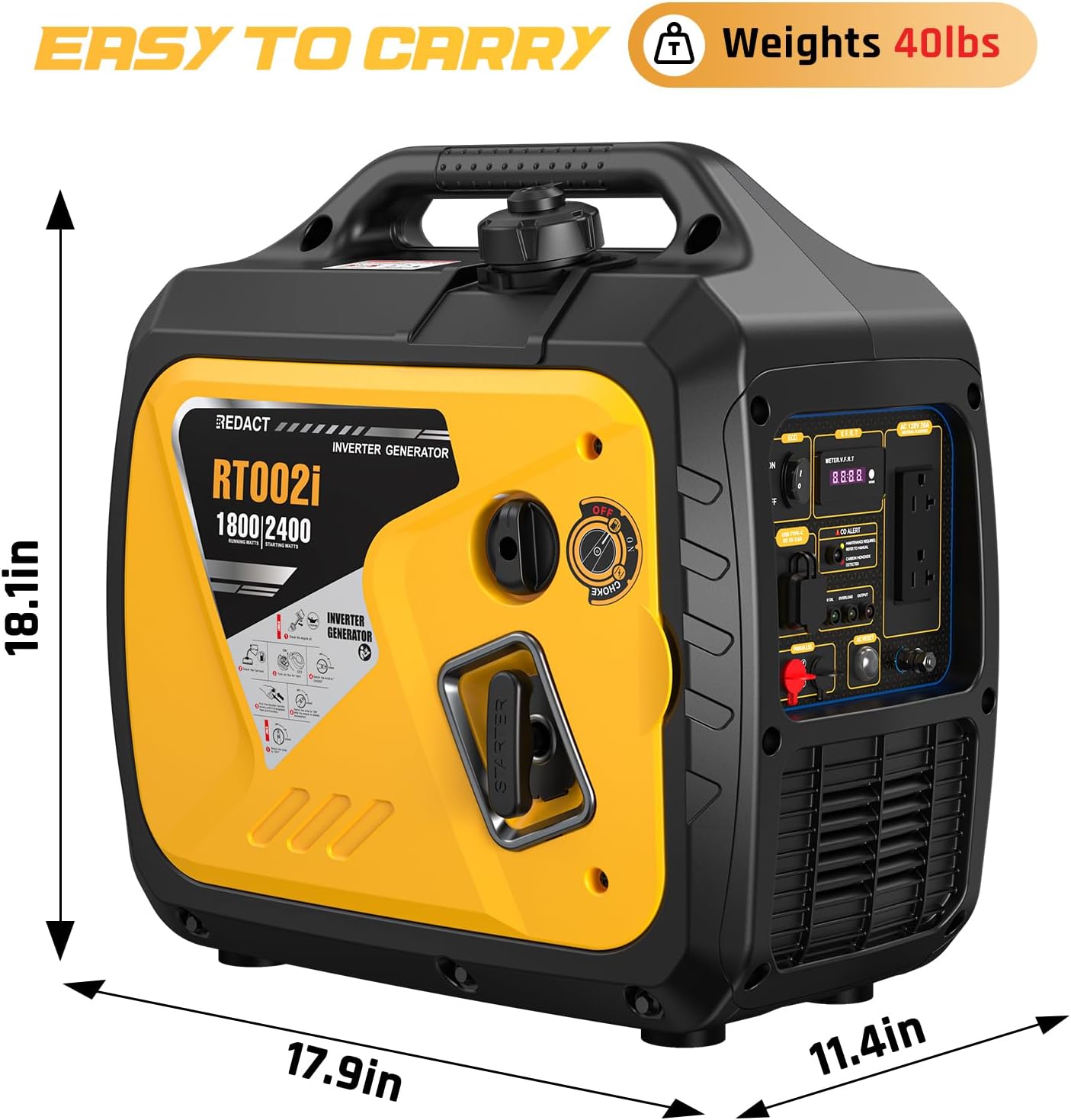
Figure 5: Generator Dimensions
| Ciri | Spesifikasi |
|---|---|
| Jenama | Redaksi |
| Nama Model | RT002i |
| Memulakan Wattage | 2400 Watt |
| Lari Wattage | 1800 Watt |
| Jenis Bahan Api | petrol |
| Anjakan Enjin | 79.7 Sentimeter Kubik |
| Isipadu Tangki | 1.1 Gelen Imperial |
| Masa Larian (beban 25%) | Sehingga 9 jam |
| Noise Level (23ft, 25% load) | lebih kurang 63 dB |
| Berat Barang | 40 paun |
| Dimensi Produk | 18.1"L x 11.4"W x 17.9"H |
| Voltage | 120 Volt |
| Jumlah Outlet Kuasa | 5 (2x 120V, 1x USB-A, 1x USB-C, 1x Parallel Port) |
| Ciri Khas | CO Sensor, Digital Display, Fuel Efficient, Lightweight, Low Oil Shutdown, Parallel Capable |
10. Waranti dan Sokongan
This Redact RT002i Inverter Generator comes with a 1-year limited warranty from the date of purchase. This warranty covers defects in materials and workmanship under normal use. For warranty claims or technical support, please refer to the contact information provided in your full owner's manual or visit the official Redact webtapak.