
JOYING JY-UTS10N8-B
JOYING Single Din Touchscreen Car Stereo User Manual
Model: JY-UTS10N8-B | Brand: JOYING
pengenalan
This manual provides detailed instructions for the installation, operation, maintenance, and troubleshooting of your JOYING Single Din Touchscreen Car Stereo, model JY-UTS10N8-B. This advanced car stereo features a 10.1-inch display, Android 13 operating system, built-in Carplay and Android Auto, a volume knob, and various connectivity options to enhance your in-car entertainment and navigation experience.
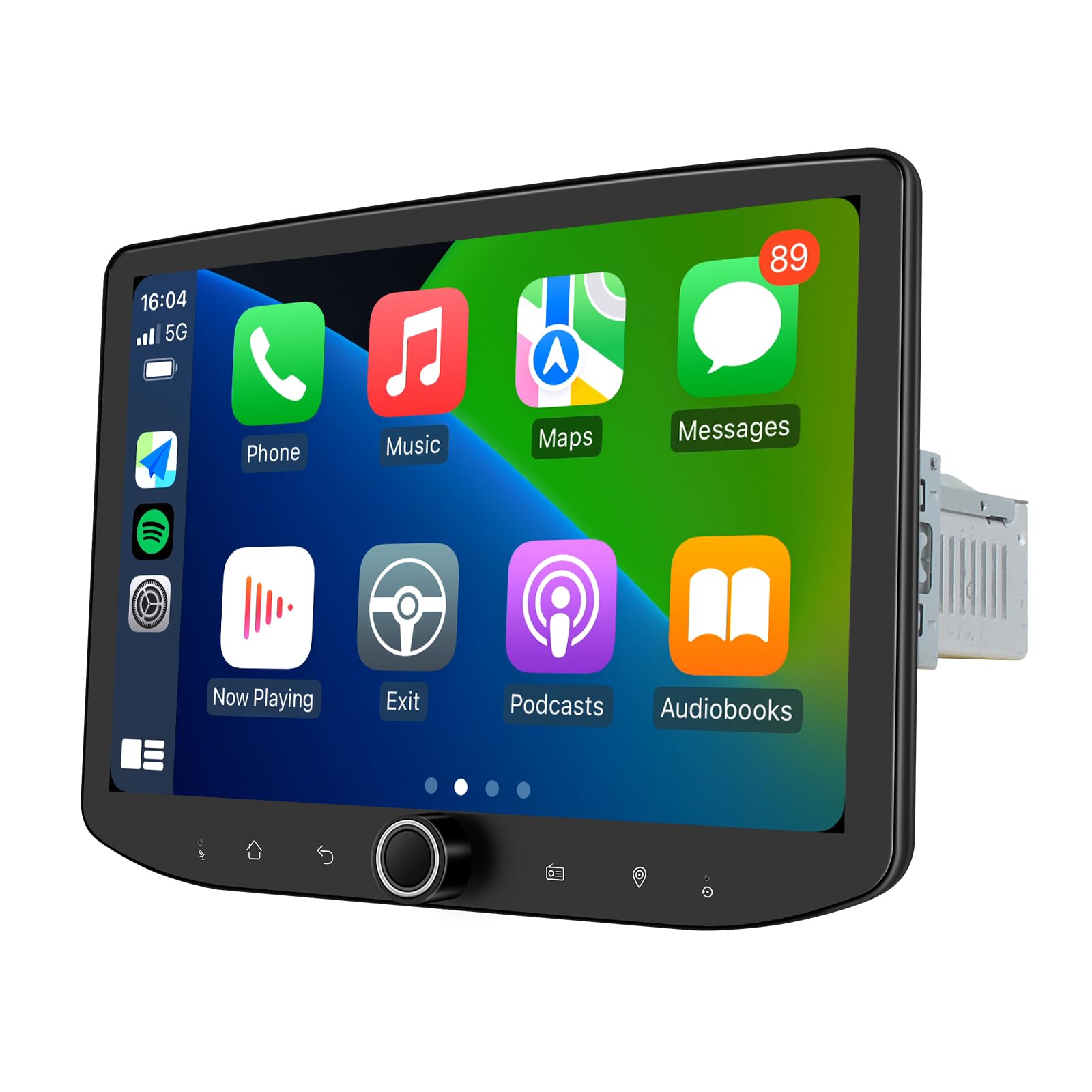
Image: JOYING 10.1 Inch Single Din Touchscreen Car Stereo. This image displays the main unit with its large screen and physical volume knob.

Image: Key features of the JOYING Car Stereo, highlighting Android 13, Qualcomm Snapdragon 6125, Octa Core 2.0GHz processor, and a 1280x800P IPS screen.
Apa yang ada dalam Kotak
Sahkan bahawa semua komponen yang disenaraikan di bawah disertakan dalam pakej anda:
- 10.1" Radio (1 unit)
- Single Din Cage (1 unit)
- Mounting Sleeve (1 unit)
- Left & Right Bracket (1 set)
- Plastic Trim Out (1 unit)
- Extraction Keys (1 set)
- Installation Manual (1 unit)
- WiFi Antenna (1 unit)
- GPS Antenna (1 unit)
- 4G Antenna (2 units)
- External Mic (1 unit)
- USB Cable (2 units)
- AR Cable (1 unit)
- Screen Ribbon Cable (1 unit)
- ISO Cable (1 unit)
- Manual Pengguna (1 unit)

Image: A visual representation of all included components, such as the main radio unit, mounting hardware, various cables, and antennas.
Persediaan dan Pemasangan
Proper installation is crucial for optimal performance. It is recommended to consult a professional for installation if you are unfamiliar with car audio systems.
Nota Pemasangan Umum:
- You may require an installation frame kit, special ISO harness, amplifier adapter, or CANbus decoder depending on your vehicle's specific requirements. These items are not always included and may need to be purchased separately.
- The unit does not support factory car GPS antennas, backup rear cameras, Bluetooth, USB, or microphones. Only JOYING accessories are supported for these functions.
- Refer to the dedicated Manual Pemasangan included in your package for detailed wiring diagrams and step-by-step instructions specific to your unit.
Adjustable Installation Structure:
The left and right mounting brackets are designed to be adjustable, allowing for extension or telescoping to achieve the best fixing position within your car's center console. This adaptability ensures compatibility with a wider range of vehicles.

Image: Diagram illustrating the upgraded installation structure with adjustable left and right brackets, showing extension options from 34mm to 88mm for flexible mounting.
Arahan Operasi
Fast Boot Feature:
Once the car key is inserted, the unit will start up and enter the user interface within approximately 2 seconds. The initial boot-up after a complete power cycle may take 30-40 seconds.
Ketersambungan:
- Built-in 4G Module: Insert a SIM card for internet access. Note that this module does not support making phone calls or sending SMS messages. Supported bands include FDD-LTE: B2/B4/B5/B7/B12/B13/B14/B17/B25/B26/B38/B66/B71 and TDD-LTE: B41.
- Isyarat WiFi: The unit features an independent WiFi antenna for stable signal quality and fast, smooth internet access. It supports 802.11a/b/g/n/AC standards across 2.4GHz/5GHz spectral bands.

Image: Illustration of the upgraded WiFi signal with an independent antenna, ensuring stable and fast internet connectivity.
Navigasi GPS:
The unit includes precise GPS engines and an antenna for accurate positioning and faster real-time navigation. It supports offline maps; if your area supports Google offline map data downloads, you can save this data to the car stereo for offline use. You can also synchronize mobile phone map data via Carplay or Android Auto.
Smartphone Integration (Carplay & Android Auto):
Connect your mobile phone via USB cable or Bluetooth to share your phone's applications on the larger screen. This allows for easier access to navigation, phone calls, and music playback.

Image: Displays the user interfaces for both Apple Carplay and Android Auto running on the JOYING car stereo, showing app integration.
Ciri-ciri audio:
- Optical Fiber and Coaxial Digital Output: If your external amplifier supports optical fiber or coaxial digital input, this feature allows for direct connection to achieve optimal sound quality.
- Bunyi Berkualiti Tinggi: Equipped with a TDA7851 DSP chip, a 48-band graphic equalizer, and a maximum output power of 4x50W. It supports 4 audio outputs, 1 SUB output, and a center channel output for aftermarket ampintegrasi penguat.

Image: Highlights the audio capabilities, including the TDA7851 DSP chip, 48-band graphic equalizer, 4x50W max output, and support for aftermarket amplifiers with various outputs.
Ciri Paparan:
- Pelbagai Tugas Skrin Terpisah: The unit supports running two applications simultaneously on the screen. To use, tap the recent apps icon, find the app you want to split, click the split-screen icon, and then select the second app from recent apps.
- Output HDMI: Provides a full digital image and sound-sending interface. It supports projection screen display for rear passengers (e.g., movies in headrests) and on-screen display for the driver, showing the same 1080P clear picture without stuttering. Note: The HDMI cable is not included.
- Tetapan Diperibadikan: Customize your unit with changeable button colors, car boot logos, customizable wallpapers, and adjustable screen brightness.

Image: A step-by-step visual guide demonstrating how to activate and use the split-screen multitasking feature on the car stereo.

Image: Illustrates the HDMI output functionality, showing how it can be used for both projection to rear screens and mirroring the display on the main unit.
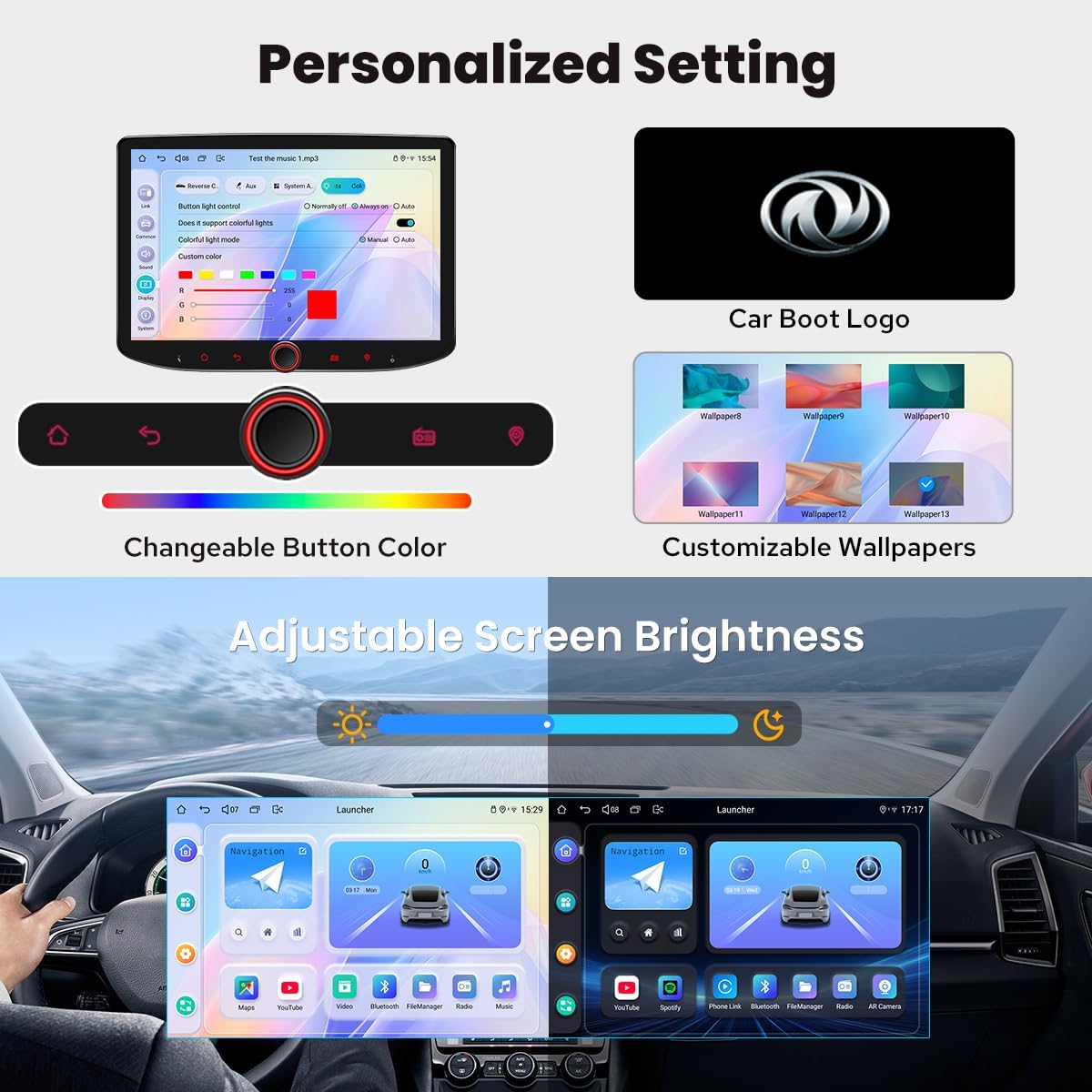
Image: Shows various personalization options available, including changing button colors, setting a custom car boot logo, selecting wallpapers, and adjusting screen brightness.
Kawalan Roda Stereng:
The unit supports steering wheel controls, allowing you to easily switch songs, radio channels, and adjust volume for a safer and more enjoyable driving experience. Note: Vehicles with a CANbus system may require an extra CANbus cable to enable this feature.

Image: Depicts the steering wheel control functionality, showing how physical buttons on the steering wheel can be mapped to control the car stereo.
Ciri-ciri lain:
- Picture-in-Picture (PiP) functionality.
- Three USB ports for various connections.
- Micro SD Card Slot for expandable storage.
- AM/FM Radio tuner.
- Hands-free calling via Bluetooth.

Imej: Tamatview of additional features, including Fast Boot, GPS Navigation, AM/FM Radio, Hands-free Call, Picture-in-Picture, 3 USB ports, Micro SD Card Slot, and 4G SIM Card Slot.
Penyelenggaraan
Sistem Penyejukan:
The unit incorporates a dual heat sink design for superior heat dissipation, improved temperature control, and enhanced performance stability. You can set a warning value for CPU temperature or radio volume. If the CPU temperature or radio's volume exceeds this warning value, the internal fan will automatically activate to prevent overheating.

Imej: Terperinci view of the upgraded cooling system, featuring a dual heat sink and a fan with adjustable temperature warning settings for optimal thermal management.
Penjagaan Am:
- Pastikan skrin bersih menggunakan kain lembut dan tidak berbulu. Elakkan pembersih yang kasar.
- Ensure proper ventilation around the unit to prevent heat buildup.
- Elakkan daripada mendedahkan unit kepada suhu yang melampau atau cahaya matahari langsung untuk tempoh yang lama.
Menyelesaikan masalah
Bahagian ini membincangkan isu biasa yang mungkin anda hadapi dengan stereo kereta JOYING anda.
Issue: Cold Boot Behavior (Backup Camera, Widgets)
When the unit performs a "cold boot" (typically after the car has been off for several days), it may take 45+ seconds to fully boot. During this time, the backup camera functionality may be delayed or unavailable until the system is fully operational. Additionally, some custom widgets (e.g., clocks, notepads) on various launchers may appear as black boxes or fail to load correctly after a cold boot, requiring manual re-enabling.
Penyelesaian: For daily drivers, the unit typically enters a sleep mode and wakes up instantly, avoiding cold boot issues. If you use the vehicle infrequently, be aware of the longer boot time and potential temporary widget issues. Re-enable widgets manually if they do not load correctly.
Issue: Google App Reappears After Disabling
Some users report that the "Google" app, if disabled, may reactivate itself after a system reboot.
Penyelesaian: This behavior is related to the system's default setup on reboot. Currently, there is no user-configurable setting to permanently prevent the Google app from reactivating if it's part of the core system services. You may need to disable it again after a full reboot if you prefer not to use it.
Issue: Incompatibility with Factory Components
The JOYING JY-UTS10N8-B does not support factory car GPS antennas, factory backup rear cameras, factory Bluetooth systems, factory USB ports, or factory microphones. It is designed to work with JOYING-specific accessories for these functions.
Penyelesaian: Ensure you use the included GPS antenna, external microphone, and USB cables. If you require a backup camera, consider purchasing a compatible JOYING accessory. Do not attempt to connect factory components directly unless explicitly stated as compatible in the installation manual.
Issue: Steering Wheel Controls Not Functioning
If your steering wheel controls are not working after installation.
Penyelesaian: If your car has a CANbus system, an additional CANbus cable may be required to enable steering wheel control functionality. Consult your vehicle's wiring diagram or a professional installer.
Spesifikasi
| Nombor Model | JY-UTS10N8-B |
| Sistem Operasi | Android 13 |
| Saiz Paparan | 10.1 Inci |
| Resolusi Paparan | 1280x800P |
| Pemproses | Qualcomm Snapdragon 6125, Octa Core 2.0GHz |
| Memori (RAM) | 8GB |
| Storan (ROM) | 128GB |
| Ketersambungan | Bluetooth, Ethernet, HDMI, USB, Wi-Fi (802.11a/b/g/n/AC, 2.4GHz/5GHz), Built-in 4G Module |
| Ciri Khas | Android Auto, Apple CarPlay, Built-In Bluetooth, Built-In Wi-Fi, Equalizer, Fast Boot, GPS Navigation, AM/FM Radio, Hands-free Call, Picture-in-Picture, Split-screen Multitasking, Optical Fiber & Coaxial Digital Output, Volume Knob |
| Mod Keluaran Audio | Stereo (4 Audio Outputs, 1 SUB Output, Center Channel Output) |
| Jenis Peta | North America (Offline map support) |
| Jenis Pemasangan | Dashboard Mount (Single Din) |
| Berat Barang | 2.65 paun |
| Dimensi Pakej | 14.88 x 8.03 x 5.98 inci |

Image: Technical drawing showing the dimensions of the 10.1-inch screen and the main unit, along with a detailed view of the rear panel ports and connections.
Maklumat Waranti
The JOYING Single Din Touchscreen Car Stereo (JY-UTS10N8-B) comes with a Waranti 2 Tahun. Please retain your proof of purchase for warranty claims. For specific terms and conditions, refer to the warranty documentation included with your product or contact JOYING customer support.
Support and Additional Accessories
For further assistance, refer to the comprehensive User Manual included in your package. JOYING also offers a range of compatible accessories to enhance your car stereo experience. These accessories are sold separately.
Optional Accessories (Not Included):
- DAB+ Digital Radio Adapter: For enhanced digital radio reception.
- DVR: Digital Video Recorder for dashcam functionality.
- OBDII Scanner: Connects via Bluetooth to retrieve real-time data and trouble codes from your vehicle's computer.
- Reverse Camera: For improved visibility when backing up.
- TPMS: Sistem Pemantauan Tekanan Tayar.
- AR Front Camera: Records the road in the background automatically while driving.
- AR Rear Camera: Switches to the reverse display automatically when reversing the car.

Image: Displays optional accessories such as an OBD2 scanner, AR Front Camera, and AR Rear Camera, which can be purchased separately to expand the stereo's functionality.
For the latest support information, FAQs, or to purchase additional accessories, please visit the official JOYING webtapak atau hubungi perkhidmatan pelanggan mereka secara langsung.
Ask a question about this manual
Ask about setup, troubleshooting, compatibility, parts, safety, or missing instructions. Manuals+ will review the question and use this page’s manual context to help answer it.