
TECKNET AF-2006
TECKNET Personal Safety Alarm (Model AF-2006) Instruction Manual
Brand: TECKNET | Model: AF-2006
pengenalan
The TECKNET Personal Safety Alarm is a compact, rechargeable device designed to enhance personal safety with a powerful 135dB alarm and a versatile 4-mode LED flashlight. Its IPX4 waterproof rating and clip-on design make it suitable for various outdoor activities and emergency situations, providing peace of mind for users of all ages.
Ciri-ciri Utama:
- 135dB Personal Alarm: Emits a high-frequency sound audible up to 500 feet to deter threats and attract attention.
- SOS Strobe Light: Integrated flashing lights for enhanced visibility and emergency signaling.
- 4-Mode Flashlight: Includes flashing red, blue, white, and steady white light modes for various lighting needs.
- Bateri boleh dicas semula: Long-lasting 300mAh battery, fully charges in 1.5 hours via USB-C. Features a low-battery warning.
- Kalis Air IPX4: Resistant to water splashes from all angles, suitable for outdoor use in various weather conditions.
- Mudah Dibawa: Equipped with a sturdy clip and keychain for attachment to bags, clothing, belts, or keys.
Kandungan Pakej
- TECKNET Personal Safety Alarm (Model AF-2006)
- Kabel Pengecas USB-C
- Rantai kunci
- Manual Pengguna

Image: Contents of the TECKNET Personal Safety Alarm package, including the alarm unit, USB-C cable, and keychain.
Persediaan
1. Pengecasan Awal
Before first use, fully charge the device. Connect the included USB-C cable to the charging port on the side of the alarm and to a USB power source.
- Lampu merah menunjukkan peranti sedang dicas.
- Lampu hijau menunjukkan peranti telah dicas sepenuhnya.
- Pengisian penuh mengambil masa lebih kurang 1.5 jam.

Image: The personal safety alarm connected to a power bank via its USB-C charging port.
2. Attaching the Keychain/Clip
The alarm comes with a sturdy clip and a detachable keychain for versatile carrying options.
- Keychain: Attach the provided keychain to the loop at the top of the alarm. This allows you to secure it to keys, zippers, or bag straps.
- Klip: Use the integrated clip on the back of the device to attach it directly to clothing, belts, hats, or backpack straps.
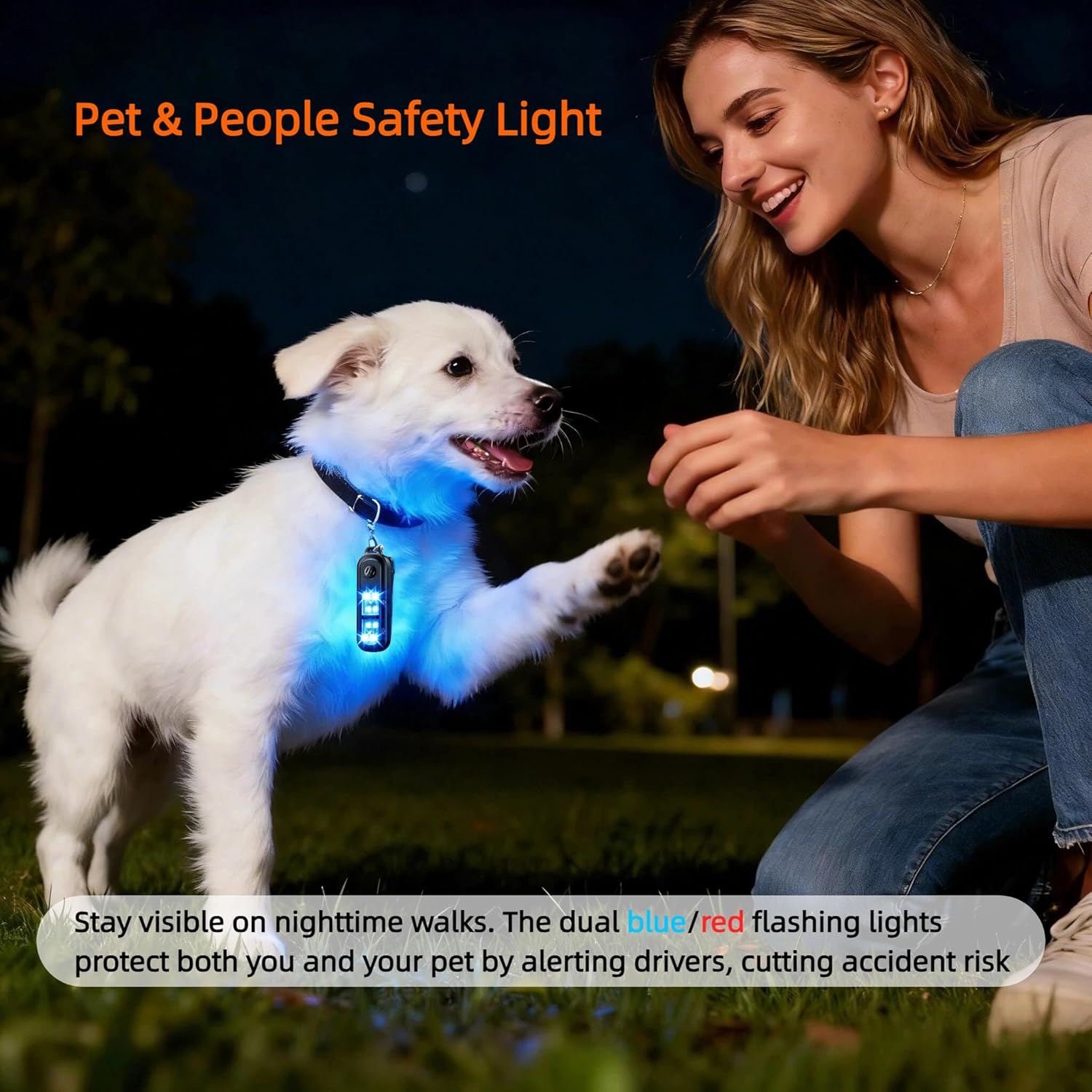
Image: The personal safety alarm showing its keychain attachment and integrated back clip for hands-free carrying.
Arahan Operasi
1. Activating the Personal Alarm (135dB Siren & Strobe Light)
In an emergency, quickly activate the alarm to draw attention and deter potential threats.
- Untuk Mengaktifkan: Double-click the top button (marked with a speaker icon). The 135dB siren will sound, and the white strobe lights will flash.
- Untuk Nyahaktifkan: Tekan dan tahan butang atas selama 3 saat.
Video: Demonstration of activating and deactivating the TECKNET Personal Safety Alarm's siren and strobe light. Double-click to activate, press and hold for 3 seconds to deactivate.

Image: Visual guide on how to activate the 135dB personal alarm by double-clicking and deactivate by pressing and holding for 3 seconds.
2. Using the Flashlight (4 Modes)
The bottom button controls the flashlight functions.
- To Cycle Flashing Modes: Press the bottom button (marked with a light bulb icon) once to activate the flashing red light. Press again for flashing blue, then flashing white. A fourth press will turn the flashing lights off.
- To Activate Steady White Light: Press and hold the bottom button for 3 seconds.
- To Turn Off Steady White Light: Press and hold the bottom button for 3 seconds again.
Video: Demonstration of cycling through the four flashlight modes (flashing red, blue, white, and steady white) and turning them off.

Image: Illustration of the four lighting modes: flashing red, flashing blue, flashing white, and steady white, with their respective durations.
Penyelenggaraan
1. Mengecas
Recharge the device when the low-battery warning is activated (3 short beeps plus a flashing white light when turning off). Use the provided USB-C cable for optimal charging.
2. Pembersihan
Wipe the device with a soft, dry cloth. Do not use harsh chemicals or abrasive cleaners. Ensure the USB-C port cover is securely closed to maintain water resistance.
3. Tahan Air
The device has an IPX4 waterproof rating, meaning it is resistant to water splashes from any direction. It is suitable for use in rain or damp keadaan tetapi tidak boleh ditenggelami air.

Image: The personal safety alarm being used outdoors in light rain, highlighting its IPX4 waterproof feature.
Menyelesaikan masalah
| Masalah | Kemungkinan Punca | Penyelesaian |
|---|---|---|
| Alarm does not activate or is too quiet. | Low battery; incorrect activation method. | Ensure the device is fully charged. Double-click the top button quickly to activate. |
| Flashlight does not turn on or cycle modes. | Bateri lemah; tekan butang tidak betul. | Charge the device. Press the bottom button once to cycle flashing modes, or press and hold for 3 seconds for steady white light. |
| Device falls off clothing when clipped. | Improper attachment; clip not secure. | Ensure the clip is firmly attached to a secure part of your clothing or bag. Consider using the keychain for added security. |
Spesifikasi
| Ciri | Perincian |
|---|---|
| Jenama | TEKNET |
| Model | AF-2006 |
| Bunyi Yang Boleh Didengar | 135 Desibel |
| Sumber Kuasa | Dikuasakan Bateri (Boleh dicas semula) |
| Kapasiti Bateri | 300mAh (lebih kurang) |
| Masa Mengecas | 1.5 Jam |
| Mod Lampu Suluh | Flashing Red, Flashing Blue, Flashing White, Steady White |
| Penilaian Kalis Air | IPX4 |
| Kaedah Kawalan | Butang Tekan |
| Dimensi Produk (L x W x H) | 2.36" x 0.79" x 3.35" |
Waranti dan Sokongan
The TECKNET Personal Safety Alarm comes with a Waranti servis 36 bulan. For any product inquiries, technical support, or warranty claims, please contact TECKNET customer service through their official channels or the retailer where the product was purchased.
We hope you never need to use the alarm in an emergency, but rest assured it is designed to provide reliable protection when needed.
Ask a question about this manual
Ask about setup, troubleshooting, compatibility, parts, safety, or missing instructions. Manuals+ will review the question and use this page’s manual context to help answer it.