1. Pengenalan
Thank you for choosing the Sakerplus Magnetic Digital Inclinometer. This high-precision digital angle ruler is designed for accurate angle measurements in various applications, including woodworking, construction, and auto repair. Its compact design, magnetic base, and user-friendly interface ensure efficient and reliable performance.
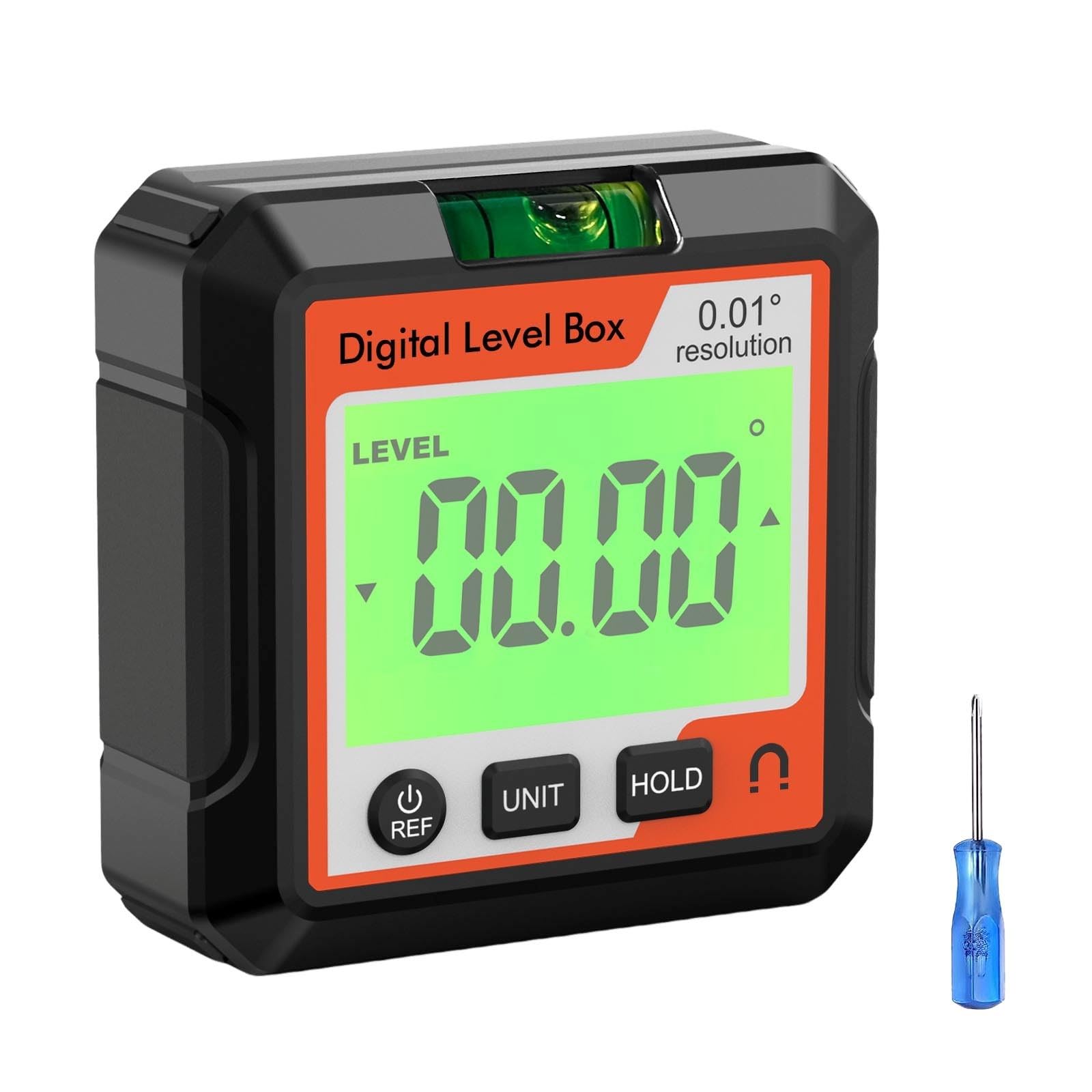
Figure 1: Sakerplus Magnetic Digital Inclinometer with key dimensions (5.7cm/2.24in x 5.7cm/2.24in x 2.5cm/0.98in).
2. Produk Lebihview dan Ciri
The Sakerplus Magnetic Digital Inclinometer combines multiple functionalities into one compact device, offering advanced precision and ease of use.
Ciri-ciri Utama:
- Operasi tanpa usaha: User-friendly interface requires no complex setup.
- Precision Auto Calibration: Advanced system minimizes human error for exceptional accuracy.
- Reka Bentuk Cekap Tenaga: Low power consumption extends battery life for prolonged use.
- Padat & Mudah Alih: Sleek, lightweight design for easy transport and use anywhere.
- Multi-purpose Functionality: Acts as a protractor, inclinometer, and level.
- Mod Pengukuran: Supports both absolute and relative angle measurements.
- Penukaran Unit: Easily switch between angle and slope units.
- Data Locking: Hold function to retain measurements.
- Pangkalan Magnetik: Dipasang dengan selamat pada permukaan logam untuk operasi bebas tangan.

Gambar 2: Lebihview of the inclinometer's buttons and display indicators, including ON/OFF/REF, UNIT, HOLD, Low Battery, and Measuring Surface.
3. Persediaan
Pemasangan/Pengecasan Bateri:
The device is battery-powered. Ensure the battery is charged before first use. If the device uses a rechargeable battery, connect the provided USB cable to the charging port (usually located on the side or back) and a suitable USB power source.
Hidupkan/Mati Kuasa:
Tekan ke ON/OFF/REF butang untuk menghidupkan peranti. Untuk mematikan kuasa, tekan dan tahan butang ON/OFF/REF butang.
4. Arahan Operasi
Absolute and Relative Measurement Modes:
The inclinometer supports two measurement modes:
- Absolute Mode (ABS): Measures the angle relative to a true horizontal plane.
- Relative Mode (REF): Allows you to set any surface as a 0-degree reference point for subsequent measurements. Press the ON/OFF/REF button briefly to switch between absolute and relative modes, or to set a new relative zero.
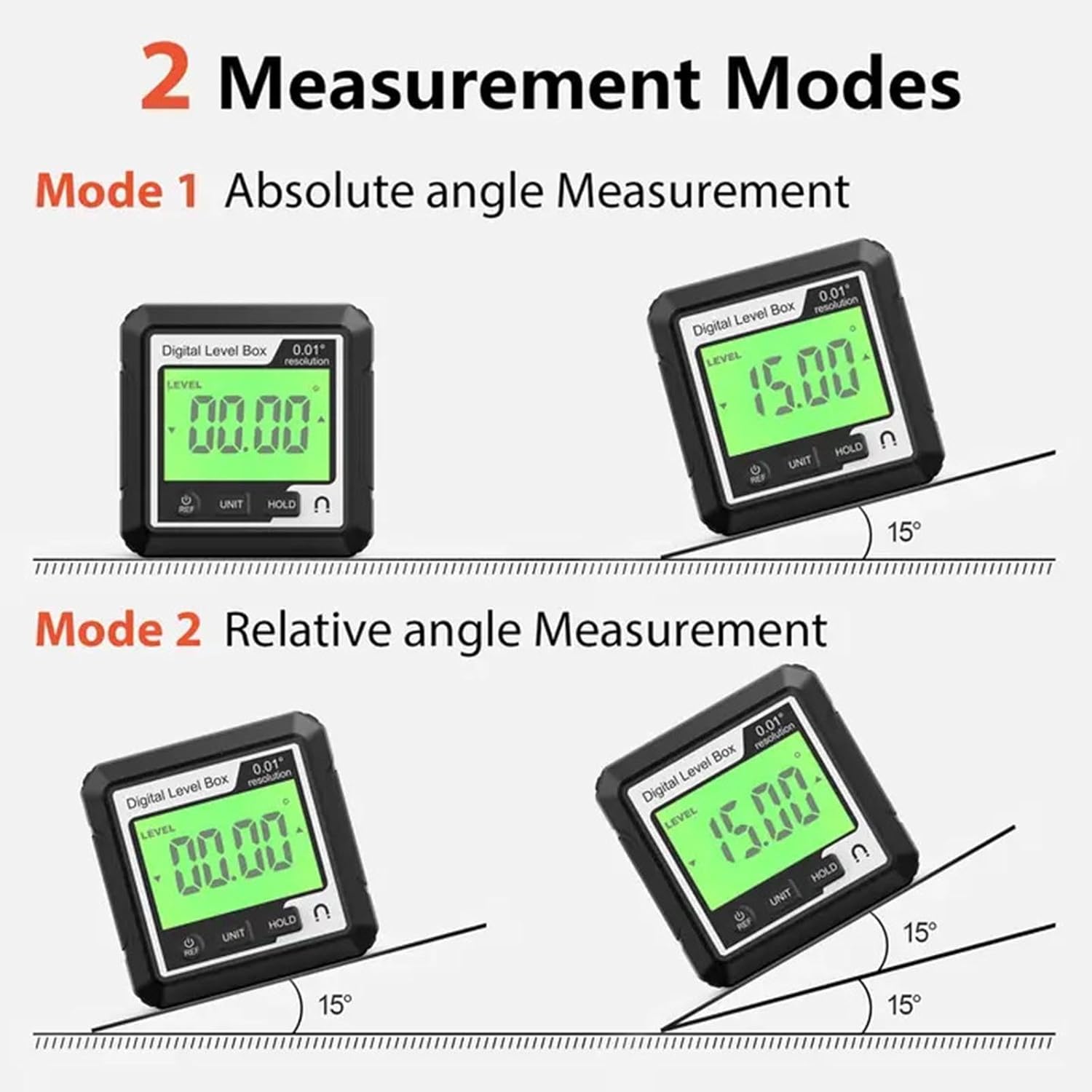
Figure 3: Illustration of Absolute Angle Measurement (Mode 1) and Relative Angle Measurement (Mode 2).
Penukaran Unit:
Tekan ke UNIT button to cycle through different measurement units, such as degrees (°), percentage (%), mm/m, and in/ft.
Fungsi Pegangan Data:
Tekan ke TAHAN button to freeze the current measurement on the display. Press it again to release the hold function.
Menggunakan Pangkalan Magnet:
The strong magnetic base allows the inclinometer to be securely attached to metal surfaces, providing hands-free operation for precise measurements. This is particularly useful for setting angles on saw blades or metal frameworks.
Laser Function (if applicable):
Some models may include a laser line projection feature for extended alignment. If present, activate the laser by pressing the dedicated laser button. The laser projects a line to assist with alignment over longer distances.
Video 1: Demonstrates the XUNTOP Digital Angle Finder's features, including absolute/relative measurement, magnetic attachment, unit conversion, and data hold function.
Video 2: Shows the BINTA 4-Side Magnetic Digital Angle Gauge in action, highlighting relative/absolute measurement, magnetic suction, unit switching, data lock, and dual lateral line laser.
Video 3: Features the eSynic Magnetic Digital Angle Finder with Laser, demonstrating laser activation, magnetic attraction, zero function, unit switching, data hold, and auto-rotating display.
5. Penyelenggaraan
- Pastikan peranti bersih dan kering. Lap dengan lembut, damp kain.
- Elakkan daripada mendedahkan peranti kepada suhu yang melampau atau cahaya matahari langsung.
- Simpan dalam bekas pelindung apabila tidak digunakan untuk mengelakkan kerosakan.
- Jangan cuba membuka peranti, kerana ini akan membatalkan jaminan.
6. Penyelesaian masalah
Peranti Tidak Dihidupkan:
- Pastikan bateri dicas.
- Check for any visible damage to the device or charging cable.
Bacaan Tidak Tepat:
- Perform auto-calibration as described in the operating instructions.
- Ensure the measuring surface is clean and free of debris.
- Verify the device is placed firmly and flat on the surface being measured.
Displaying 'ERR':
- This typically indicates that the device has been tilted beyond its operational range (e.g., >30 degrees forward or backward from its initial position in some modes). Return the device to a stable position within its measurement range.
7. Spesifikasi
| Ciri | Perincian |
|---|---|
| Jenama | Generik |
| bahan | plastik |
| Gaya | Magnet |
| Sumber Kuasa | Dikuasakan Bateri |
| Mod Operasi | Automatik |
| Pengeluar | Waycin |
8. Waranti dan Sokongan
For warranty information and customer support, please refer to the product packaging or contact your retailer. Keep your purchase receipt for any warranty claims.


