
1. Pengenalan
Thank you for choosing the Intelbras PFL7560 Full HD Wi-Fi Projector. This projector is designed to deliver a high-quality visual and audio experience for various applications, from home cinema to business presentations. It features Full HD resolution, 8000 lumens brightness, and integrated 12W stereo speakers. This manual provides essential information for safe and efficient operation of your projector.
2. Maklumat Keselamatan
Sila baca semua arahan keselamatan dengan teliti sebelum menggunakan projektor. Simpan manual ini untuk rujukan pada masa hadapan.
- Bekalan Kuasa: Use only the power adapter provided with the projector. Ensure the voltage sepadan dengan bekalan kuasa tempatan anda.
- Pengudaraan: Jangan halang bukaan pengudaraan. Pastikan ruang yang mencukupi di sekeliling projektor untuk aliran udara yang betul bagi mengelakkan terlalu panas.
- penempatan: Letakkan projektor di atas permukaan yang stabil dan rata. Elakkan meletakkannya di bawah cahaya matahari langsung, berhampiran sumber haba atau dalam persekitaran yang mempunyai kelembapan atau habuk yang tinggi.
- Perlindungan Mata: Jangan lihat terus ke dalam kanta projektor apabila lamp sedang dihidupkan, kerana cahaya terang boleh menyebabkan kerosakan mata.
- Pembersihan: Cabut plag projektor sebelum membersihkan. Gunakan kain lembut dan kering. Jangan gunakan pembersih cecair atau aerosol.
- Servis: Do not attempt to repair the projector yourself. Refer all servicing to qualified service personnel.
3. Kandungan Pakej
Sahkan bahawa semua item terdapat dalam pakej:
- Intelbras PFL7560 Projector Unit
- Alat Kawalan Jauh
- Kabel Kuasa
- Manual Pengguna
4. Produk Lebihview
Familiarize yourself with the main components and ports of your Intelbras PFL7560 projector.
4.1. Komponen Projektor

Image: Intelbras PFL7560 Projector with included remote control.
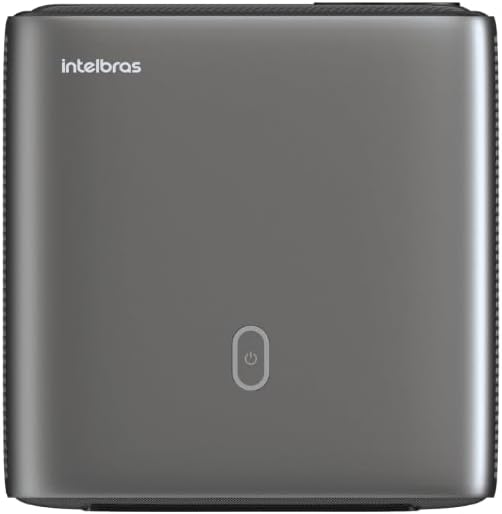
Imej: Atas view of the projector, highlighting the power button and sleek design.
4.2. Pelabuhan dan Ketersambungan
Projektor ini menawarkan pelbagai pilihan sambungan:
- HDMI: For connecting high-definition devices such as laptops, gaming consoles, or Blu-ray players.
- USB: Untuk menyambungkan peranti storan USB untuk memainkan media files secara langsung.
- Wi-Fi (802.11 ac/b/g/n): For wireless connectivity and screen mirroring from compatible Android devices.
- Keluar Audio: Untuk menyambungkan sistem audio luaran atau fon kepala.
5. Persediaan
5.1. penempatan
Choose a suitable location for your projector. The PFL7560 can project images from 60 to 150 inches, making it versatile for various room sizes. Ensure the projector is placed on a stable surface and is not obstructed.
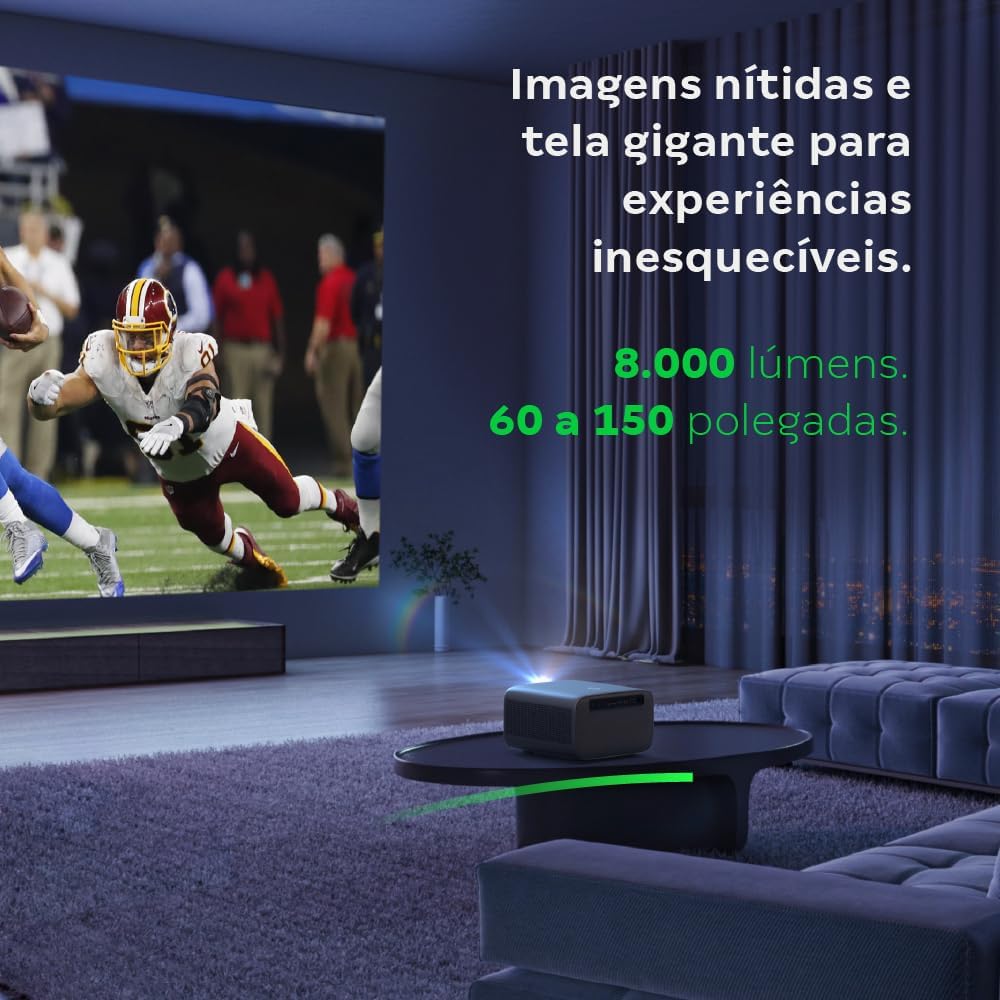
Image: The projector creating a large, clear image in a home environment, demonstrating its capability for immersive viewing.
5.2. Sambungan Kuasa
Sambungkan kabel kuasa ke input kuasa projektor dan kemudian ke soket kuasa.
5.3. Kuasa Awal Hidup
Press the power button on the projector or the remote control to turn on the device. The projector will initiate its startup sequence.
5.4. Pembetulan Fokus dan Keystone
The PFL7560 features automatic focus and keystone correction for a perfectly aligned and sharp image without manual effort. If manual adjustment is needed, refer to the on-screen display (OSD) menu.
6. Arahan Operasi
6.1. Menghubungkan Peranti
- HDMI: Connect your device using an HDMI cable to the HDMI port on the projector. Select the corresponding HDMI input from the projector's source menu.
- USB: Insert a USB drive into the USB port. The projector's media player will typically detect the drive automatically, allowing you to browse and play files.
- Wi-Fi / Screen Mirroring: For compatible Android devices, enable screen mirroring on your device and select the projector from the available devices. Ensure both devices are connected to the same Wi-Fi network.
6.2. Keluaran Audio
The projector is equipped with two integrated 12W speakers, providing clear and immersive audio. For external audio, connect speakers or headphones to the audio output port.

Image: Detail of the projector's integrated 12W speakers, designed for powerful and clear sound.
7. Penyelenggaraan
7.1. Membersihkan Lensa
Gunakan kain lembut dan tidak berbulu yang direka khas untuk kanta optik untuk mengelap kanta projektor dengan lembut. Elakkan penggunaan bahan kasar atau bahan kimia yang keras.
7.2. Membersihkan Badan Projektor
Wipe the exterior of the projector with a soft, dry cloth. Do not use liquid or spray cleaners directly on the unit.
7.3. LED Light Source Longevity
The Intelbras PFL7560 uses an LED light source with a lifespan of up to 30,000 hours, ensuring long-term use and consistent performance without significant brightness degradation.
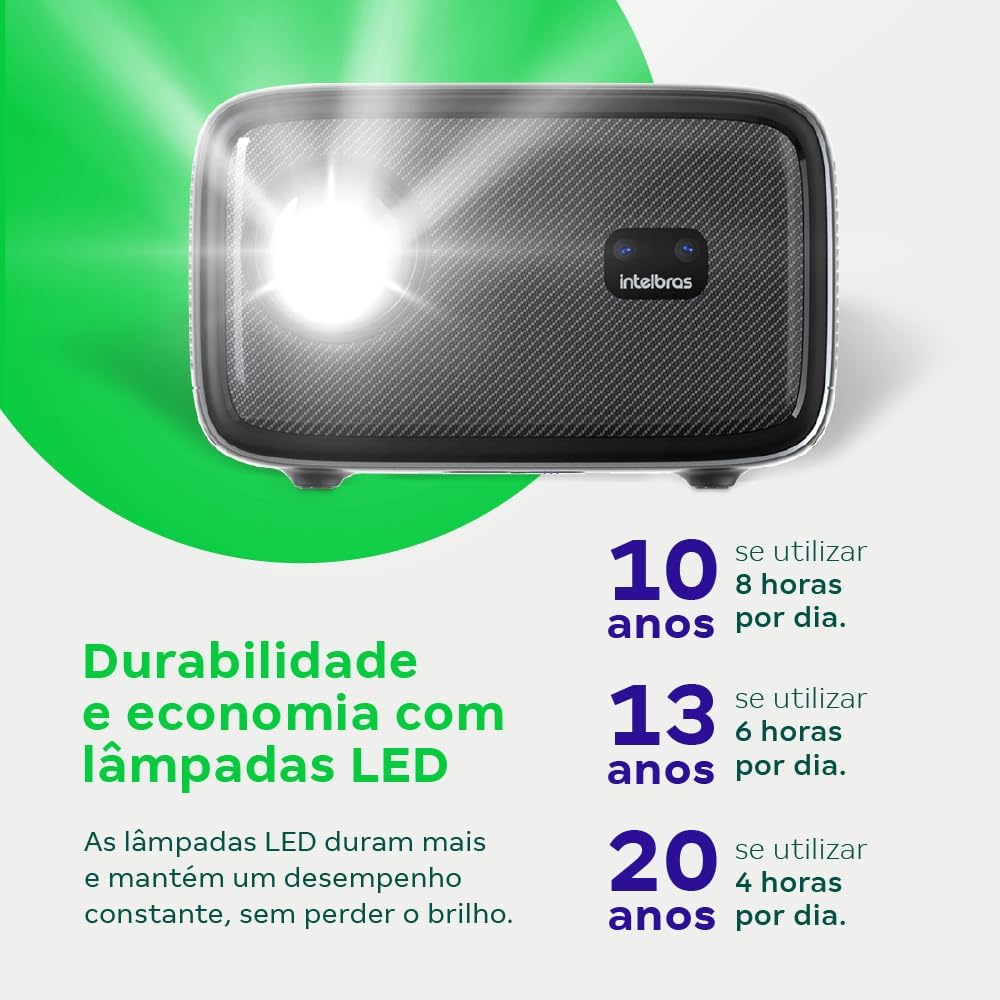
Image: An infographic illustrating the extended durability and economic benefits of the LED lamp, lasting up to 30,000 hours.
8. Penyelesaian masalah
Jika anda menghadapi masalah dengan projektor anda, rujuk kepada masalah dan penyelesaian biasa berikut:
- Tiada gambar: Ensure the power cable is securely connected and the projector is turned on. Check the input source selection to match your connected device.
- Imej Kabur: Adjust the focus. If the image is distorted, check for automatic keystone correction or adjust it manually via the settings menu.
- Tiada Bunyi: Verify the volume level on both the projector and the connected device. Ensure external speakers are properly connected if used, or that the internal speakers are enabled.
- Isu Ketersambungan: For Wi-Fi or screen mirroring, ensure both the projector and your device are on the same network. Restart both devices if necessary.
- Terlalu panas: Ensure the projector's ventilation openings are not blocked. Turn off the projector and allow it to cool down if it feels excessively hot.
9. Spesifikasi
| Ciri | Spesifikasi |
|---|---|
| Jenama | Intelbras |
| Nama Model | PFL 7560 |
| Teknologi Ketersambungan | Wi-Fi |
| Ciri Khas | Wi-Fi Sedia |
| Resolusi Paparan | 1920 x 1080 (HD Penuh) |
| Resolusi Asli | 1920 x 1080 |
| Resolusi Paparan Maksimum | 1920 x 1080 |
| Jenis Paparan | LCD |
| Kecerahan | 8000 Lumen |
| Peranti Serasi | Komputer riba, Telefon Pintar, Tablet |
| Hayat Operasi Sumber Cahaya | 30000 Jam |
| Antara Muka Perkakasan | 802.11 ac/b/g/n |
| Pengekodan Video | H.264, H.265 |
| Penggunaan yang Disyorkan | Pawagam Rumah |
| Audio | 2 x 12W Integrated Speakers |
10. Waranti dan Sokongan
For warranty information, technical support, or service requests, please refer to the official Intelbras webtapak atau hubungi perkhidmatan pelanggan mereka secara langsung. Simpan resit pembelian anda sebagai bukti pembelian untuk tuntutan waranti.