
1. Pengenalan
This manual provides essential information for the proper use and maintenance of your DEKELIFE G68 Smartwatch. Please read it carefully before using the device to ensure optimal performance and longevity.
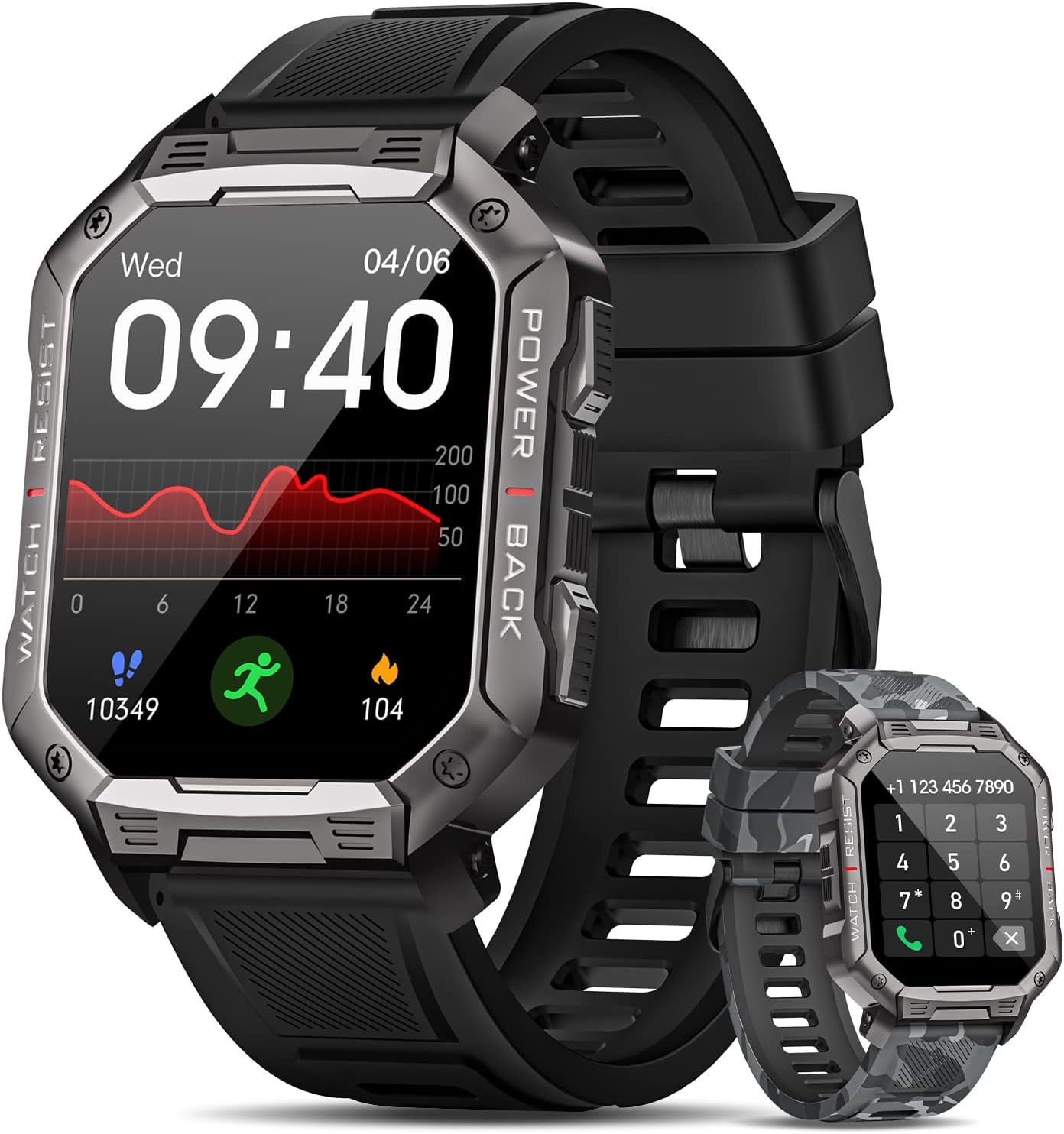
Imej 1.1: The DEKELIFE G68 Smartwatch, showcasing its main display and two interchangeable strap options: a classic black silicone band and a camouflage silicone band. The watch face displays time, date, heart rate, steps, and calories burned.
2. Apa yang ada di dalam Kotak
Sahkan bahawa semua item terdapat dalam pakej:
- 1 x DEKELIFE G68 Smartwatch
- 1 x Tali Silikon Hitam
- 1 x Camouflage Silicone Strap
- 1 x Kabel Pengecasan
- 1 x Manual Pengguna
3. Panduan Persediaan
3.1. Mengecas Jam Pintar
Before first use, fully charge the smartwatch. Connect the magnetic charging cable to the charging points on the back of the watch and plug the USB end into a compatible power adapter (not included) or a computer's USB port.
3.2. Pemasangan Apl dan Berpasangan
- Muat turun Apl: Scan the QR code in the manual or search for the companion app (name not specified, refer to the included manual for exact app name) on your smartphone's app store (Android or iOS).
- Daftar/Log Masuk: Buka apl dan ikut arahan pada skrin untuk membuat akaun atau log masuk.
- Berpasangan: Ensure Bluetooth is enabled on your smartphone. In the app, navigate to 'Device' or 'Add Device' and select the DEKELIFE G68 from the list of available devices. Confirm the pairing request on both your phone and the smartwatch.
4. Arahan Operasi
4.1. Navigasi Asas
- Skrin Sentuh: Leret ke kiri/kanan, atas/bawah untuk menavigasi menu dan ciri. Ketik untuk memilih.
- Butang Sisi: The watch features side buttons for power, back functions, and quick access to certain features. Refer to the included manual for specific button assignments.
4.2. Panggilan Bluetooth
Once paired with your smartphone, the smartwatch supports Bluetooth calls, allowing you to make and receive calls directly from your wrist.
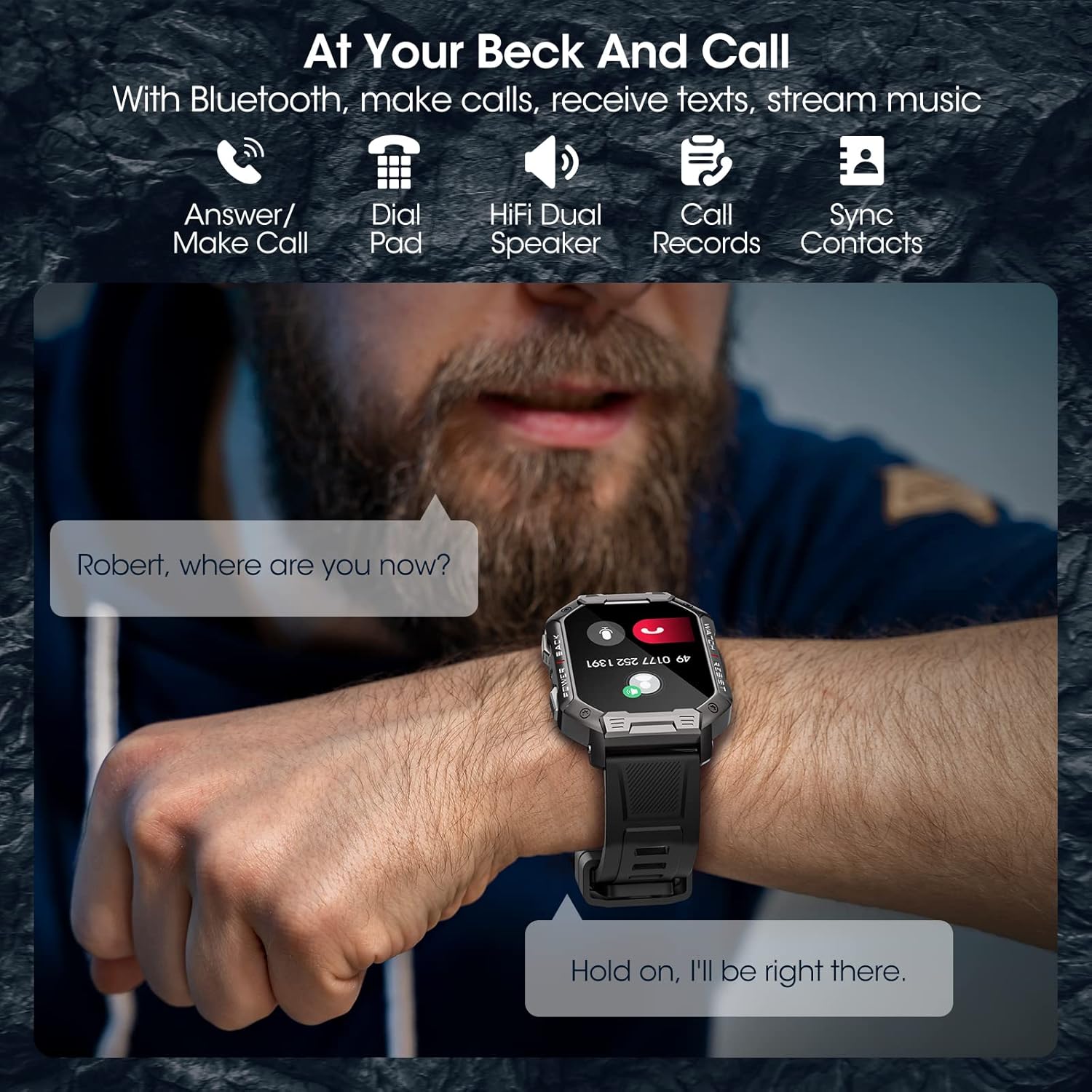
Imej 4.1: A person wearing the DEKELIFE G68 Smartwatch on their wrist, demonstrating its Bluetooth calling capability. The watch screen shows an incoming call notification, and the text indicates the ability to answer calls, use a dial pad, and sync contacts.
4.3. Menukar Muka Jam
Customize your smartwatch by selecting from various watch faces available through the companion app or directly on the watch. The app typically offers a wider selection.
4.4. Pemberitahuan Pintar
Receive notifications for calls, messages, and various social media apps directly on your smartwatch. Ensure notification permissions are granted in your phone's settings and the companion app.

Imej 4.2: The DEKELIFE G68 Smartwatch screen showing multiple notifications from different applications like SMS, WhatsApp, Facebook, Instagram, and TikTok, illustrating its smart notification feature.
4.5. Video Produk Rasmi
For a visual guide on the smartwatch's features and operation, please watch the official product video below.
Video 4.1: An official product video demonstrating the DEKELIFE Smartwatch's features, including its HD touch screen, Bluetooth call functionality, customizable watch faces, smart notifications, health monitoring, and various sport modes. The video highlights the watch's versatility for both men and women.
5. Pemantauan Kesihatan
The DEKELIFE G68 Smartwatch is equipped with sensors to monitor various health metrics:
- Pemantauan Denyut Jantung: Mengesan kadar denyutan jantung anda sepanjang hari.
- Pemantauan Oksigen Darah (SpO2): Mengukur tahap ketepuan oksigen darah anda.
- Pemantauan Tekanan Darah: Memberikan anggaran tekanan darah anda.
- Penjejakan Tidur: Analyzes your sleep patterns, including awake, light sleep, and deep sleep stages.
Note: Health monitoring data is for reference only and should not be used for medical diagnosis or treatment. Consult a medical professional for health concerns.

Imej 5.1: Tiga views of the DEKELIFE G68 Smartwatch displaying health metrics: heart rate (095 BPM), blood pressure (086/072 MMHG), and blood oxygen (092% SpO2). Icons for 24/7 Heart Rate, Blood Oxygen, and Blood Pressure are also shown.

Imej 5.2: The DEKELIFE G68 Smartwatch screen showing a detailed sleep quality report, including total sleep duration, and breakdown of awake, light sleep, and deep sleep stages over a week. The text indicates features to monitor sleep stages and track sleep quality at night.
6. Mod Sukan dan Penjejakan Aktiviti
The smartwatch supports 20 different sport modes to track your workouts and daily activities. It records data such as steps, distance, calories burned, and active time.

Imej 6.1: The DEKELIFE G68 Smartwatch displaying icons for various workout modes, including walking, running, climbing, cycling, and basketball, indicating its multi-sport tracking capabilities.
7. Spesifikasi
Key technical specifications of the DEKELIFE G68 Smartwatch:
| Ciri | Perincian |
|---|---|
| Jenama | DEKELIFE |
| Nombor Model | G68 (also referred to as AK90) |
| Saiz Paparan | 1.83" IPS (some specifications indicate 2.02") |
| Sistem Operasi | Pakai OS |
| Ketersambungan | Bluetooth |
| Kapasiti Bateri | 410 mAh Litium-polimer |
| Tahan Air | IP67 (product description) / IP68 (some images) |
| Ciri Khas | Bluetooth Calls, Activity Tracker, Multi-sport Tracker, Heart Rate, Sleep, Pedometer, Alarm Clock, Gesture Control |
| Peranti Serasi | Telefon Pintar (Android, iOS) |
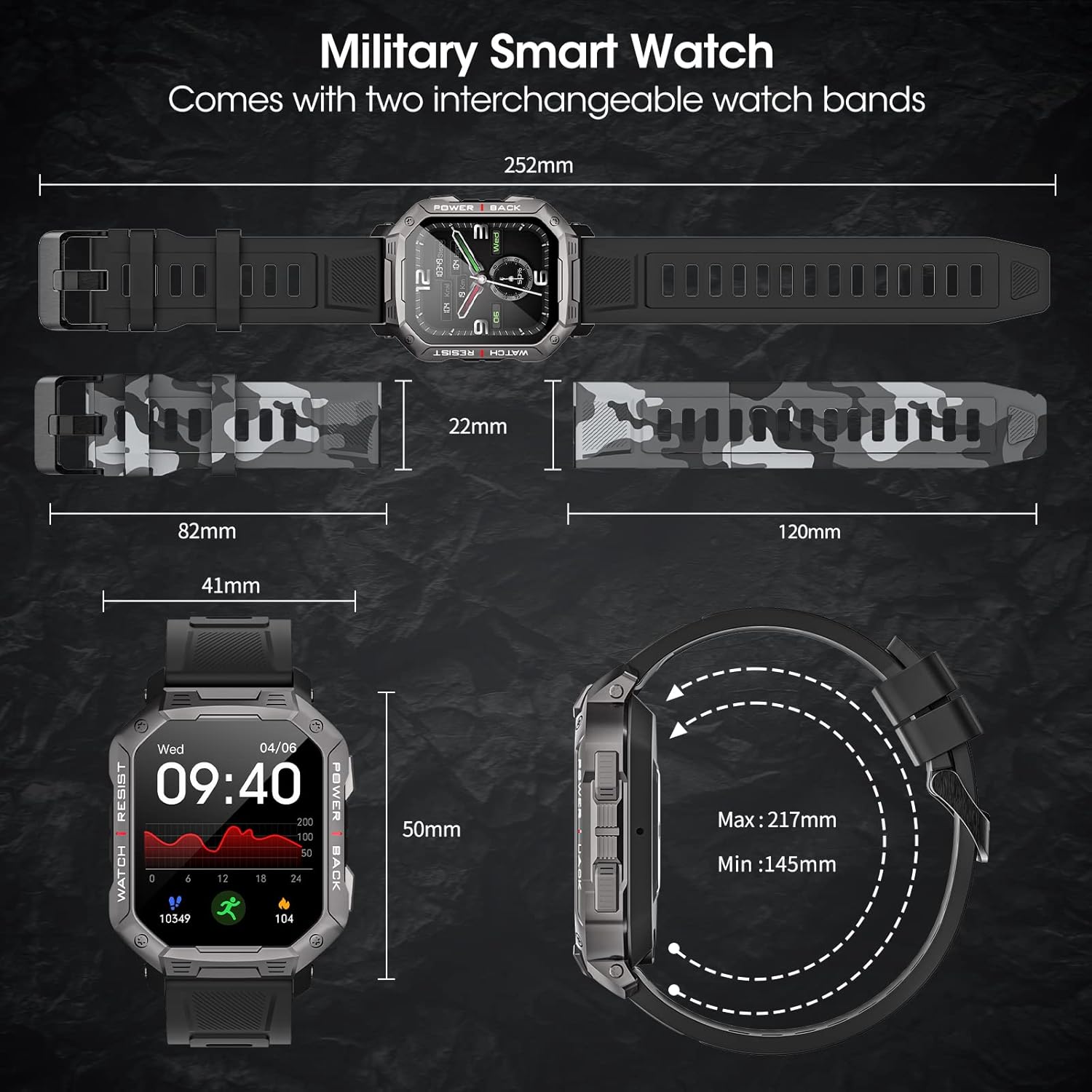
Imej 7.1: Detailed diagram showing the dimensions of the DEKELIFE G68 Smartwatch and its interchangeable watch bands. Key measurements like watch width (41mm), strap width (22mm), and strap length (max 217mm, min 145mm) are indicated.

Imej 7.2: The DEKELIFE G68 Smartwatch emphasizing its robust design with features like cold-resistance (-40°C), heat-resistance (70°C), shock resistance, 50M shock-resistant, IP68 water-resistant, and enhanced antimagnetic properties, indicating military-standard durability.
8. Penyelenggaraan dan Penjagaan
8.1. Pembersihan
Bersihkan jam tangan pintar dan tali anda secara berkala dengan kain lembut dan kering. Jika perlu, gunakan sedikit kainamp kain dan sabun lembut, kemudian bilas dan keringkan dengan teliti. Elakkan bahan kimia yang keras atau bahan yang melelas.
8.2. Tahan Air
The DEKELIFE G68 Smartwatch is rated IP67 (as per product description), meaning it is protected from dust and can withstand immersion in water up to 1 meter for 30 minutes. While some images suggest IP68, it is recommended to adhere to the IP67 rating for general use. Avoid hot water, steam, or prolonged immersion.
8.3. Penjagaan Bateri
To prolong battery life, avoid fully discharging the battery frequently. Charge the device regularly, and store it in a cool, dry place if not used for extended periods.
9. Penyelesaian masalah
- Tonton tidak dihidupkan: Pastikan jam tangan dicas sepenuhnya. Sambungkannya ke pengecas selama sekurang-kurangnya 30 minit.
- Tidak boleh berpasangan dengan telefon: Make sure Bluetooth is enabled on your phone and the watch is within range. Restart both devices and try pairing again. Check the companion app for specific pairing instructions.
- Pemberitahuan tidak diterima: Verify that notification permissions are enabled for the companion app in your phone's settings. Also, check the app's settings to ensure notifications are enabled for desired applications.
- Data kesihatan tidak tepat: Pastikan jam tangan dipakai dengan kemas di pergelangan tangan anda, tidak terlalu ketat atau terlalu longgar. Bersihkan sensor di bahagian belakang jam tangan.
- Skrin tidak bertindak balas: Try restarting the watch by pressing and holding the power button. If unresponsive, allow the battery to fully drain and then recharge.
10. Waranti dan Sokongan
The DEKELIFE G68 Smartwatch comes with a Waranti pengilang selama 1 tahun. Sila simpan bukti pembelian anda untuk tuntutan waranti.
For technical support, troubleshooting assistance, or warranty inquiries, please contact the retailer or manufacturer's customer service through the contact information provided with your purchase or on the official DEKELIFE webtapak.


