
1. Pengenalan
Thank you for choosing the TECKNET TK-GK006 Wired Gaming Keyboard. This manual provides essential information for setting up, operating, and maintaining your keyboard to ensure optimal performance and longevity. Please read these instructions carefully before use.
2. Kandungan Pakej
- 1 x TECKNET TK-GK006 Wired Gaming Keyboard
- 1 x Manual Pengguna
3. Produk Lebihview
The TECKNET TK-GK006 is a wired gaming keyboard designed for an enhanced gaming and typing experience. It features customizable RGB lighting, an ergonomic design, 26-key anti-ghosting, and a spill-resistant construction.
3.1 Ciri-ciri Utama
- Pencahayaan RGB yang boleh disesuaikan: Over 13 dynamic lighting modes, 8 adjustable brightness levels, and 6 speed settings.
- Reka bentuk ergonomik: Integrated wrist rest, foldable stands for an 8° typing angle, and a stepped key layout for comfort.
- Pemegang Telefon Bersepadu: A convenient slot for holding your smartphone during use.
- 26-Kunci Anti-Ghosting: Ensures accurate registration of multiple simultaneous key presses.
- Reka Bentuk Tahan Tumpahan: Equipped with 3 drainage holes to protect against accidental liquid spills.
- Mechanical-Feeling Membrane Keys: Provides tactile feedback similar to mechanical keyboards.
3.2 Rujukan Visual
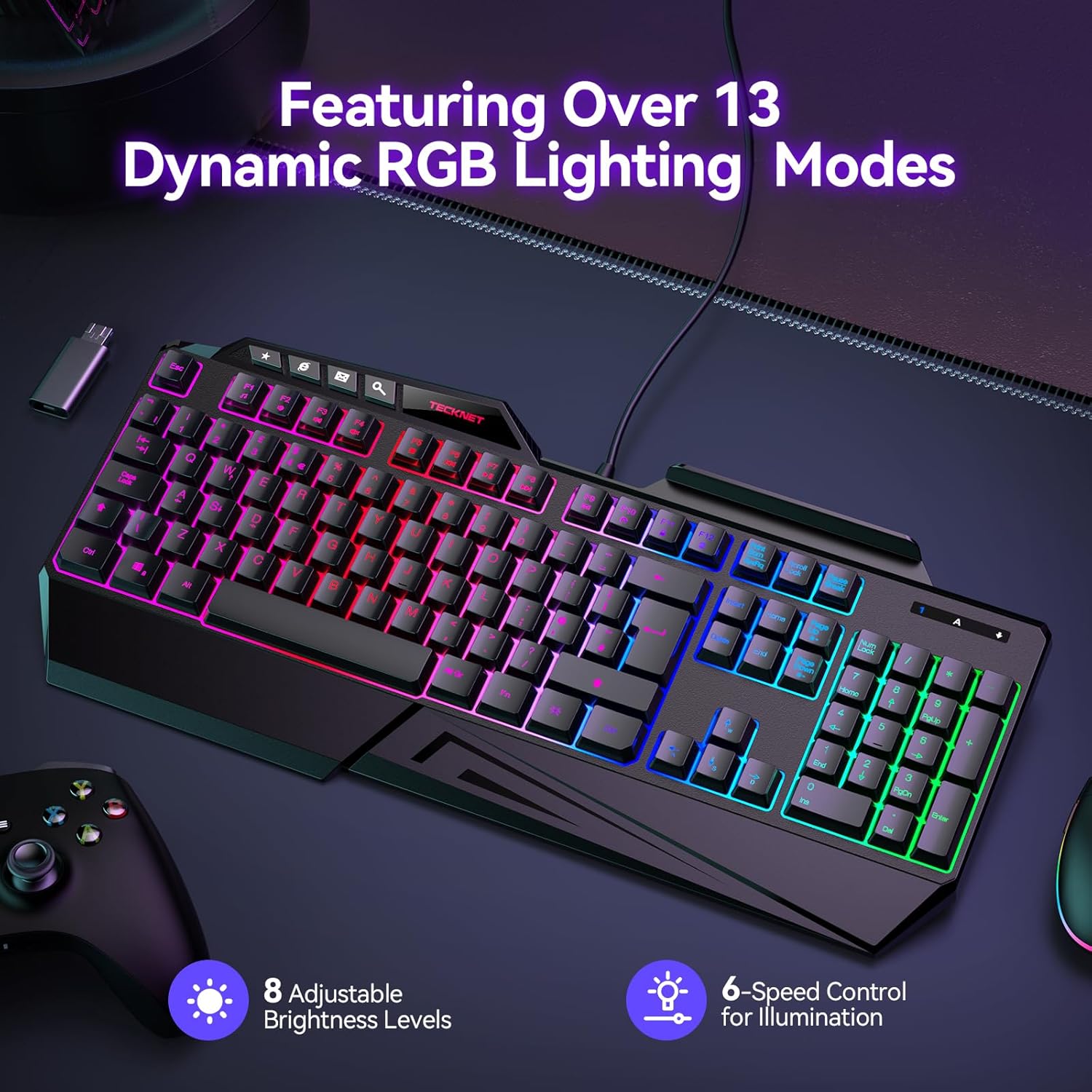
Image: The TECKNET TK-GK006 keyboard showcasing its dynamic RGB lighting modes, with indicators for 8 adjustable brightness levels and 6-speed control for illumination.

Imej: Pro sampinganfile view illustrating the ergonomic design of the keyboard, highlighting the foldable kickstand, stepped key layout, and integrated wrist rest for comfortable typing, compared to a standard flat keyboard.

Image: The TECKNET TK-GK006 keyboard featuring its built-in phone stand, located in the top-right slot, with a smartphone placed in it, demonstrating its multi-tasking capability.

Image: The keyboard demonstrating its spill-resistant design, with water droplets on its surface and highlighting the three discreet drainage ports designed to protect the internal components from accidental liquid spills.

Imej: Dari dekat view of the keyboard highlighting the 26 anti-ghosting keys, indicating an optimized layout for MOBA/FPS games to ensure no missed keystrokes during intense gameplay.
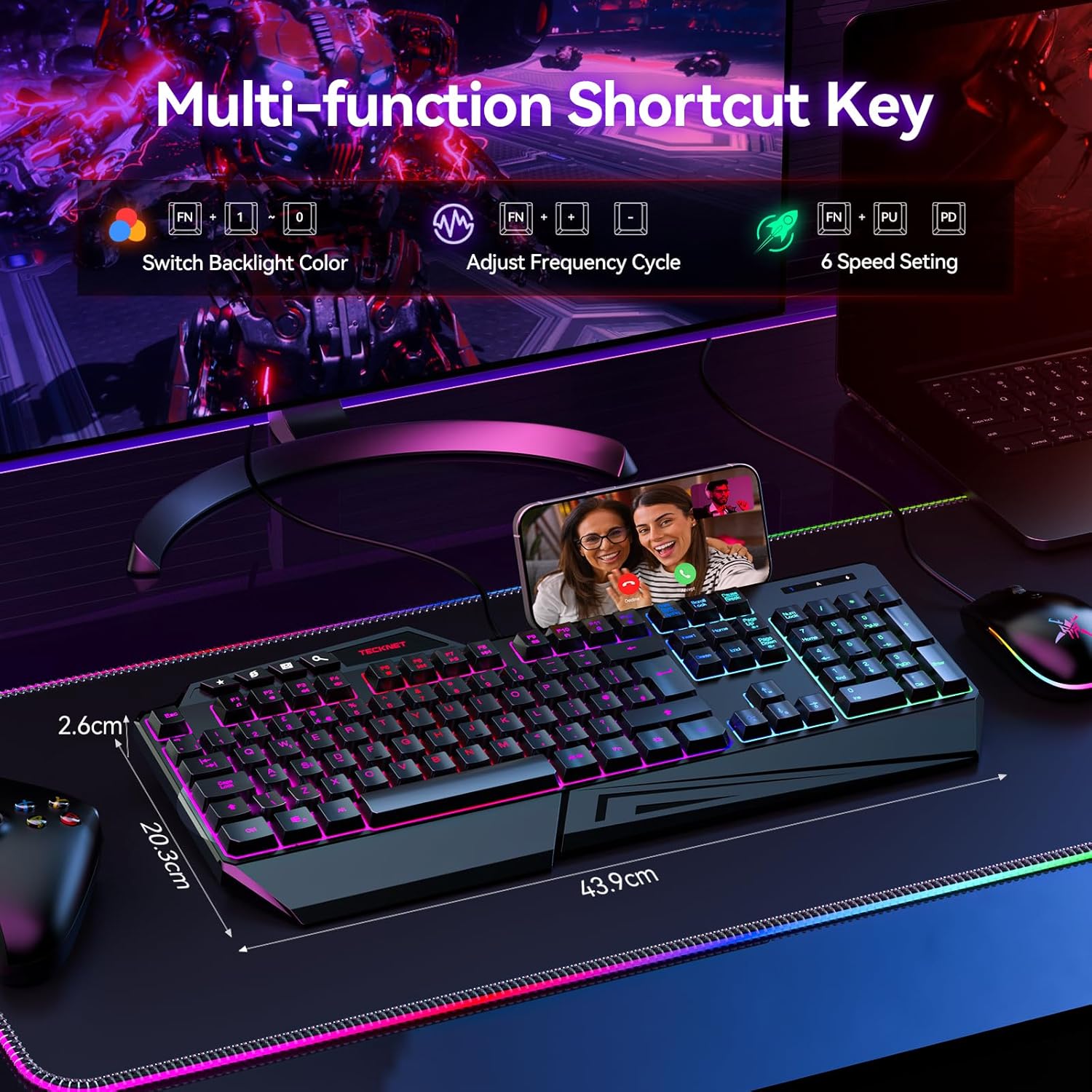
Image: The keyboard displaying its multi-function shortcut keys, specifically the FN+ combinations for switching backlight color, adjusting frequency cycle, and controlling 6 speed settings for RGB lighting.
4. Arahan Persediaan
4.1 Menyambung Papan Kekunci
- Unpack the TECKNET TK-GK006 keyboard from its packaging.
- Locate an available USB port on your computer (PC, Mac), gaming console (PS5, Xbox), or other compatible device.
- Plug the USB connector of the keyboard firmly into the USB port.
- The keyboard should be automatically recognized by your operating system. No additional drivers are typically required.
- Lampu RGB akan menyala setelah sambungan berjaya.
4.2 Keserasian
The TECKNET TK-GK006 keyboard is compatible with:
- PC (Windows 7 or above)
- Mac OS
- Xbox
- PS5
5. Arahan Operasi
5.1 Kawalan Pencahayaan RGB
The keyboard features customizable RGB backlighting. Use the following FN+ shortcut combinations to adjust the lighting:
- FN + Kunci Tatal: Cycle through over 13 dynamic lighting modes (e.g., static, breathing, wave, color cycle).
- FN + Page Up: Increase backlight brightness (8 levels).
- FN + Page Down: Decrease backlight brightness (8 levels).
- FN + '+' (on Numpad): Increase lighting speed (6 settings).
- FN + '-' (on Numpad): Decrease lighting speed (6 settings).
5.2 Pelarasan Ergonomik
- Rehat pergelangan tangan: The integrated wrist rest is designed to reduce fatigue during extended use.
- Penyangga boleh lipat: Flip out the stands located on the underside of the keyboard to achieve an 8° ergonomic typing angle for improved comfort.
5.3 Integrated Phone Holder
Utilize the slot located on the top-right of the keyboard to securely hold your smartphone, allowing for easy viewing during streaming, multitasking, or communication.
5.4 Anti-Ghosting Technology
The 26-key anti-ghosting feature automatically ensures that multiple key presses are registered accurately, preventing missed inputs during fast-paced gaming or typing.
5.5 Dedicated Media Keys
The keyboard includes dedicated media keys (e.g., volume control, play/pause) for quick adjustments without interrupting your game or workflow. Refer to the keycap legends for specific functions.
6. Penyelenggaraan dan Penjagaan
6.1 Membersihkan Papan Kekunci
- Putuskan sambungan papan kekunci daripada peranti anda sebelum membersihkannya.
- The keycaps are detachable for easier cleaning. Gently pull them upwards to remove.
- Gunakan yang lembut, damp cloth to wipe the surface of the keyboard. For stubborn dirt, a mild cleaning solution can be applied to the cloth (not directly to the keyboard).
- Gunakan udara termampat untuk mengeluarkan habuk dan serpihan dari antara kekunci.
- Pastikan papan kekunci benar-benar kering sebelum menyambungkannya semula.
6.2 Pengurusan Tumpahan
The keyboard is designed with 3 drainage holes to mitigate damage from accidental spills. In case of a liquid spill:
- Immediately disconnect the keyboard from your device.
- Turn the keyboard upside down to allow liquid to drain through the drainage holes.
- Wipe the surface thoroughly with a dry cloth.
- Allow the keyboard to air dry completely for several hours (or ideally 24 hours) before reconnecting. Do not use heat to dry it.
7. Penyelesaian masalah
7.1 Papan Kekunci Tidak Bertindak Balas
- Ensure the USB cable is securely plugged into a functional USB port. Try a different USB port.
- Mulakan semula komputer atau peranti anda.
- Uji papan kekunci pada komputer atau peranti lain untuk menolak isu khusus sistem.
7.2 Pencahayaan RGB Tidak Berfungsi atau Tidak Betul
- Check if the keyboard is properly connected.
- Use the FN+ Scroll Lock combination to cycle through lighting modes.
- Use FN+ Page Up to increase brightness. The lighting might be set to the lowest brightness level.
- Ensure no software conflicts are present if you are using third-party lighting control applications (though this keyboard typically does not require them).
7.3 Keys Are Sticking or Unresponsive
- Clean the affected keys and the area around them. Detach keycaps if necessary (refer to Maintenance section).
- Ensure no debris or foreign objects are lodged under the keycaps.
- If a recent spill occurred, ensure the keyboard is completely dry.
8. Spesifikasi
| Ciri | Penerangan |
|---|---|
| Jenama | TEKNET |
| Nombor Model | TK-GK006 |
| Penerangan Papan Kekunci | Gaming, Membrane |
| Bilangan Kunci | 108 |
| Susun atur papan kekunci | QWERTY |
| Ketersambungan | Berwayar (USB) |
| Peranti Serasi | PC (Windows 7+), Mac OS, Xbox, PS5 |
| Pencahayaan latar | RGB (13+ modes, 8 brightness, 6 speed) |
| Anti-Ghosting | 26-Kunci |
| Ciri Khas | Customizable RGB Lighting, Ergonomic Design, Integrated Phone Holder, Spill-Resistant |
| Tahap Ketahanan Air | Water Resistant (with drainage holes) |
| bahan | plastik |
| Dimensi Produk (L x W x H) | 17.28" x 7.87" x 1.02" (43.9cm x 20.0cm x 2.6cm) |
| warna | Hitam |
9. Waranti dan Sokongan
TECKNET provides comprehensive support for your TK-GK006 Wired Gaming Keyboard.
- Waranti: The product comes with 36 months of support (registration may be required).
- Sokongan Pelanggan: For any inquiries or assistance, please feel free to contact TECKNET customer support, available 24/7. Refer to the product packaging or TECKNET's official weblaman web untuk maklumat hubungan.