
pengenalan
Thank you for choosing the NOVOO 12-in-1 USB-C Docking Station. This manual provides essential information for setting up, operating, and maintaining your device. This docking station is designed to expand the connectivity of your USB-C enabled laptop, offering multiple ports for displays, data transfer, and power delivery.
Produk Selesaiview
The NOVOO 12-in-1 USB-C Docking Station is a versatile hub that provides extensive connectivity options through a single USB-C connection to your host device. It features a comprehensive array of ports to enhance your productivity and expand your workspace.

Image: NOVOO 12-in-1 USB-C Docking Station showing all available ports and their functions.
Ciri-ciri Utama:
- Kesambungan 12-dalam-1: Includes 2 x 4K HDMI, 1 x VGA, 3 x USB-A 3.0 (5Gbps), 1 x USB-C 3.0 Data, 2 x USB-A 2.0, 1 x SD Card Reader, 1 x TF Card Reader, and 1 x 100W Power Delivery (PD) charging port.
- Sokongan Paparan Tiga Kali: Connect up to three external displays. Windows supports Extend Mode (4K@30Hz + 1080P with two monitors; 1080P@60Hz with three monitors). macOS supports Mirror Mode only. HDMI 1 supports up to 4K@60Hz when used alone. Requires a DP1.4 laptop and monitor for optimal performance.
- Pemindahan Data Berkelajuan Tinggi: USB-A 3.0 and USB-C 3.0 ports offer 5Gbps data transfer. USB-A 2.0 ports provide 480Mbps.
- Penghantaran Kuasa 100W: The PD port supports up to 100W input for stable power supply and up to 85W USB-C output for fast charging compatible laptops and devices. Note: The PD charging port is compatible only with devices that support the PD protocol.
- Pembaca Kad SD / TF: Akses mudah files from SD and Micro SD cards with simultaneous reading support.
- Reka Bentuk Mudah Alih: Compact and lightweight with a 30cm (11.8 inches) extension cable for flexible use, ideal for travel and various workspaces.
Persediaan
Follow these steps to set up your NOVOO 12-in-1 USB-C Docking Station:
- Sahkan Keserasian Komputer Riba: Ensure your laptop's USB-C port supports Data, Power Delivery, and DisplayPort Alt Mode for full functionality. Refer to the diagram below for port capabilities.
- Sambung ke Laptop: Plug the integrated USB-C cable from the docking station into an available USB-C port on your laptop.
- Sambung Kuasa (Pilihan tetapi Disyorkan): For best performance and to charge your laptop, connect your laptop's power adapter (65W+ recommended) to the 100W PD USB-C input port on the docking station.
- Sambungkan Paparan Luaran: Use HDMI or VGA cables to connect your monitors to the corresponding ports on the docking station.
- Sambung Peranti: Plug in your USB devices (keyboard, mouse, external drives, etc.) into the available USB-A or USB-C data ports. Insert SD or TF cards into the card reader slots as needed.

Image: USB-C port compatibility guide for various functions including data, power delivery, and display output.
Persediaan Video:
Video: Official NOVOO video demonstrating the setup and features of the 12-in-1 USB-C Docking Station.
Arahan Operasi
Konfigurasi Paparan:
The docking station supports various display configurations depending on your operating system and laptop's DisplayPort (DP) version.

Imej: Cthample of a multi-screen display setup using the docking station.
- Sistem Windows: Supports both Mirror Mode (duplicate displays) and Extend Mode (separate displays). You can achieve up to three extended displays.
- Sistem macOS: Supports Mirror Mode (duplicate displays) across all external monitors. Extend Mode is not supported for multiple external displays; all external displays will mirror each other.
Windows Display Resolution:
| Protokol antara muka | Mod | HDMI1 | HDMI2 | VGA |
|---|---|---|---|---|
| DP1.4 | Paparan Tunggal | 4K@60Hz | 4K@30Hz | 1080P @ 60Hz |
| Paparan Dwi | 4K@30Hz | 1080P @ 60Hz | - | |
| Paparan Triple | 1080P @ 60Hz | 1080P @ 60Hz | 1080P @ 60Hz | |
| DP1.2 | Paparan Tunggal | 4K@30Hz | 4K@30Hz | 1080P @ 60Hz |
| Paparan Dwi | 1080P @ 60Hz | - | 1080P @ 60Hz | |
| Paparan Triple | 1080P @ 60Hz | 1080P @ 60Hz | 640*480@30Hz |
macOS Display Resolution:
| Protokol antara muka | Mod | HDMI1 | HDMI2 | VGA |
|---|---|---|---|---|
| DP1.4 | Paparan Tunggal | 4K@60Hz | 4K@30Hz | 1080P @ 60Hz |
| Paparan Dwi | 4K@30Hz | - | 1080P @ 60Hz | |
| Paparan Triple | 1080P @ 60Hz | 1080P @ 60Hz | 1080P @ 60Hz | |
| DP1.2 | Paparan Tunggal | 4K@30Hz | 4K@30Hz | 1080P @ 60Hz |
| Paparan Dwi | 4K@30Hz | - | 1080P @ 60Hz | |
| Paparan Triple | 1080P @ 60Hz | 1080P @ 60Hz | 640*480@30Hz |
Pengecasan Penghantaran Kuasa (PD):
The dedicated USB-C PD port allows you to charge your laptop while using the docking station. Connect your laptop's original power adapter (or a compatible 65W+ USB-C PD charger) to this port. The docking station will pass through up to 85W of power to your laptop, reserving 15W for its own operation.

Image: Diagram illustrating 100W PD input and 85W output for laptop charging.
Data Transfer and Card Reader:
Utilize the USB-A 3.0, USB-C 3.0, and USB-A 2.0 ports for connecting various peripherals and transferring data. The SD and TF card slots enable quick access to memory card content.
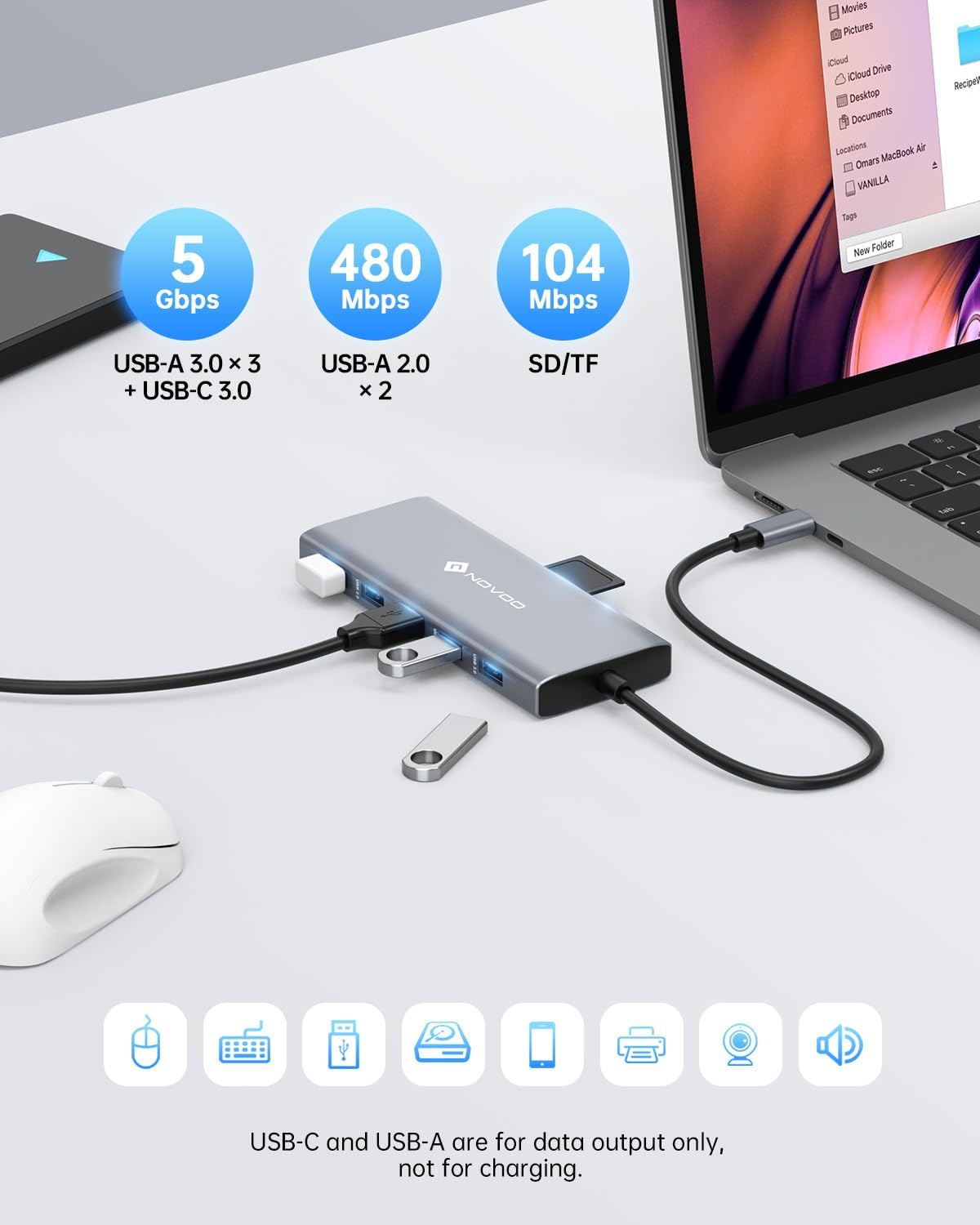
Image: High-speed data transfer capabilities with USB 3.0 and SD/TF card reader.
Spesifikasi
| Ciri | Perincian |
|---|---|
| Dimensi Produk | 1.85 x 0.57 x 5.16 inci |
| Berat Barang | 4.6 auns |
| Nombor Model | NHM12S-MH12 |
| Jenama | NOVOO |
| warna | Kelabu |
| Antara Muka Perkakasan | USB Jenis C |
| Ciri Khas | Fast Charging, Portable |
| Peranti Serasi | MacBook Pro, Dell, HP, Surface (any USB-C laptop supporting DP Alt Mode and PD) |
Menyelesaikan masalah
- Tiada Output Paparan:
- Pastikan port USB-C komputer riba anda menyokong Mod Alt DisplayPort.
- Check all cable connections (USB-C to laptop, HDMI/VGA to monitors).
- Verify monitor input settings are correct (e.g., HDMI 1, HDMI 2, VGA).
- For Windows, check display settings (Display Settings > Multiple Displays) to detect and configure monitors.
- For macOS, remember only Mirror Mode is supported for multiple external displays.
- Pemindahan Data Lambat:
- Ensure you are using USB 3.0 ports for high-speed devices. USB 2.0 ports offer slower speeds.
- The performance of the connected device (e.g., external hard drive) can also affect transfer speeds.
- Komputer riba tidak dicas:
- Confirm your laptop supports Power Delivery (PD) via its USB-C port.
- Ensure your power adapter is connected to the docking station's PD port and is 65W or higher.
- Periksa sama ada penyesuai kuasa itu sendiri berfungsi dengan betul.
- Sambungan Terputus-putus:
- Pastikan semua kabel disambungkan dengan selamat.
- Avoid excessive bending or strain on the docking station's integrated USB-C cable.
- Try connecting the docking station to a different USB-C port on your laptop if available.
Penyelenggaraan
To ensure the longevity and optimal performance of your NOVOO 12-in-1 USB-C Docking Station, follow these maintenance guidelines:
- Pembersihan: Use a soft, dry cloth to wipe the surface of the docking station. Avoid using liquid cleaners or abrasive materials, which can damage the finish or internal components.
- Storan: Apabila tidak digunakan, simpan stesen dok di tempat yang sejuk dan kering, jauh daripada cahaya matahari langsung dan suhu yang melampau.
- Pengendalian: Avoid dropping or subjecting the device to strong impacts. Do not pull on the integrated USB-C cable forcefully.
- Pengudaraan: Ensure the docking station has adequate airflow to prevent overheating, especially during prolonged use with multiple connected devices and displays.
Waranti dan Sokongan
NOVOO products are designed for reliability and performance. For warranty information, technical support, or any inquiries regarding your 12-in-1 USB-C Docking Station, please refer to the official NOVOO webtapak atau hubungi perkhidmatan pelanggan mereka secara langsung. Simpan resit pembelian anda untuk tuntutan waranti.
Pengeluar: NOVOO