
Tuya Smart 4.3 Inch WiFi Video Peephole Doorbell Camera
Tuya Smart 4.3 Inch WiFi Video Peephole Doorbell Camera User Manual
Model: Tuya Smart 4.3 Inch WiFi Video Peephole Doorbell Camera
Produk Selesaiview
The Tuya Smart 4.3 Inch WiFi Video Peephole Doorbell Camera is a comprehensive home security device designed to enhance your door monitoring capabilities. It features a high-definition camera, a large display screen, and smart connectivity options for remote access and control.

Image: The Tuya Smart 4.3 Inch WiFi Video Peephole Doorbell Camera system, showing the sleek indoor monitor and the compact outdoor camera unit.
Ciri-ciri utama termasuk:
- HD 1080P Video Quality: Menyediakan foo video yang jelas dan terperincitage.
- Sambungan Wayarles: Easy installation without complex wiring.
- Keserasian Rumah Pintar: Integrates with and Google Assistant for voice control and smart home automation.
- Digital Magic Eye Function: Masa nyata viewing of outdoor activity via mobile application.
- Kebolehgunaan Luaran: Durable and waterproof design suitable for various outdoor environments.
- Audio Dua hala: Communicate with visitors from anywhere.
- PIR Infrared Night Vision: Clear visibility even in low-light conditions.
- Pengesanan Pergerakan: Alerts you to activity at your door.
- SD Card and Cloud Storage: Options for video and image storage.

Image: Visual representation of the product's core features, highlighting 1080P Full HD resolution, WiFi connectivity, compatibility with Tuya Smart, Smart Life, Amazon Alexa, and Google Assistant, along with support for SD card storage.
Persediaan dan Pemasangan
Nota Pra-Pemasangan Penting:
- mengecas: Please charge the device for 6-8 hours before installation. Use a 5V 1-2A normal adapter. Do not use fast charging sources or multi-voltage pengecas.
- Sambungan: Ensure the door camera is connected to the viewer correctly and securely. Incorrect connection will prevent the picture from displaying.
Keperluan Pemasangan:
- Ketebalan pintu: Fits doors with thickness between 35-120 mm. Please measure your door thickness to ensure compatibility.
- Diameter Lubang Pintu: Fits door holes with a diameter between 15-60 mm.
Langkah Pemasangan Umum:
- Sediakan Pintu: Ensure your door meets the thickness and hole diameter requirements.
- Install Outdoor Camera: Insert the outdoor camera unit through the peephole from the outside of the door.
- Connect to Indoor Monitor: From the inside, connect the cable from the outdoor camera to the designated port on the indoor monitor. Ensure a firm and correct connection.
- Pasang Monitor Dalaman: Secure the indoor monitor to the door using the provided mounting bracket and screws.
- Hidupkan kuasa: Hidupkan peranti menggunakan suis ON/OFF.
- Persediaan Apl: Download and install the Tuya Smart or Smart Life app on your smartphone. Follow the in-app instructions to connect the device to your WiFi network and complete the setup.
Arahan Operasi
Operasi asas:
- Langsung View: Press the button on the indoor monitor or open the app to view the live feed from the outdoor camera.
- Answering Doorbell: When someone presses the outdoor doorbell button, the indoor monitor will ring, and you will receive a notification on your smartphone. You can then initiate a video call via the app.
- Audio Dua hala: During a video call, use the microphone and speaker functions in the app to communicate with the visitor.

Image: Depiction of the two-way audio feature, showing a person at the door speaking into the camera and a resident responding via their smartphone, enabling seamless communication.
Ciri Lanjutan:
- Pengesanan Pergerakan: The device can detect motion outside your door. Sensitivity settings (low, medium, high) can be adjusted in the Tuya/Smart Life app. High sensitivity may have a 1-3 second delay.
- Penglihatan Malam: The integrated PIR infrared night vision function automatically activates in low-light conditions, providing clear images.
- Rakaman dan Penyimpanan:
- Kad TF: Insert a TF card (up to 128GB, not included) for local video (.avi) and photo (.JPG) storage. When someone rings the doorbell, the monitor will automatically record.
- Perkhidmatan Awan: Optional cloud storage service is available for video recording.
- Integrasi Rumah Pintar:
- /Google Announcement: When the doorbell is pressed, you will hear an announcement like "someone at the smart doorbell (DEVICE NAME)".
- Voice Command Live View: Use voice commands like "Hey , show me [device name]" or "Hey Google, show me [device name]" to view the live feed on compatible devices (e.g., Echo Show, Google Chromecast).
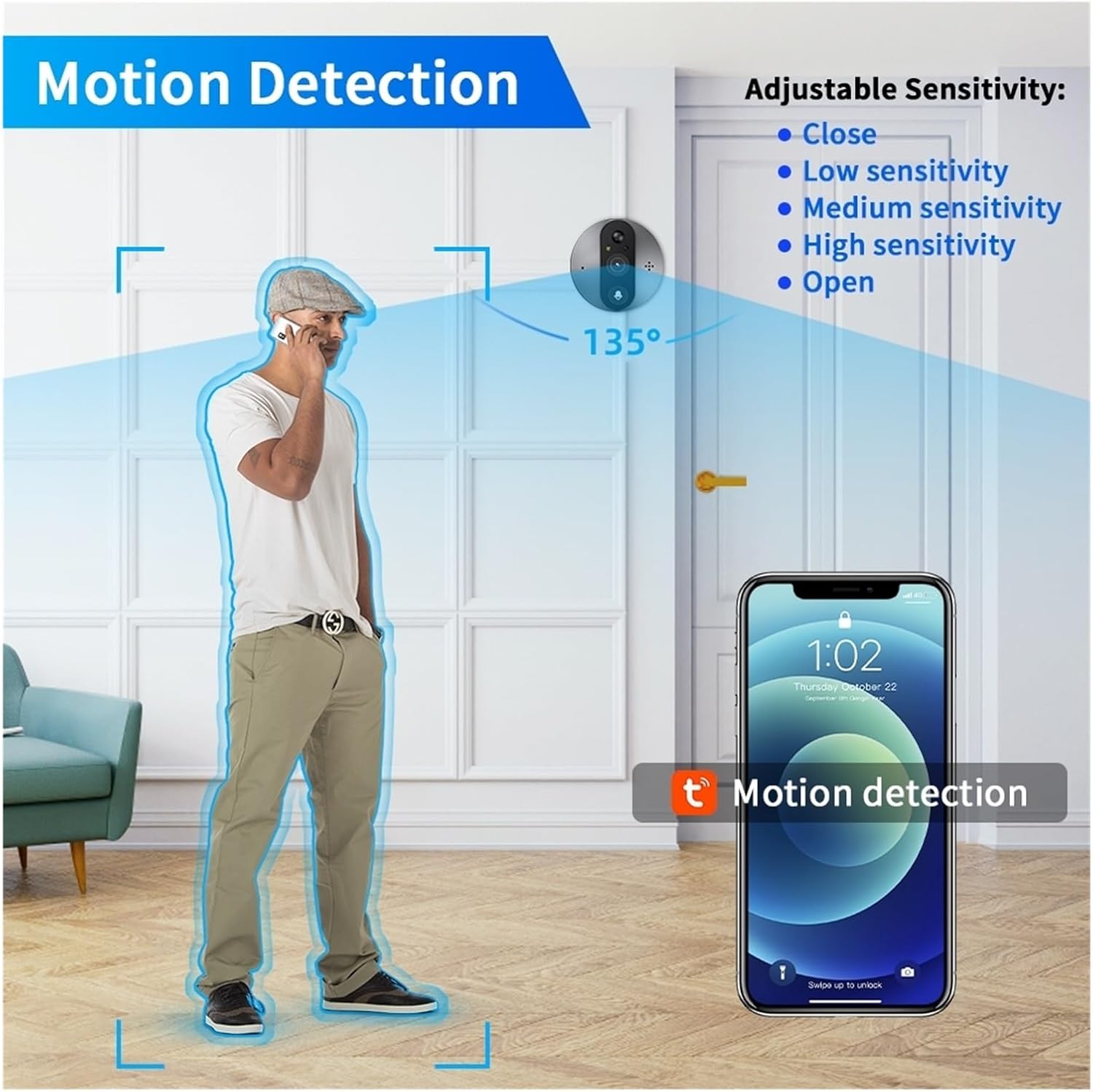
Image: Diagram illustrating the motion detection feature, showing the 135° detection angle and adjustable sensitivity options (Close, Low, Medium, High, Open) configurable via the mobile app.
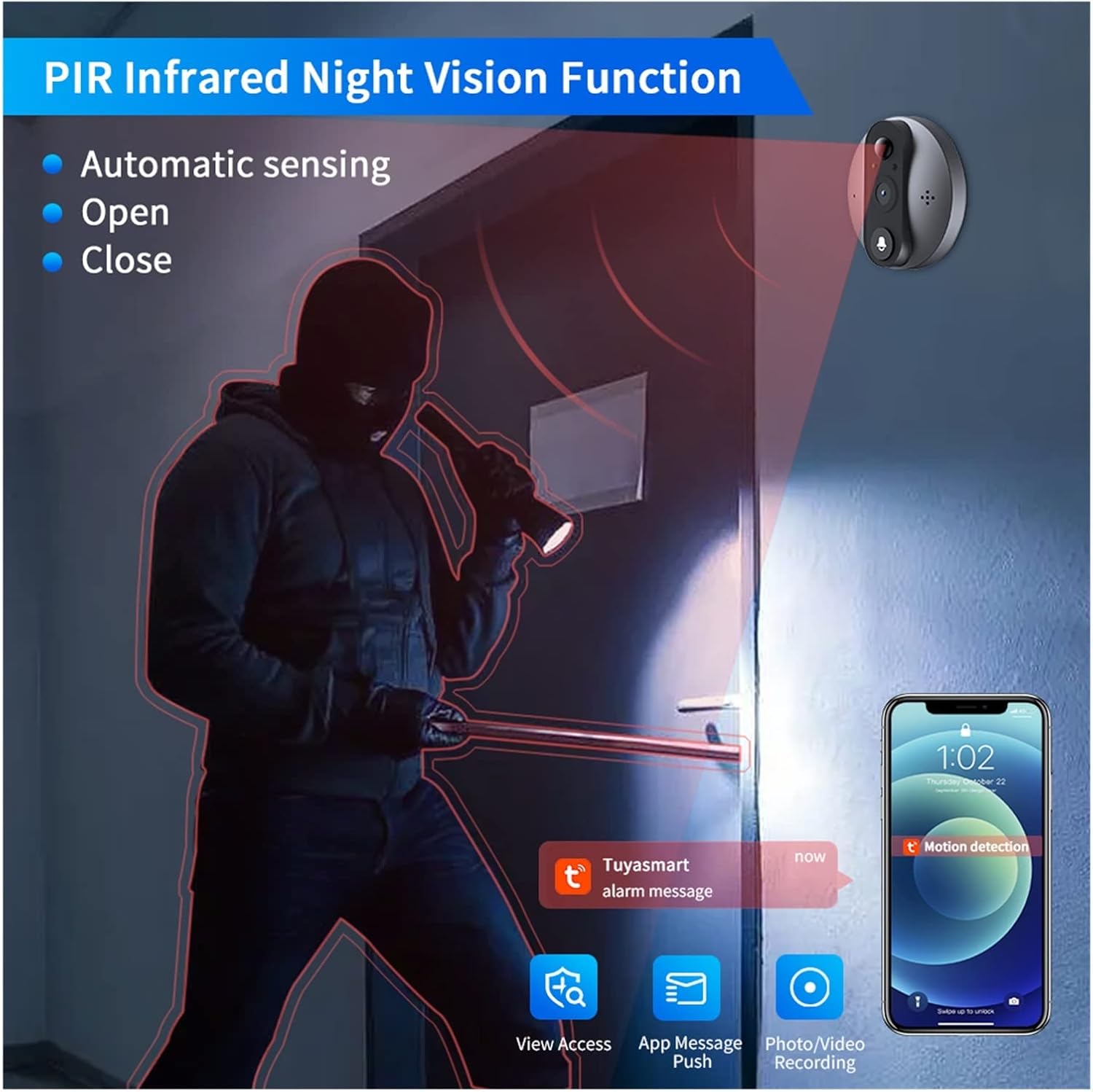
Image: Illustration of the PIR Infrared Night Vision function, demonstrating its ability to provide clear visibility in dark conditions, with automatic sensing and options to open or close the feature.

Imej: Jarak dekat view of the bottom of the indoor monitor, showing the DC 5V Micro USB charging port, the TF card slot for local storage, and the ON/OFF power switch.
Penyelenggaraan
- Pembersihan: Gently wipe the camera lens and screen with a soft, dry cloth to remove dust and smudges. Avoid using abrasive cleaners or solvents.
- Pengecasan Bateri: Recharge the built-in 5000mAh lithium-ion battery as needed. Refer to the "Important Pre-Installation Notes" for charging guidelines.
- Kemas kini Firmware: Periodically check the Tuya Smart or Smart Life app for available firmware updates to ensure optimal performance and security.
- Pengurusan Storan: If using a TF card, regularly back up important recordings and delete old files to free up space. Consider cloud storage for continuous backup.
Menyelesaikan masalah
| Masalah | Kemungkinan Punca | Penyelesaian |
|---|---|---|
| No picture on viewer / Indoor monitor not displaying. | Incorrect connection between door camera and viewer. Low battery. | Ensure the door camera is connected to the viewer correctly and securely. Charge the device for 6-8 hours. |
| Device not connecting to WiFi. | Incorrect WiFi password. Router too far. 5GHz WiFi network. | Double-check WiFi password. Move device closer to router. Ensure you are connecting to a 2.4GHz WiFi network (5GHz is not supported). |
| Motion detection alerts are too frequent or not frequent enough. | Sensitivity settings are not optimized. | Adjust the motion sensor sensitivity (low, medium, high) in the Tuya Smart or Smart Life app. |
| tidak boleh view recordings or save photos. | No TF card inserted or card is full/corrupted. No cloud service subscription. | Insert a compatible TF card (up to 128GB) or check its status. Consider subscribing to the cloud service for continuous recording. |
| Kualiti penglihatan malam yang lemah. | Obstruction of camera lens. Insufficient ambient light for IR. | Clean the camera lens. Ensure no objects are blocking the camera's view. |
Spesifikasi
| Ciri | Perincian |
|---|---|
| Bekalan Kuasa | Rechargeable 5000mAh lithium ion battery (built-in) |
| Resolusi Kamera | 2MP, HD 1080p |
| Kamera View sudut | 130 darjah |
| Paparan | Skrin LCD warna TFT 4.3 inci |
| APP yang serasi | Tuya / Smartlife |
| Motion Sensor Reaction Time | Low, Middle, High sensitivity optional in APP (High sensitivity: approx. 1 to 3 seconds delay) |
| Format Foto | JPG |
| Format Video | .avi (requires TF card) or cloud service |
| Sokongan Kad Memori | Up to 128GB (package does not include) |
| Motion Sensor Detect Distance | Lebih kurang 5 meter |
| Suhu Bekerja | -20 hingga 55°C |
| Ketebalan Pintu yang Sesuai | 35-120 mm |
| Fit Door Hole Diameter | 15-60 mm |
| Jenama | Generik |
| Pengeluar | YUD5DAS |
Maklumat Waranti
Produk ini disertakan dengan a Waranti 3 bulan from the date of purchase. Please retain your proof of purchase for warranty claims. The warranty covers manufacturing defects and malfunctions under normal use. It does not cover damage caused by misuse, accidents, unauthorized modifications, or improper installation.
Sokongan
For technical support, troubleshooting assistance, or warranty inquiries, please contact your retailer or the manufacturer directly. Refer to the product packaging or purchase documentation for specific contact details.
For app-related issues, please refer to the help section within the Tuya Smart or Smart Life application.
Ask a question about this manual
Ask about setup, troubleshooting, compatibility, parts, safety, or missing instructions. Manuals+ will review the question and use this page’s manual context to help answer it.