
1. Pengenalan
This manual provides detailed instructions for the proper use and care of your Altec Lansing Nanophones ANC 2.0 Wireless Over-Ear Bluetooth Headphones. Please read this manual thoroughly before using the product to ensure optimal performance and longevity.

Image 1.1: Altec Lansing Nanophones ANC 2.0 in Silver.
2. Kandungan Pakej
Sahkan bahawa semua item terdapat dalam pakej anda:
- Altec Lansing Nanophones ANC 2.0 Wireless Over-Ear Headphones
- Kabel Pengecas USB-C
- Kabel Audio 3.5mm
- Manual Pengguna (dokumen ini)

Image 2.1: Included USB-C charging cable and 3.5mm audio cable.
3. Produk Lebihview
Familiarize yourself with the headphone components and controls.
3.1 Headphone Features
- Pembatalan Bunyi Aktif (ANC): Mengurangkan bunyi ambien untuk pengalaman mendengar yang mengasyikkan.
- Reka Bentuk Lipat: Membolehkan penyimpanan padat dan mudah alih.
- Adjustable Headband & Soft Ear Cushions: Ensures a comfortable fit for extended wear.
- Mikrofon Bersepadu: Untuk panggilan bebas tangan dan arahan pembantu suara.
- Pengecasan USB-C: For fast and convenient power replenishment.
- Keserasian Pembantu Suara: Access Siri or Google Voice with ease.

Image 3.1: Key features of the Nanophones ANC 2.0 headphones.
3.2 Kawalan dan Pelabuhan
Locate the following controls on your headphones:
- Butang Kuasa: Hidup/Mati, Main/Jeda, Jawab/Tamatkan Panggilan.
- Butang Naik Kelantangan/Trek Seterusnya: Tekan pendek untuk kelantangan, tekan lama untuk trek seterusnya.
- Kelantangan Turun/Butang Trek Sebelumnya: Tekan pendek untuk kelantangan turun, tekan lama untuk trek sebelumnya.
- Butang ANC: Activates/Deactivates Active Noise Cancellation.
- Port Pengecasan USB-C: Untuk menyambungkan kabel pengecasan.
- Bicu Audio 3.5mm: Untuk sambungan berwayar.
- Penunjuk LED: Memaparkan kuasa, berpasangan dan status pengecasan.

Imej 3.2: Sisi view illustrating the location of controls and ports.
4. Persediaan
4.1 Mengecas Fon Kepala
- Connect the small end of the USB-C charging cable to the USB-C port on the headphones.
- Connect the large end of the USB-C charging cable to a USB power source (e.g., wall adapter, computer USB port).
- The LED indicator will glow red during charging and turn off when fully charged.
- Pengecasan penuh mengambil masa kira-kira 2-3 jam.
Nota: Ensure the headphones are fully charged before first use for optimal battery life.
4.2 Menghidupkan/Mematikan
- Untuk Menghidupkan: Press and hold the Power Button for 3 seconds. The LED indicator will flash blue.
- Untuk Mematikan: Press and hold the Power Button for 3 seconds. The LED indicator will turn off.
4.3 Berpasangan Bluetooth
- Pastikan fon kepala dimatikan.
- Press and hold the Power Button for 5-7 seconds until the LED indicator flashes red and blue alternately. This indicates pairing mode.
- Pada peranti anda (telefon pintar, tablet, komputer), dayakan Bluetooth dan cari peranti yang tersedia.
- Select "Nanophones ANC 2.0" from the list of devices.
- Setelah dipasangkan, penunjuk LED akan berkelip biru perlahan-lahan.
- Jika digesa untuk kata laluan, masukkan "0000".
Nota: Fon kepala akan cuba menyambung semula secara automatik ke peranti pasangan terakhir apabila dihidupkan.
5. Arahan Operasi
5.1 Main balik Muzik
- Main/Jeda: Tekan pendek Butang Kuasa.
- Kelantangan: Tekan pendek butang Kelantangan Naik.
- Perlahankan suara: Tekan pendek butang Kurangkan Kelantangan.
- Lagu Seterusnya: Tekan lama butang Kelantangan Naik.
- Trek Sebelumnya: Tekan lama butang Kurangkan Kelantangan.
5.2 Panggilan Telefon
- Jawab/Tamatkan Panggilan: Tekan pendek Butang Kuasa.
- Tolak Panggilan: Tekan lama Butang Kuasa.
- Dail Semula Nombor Terakhir: Double-press the Power Button.
5.3 Pembatalan Bising Aktif (ANC)
- Aktifkan ANC: Press the ANC Button. The ANC LED indicator will light up.
- Nyahaktifkan ANC: Press the ANC Button again. The ANC LED indicator will turn off.
Nota: Using ANC will reduce battery life. The headphones provide up to 20 hours of playtime with ANC active, and up to 30 hours without ANC.
5.4 Pembantu Suara
- Aktifkan Pembantu Suara: Triple-press the Power Button to activate Siri or Google Voice (depending on your connected device).
- You can then issue commands through the headphone's microphone.
5.5 Sambungan Berwayar
- Masukkan satu hujung kabel audio 3.5mm ke dalam bicu audio fon kepala.
- Insert the other end into your audio device's 3.5mm output.
- The headphones can be used in wired mode even if the battery is depleted.
6. Penyelenggaraan
6.1 Pembersihan
- Lap fon kepala dengan kain lembut dan kering.
- Jangan gunakan pembersih yang melelas, alkohol atau pelarut kimia.
- Elakkan mendapatkan kelembapan ke dalam mana-mana bukaan.
6.2 Penyimpanan
- Simpan fon kepala di tempat yang sejuk dan kering jauh dari suhu yang melampau.
- Apabila tidak digunakan, lipat fon kepala untuk melindunginya dan menjimatkan ruang.
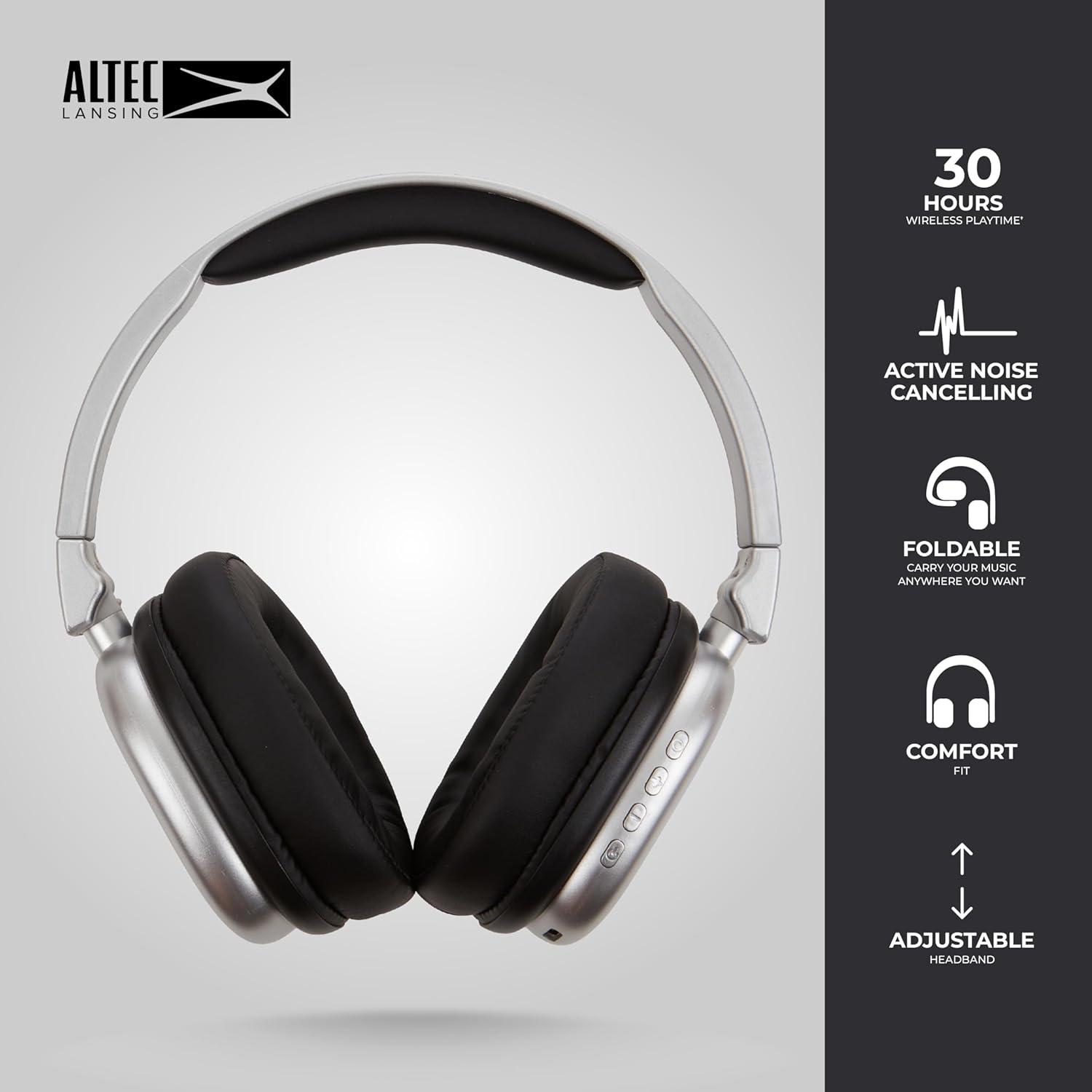
Image 6.1: The foldable design aids in compact storage.
7. Penyelesaian masalah
| Masalah | Penyelesaian |
|---|---|
| Fon kepala tidak dihidupkan. | Pastikan fon kepala dicas. Sambungkan kepada sumber kuasa menggunakan kabel USB-C. |
| Tidak boleh berpasangan melalui Bluetooth. |
|
| Tiada bunyi atau kelantangan rendah. |
|
| Active Noise Cancellation not working. | Ensure the ANC button has been pressed and the ANC LED indicator is lit. |
8. Spesifikasi
| Nama Model | Nanophones ANC 2.0 |
| Nombor Model | MZX5501-MSIL-STK-6 |
| Jenama | Altec Lansing |
| Ketersambungan | Wireless (Bluetooth 4.1), Wired (3.5mm) |
| Penempatan Telinga | Atas Telinga |
| Kawalan Bunyi | Pembatalan Bunyi Aktif |
| Hayat Bateri | Up to 30 hours (wireless), Up to 20 hours (with ANC) |
| Port Pengecasan | USB-C |
| Jenis Pemacu Audio | Dynamic Driver (1.5" Neodymium) |
| Julat Kekerapan | 20Hz - 20,000Hz |
| Berat badan | 7.05 Auns |
| bahan | plastik |
9. Waranti dan Sokongan
9.1 Waranti Pengeluar
This product is covered by a manufacturer's warranty. Please refer to the warranty card included in your package or visit the official Altec Lansing webtapak untuk terma dan syarat jaminan terperinci.
9.2 Sokongan Pelanggan
For technical assistance, troubleshooting, or product inquiries, please contact Altec Lansing customer support through their official webtapak atau maklumat hubungan yang diberikan dalam pembungkusan produk anda.
Webtapak: www.alteclansing.com


