
1. Pengenalan
The LAUNCH X431 IMMO Plus is a professional-grade automotive diagnostic and key programming tool designed for comprehensive vehicle maintenance and repair. This all-in-one device integrates advanced functions such as key matching, ECU coding, all-system diagnostics, and bidirectional control, providing extensive coverage for a wide range of vehicle models.
It is equipped with the X-PROG3 programmer for advanced immobilizer functions and supports various protocols including CANFD and DOIP. This manual provides essential information for setting up, operating, and maintaining your LAUNCH X431 IMMO Plus.
2. Komponen dan Persediaan Produk
2.1. Apa yang ada di dalam Kotak
The LAUNCH X431 IMMO Plus package includes the following main components:
- Display tablet (main unit)
- Penyambung VCI
- Kabel Diagnostik
- X-PROG3 Kit (includes X-PROG3 unit, MCU1 & MCU2 adapters, EEPROM adapter, XTA001 adapter)
- Penyesuai Kuasa
- Kabel Pemantik Rokok
- OBD I Adaptor Box
- Non-16pin Adaptor Cable Kit
- Password Envelope (for initial setup/registration)

Gambar 2.1: Lebihview of the LAUNCH X431 IMMO Plus main unit, X-PROG3, DBSCAR VII VCI, and various cables and adapters, all neatly organized within their respective carry cases.

Figure 2.2: The X-PROG3 programmer, a key component for immobilizer and key programming, shown with its associated MCU1, MCU2, and EEPROM adapters for reading and writing chip data.
2.2. Initial Setup and Power On
- Cas Peranti: Before first use, ensure the main display tablet is fully charged using the provided power adapter.
- Hidupkan kuasa: Press and hold the power button on the tablet to turn it on. The device runs on Android 10.0.
- Sambungan Rangkaian: Connect the tablet to a stable Wi-Fi network to enable software updates and online functions.
- Pendaftaran: Follow the on-screen prompts to register your device. This typically involves creating a LAUNCH account.
- NASTF Authorization (Important for IMMO functions in US/Canada): For users in the United States and Canada, specific 1-M-M-0 related functions require logging into a NASTF VSPID account. After December 4, 2024, you may need to purchase NASTF functions authorization on the device (approx. $49.99) and log in to your registered NASTF VSPID account to continue using these features. More information can be found at wp.nastf.org dan aviondemand.wistia.com/folders/3x561d5r6f.
3. Mengendalikan Peranti
3.1. General Diagnostic Functions
The LAUNCH X431 IMMO Plus offers OE-level diagnostic capabilities for nearly all vehicle systems across 200+ car brands and 20,000+ models. Key diagnostic features include:
- Baca/Kosongkan DTC: Retrieve and erase Diagnostic Trouble Codes from all Electronic Control Units (ECUs).
- Live Data Streaming: View real-time data streams from various sensors and components, often with graphical display for trend analysis.
- VIN Auto: Automatically identify vehicle information (make, model, year, engine type).
- Imbasan Auto: Perform a comprehensive scan of all control modules for fault codes.
- Pegunkan Data Bingkai: Review vehicle conditions at the moment a fault occurred.
- Laporan Diagnostik: Automatically generate detailed diagnostic reports for analysis and record-keeping.

Figure 3.1: The diagnostic tool's ability to perform a full-system scan, read/clear codes, view live data, and conduct active tests for comprehensive vehicle assessment.
3.2. Key Programming and Immobilizer Functions
The X431 IMMO Plus, combined with the X-PROG3 programmer, provides extensive immobilizer and key programming capabilities:
- Key Matching/Adding/Copying/Deleting: Perform various key-related operations for brands like BMW, Benz, VW, and Porsche.
- PIN Reading: Retrieve PIN codes for all-key-lost scenarios for Toyota, Volvo, Citroen, Peugeot, and VW.
- ECU Cloning (Engine & Gearbox): Backup and restore data, and clone Engine/Gearbox ECUs for over 5000 models, including Bosch, Continental, Siemens, and Delco brands.
- Penggantian Modul: Facilitate the replacement of various control modules.
- EEPROM/MCU Chip Data Read/Write: Directly read and write data from EEPROM and MCU/ECU chips.
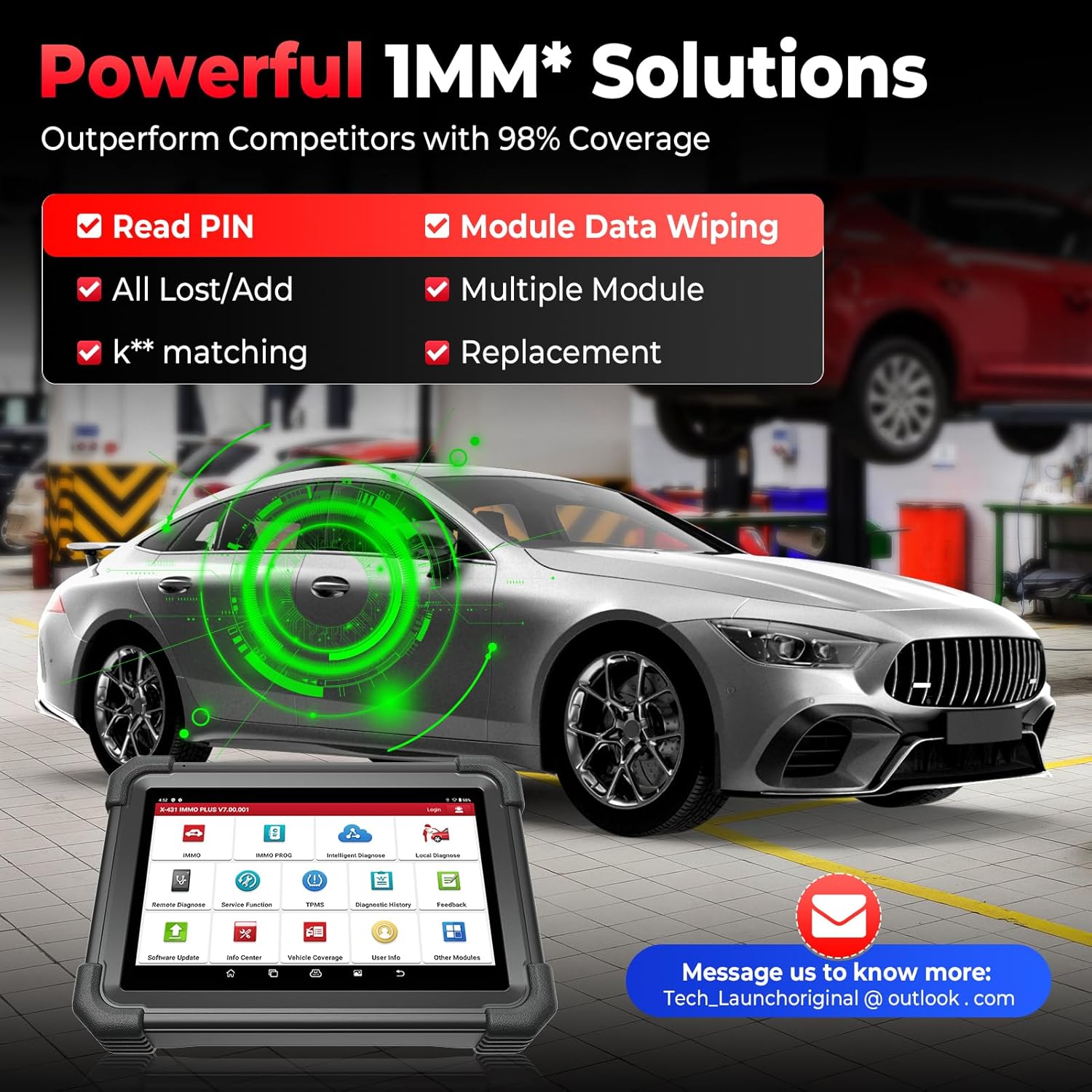
Figure 3.2: The powerful IMMO solutions offered by the device, including PIN reading, all-key-lost/add functions, key matching, module data wiping, and replacement capabilities.
3.3. ECU Coding and Advanced Functions
The device supports advanced ECU coding and customization features:
- Pengekodan ECU: Reprogram adaptive data for ECUs after repairs or replacements.
- Penyesuaian: Modify pre-programmed options to activate hidden functions or deactivate unneeded features (e.g., auto start-stop, chimes).
- Fungsi Berpandu VAG: Step-by-step instructions for common repairs and adaptations for Volkswagen Group vehicles, including component coding and security access.
- AutoAuth untuk FCA SGW: Seamlessly perform diagnostics for Fiat Chrysler Automobiles (FCA) vehicles with Secure Gateway Module by logging into your AUTOAUTH account on the device.
- CANFD & DOIP Protocol Support: Compatible with newer vehicle communication protocols for faster and more efficient data transmission.

Figure 3.3: Visual representation of the advanced ECU coding capabilities, including matching component control modules, customizing OE-settings, disabling functions, activating advanced features, and enhancing vehicle comfort.
3.4. Kawalan Dwiarah (Ujian Aktif)
The bidirectional control feature allows the tool to send commands to ECUs and control actuators to perform specific actions, aiding in accurate fault location. Examples termasuk:
- EVAP test
- Ujian penyuntik
- Idle relearn
- Controlling windows, doors, sunroofs, coolant fans, valves, and headlamps.
3.5. Perkhidmatan Penyelenggaraan (39+ Fungsi)
The X431 IMMO Plus includes over 39 maintenance and reset functions to address common vehicle issues:
- Set Semula Minyak
- Tetapan Semula EPB (Brek Parkir Elektronik)
- BMS Reset (Battery Management System)
- SAS Reset (Steering Angle Sensor)
- TPMS Reset (Tire Pressure Monitoring System)
- Pendarahan ABS
- Pemadanan Pendikit
- Pengekodan Penyuntik
- Pembelajaran Gear
- Dan banyak lagi.
Note: The availability of specific IMMO and reset functions may vary by vehicle model. Please consult the device's vehicle coverage list or contact support for compatibility checks.

Figure 3.4: A selection of the 39+ maintenance services available, designed to fix a wide range of vehicle-related issues.
4. Penyelenggaraan
4.1. Kemas Kini Perisian
The LAUNCH X431 IMMO Plus comes with 2 years of free software updates. Regular updates ensure the device has the latest vehicle coverage, bug fixes, and new features. Connect the device to Wi-Fi and navigate to the "Software Update" section on the main menu to check for and install available updates.
4.2. Penjagaan Am
- Pastikan peranti bersih dan bebas daripada habuk dan lembapan.
- Store the device and its accessories in the provided carry cases when not in use to prevent damage.
- Elakkan daripada mendedahkan peranti kepada suhu yang melampau atau cahaya matahari langsung untuk tempoh yang lama.
5. Penyelesaian masalah
5.1. Isu dan Penyelesaian Biasa
- Peranti tidak dihidupkan: Ensure the battery is charged. Connect the power adapter and try again.
- Masalah sambungan dengan kenderaan: Verify that the VCI connector is securely plugged into the vehicle's OBD-II port and properly paired with the tablet. Check all cable connections.
- IMMO functions not working (US/Canada): Confirm that you have logged into your NASTF VSPID account and purchased the necessary authorization if required after December 4, 2024.
- Software errors/freezing: Try restarting the device. If the issue persists, check for software updates or perform a factory reset (note: this will erase user data).
5.2. Seeking Further Assistance
If you encounter issues that cannot be resolved using this manual, please contact LAUNCH customer support. You can reach them at 1-888-756-2936 (Mon-Fri 9:00 AM–6:00 PM EST) or via email at aftersale-launchdirect@outlook.com.
6. Spesifikasi
| Ciri | Perincian |
|---|---|
| Jenama | PELANCARAN |
| Model | X431 IM** PLUS |
| Dimensi Produk | 17.32"L x 12.6"W x 14.96"H |
| Sistem Operasi | Android 10.0 |
| Resolusi Paparan | 1280x800 |
| Berat Barang | 21.1 paun |
| Bateri | 1 bateri Lithium Ion (termasuk) |
| Tarikh Tersedia Pertama | 26 Mac 2025 |
7. Waranti dan Sokongan
The LAUNCH X431 IMMO Plus comes with a 2-year free software update period. For any product-related issues or technical assistance, please utilize the contact information provided in the Troubleshooting section. LAUNCH is committed to providing reliable support for its products.
Selain itu, a 60-day return and refund policy is available for this product.