
1. Pengenalan
The Nitecore CL10 is a versatile and ultra-lightweight clip-on light designed for various applications, including outdoor activities, daily tasks, and emergency situations. It features multiple light sources, including white, red, and blue, with different brightness levels and special warning modes. Its compact design and durable construction make it a reliable lighting tool.

Imej 1.1: Selesaiview of the Nitecore CL10 Clip-on Light, highlighting its three light sources, red/blue warning flashing, 45 lumens output, 28g weight, and 2x AAA battery requirement.
2. Ciri-ciri Produk
- Output Maks: 45 Lumen.
- Keserasian Bateri: Uses 2 x AAA alkaline batteries (included) and is compatible with Ni-MH batteries.
- Masa jalan: Provides a max runtime of 28 hours.
- Sumber Cahaya: Features 2 brightness levels of white light, 3 light sources (white, red, blue), and 1 special mode (Red/Blue Warning Flashing).
- Pembinaan: Made from special PC plastic with high impact and low-temperature resistance.
- Reka bentuk: Ringkas dan ringan untuk mudah dibawa.
- Ketahanan: Tahan hentaman hingga 1 meter.
- Penilaian Kalis Air: IPX4, providing protection against splashing water from any direction.

Image 2.1: Visual representation of the CL10's key features, including its output, battery compatibility, durability, and waterproof rating, shown with the light in an outdoor setting.
3. Kandungan Pakej
Sila semak pakej untuk item berikut:
- Nitecore CL10 Clip-on Light Unit
- 2 x AAA Eco Sensa Batteries
4. Pemasangan Bateri
The Nitecore CL10 operates on two AAA batteries. Follow these steps to install them:
- Locate the battery compartment cover on the back of the CL10 unit.
- Buka penutup petak bateri.
- Insert two AAA batteries according to the polarity markings (+ and -) inside the compartment. Ensure correct orientation to prevent damage.
- Tutup penutup petak bateri dengan selamat.
Nota: The CL10 is compatible with both alkaline and Ni-MH AAA batteries. Always use batteries of the same type and charge level.
5. Arahan Operasi
The CL10 features a single power button for all operations.
5.1. Hidupkan/Mati Kuasa
- Untuk Menghidupkan: Press and hold the power button for approximately 1 second. The light will turn on in the last used mode.
- Untuk Mematikan: While the light is on, press and hold the power button for approximately 1 second.
5.2. Mode Selection (While On)
Once the light is on, short press the power button to cycle through the available modes:
- White Light High (45 Lumens)
- White Light Low (20 Lumens)
- Red Constant-On (5 Lumens)
- Blue Constant-On (3 Lumens)
- Red/Blue Warning Flashing (5 Lumens)

Image 5.1: The CL10 providing close-range white light illumination, suitable for tasks like document checking or emergency lighting.

Image 5.2: The CL10 displaying its Red Constant-On and Blue Constant-On modes, useful for warning signaling and preserving night vision.
5.3. Adjustable Angle
The CL10 features an approximate 180° adjustable angle. Rotate the light unit to your preferred lighting angle with one hand to prevent it from shining directly into your eyes or others.

Image 5.3: Illustration of the CL10's 180-degree adjustable head, allowing users to direct the light as needed.
5.4. Versatile Clip Usage
The integrated clip allows for firm attachment and hands-free operation. It can be attached to various items such as clothing (chest, shoulder), cap brims, or backpacks. The clip also helps prevent accidental activation during carrying or storage by covering the power button.

Imej 5.4: Cthamples of how the CL10's versatile clip can be used, showing attachment to a chest pocket, shoulder strap, and cap brim for hands-free lighting.
6. Penyelenggaraan
- Pembersihan: Wipe the light with a clean, soft cloth. Do not use abrasive cleaners or solvents.
- Penggantian Bateri: Replace batteries when the light dims significantly or fails to turn on. Always dispose of used batteries responsibly.
- Storan: If storing the light for an extended period, remove the batteries to prevent leakage and damage. Store in a cool, dry place.
7. Spesifikasi
The following table details the technical specifications of the Nitecore CL10:
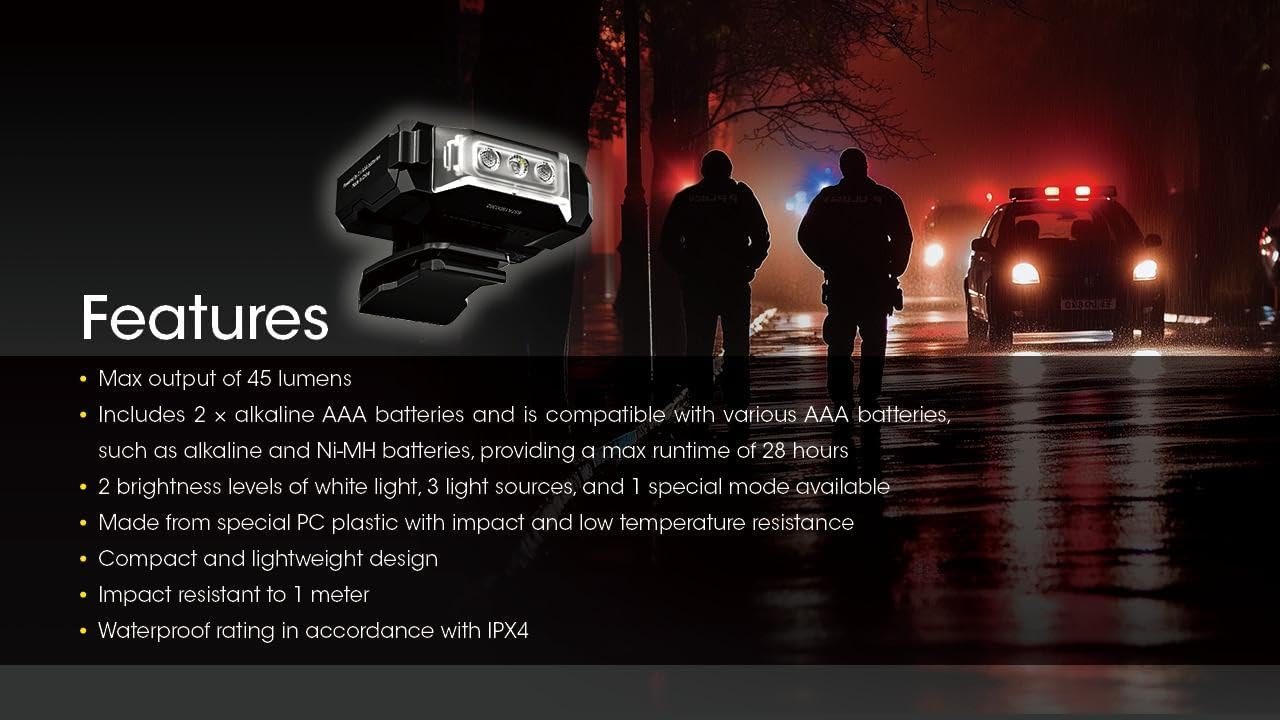
Image 7.1: Detailed technical data table for the Nitecore CL10, including output, runtime, beam distance, and intensity for all light modes.
| Ciri | Perincian |
|---|---|
| Output Maks | 45 Lumen |
| Jarak Pancaran Maks | 15m |
| Masa Jalanan Maks | 28 hours (White Low) |
| Bateri | 2 × AAA (Alkaline or Ni-MH) |
| Mod Khas | Red/Blue Warning Flashing |
| Warna Rasuk | White Light, Red Light, Blue Light |
| Dimensi | 56.5mm x 22.4mm x 45.0mm (2.22 "x 0.88" x 1.77 ") |
| Berat badan | 28 g / 0.99 oz (excluding clip) |
| Rintangan Kesan | 1 Meter |
| Penilaian Kalis Air | IPX4 |
Note: The stated data is measured using 2 x 1.5V alkaline AAA batteries in accordance with the international flashlight testing standards ANSI/PLATO FL 1-2019 at an ambient temperature of 26°C (79°F) from the NITECORE Lab. The data may vary in real-world use due to different environmental conditions.

Image 7.2: The CL10 shown in hand, emphasizing its compact size and ultra-lightweight design of 28 grams (0.99 oz).
8. Penyelesaian masalah
- Lampu Tidak Dihidupkan:
- Periksa sama ada bateri dimasukkan dengan betul dengan polariti yang betul.
- Gantikan bateri dengan yang baru.
- Pastikan penutup petak bateri ditutup dengan selamat.
- Light Dims or Flickers:
- Bateri mungkin lemah. Gantikannya.
- Pastikan sesentuh bateri bersih.
9. Waranti dan Sokongan
The Nitecore CL10 Clip-on Light comes with a manufacturer warranty for 2 tahun dari tarikh pembelian. For warranty claims or technical support, please contact your authorized Nitecore dealer or visit the official Nitecore webtapak.