
DOOGEE U10
Manual Pengguna Tablet DOOGEE U10 Android 15
Brand: DOOGEE | Model: U10
1. Produk Lebihview
The DOOGEE U10 Android 15 Tablet is designed for versatile use, offering enhanced performance and features for both work and entertainment. It boasts a 10.1-inch IPS HD display, a powerful 2.0GHz Quad-Core processor, and runs on the latest Android 15 operating system for faster app launches and smoother multitasking. With 16GB of RAM (4GB physical + 12GB expandable) and 128GB of internal storage, expandable up to 2TB, it provides ampruang untuk semua anda files and applications. The tablet also features Wi-Fi 6, Bluetooth 5.0, dual cameras, and a long-lasting 5060mAh battery.

Depan dan belakang view of the DOOGEE U10 Android 15 Tablet, highlighting its sleek design and key specifications.
2. Apa yang ada di dalam Kotak
- 1 x DOOGEE U10 Android 15 Tablet
- 1 x Type-C USB Cable and Charger
- 1 x Manual and Warranty Card
- 1 x Kotak Pembungkusan
3. Persediaan
3.1 Membongkar dan Caj Permulaan
Carefully remove all components from the packaging. Before first use, fully charge your DOOGEE U10 tablet using the provided Type-C USB cable and charger. The charging port is located on the side of the device.
3.2 Menghidupkan dan Persediaan Awal
Press and hold the power button located on the side of the tablet until the DOOGEE logo appears. Follow the on-screen prompts to complete the initial setup, which includes selecting your language, connecting to a Wi-Fi network, and signing in with your Google account. This process ensures your tablet is ready for use and can access the Google Play Store.

The DOOGEE U10 Tablet shown with its included accessories, ready for setup.
4. Operating Your DOOGEE U10 Tablet
4.1 Paparan dan Visual
The DOOGEE U10 features a 10.1-inch IPS HD display with a resolution of 1280x800 pixels, providing clear and vibrant visuals. It supports Widevine L1 certification, enabling high-resolution streaming from popular platforms. The built-in eye protection mode helps reduce eye strain during extended use.
The tablet's display is ideal for video calls and content consumption, especially with an optional keyboard.
This video demonstrates the vibrant 10.1-inch IPS HD display and Widevine L1 certification of the DOOGEE U10 tablet, showcasing its suitability for streaming and visual content.
4.2 Prestasi dan Penyimpanan
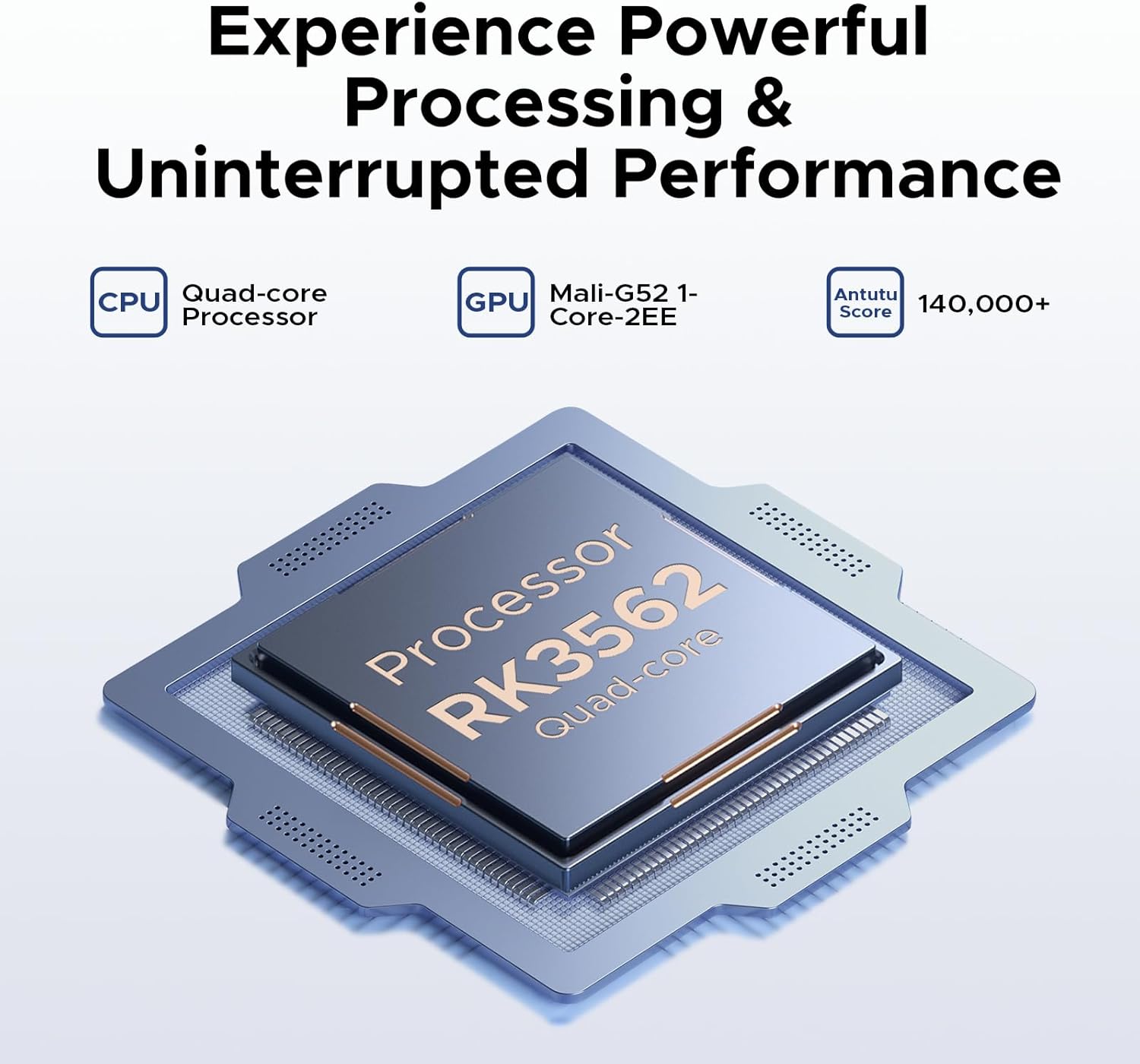
Powered by a 2.0GHz Quad-Core RK3562 processor and 16GB of RAM (4GB physical + 12GB expandable), the U10 ensures smooth performance for daily tasks, gaming, and multimedia. It comes with 128GB of internal storage, which can be expanded up to 2TB using a microSD card (sold separately), offering extensive space for apps, photos, and videos.

The tablet's performance supports creative applications, such as drawing with a stylus.
4.3 Kesambungan dan Bateri
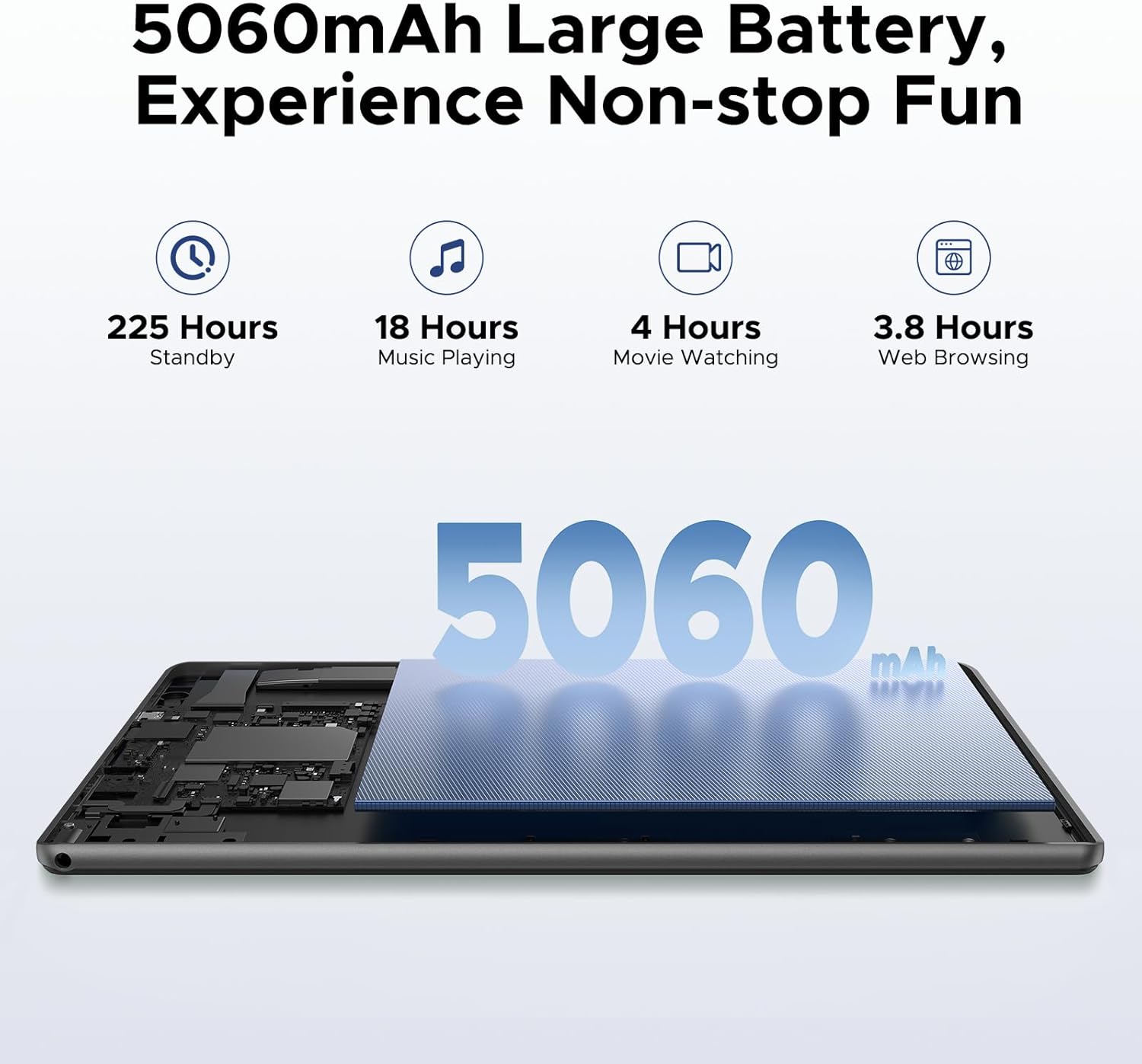
The tablet supports Wi-Fi 6 for fast and stable internet connections, and Bluetooth 5.0 for seamless pairing with wireless accessories. Its 5060mAh battery provides extended usage times, making it suitable for travel and long periods away from a power source. The OTG (On-The-Go) feature allows you to connect USB devices and even charge other devices.
This video highlights the U10 tablet's Wi-Fi 6 capabilities and its 5060mAh large battery, emphasizing its reliability for extended use.
4.4 Kamera
Equipped with an 8MP rear camera and a 5MP front camera, the DOOGEE U10 is suitable for video calls, online classes, and capturing everyday moments. Smart lens technology assists with real-time scanning and translation.
The tablet's camera interface is user-friendly for capturing photos and videos.
4.5 Audio
Experience immersive audio with the tablet's 1217 BOX speaker, enhancing your multimedia consumption.
4.6 Ciri-ciri Perisian
The Android 15 system supports split-screen multitasking, allowing you to run two applications simultaneously for increased productivity. It comes pre-installed with WPS Office (Word, Excel, PowerPoint). Google GMS certification ensures full access to the Google Play Store and its vast array of applications. The tablet also supports Face Unlock for convenient and secure access.

Split-screen functionality allows for efficient multitasking on the DOOGEE U10.

The tablet supports face unlock for quick and secure access.
4.7 Navigasi
The DOOGEE U10 integrates a precise navigation system, supporting GPS, Beidou, GLONASS, Galileo, and AGPS for accurate location tracking and route guidance.

The tablet can be used for navigation, providing clear map displays.
5. Penyelenggaraan
5.1 Pembersihan
Untuk membersihkan tablet anda, gunakan kain lembut dan tidak berbulu. Untuk calitan degil, sedikit dampLap kain dengan air atau pembersih skrin. Elakkan menggunakan bahan kimia yang keras atau bahan yang melelas.
5.2 Kemas Kini Perisian
Regularly check for and install software updates to ensure optimal performance, security, and access to new features. You can typically find update options in the tablet's 'Settings' menu under 'System' or 'About tablet'.
5.3 Penjagaan Bateri
To prolong battery life, avoid extreme temperatures. It is recommended to keep the battery charge between 20% and 80% for daily use. If storing the tablet for an extended period, ensure it has at least a 50% charge.
5.4 Pengurusan Storan
Semula secara berkalaview your installed applications and files. Uninstall unused apps and delete unnecessary files to free up storage space and maintain smooth operation. Utilize cloud storage or external microSD cards for large files.
6. Penyelesaian masalah
6.1 Tablet Tidak Dihidupkan
- Pastikan tablet dicas sepenuhnya. Sambungkannya ke pengecas dan tunggu beberapa minit sebelum cuba menghidupkannya semula.
- Tekan dan tahan butang kuasa selama sekurang-kurangnya 10-15 saat untuk melakukan mula semula secara paksa.
6.2 Isu Sambungan Wi-Fi
- Mulakan semula penghala Wi-Fi anda dan tablet.
- Forget the Wi-Fi network in your tablet's settings and reconnect.
- Pastikan anda berada dalam lingkungan isyarat Wi-Fi.
6.3 Aplikasi Ranap atau Terhenti
- Tutup apl yang bermasalah dan buka semula.
- Kosongkan cache dan data aplikasi dalam 'Tetapan > Aplikasi'.
- Pastikan apl dikemas kini kepada versi terkininya.
6.4 Prestasi Perlahan
- Tutup aplikasi latar belakang yang tidak diperlukan.
- Kosongkan ruang storan dengan memadamkan yang lama fileatau menyahpasang aplikasi yang tidak digunakan.
- Mulakan semula tablet dengan kerap.
7. Spesifikasi Teknikal
| Ciri | Spesifikasi |
|---|---|
| Saiz Paparan Skrin Berdiri | 10.1 Inci |
| Resolusi Skrin | 1280 x 800 piksel |
| Resolusi Skrin Maks | 800*1280 Piksel |
| Pemproses | 2 GHz RK3562 Quad-core |
| Purata Hayat Bateri (dalam jam) | 24 Jam (Bersedia) |
| Sistem Operasi | Android 15 |
| Berat Barang | 1.13 paun (514g) |
| Dimensi Produk | 9.65 x 0.38 x 6.41 inci |
| warna | Ungu |
| Kapasiti Penyimpanan Memori | 128 GB (Boleh dikembangkan kepada 2TB) |
8. Waranti dan Sokongan
Your DOOGEE U10 Tablet comes with a 30-day money-back guarantee and free returns. Additionally, it is covered by a 2-year limited warranty. For any inquiries or assistance, 24/7 one-on-one online support is available from the seller, yingyuankeji08.
- Jaminan Wang Dikembalikan 30 Hari: Jika anda tidak berpuas hati dengan pembelian anda, anda boleh mengembalikannya dalam masa 30 hari untuk bayaran balik penuh.
- Waranti Terhad 2 Tahun: The product is covered against manufacturing defects for two years from the date of purchase.
- Sokongan Dalam Talian 24/7: Contact yingyuankeji08 for technical assistance or customer service at any time.
Ask a question about this manual
Ask about setup, troubleshooting, compatibility, parts, safety, or missing instructions. Manuals+ will review the question and use this page’s manual context to help answer it.