
1. Pengenalan
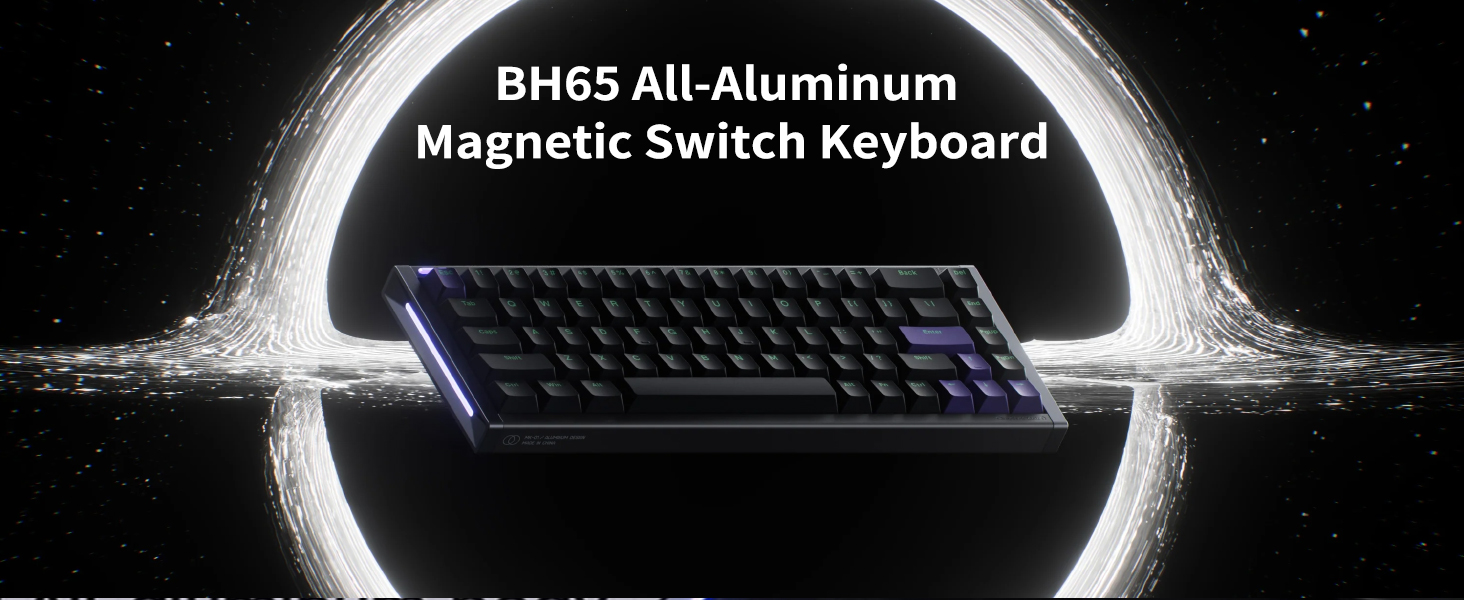
The NuPhyX BH65 is an all-aluminum 65% magnetic switch gaming keyboard designed for high-performance gaming and typing. It features 68 keys, adjustable actuation, rapid trigger functionality, PBT keycaps, and an 8K Hz polling rate for precise and responsive input. This manual provides essential information for setting up, operating, and maintaining your keyboard.

The NuPhyX BH65 keyboard, showcasing its compact 65% layout and all-aluminum body.
2. Kandungan Pakej
Before proceeding with setup, please ensure all items listed below are present in your package:
- 1 x BH65 HE Keyboard
- 1 x 1.5m (59 inches) USB-C Cable
- 1 x Keycap/Switch Puller
- 4 x Additional Screws
- 1 x Panduan Pantas
3. Persediaan
- Sambungkan Papan Kekunci: Use the provided USB-C cable to connect the BH65 keyboard to your computer (Laptop, PC). The keyboard is wired-only.
- Kuasa Awal Hidup: Once connected, the keyboard will power on and the RGB lighting will activate.
- Driver Installation (NuPhyIO): For full customization, download and install the NuPhyIO driver from the official NuPhy website. This software allows for key remapping, macro creation, actuation point adjustments, and rapid triggering setup.

The NuPhyX BH65 keyboard connected to a device via its USB-C cable.
4. Arahan Operasi
4.1 NuPhyIO Driver Customization
The NuPhyIO driver provides comprehensive control over your BH65 keyboard. Access it via a web browser to customize:
- Pemetaan Semula Kunci: Assign custom functions to individual keys.
- Penciptaan Makro: Record and assign complex key sequences.
- Pelarasan Titik Aktuasi: Fine-tune the distance a key needs to travel to register an input (0.1mm to 3.3mm).
- Rapid Trigger Setup: Configure the sensitivity and behavior of the rapid trigger function.
A screenshot of the NuPhyIO software, demonstrating its interface for key remapping, macro creation, and actuation point adjustments.
4.2 Rapid Trigger Function
The Rapid Trigger function allows keys to activate and reset based on real-time key travel, providing instant responses. This feature is crucial for competitive gaming, enabling faster repeated inputs and precise control.
A diagram showing the concept of zero dead zone for continuous touch, comparing unopened and opened dead zones for magnetic switches.
4.3 Hyper Tap Function
The Hyper Tap function allows you to trigger an additional key at the reset point of a Rapid Trigger key's travel. This can be used to stop the original key's triggering while simultaneously activating a bound key during key release, aiding in faster character movement stops in games.
4.4 Rapid Shift Function
The Rapid Shift function determines which key to trigger by comparing the key travel depth of two designated keys. This enables advanced input combinations based on how deeply keys are pressed.
4.5 SOCD Function
The Simultaneous Opposite Cardinal Directions (SOCD) function allows you to set a priority when both bound keys are pressed. You can configure it to trigger only one of the keys or neither, preventing conflicting inputs in specific scenarios.
4.6 RGB Sidelit and Backlit
The BH65 features customizable RGB sidelighting and backlighting. These effects can be configured through the NuPhyIO software to match your preferences or gaming setup.

The NuPhyX BH65 keyboard displaying its customizable RGB sidelighting and backlighting.
4.7 Suis Boleh Tukar Panas
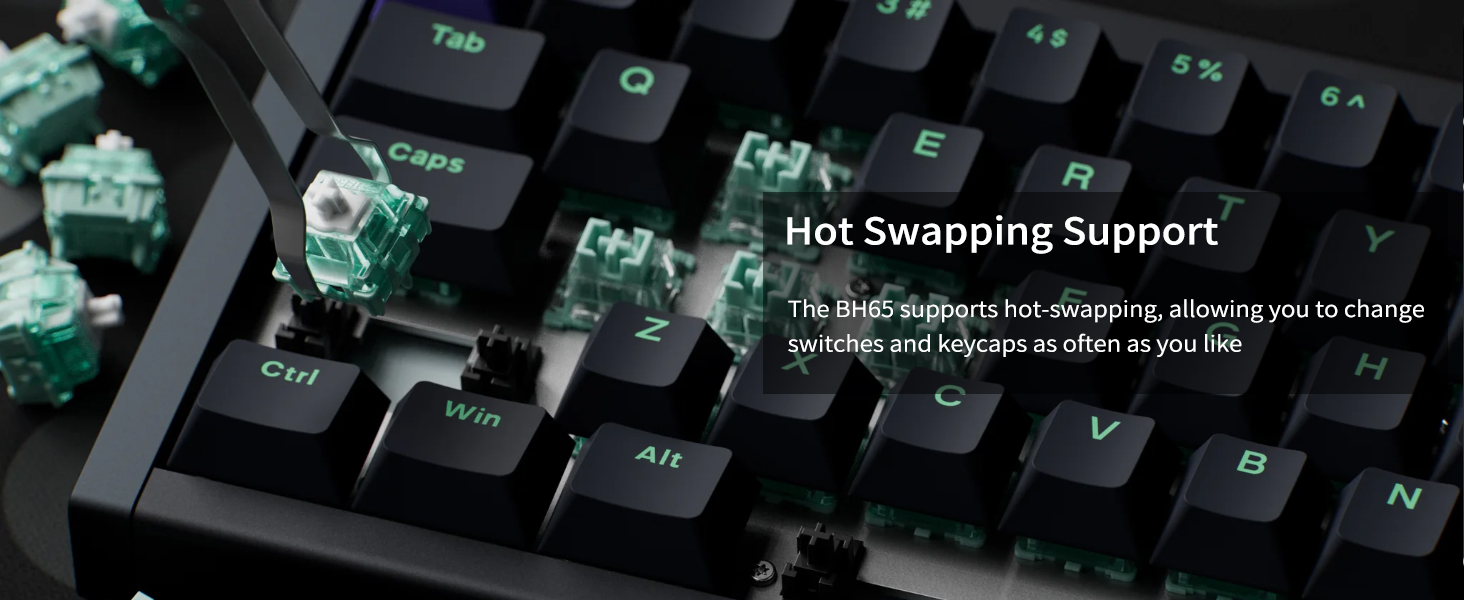
The BH65 supports hot-swapping, allowing you to easily change the magnetic switches and keycaps without soldering. Use the included keycap/switch puller for this process.

A switch puller being used on the NuPhyX BH65 keyboard, illustrating its hot-swappable switch feature.
5. Penyelenggaraan
- Pembersihan: Regularly clean the keyboard with a soft, dry cloth. For deeper cleaning, remove keycaps using the provided puller and use compressed air to clear debris.
- Penjagaan Suis: Avoid exposing switches to excessive dust or liquids. If a switch feels inconsistent, it can be hot-swapped for a new one.
- Pengurusan Kabel: Ensure the USB-C cable is not kinked or strained to prevent damage.
6. Penyelesaian masalah
- Papan Kekunci Tidak Membalas: Pastikan kabel USB-C disambungkan dengan selamat ke kedua-dua papan kekunci dan komputer. Cuba port USB atau kabel lain.
- Kunci Tidak Mendaftar: Check the actuation point settings in the NuPhyIO software. If a specific key is faulty, consider hot-swapping the switch.
- Isu Pencahayaan RGB: Verify RGB settings in NuPhyIO. Ensure the keyboard firmware is up to date.
- Perisian Tidak Mengesan Papan Kekunci: Reinstall the NuPhyIO driver. Ensure your operating system is up to date.
7. Spesifikasi
Umum
- Susun atur: ANSI 65%
- Bilangan Kunci: 68
- Jenis Suis: High-Profile Suis Magnet
- Jenis Penstabil: Plate Mounted
- Jenis Gunung: Tray mount
- Hot-swappable Support: Yes (If power is off)
- N-key Rollover Support: ya
- Lampu latar: Top-emitting LED
- Mod Lampu Latar: 20
- Sistem yang Serasi: macOS/Windows/Linux/Android/iOS
- Persekitaran Operasi: -10 hingga 50°C
Connectivity & Performance
- Teknologi Ketersambungan: USB-C
- Wired Polling Rate: 8000Hz
- PCB Scan Rate: 16000Hz
Fizikal
- Dimensi Produk: 12.66"P x 4.52"L x 1.18"T (321.5 mm x 114.8 mm x 29.9 mm)
- Berat Barang: 1.99 paun (903 gram)
- Bahan: All-aluminum body
- Bahan Keycap: PBT
- Type Angle: 6.0°

A detailed table outlining the technical specifications of the NuPhyX BH65 keyboard.
8. Waranti dan Sokongan
The NuPhyX BH65 keyboard comes with a manufacturer's warranty. For detailed warranty information, product support, or technical assistance, please visit the official NuPhy webtapak atau hubungi perkhidmatan pelanggan mereka secara langsung. Simpan resit pembelian anda untuk tuntutan waranti.