
1. Pengenalan
The PGST PG519-CW WiFi Wireless Home Alarm System is designed to provide reliable security for your home, apartment, garage, or office. This system operates wirelessly and connects to your home WiFi network, allowing remote control and monitoring via a smartphone application. It integrates with smart home platforms like Amazon Alexa and Google Assistant for enhanced convenience.

Image 1.1: PGST PG519-CW WiFi Wireless Home Alarm System components.
2. Kandungan Pakej
Sahkan bahawa semua item terdapat dalam pakej anda:
- 1 x Audible and Visual Alarm (Main Unit/Siren)
- 1 x Motion Detector (PIR Sensor)
- 1 x Sensor Pintu/Tingkap
- 2 x Alat Kawalan Jauh
- 1 x Pakej Skru (untuk pemasangan)
- 1 x Charger Set (Power Adapter and USB-C Cable)
- 1 x Manual Arahan

Image 2.1: Contents of the PGST PG519-CW alarm system package.
3. Produk Lebihview
3.1 Main Alarm Unit (Siren)
The main unit serves as the central hub for your alarm system. It features an audible siren and visual alerts. It is powered via a Type-C cable and includes a backup battery for continued operation during power outages.

Image 3.1: Main Alarm Unit (Siren) with Type-C power input and internal battery.
3.2 Motion Detector (PIR Sensor)
This sensor detects movement within its range, triggering an alarm when the system is armed. It is designed for indoor use.

Image 3.2: Motion Detector (PIR Sensor).
3.3 Penderia Pintu/Tingkap
This two-part sensor detects the opening and closing of doors or windows. When separated, it triggers an alarm if the system is armed.

Image 3.3: Door/Window Sensor.
3.4 Alat Kawalan Jauh
The remote controls allow for convenient arming, disarming, and SOS functions from a distance.
4. Persediaan dan Pemasangan
4.1 Mengkuasakan Unit Utama
- Connect the provided USB-C cable to the main alarm unit and the power adapter.
- Palamkan penyesuai kuasa ke soket elektrik standard.
- Ensure the main unit powers on. The backup battery will charge automatically.
4.2 Muat Turun Apl dan Pendaftaran
The system works with the "Tuya" or "Smart Life" applications. Download one of these apps from your smartphone's app store.
- Download and install the "Tuya" or "Smart Life" app.
- Daftar untuk akaun baharu atau log masuk jika anda sudah mempunyai akaun.
4.3 Connecting to Mobile App (WiFi)
The alarm system connects via 2.4GHz WiFi. Ensure your phone is connected to a 2.4GHz WiFi network during the setup process.
- Sambungkan telefon anda ke rangkaian WiFi 2.4GHz dan hidupkan Bluetooth.
- Open the app, press and hold the SOS button on the main alarm unit for 10 seconds until the green LED flashes quickly. In the app, select "Add to Favorite" or similar option to add a device.
- Cari untuk the device in the app and select "Alarm (WiFi)".
- Input your 2.4GHz WiFi password and proceed.
- Wait for the connection to be successful, then tap "Done".
- Press the SOS button on the main unit to receive an alarm push notification, confirming successful connection.

Image 4.1: Simplified steps for connecting the alarm system to the mobile app.

Image 4.2: Detailed steps for mobile app connection.
4.4 Alarm Host Installation
The main alarm unit can be mounted on a wall using the provided screws.
- Fix and screw the mounting base to the desired wall location.
- Align the alarm unit with the base and rotate it clockwise to secure.
- Ensure it is fixed properly and stable.

Image 4.3: Steps for convenient alarm host installation.
4.5 Pemasangan Sensor
Place sensors strategically to cover entry points and critical areas. The system offers a transmission range of up to 100 meters (328 feet).
- Sensor Pintu/Tingkap: Mount the two parts of the sensor on the door/window frame and the moving part, ensuring they are aligned and within 0.7 inches (1.8 cm) of each other when closed. Use the adhesive backing for easy installation.
- Pengesan Gerakan: Install motion detectors in corners or areas with clear lines of sight to cover rooms. Ensure they are placed at an appropriate height to detect movement effectively.

Imej 4.4: Cthample of complete coverage with sensors.
5. Operasi
5.1 Mempersenjatai dan Melucutkan senjata
You can arm or disarm the system using the mobile app or the remote controls.
- Lengan (Mod Jauh): Activates all sensors. Any detected intrusion will trigger the alarm.
- Lumpuhkan senjata: Menyahaktifkan sistem penggera.
- Home (Stay Mode): Activates perimeter sensors (e.g., door/window sensors) while allowing free movement inside the property.
5.2 Pengesanan Pencerobohan
When an intrusion is detected while armed, the system will:
- Emit a loud siren sound (over 100dB).
- Send real-time notifications to your smartphone via the app.
- Potentially make a call or send an SMS to pre-set phone numbers (check app settings for this feature).

Image 5.1: Intrusion detection with door sensor and siren activation.

Image 5.2: Infrared motion detection triggering an alarm notification.
5.3 Fungsi SOS
In case of emergency, press the SOS button on the remote control or within the app to trigger an immediate alarm and send alerts to designated contacts.

Image 5.3: Elderly protection and SOS remote functionality.
6. Ciri Lanjutan
6.1 Timing Arm and Disarm
You can schedule specific times for the system to automatically arm or disarm, eliminating the need for manual operation daily.

Imej 6.1: Cthamples of timing arm and disarm schedules.

Image 6.2: Setting up a schedule for arming and disarming via the app.
6.2 Multi-Modes for Sensors
Configure different modes for individual sensors. For example, in "Home" mode, you can set certain sensors (like door sensors) to be active while others (like motion sensors in frequently used areas) are disarmed.

Image 6.3: Multi-modes for sensors and alarm settings.
6.3 Integrasi Rumah Pintar
The system works with Amazon Alexa and Google Assistant. You can use voice commands to arm or disarm your system.
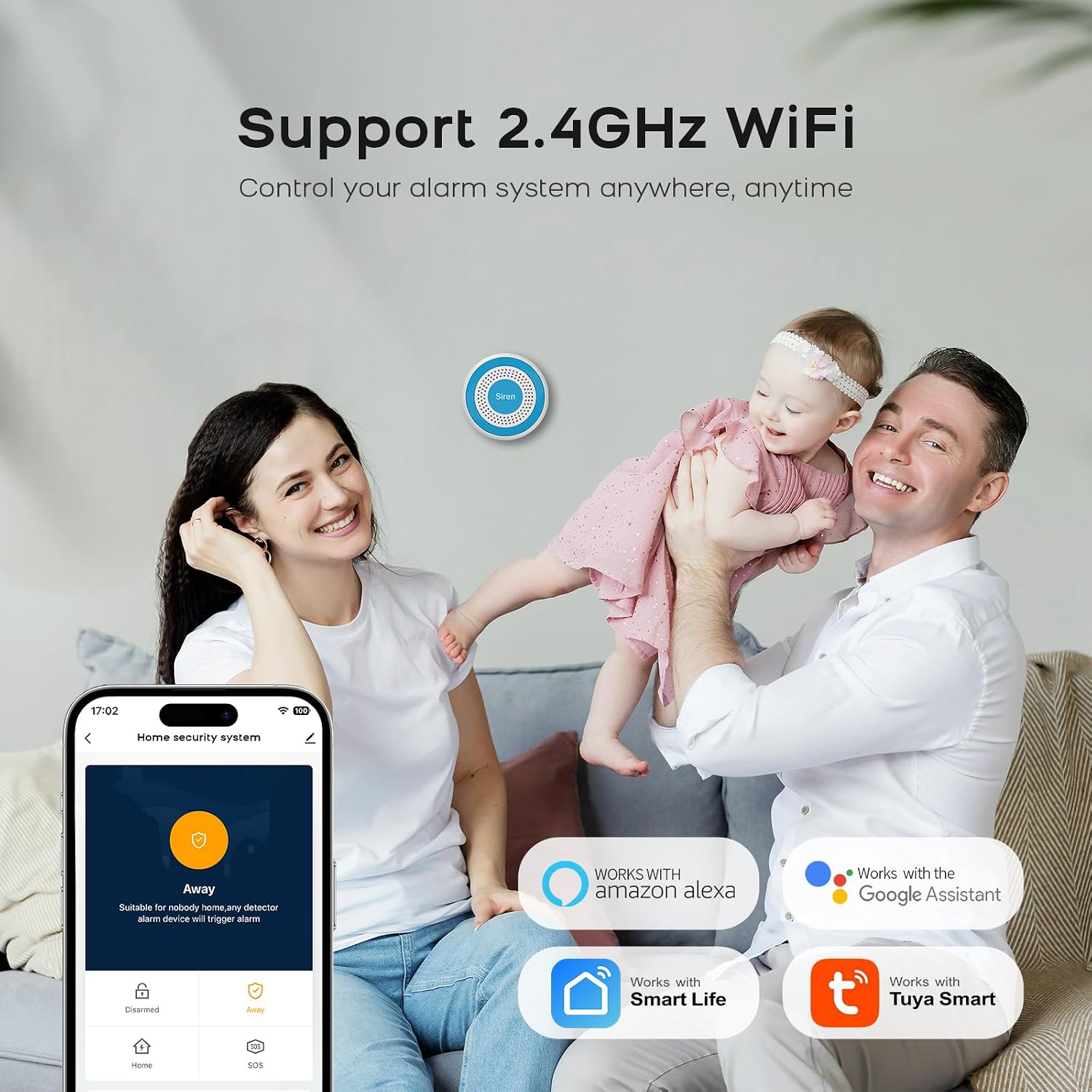
Image 6.4: Compatibility with Alexa and Google Assistant.
6.4 Real-Time Alerts and Family Sharing
Receive instant notifications on your smartphone. You can also share control of the alarm system with multiple family members via the app.

Image 6.5: Real-time alerts on the mobile app.

Image 6.6: Sharing alarm system control with family members.
7. Penyelenggaraan
- Pembersihan: Lap peranti dengan kain lembut dan kering. Elakkan menggunakan bahan kimia yang keras atau pembersih yang kasar.
- Bateri: The main unit has a backup battery. Ensure it remains connected to power for optimal performance and to keep the backup battery charged. Sensors are typically battery-powered; replace batteries as indicated by the app or device indicators.
- Ketersambungan: Periodically check your WiFi connection to ensure the alarm system remains online and responsive.
8. Penyelesaian masalah
- Sistem tidak bersambung ke WiFi: Ensure your router is broadcasting a 2.4GHz network. The system does not support 5GHz WiFi. Check WiFi password and signal strength.
- Tiada pemberitahuan aplikasi: Verify that app notifications are enabled in your smartphone settings and within the alarm app itself. Check internet connectivity.
- Penggera palsu: Ensure motion sensors are not placed near heat sources, direct sunlight, or areas with pets that might trigger them. Check door/window sensors for proper alignment and secure mounting.
- Alat kawalan jauh tidak berfungsi: Check the battery in the remote control. Ensure you are within the operational range of the main unit.
- Siren tidak berbunyi: Check if the main unit is powered on and connected. Verify alarm settings in the app.
9. Spesifikasi
| Ciri | Spesifikasi |
|---|---|
| Jenama | PGST |
| Nombor Model | PG519-CW |
| Dimensi Item (LxWxH) | 16 x 10 x 6 cm |
| Jenis Penggera | Audio dan Pergerakan |
| Komposisi Bateri | Litium Ion |
| Ketersambungan | WiFi 2.4GHz |
| Keserasian Aplikasi | Tuya, Kehidupan Pintar |
| Integrasi Rumah Pintar | Amazon Alexa, Pembantu Google |
10. Maklumat Keselamatan
- Do not expose the devices to extreme temperatures, direct sunlight, or moisture.
- Keep devices away from children and pets.
- Gunakan hanya penyesuai kuasa dan kabel yang disediakan.
- Do not attempt to disassemble or repair the devices yourself. Contact customer support for assistance.
- Ensure proper ventilation for the main unit.
11. Waranti dan Sokongan
Untuk maklumat jaminan dan sokongan teknikal, sila rujuk dokumentasi yang disertakan dengan produk anda atau lawati PGST rasmi. website. Specific warranty terms and support contact details are not provided in this manual.