
1. Produk Lebihview
The WVX Gaming Laptop R9-6900HX (Model A02) is a high-performance portable computer designed for demanding tasks such as gaming, content creation, and multitasking. It features an AMD Ryzen 9 6900HX processor, AMD Radeon 680M integrated graphics, and fast DDR5 memory.
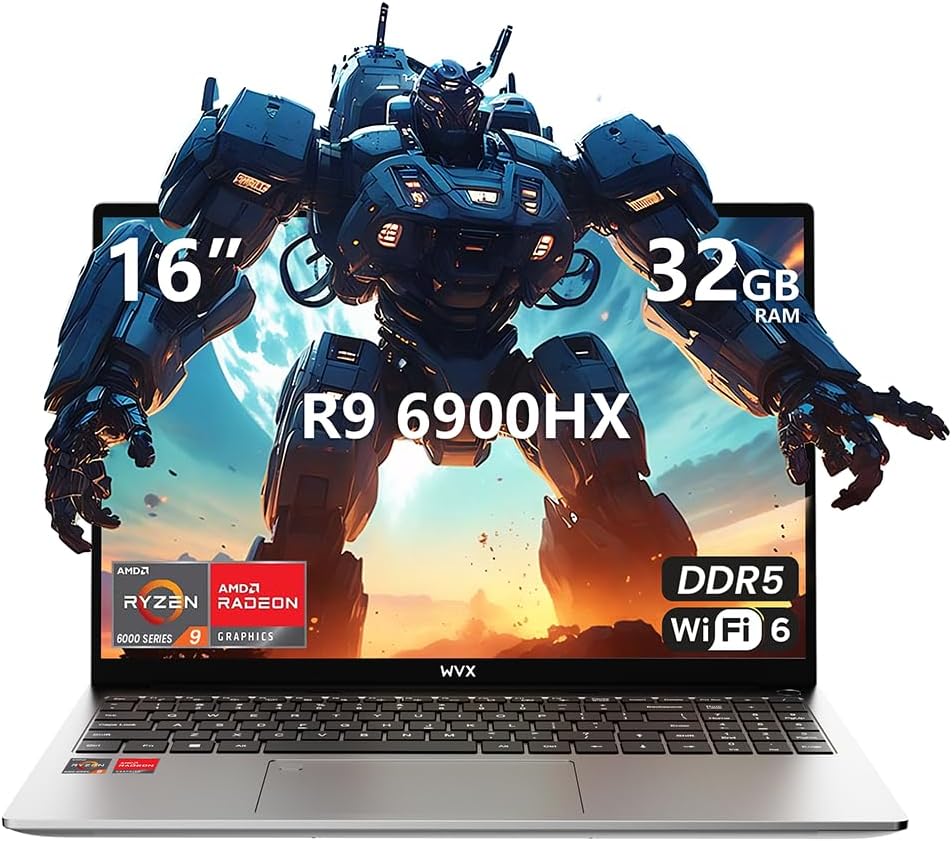
Image 1.1: WVX Gaming Laptop R9-6900HX
Ciri-ciri Utama:
- CPU Berprestasi Tinggi: AMD Ryzen 9 6900HX with 8 cores and 16 threads, up to 4.9 GHz.
- Grafik Bersepadu: AMD Radeon 680M, delivering strong visual performance.
- Ingatan Pantas: 32GB DDR5 RAM, expandable up to 64GB.
- Ample Penyimpanan: 512GB SSD, expandable up to 2TB.
- Paparan Cergas: 16-inch Full HD (1920x1200) screen.
- Kesambungan Lanjutan: Wi-Fi 6 and Bluetooth 5.2.
- Sistem pengendalian: Dipasang terlebih dahulu dengan Windows 11 Pro.
2. Persediaan
2.1 Membuka Kotak dan Pemeriksaan Awal
Carefully remove the laptop and its accessories from the packaging. Ensure all components listed in the 'What's in the Box' section are present and undamaged.
- R9-6900HX laptop
- PD100W adapter (charger)
2.2 Menyambungkan Penyesuai Kuasa
Connect the PD100W adapter to the laptop's power input port and then plug it into a power outlet. It is recommended to fully charge the laptop before its first use.
2.3 But Awal dan Persediaan Windows
Press the power button located on the laptop. The system will guide you through the initial Windows 11 Pro setup process. Follow the on-screen instructions to configure your language, region, network, and user account.
3. Arahan Operasi
3.1 Papan Kekunci dan Pad Sentuh
The laptop features a full-size keyboard with a numeric keypad and a responsive touchpad. The keyboard is backlit for comfortable use in low-light conditions. The touchpad supports multi-touch gestures for enhanced navigation.

Image 3.1: Laptop keyboard and touchpad layout.
3.2 Paparan dan Grafik
The 16-inch FHD display offers a resolution of 1920x1200 pixels, providing clear and vibrant visuals. The AMD Radeon 680M graphics processor handles demanding visual tasks efficiently.

Image 3.2: Display features including 300 nits brightness, IPS, and low blue light.
3.3 Pelabuhan dan Ketersambungan
Komputer riba ini dilengkapi dengan pelbagai port untuk peranti luaran dan sambungan:
- 4x Port USB 3.0
- Port HDMI
- Full-function Type-C Port (supports charging, data transfer, external 4K monitor)
- Jack fon telinga 3.5mm
- Pembaca Kad SD
For wireless connectivity, the laptop supports Wi-Fi 6 for high-speed internet and Bluetooth 5.2 for connecting peripherals.
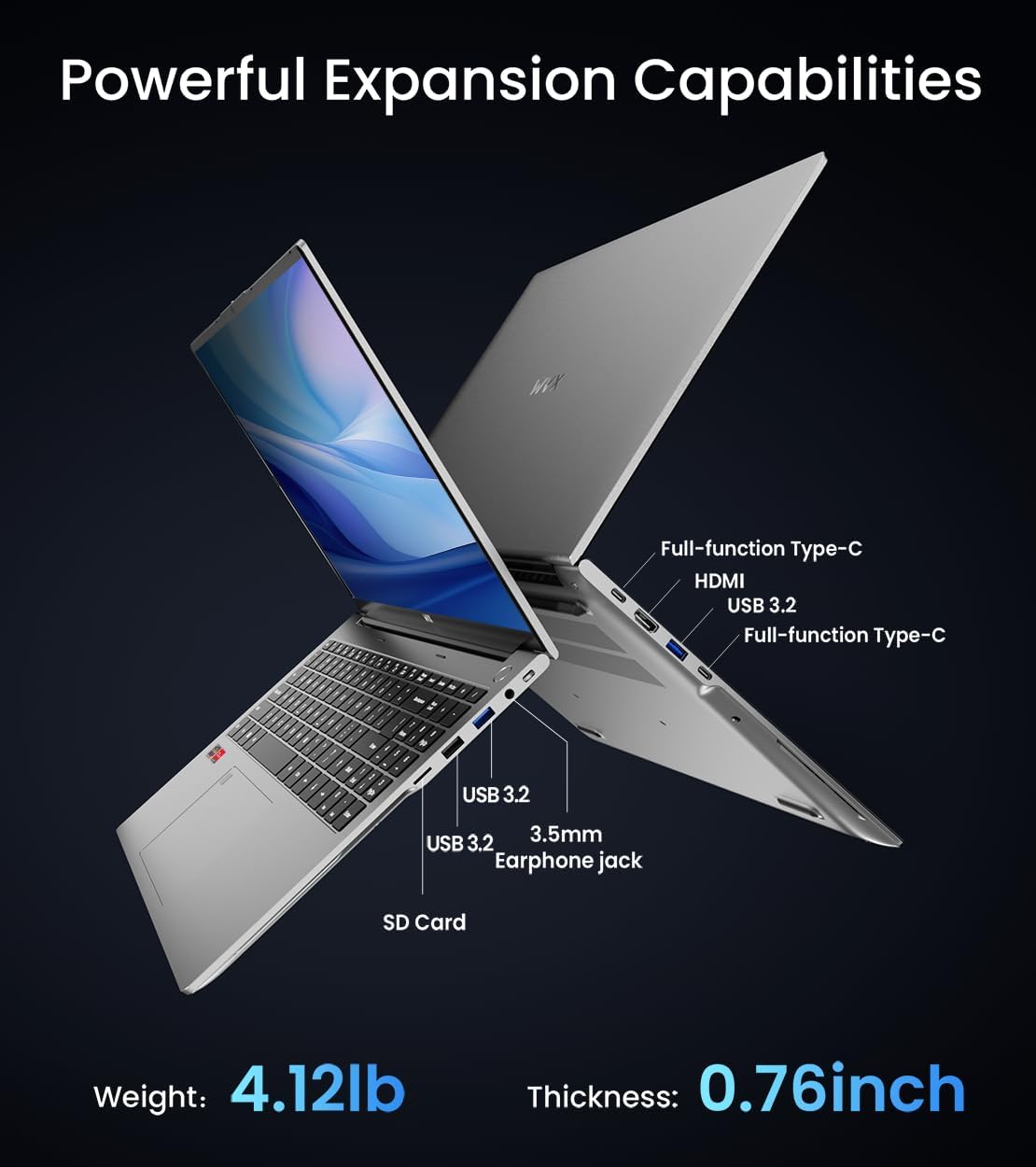
Imej 3.3: Selesaiview of available ports and physical dimensions.
4. Penyelenggaraan
4.1 Pembersihan
To maintain optimal performance and appearance, regularly clean your laptop. Use a soft, lint-free cloth for the screen and exterior. For stubborn smudges, a slightly dampkain yang disalut dengan air atau pembersih skrin khusus boleh digunakan. Elakkan bahan kimia yang keras.
4.2 Kemas Kini Perisian
Regularly update your Windows operating system and drivers to ensure system stability, security, and optimal performance. Windows Update can be accessed through the Settings menu.
4.3 Storan dan Peningkatan Memori
The laptop's RAM can be upgraded to a maximum of 64GB, and the SSD storage can be expanded up to 2TB. Consult a qualified technician for hardware upgrades to avoid voiding your warranty.

Image 4.1: Illustration of memory and storage upgrade capabilities.
5. Penyelesaian masalah
5.1 Isu Kuasa
- Komputer riba tidak dihidupkan: Pastikan penyesuai kuasa disambungkan dengan kukuh dan bateri mempunyai cas yang mencukupi. Cuba salur kuasa yang lain.
- Bateri tidak dicas: Verify the power adapter is functioning correctly. Check the charging port for any obstructions.
5.2 Masalah Paparan
- Skrin kosong: Sambungkan monitor luaran untuk memeriksa sama ada isu tersebut adalah dengan paparan komputer riba. Mulakan semula komputer riba.
- Skrin berkelip: Kemas kini pemacu grafik. Laraskan kadar penyegaran paparan dalam tetapan Windows.
5.3 Isu Prestasi
- Prestasi perlahan: Close unnecessary applications. Check for malware. Ensure sufficient free storage space.
- Terlalu panas: Ensure ventilation vents are clear. Consider using a cooling pad.

Image 5.1: Illustration of the laptop's cooling system with pure copper heat pipes and fan speed.
6. Spesifikasi
| Ciri | Spesifikasi |
|---|---|
| Jenama | WVX |
| Nama Model | R9-6900HX (A02) |
| Pemproses | AMD Ryzen 9 6900HX (4.9 GHz, 8 Cores, 16 Threads) |
| Pemproses bersama Grafik | AMD Radeon 680M |
| RAM | 32 GB DDR5 (Maksimum 64GB) |
| Pemacu Keras | 512 GB SSD (Max 2TB) |
| Saiz Skrin | 16 Inci |
| Resolusi Skrin Maks | 1920x1200 Piksel |
| Sistem Operasi | Windows 11 Pro |
| Jenis Wayarles | 802.11ax (Wi-Fi 6) |
| Bluetooth | 5.2 |
| Bilangan USB 3.0 Port | 4 |
| Dimensi Produk | 14 x 9.7 x 0.78 inci |
| Berat Barang | 5.89 paun |
| Bateri | 58Wj |
| Ciri Khas | Backlit Keyboard, Fingerprint Reader, HD Audio |
7. Waranti dan Sokongan
WVX offers comprehensive support for your laptop:
- Sokongan Teknikal: Enjoy unlimited technical support.
- Perkhidmatan Pembaikan: 12 months of repair service for all customers.
- Masa Respons: Online connection within 24 hours for inquiries.
For any questions or concerns, please reach out to the WVX support team.

Imej 7.1: Selesaiview of WVX customer support services.
8. Video Produk Rasmi
Video 8.1: Tayangan video rasmicasing the WVX R9 6900HX Laptop, highlighting its features and design.