
pengenalan
The Metz MPE7300Z is a 24-inch portable smart television designed for versatility and high-quality viewing. It features a built-in battery, 12V car charging capability, and an anti-glare LED FHD display, making it suitable for various environments including campers, trains, boats, and outdoor activities. This manual provides essential information for setting up, operating, maintaining, and troubleshooting your device.
Key features of the Metz MPE7300Z include:
- mudah alih: Equipped with a carrying handle and internal battery for mobile use.
- Skrin Anti-silau: Provides clear, reflection-free viewwalaupun di bawah cahaya matahari langsung.
- Reka Bentuk Pemenang Anugerah: Recognized for its elegant and functional design.
- Penggunaan Serbaguna: Adaptable for office, home, and outdoor settings.
- Visual Unggul: Offers high-quality images with HDMI and USB connectivity.
- Bateri tahan lama: Up to 3 hours of autonomy on a single charge, with 12V car charging support.
- Optimum Viewdalam Jarak: Disyorkan viewing distance between 0.8 and 1.5 meters for a 24-inch screen.
Kandungan Pakej
Before proceeding with the setup, please ensure all components are present in the box:
- Metz MPE7300Z Portable TV
- Alat Kawalan Jauh
- 2 x Bateri AAA (untuk alat kawalan jauh)
- Manual Pengguna (dokumen ini)
- Penyesuai Kuasa (12V, 5A)
- Power Cable (1.5m length)

Persediaan
1. Hidupkan dan Pengecasan Awal
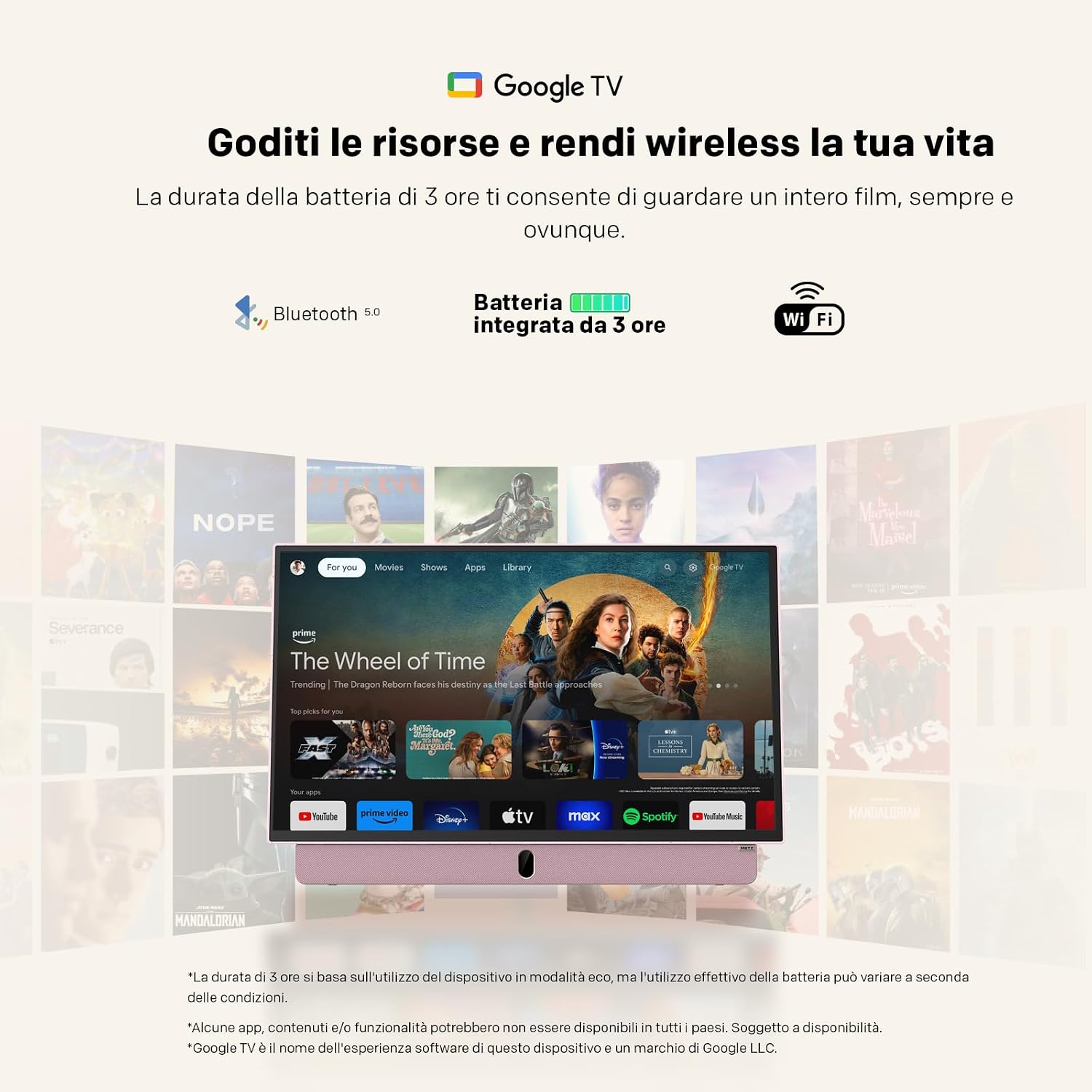
For the first use, the TV must be connected to a power source to turn on, even if it has an internal battery. Use the provided power adapter to connect the TV to a standard electrical outlet. For portable use, the TV supports 12V car charging. The internal battery provides up to 3 hours of viewmasa dalam.
2. Persediaan Alat Kawalan Jauh
Insert the two AAA batteries (included) into the remote control, ensuring correct polarity.
3. Sambungan Antena
Connect your antenna cable to the appropriate antenna input port on the TV for receiving broadcast channels (DVB-T/T2, DVB-C, DVB-S/S2).
4. Network and Google TV Setup
Upon first power-on, the TV will guide you through the initial setup process for Google TV. This requires an internet connection (Wi-Fi 5 or LAN) and a Google account. Follow the on-screen instructions to connect to your Wi-Fi network and log in to your Google account. This step is mandatory for full functionality, including accessing smart features and apps.
Arahan Operasi
Operasi Asas
- Hidupkan/Mati Kuasa: Press the power button on the remote control or the TV. Initial power-on requires a connected power source.
- Kawalan Kelantangan: Gunakan butang kelantangan naik/turun pada alat kawalan jauh.
- Navigasi Saluran: Use the number buttons or the program up/down buttons on the remote to change channels.
- Pemilihan Sumber: Press the "Source" button on the remote to switch between inputs (HDMI, USB, TV, etc.).
Ketersambungan
- HDMI: Connect external devices like gaming consoles, Blu-ray players, or laptops using an HDMI cable.
- USB: Insert USB drives to view photos, play videos, or listen to music. The USB port provides 5V/500mA.
- Bluetooth: Pair Bluetooth-enabled devices such as headphones or speakers for wireless audio.
- Wi-Fi 5 / LAN: Connect to your network for internet access, streaming services, and Google TV features.
Ciri TV Google
Navigate the Google TV interface using the remote control's directional pad and select button. Access a wide range of streaming applications, live TV, and personalized content recommendations. A stable internet connection is required for optimal performance of smart features.

Penyelenggaraan
Membersihkan TV
Untuk membersihkan skrin, lap perlahan-lahan dengan kain lembut yang tidak berbulu. Untuk tanda degil, sedikit dampen the cloth with water or a screen-cleaning solution. Avoid using harsh chemicals or abrasive materials. For the TV body, use a dry, soft cloth.
Penjagaan Bateri
- Untuk memanjangkan hayat bateri, elakkan daripada menyahcas sepenuhnya bateri dengan kerap.
- Store the TV in a cool, dry place when not in use for extended periods.
- Jika menyimpan untuk masa yang lama, cas bateri kepada kira-kira 50% sebelum penyimpanan.
Menyelesaikan masalah
- TV does not turn on: Ensure the TV is connected to a power source for the initial power-on. Check if the power adapter is securely connected to both the TV and the electrical outlet. If using battery, ensure it is charged.
- No picture/sound: Verify that the correct input source is selected (e.g., HDMI 1, TV). Check all cable connections. For broadcast TV, ensure the antenna is properly connected and positioned.
- Isu sambungan Wi-Fi: The TV may not remember Wi-Fi settings after a power cycle, requiring manual reconnection to your hotspot each time. Ensure your Wi-Fi network is active and within range. Try restarting your router.
- Alat kawalan jauh tidak berfungsi: Check and replace the batteries in the remote control. Ensure there are no obstructions between the remote and the TV's IR sensor.
- Prestasi perlahan: Ensure your internet connection is stable. Close any unused applications running in the background on Google TV.
- Adhesives on screen: If you encounter stubborn screen adhesives, gently warm them with a hairdryer on a low setting before peeling. Clean any residue with a soft cloth and screen cleaner.
Spesifikasi
| Ciri | Spesifikasi |
|---|---|
| Jenama | Metz |
| Model | MPE7300Z |
| Saiz Skrin | 24 Inci |
| Teknologi Paparan | LED |
| Resolusi | 1080p (FHD) |
| Kadar Segar Semula | 60 Hz |
| Ciri Khas | Portable, Anti-glare, Google TV |
| Teknologi Ketersambungan | HDMI, USB, Bluetooth, Wi-Fi 5 |
| Dimensi Produk (D x W x H) | 8P x 55l x 37T cm (lebih kurang 8 x 55 x 37 cm) |
| Jumlah Port HDMI | 1 |
| Bateri | 1 Lithium Ion battery (included), up to 3 hours autonomy |
| Tahun Model | 2025 |
| Pengekodan Video | HEVC Main 10 |
Maklumat Waranti
The Metz MPE7300Z Portable Smart TV comes with a Waranti pengilang selama 2 tahun. Please retain your proof of purchase for warranty claims. For detailed terms and conditions, refer to the official Metz webtapak atau hubungi sokongan pelanggan.
Sokongan
For further assistance, please refer to the digital user manual available on the product page or visit the official Metz support website. You can also contact Metz customer service for technical support or service inquiries.
Manual Pengguna Rasmi (PDF): Muat turun Manual PDF
Metz Store on Amazon: Visit Metz Store
Video Berkaitan
August DA383 10-inch Portable TV Overview
Video ini memberikan penamatview of the August DA383 10-inch Portable TV, demonstrating its features such as DVD playback and multimedia storage options. While not the Metz MPE7300Z, it illustrates general portable TV functionalities that may be similar.