
Xakava SF30003
SF3000 Portable Handheld HD Gaming Console User Manual
Model: SF30003 | Brand: Xakava
1. Pengenalan
Welcome to the user manual for your new Xakava SF3000 Portable Handheld HD Gaming Console. This manual provides essential information on setting up, operating, maintaining, and troubleshooting your device. Please read it thoroughly to ensure optimal performance and longevity of your console.
The SF3000 is a versatile handheld device designed for gaming enthusiasts, featuring a 4.5-inch IPS HD screen, dual-core processor, and support for multiple retro game emulators. It also offers additional functionalities such as an e-book reader, video player, and emergency power bank.
2. Apa yang ada di dalam Kotak
Upon unboxing your SF3000 console, please verify that all components are present:
- 1x SF3000 Portable Handheld HD Gaming Console (Grey)
- 1x Kabel Pengecasan USB
- 1x Manual Pengguna (dokumen ini)

Image: The SF3000 Portable Handheld HD Gaming Console in Grey, showcasinreka bentuk padat dan ciri-ciri utamanya.
3. Produk Lebihview dan Fungsi Butang
Familiarize yourself with the console's layout and button functions for optimal use.

Image: Diagram illustrating the various buttons and ports on the SF3000 console, including extended keys, ON/OFF key, DC/OTG port, TF socket, earphone port, volume key, directional keys, SELECT, START, and function keys.
Komponen Utama:
- Skrin IPS HD 4.5-inci: For clear and vibrant visuals.
- Directional Keys (D-Pad): For navigation in menus and games.
- Kayu Ria Analog: For precise control in games.
- Function Keys (A, B, X, Y): Standard gaming action buttons.
- Butang PILIH/MULAKAN: For in-game actions and menu navigation.
- L/R Extended Keys: Shoulder buttons for additional in-game controls.
- Kunci HIDUP/MATI: Power button for the console.
- DC/OTG Port: For charging and On-The-Go connectivity.
- TF Socket: MicroSD card slot for expandable storage and game loading.
- Pelabuhan fon telinga: 3.5mm jack for audio output.
- Kunci Kelantangan: Melaraskan kelantangan audio.
- Stand Bersepadu: Allows the console to stand upright for hands-free viewing.

Imej: Jarak dekat views highlighting the console's design features, including crystal buttons for enhanced control, anti-slip joysticks for stable operation, an integrated stand for comfortable viewing, and an ergonomic grip for extended play.
4. Persediaan
4.1 Pengecasan Awal
Before first use, fully charge your SF3000 console. Connect the provided USB charging cable to the DC/OTG port on the console and the other end to a compatible USB power adapter (not included) or a computer's USB port. The charging indicator will illuminate during charging and turn off when fully charged.
Note: A full charge typically takes approximately 3-4 hours and provides up to 6 hours of battery life.

Image: The SF3000 console displaying its 3000mAh battery capacity, emphasizing its long battery life and its secondary function as a power bank for charging other devices like mobile phones.
4.2 Inserting a MicroSD Card (TF Card)
The SF3000 comes with pre-loaded games on an internal storage or an included MicroSD card. To expand your game library or access additional content, you can insert a MicroSD card into the TF Socket.
- Locate the TF Socket on the top edge of the console.
- Gently insert the MicroSD card with the gold contacts facing down until it clicks into place.
- Untuk mengeluarkannya, tolak kad ke dalam dengan lembut sehingga ia berbunyi klik, kemudian lepaskan dan ia akan melompat keluar.
5. Arahan Operasi
5.1 Menghidupkan/Mematikan
- Untuk Menghidupkan: Press and hold the ON/OFF key for a few seconds until the screen illuminates.
- Untuk Mematikan: Press and hold the ON/OFF key until a power-off prompt appears, then select "Power Off". Alternatively, a quick press will put the device into sleep mode.
5.2 Menavigasi Antara Muka
Use the Directional Keys or Analog Joysticks to navigate through menus. Press the "A" button (or indicated function key) to select an option, and "B" (or indicated function key) to go back.

Image: The SF3000 console displaying a vibrant game on its 4.5-inch HD screen, showcasing immersive visuals.
5.3 Bermain Permainan
The SF3000 supports multiple emulators, allowing you to play a wide variety of retro games.
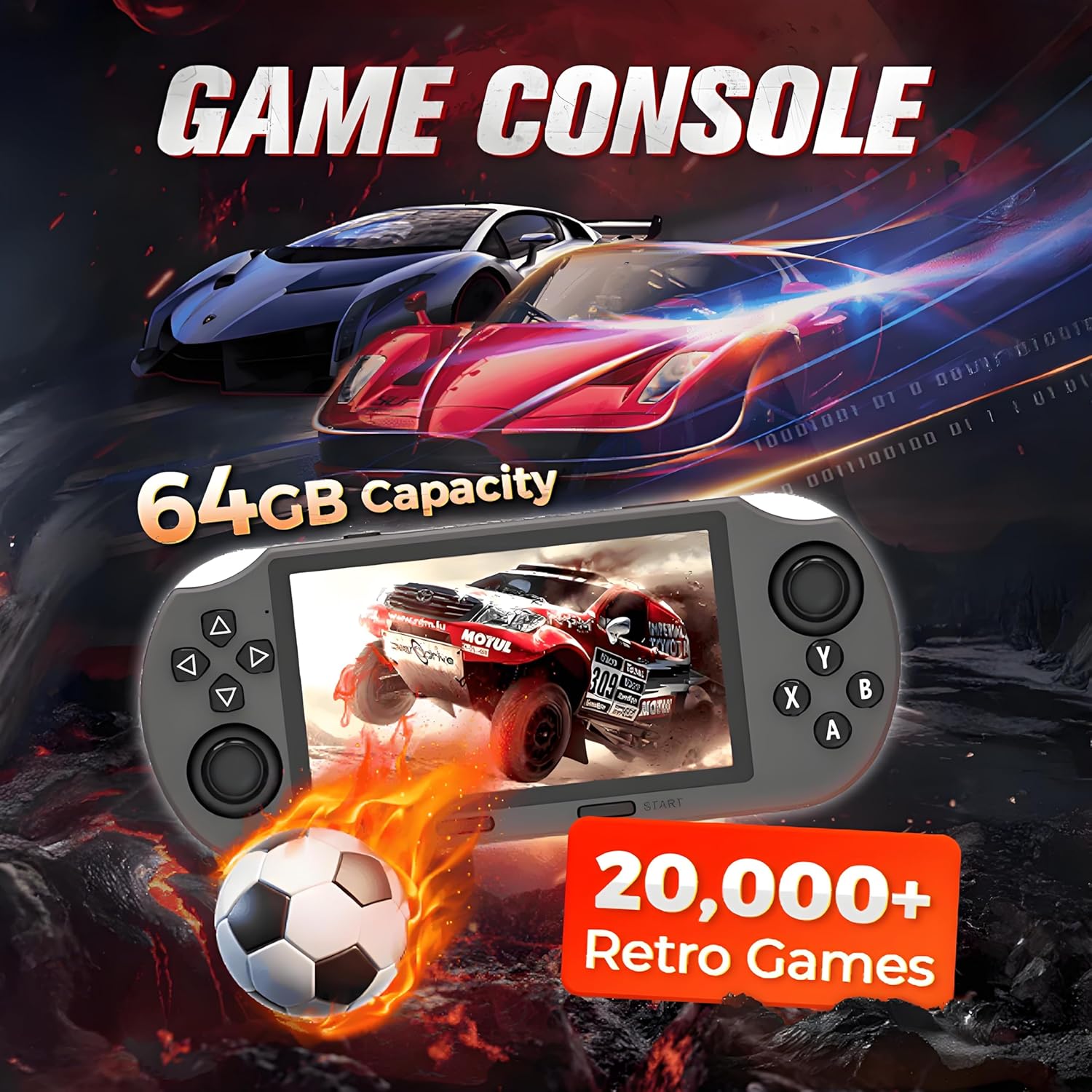
Image: The SF3000 console highlighting its 64GB capacity and the availability of over 20,000 retro games, with a racing game displayed on the screen.
- From the main menu, select the "Games" or "Emulator" option.
- Choose the desired emulator (e.g., MAME, PS1, FC, SFC, GBC).
- Browse the list of available games and select one to start.
- Use the console's buttons and joysticks to play.
Tip: To access in-game menus (e.g., save/load states, exit game), press SELECT + START simultaneously.

Image: A visual representation of the various game emulators supported by the SF3000, including MAME, PS1, FC, SFC, MD, GB, GBC, GBA, PCE, ATARI, SMS, GG, NGPC, and WSC, indicating its broad compatibility with retro gaming platforms.
5.4 Kegunaan Pelbagai Fungsi
The SF3000 is more than just a gaming console:
- Pembaca e-buku: Access and read e-books directly on the console.
- Pemain Video: Mainkan video files. You can plug in a USB flash drive via the OTG port for instant video playback.
- Pengecas Telefon Kecemasan: Use the console's battery to provide emergency charge to your mobile phone via the DC/OTG port.

Image: The SF3000 console demonstrating its video playback capability, showing a USB flash drive connected via the OTG port, allowing users to enjoy videos. The integrated stand is also shown in use.

Image: The SF3000 console illustrating its dual functionality: gaming mode on the left and charging mode on the right, where it is shown connected to and charging a mobile phone.
5.5 Language and Display Settings
You can adjust the console's language, volume, and brightness settings through the system menu.
- Navigasi ke menu "Tetapan".
- Select "Language" to choose your preferred language (supports 25 languages).
- Adjust "Volume" and "Brightness" as needed.
6. Penyelenggaraan
- Pembersihan: Use a soft, dry cloth to clean the console's exterior. Do not use liquid cleaners or abrasive materials.
- Storan: Simpan konsol di tempat yang sejuk dan kering jauh dari cahaya matahari langsung dan suhu yang melampau.
- Penjagaan Bateri: To prolong battery life, avoid fully discharging the battery frequently. Charge the console regularly, even if not in use for extended periods.
- Kemas Kini Perisian: Periksa pengeluar secara berkala webtapak untuk sebarang kemas kini perisian tegar yang tersedia untuk memastikan prestasi dan keserasian optimum.
7. Penyelesaian masalah
| Masalah | Kemungkinan Punca | Penyelesaian |
|---|---|---|
| Konsol tidak dihidupkan. | Bateri lemah; Sistem rosak. | Charge the console for at least 30 minutes. If still unresponsive, perform a hard reset by holding the power button for 10-15 seconds. |
| Games are lagging or freezing. | Insufficient system resources; Corrupted game file; SD card issue. | Close background applications. Try a different game. Reformat or replace the MicroSD card. |
| Tiada bunyi. | Volume too low; Earphones not properly connected; Software glitch. | Increase volume using the volume key. Re-insert earphones. Restart the console. |
| Skrin kosong atau herot. | Software error; Hardware malfunction. | Restart the console. If the problem persists, contact customer support. |
| Cannot charge mobile phone. | Charging cable issue; Console battery too low; Phone not compatible. | Ensure the console is sufficiently charged. Use a different USB cable. Verify phone compatibility with OTG charging. |
8. Spesifikasi
| Ciri | Perincian |
|---|---|
| Nombor Model | SF30003 |
| Saiz Skrin | 4.5 Inci |
| Jenis Paparan | LCD |
| Jenis Pengawal | Kawalan Butang |
| Sumber Kuasa | Dikuasakan Bateri |
| Hayat Bateri | Sehingga 6 Jam |
| Kapasiti Penyimpanan Memori | 64 GB (expandable via TF card) |
| bahan | plastik |
| Dimensi Produk | 9.3 x 0.55 x 4.6 inci |
| UPC | 686585420961 |
| Pengeluar | Xakava |
9. Maklumat Keselamatan
AMARAN: BAHAYA TERSEKIK - Bahagian kecil. Bukan untuk kanak-kanak di bawah 3 tahun.
- Jauhkan peranti daripada air dan kelembapan berlebihan.
- Elakkan daripada mendedahkan peranti kepada suhu yang melampau (panas atau sejuk).
- Jangan cuba membuka atau membaiki peranti ini sendiri. Ini akan membatalkan jaminan.
- Gunakan hanya kabel dan penyesuai pengecas yang diluluskan.
- Take breaks during extended gaming sessions to prevent eye strain and fatigue.
10. Waranti dan Sokongan
For warranty information and technical support, please refer to the warranty card included with your product or visit the official Xakava website. You may also contact Xakava customer service directly for assistance with product issues or inquiries.
Pengeluar: Xakava
Kedai Amazon: Visit the Xakava Store on Amazon
Note: Protection plans are available for purchase separately on Amazon. Please check the product page for details.
Ask a question about this manual
Ask about setup, troubleshooting, compatibility, parts, safety, or missing instructions. Manuals+ will review the question and use this page’s manual context to help answer it.