
4956421587452
Connect Screen Reversing Camera User Manual
Model: 4956421587452
Jenama: Generik
1. Pengenalan
This manual provides comprehensive instructions for the installation, operation, and maintenance of your Connect Screen Reversing Camera. Designed specifically for Audi A6 and A6L models from 2012 to 2017, this camera system enhances driving safety by providing a clear view kawasan di belakang kenderaan anda apabila mengundur.
Ciri-ciri utama termasuk:
- Penglihatan Malam: Equipped with 8 LED lights for improved visibility in low-light and dark conditions.
- Sudut Lebar View: High-quality lens provides a broad viewsudut untuk meminimumkan titik buta.
- Reka bentuk kalis air: Durable, weather-resistant construction ensures reliable performance in various weather conditions.
- Pemasangan Universal: Adjustable bracket for versatile installation.
- Standard RCA Video Output: Ensures compatibility with most car monitors and display screens.
2. Produk Lebihview dan Isi Pakej
Sebelum memulakan pemasangan, sila pastikan semua komponen ada dan tidak rosak.

Rajah 2.1: The main camera unit, designed to integrate seamlessly with your vehicle's existing structure.

Rajah 2.2: Complete package contents, including the camera unit and the necessary wiring harness for installation.
Pakej biasanya termasuk:
- Reversing Camera Unit
- Vehicle-specific Wiring Harness
- Video Cable (RCA connection)
- Kabel Kuasa
3. Persediaan dan Pemasangan
This camera system is designed for a "Plug & Play" installation, requiring no complex programming or software flashing. Professional installation is recommended.
3.1 Pemasangan Lebihview
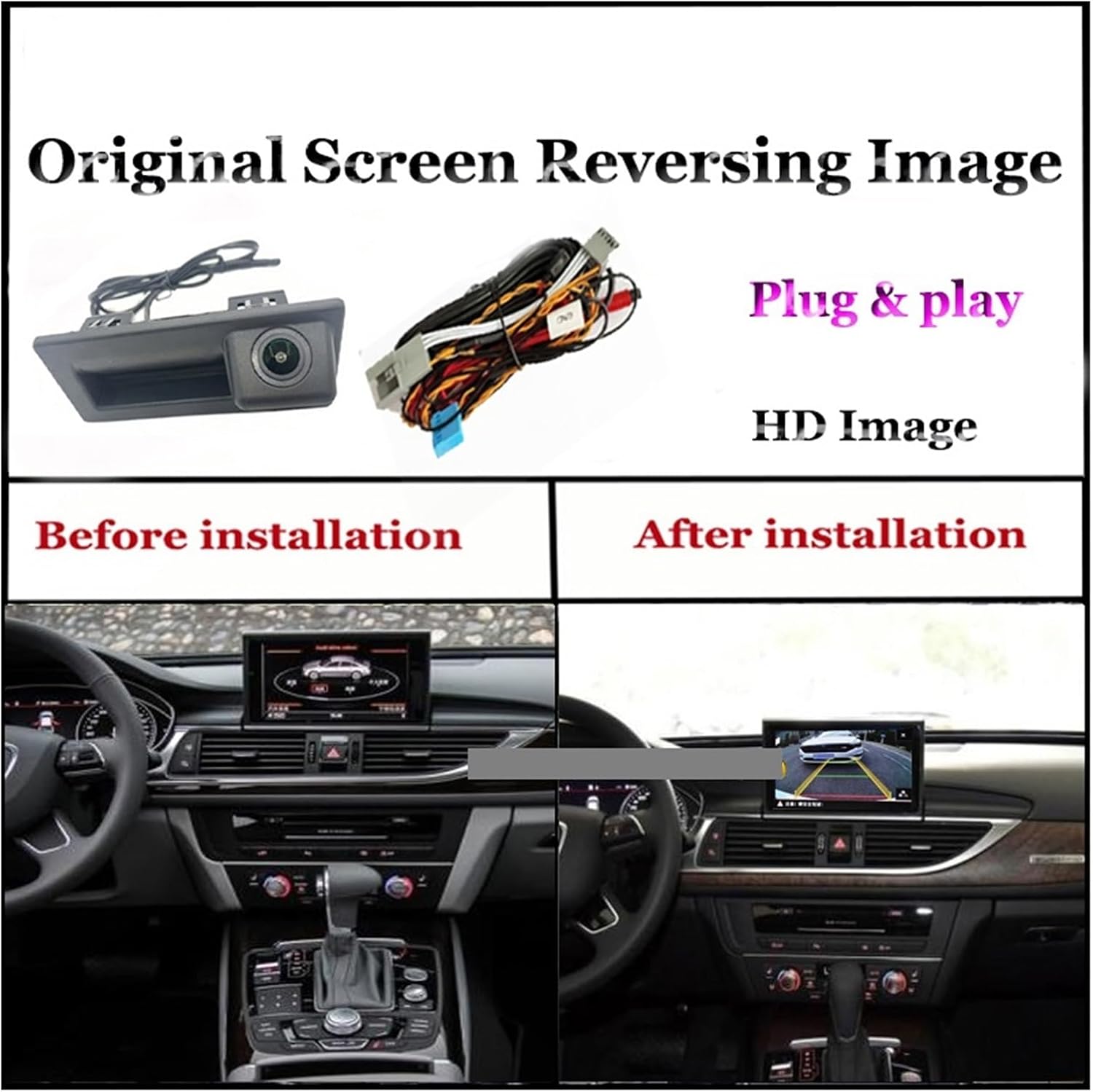
Rajah 3.1: Visual comparison showing the car's screen before and after the reversing camera system is installed, displaying the new reversing image.
The installation process involves connecting the camera to the vehicle's existing screen system. The camera is typically mounted near the license plate area or integrated into the trunk handle.
3.2 Sambungan Pendawaian

Rajah 3.2: Detailed wiring diagram illustrating how to connect the camera system. Key connections include the CNA plug to the original screen, video cable to the original car screen, connection to the negative pole, and power connection (ACC or normal power).
- Connect to Original Screen: Locate the CAN plug of your original screen and connect the corresponding plug from the camera harness.
- Kabel Video: Connect the video cable from the camera to the video input of your original car screen.
- Sambungan Kuasa: Connect the power cable to an ACC (Accessory) power source or a normal power supply.
- Sambungan Tanah: Connect the ground wire to the vehicle's negative pole.
Ensure all connections are secure to prevent signal loss or power issues.
3.3 Ease of Installation

Rajah 3.3: Visual representation of the straightforward installation process, highlighting the camera's fit and the simple plug-and-play wiring connection.
The system is designed for straightforward installation, often utilizing existing vehicle ports. No programming or software updates are typically required for the vehicle's system.
4. Arahan Operasi
Once correctly installed, the reversing camera operates automatically.
4.1 Pengaktifan Automatik
When the vehicle is shifted into reverse gear, the camera system will automatically activate, displaying the rear view on your car's screen. The image will revert to the original screen display when the vehicle is taken out of reverse.
4.2 Ciri Paparan

Rajah 4.1: Examples of the camera's output displayed on different car screens, demonstrating the clear image quality and dynamic trajectory lines that assist with parking.
- Imej Definisi Tinggi: Provides a clear and crisp view kawasan di belakang kenderaan anda.
- Trajectory Lines: Dynamic guidelines may appear on the screen, assisting with parking by indicating the vehicle's projected path.
- Penglihatan Malam: The integrated 8 LED lights ensure visibility even in very low light conditions, providing a safer reversing experience at night.
5. Penyelenggaraan
Proper maintenance ensures the longevity and optimal performance of your reversing camera.
- Membersihkan Lensa: Bersihkan lensa kamera dengan kerap dengan lembut, damp kain untuk menanggalkan kotoran, habuk atau tompokan air yang boleh menghalang view. Elakkan pembersih yang kasar.
- Menyemak Sambungan: Periksa sambungan pendawaian secara berkala untuk memastikan ia kekal selamat dan bebas daripada kakisan.
- Perlindungan Alam Sekitar: While the camera has a waterproof design, it is advisable to keep it away from excessively dusty environments to prevent accumulation that could affect performance or lifespan.
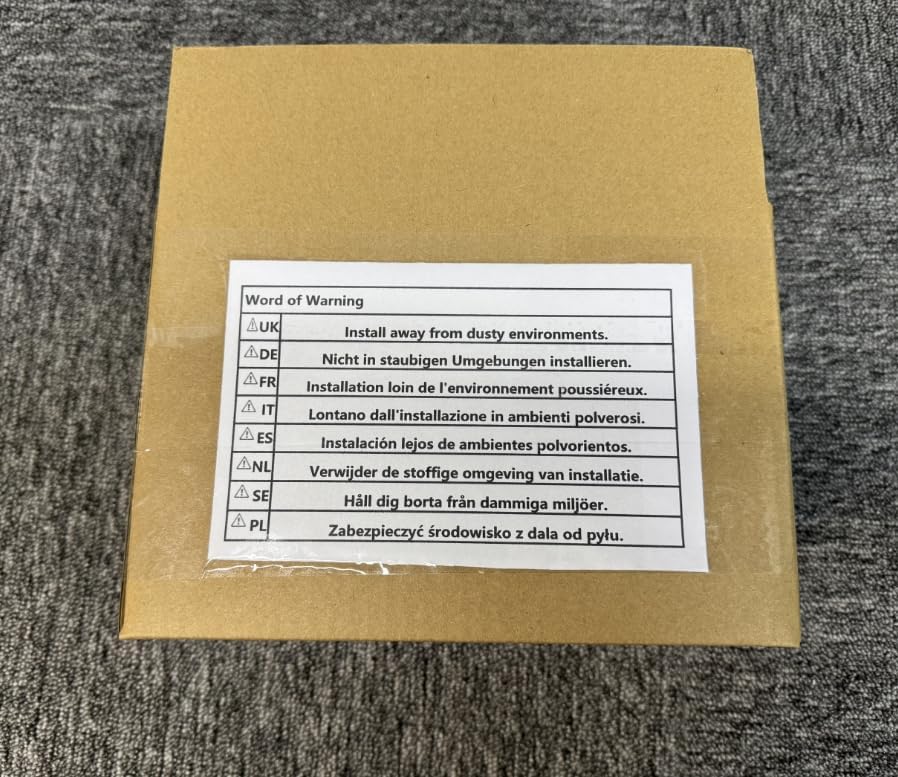
Rajah 5.1: A warning label indicating the importance of installing and maintaining the product away from dusty environments to ensure optimal performance and longevity.
6. Penyelesaian masalah
If you encounter issues with your reversing camera, refer to the following common problems and solutions:
| Masalah | Kemungkinan Punca | Penyelesaian |
|---|---|---|
| No image on screen when reversing. |
|
|
| Imej kabur atau herot. |
|
|
| Night vision not working effectively. |
|
|
Jika masalah berterusan selepas mencuba penyelesaian ini, sila hubungi sokongan pelanggan.
7. Spesifikasi
| Ciri | Perincian |
|---|---|
| Jenis Produk | Connect Screen Reversing Camera |
| Keserasian | Audi A6, A6L (2012-2017 models) |
| Nombor Model | 4956421587452 |
| Jenama | Generik |
| Penglihatan Malam | 8 lampu LED |
| Output Video | RCA standard |
| Penilaian Kalis Air | Pembinaan tahan cuaca yang tahan lama |
| Pengeluar | PUXIAOLI |
| Tarikh Mula-mula Tersedia | 18 Mac 2025 |
8. Waranti dan Sokongan
This product comes with a standard manufacturer's warranty. Please retain your proof of purchase for any warranty claims.
For technical support, troubleshooting assistance beyond this manual, or warranty inquiries, please contact the seller directly through the platform where the product was purchased.
Rajah 8.1: The product packaging, which may contain additional warranty or support information.
Ask a question about this manual
Ask about setup, troubleshooting, compatibility, parts, safety, or missing instructions. Manuals+ will review the question and use this page’s manual context to help answer it.