
pengenalan
The LEOBOG AULA HERO 68 HE is a compact 68-key mechanical gaming keyboard designed for performance and customization. It features Hall Effect magnetic switches, adjustable actuation, rapid trigger mode, and an 8K Hz polling rate for precise input. The keyboard includes side-printed PBT keycaps and RGB backlighting, connecting via a detachable USB-C cable.
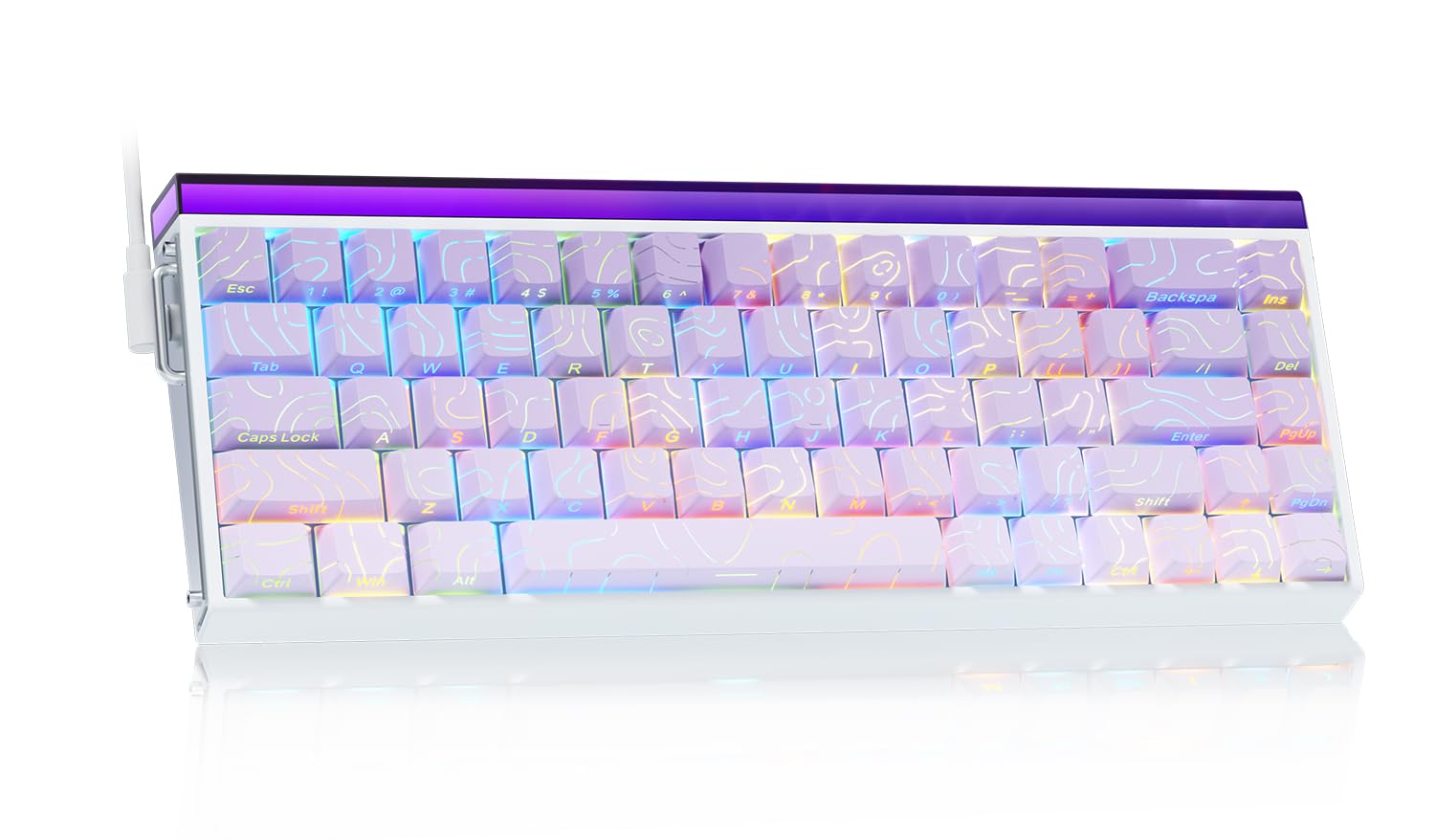
Image: The LEOBOG AULA HERO 68 HE 60% Gaming Keyboard in purple, showcasing its compact layout and RGB lighting.
Kandungan Pakej
- 1x LEOBOG AULA HERO 68 HE Gaming Keyboard
- 4x PBT Keycaps (for customization)
- 1x Manual Bahasa Inggeris
- 1x USB-C Cable (detachable)
- 1x Penarik Penutup Kekunci/Suis
Arahan Persediaan
- Sambungkan Papan Kekunci: Connect the detachable USB-C cable to the keyboard's USB-C port and the other end to an available USB port on your computer. The keyboard is plug-and-play and should be recognized automatically by most operating systems.
- Pemasangan Pemacu (Pilihan): For advanced customization, including trigger travel settings, RGB backlight settings, custom shortcut keys, DKS/MT/TGL custom functions, and magnetic switch performance adjustments, download the dedicated web driver from the official LEOBOG webtapak. Note: The driver currently supports Windows operating systems.
- Keycap and Switch Customization: The keyboard features hot-swappable switches and replaceable keycaps. Use the included keycap/switch puller to remove and replace components.

Image: Close-up of the keyboard's side, showing the USB-C port and detachable cable connection.

Image: Screenshot of the programmable web driver interface, showing options for trigger travel, RGB settings, and macro recording.
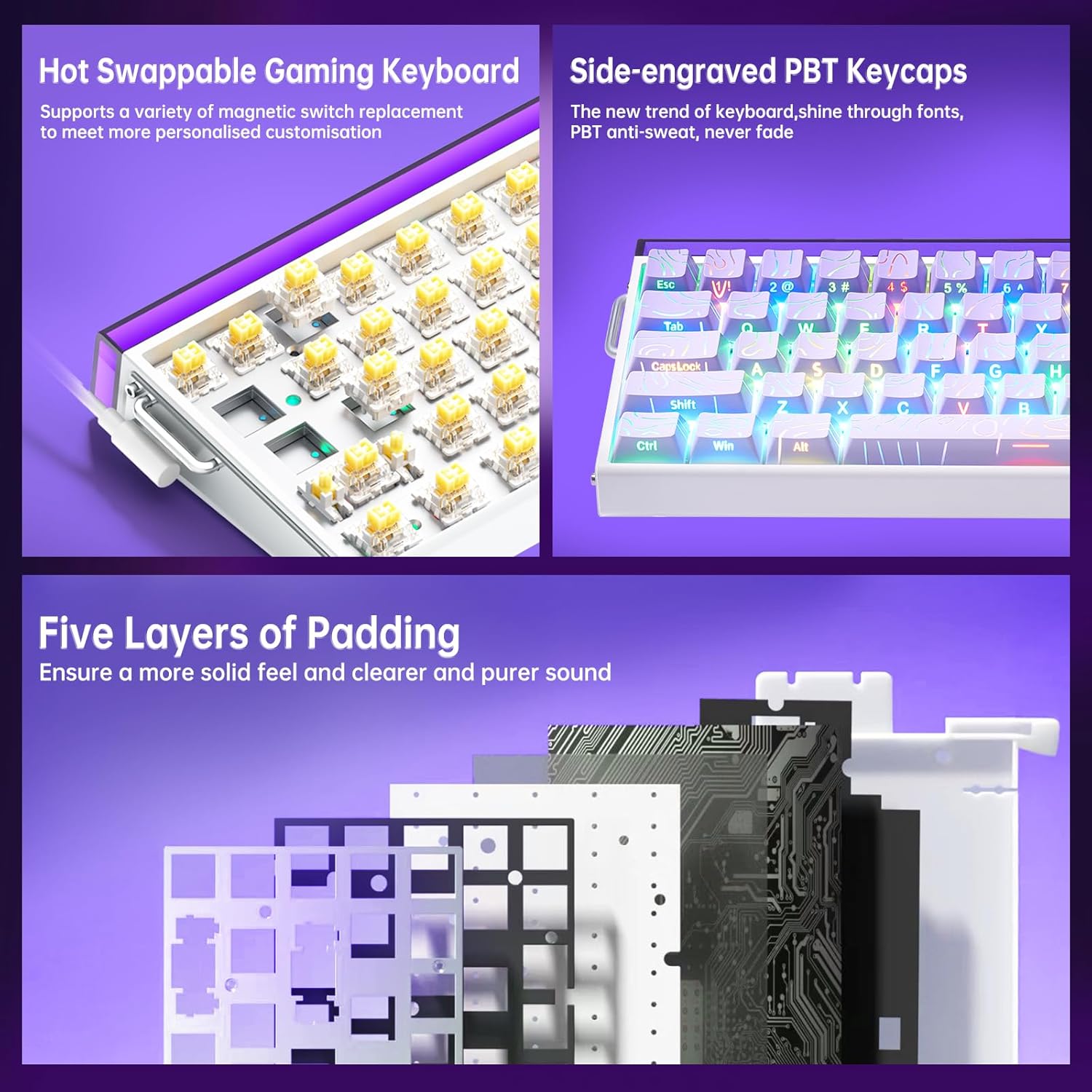
Imej: A terperinci view illustrating the hot-swappable magnetic switches and the side-engraved PBT keycaps. Also shows the internal five layers of padding.
Arahan Operasi
Kawalan Lampu Belakang RGB
The keyboard features 16 million RGB backlight colors with 32 LED beads. Lighting brightness and speed can be adjusted using the dedicated knob or FN+key combinations.
- Kawalan Tombol: Rotate the knob to adjust lighting brightness. Press the knob to cycle through lighting effects.
- FN + Ins: Turn on/off keyboard light.
- FN + PgUp: Tukar kesan pencahayaan.
- FN + Z/X/C: Adjust lightbox lighting speed (Z/X) and color (C).
- FN + Left/Right Arrow: Laraskan kelajuan cahaya.
- FN + Anak Panah Atas/Bawah: Laraskan kecerahan cahaya.
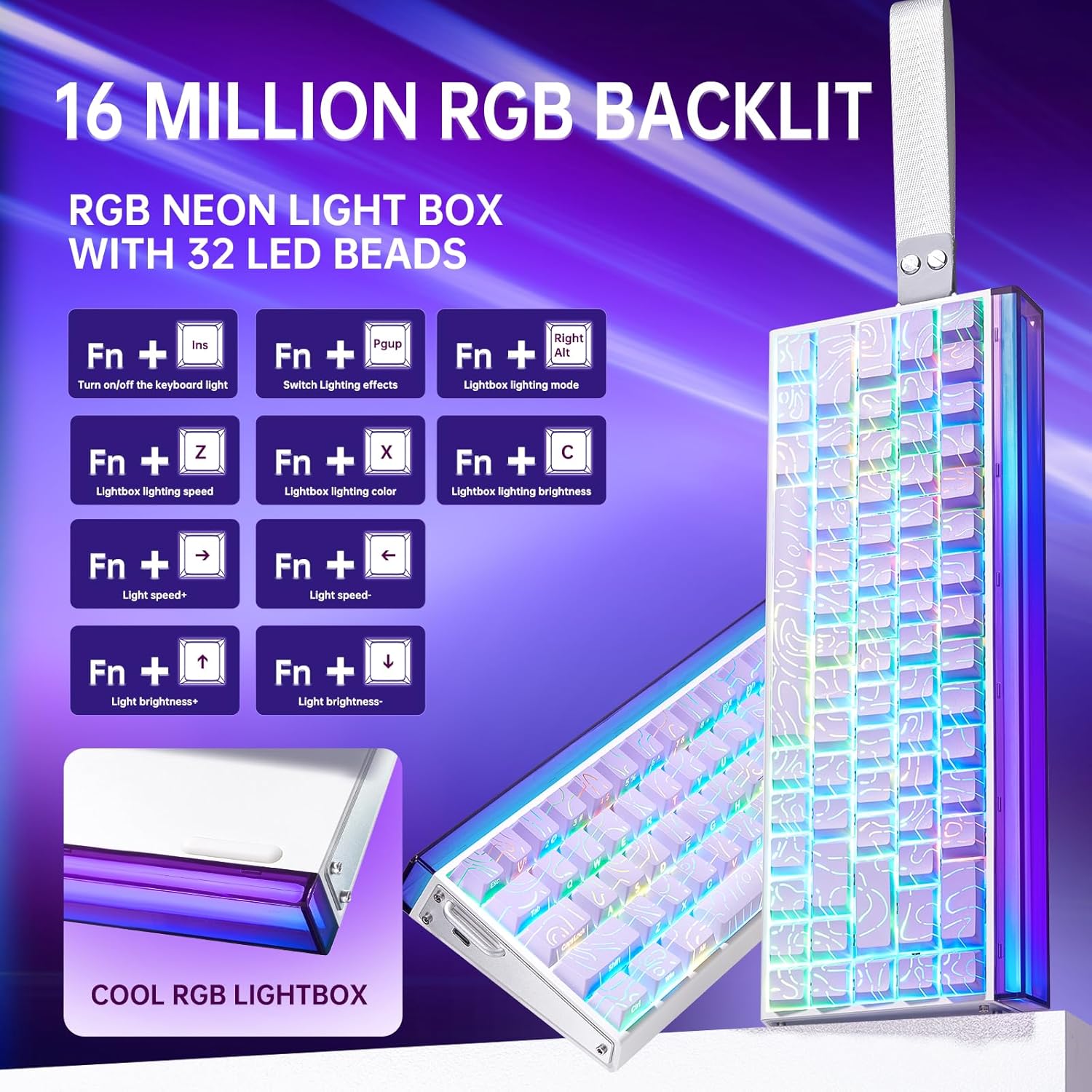
Image: Diagram showing FN key combinations for controlling RGB backlighting and the function of the control knob.
Hall Effect Magnetic Switches and Rapid Trigger
The Hall Effect magnetic switches allow for adjustable actuation points and rapid trigger mode, providing enhanced responsiveness for gaming. These settings are typically configured via the dedicated web perisian pemacu.
- Pengaktifan Boleh Laras: Customize the distance a key needs to travel before registering an input.
- Rapid Trigger Mode: Allows keys to reset instantly upon release, enabling faster repeated inputs.

Image: Diagram illustrating the components and specifications of a high-performance magnetic switch, including stroke, initial pressure, and bottom pressure.
Programmable Keys and Macros
Gunakan web driver software to program custom shortcut keys and create macros for complex command sequences. This allows for a personalized and optimized workflow or gaming experience.
Penyelenggaraan
- Pembersihan: Regularly clean the keyboard with a soft, dry cloth. For deeper cleaning, remove keycaps using the provided puller and use compressed air to clear debris from beneath the switches.
- Penggantian Kekunci dan Suis: The hot-swappable design allows for easy replacement of switches and keycaps without soldering. Use the included tools for safe removal and installation. Ensure proper alignment when reinserting switches and keycaps to prevent damage.

Imej: Dari dekat view of a keycap removed from the keyboard, revealing the switch underneath.
Menyelesaikan masalah
- Papan Kekunci Tidak Membalas:
- Pastikan kabel USB-C disambungkan dengan selamat pada papan kekunci dan komputer.
- Cuba sambungkan papan kekunci ke port USB lain pada komputer anda.
- Uji papan kekunci pada komputer lain untuk menolak isu khusus sistem.
- Pencahayaan RGB Tidak Berfungsi atau Tidak Betul:
- Check if the lighting is turned off using the FN+Ins key combination.
- Adjust brightness and effects using the knob or FN+key combinations as described in the Operating Instructions.
- If using the software, ensure it is correctly installed and configured.
- Kunci Tidak Mendaftar atau Menaip Dua Kali:
- Ensure the switches are properly seated in their sockets.
- Clean around the affected switch to remove any debris.
- Jika menggunakan web driver, check actuation point settings, as an overly sensitive setting might cause unintended inputs.
- Isu Perisian:
- Ensure you have downloaded the correct and latest version of the web driver from the official LEOBOG webtapak.
- Temporarily disable any antivirus software if it interferes with the driver installation or operation.
- Refer to the software's specific documentation or online support for detailed troubleshooting.
Spesifikasi
| Jenama | LEOBOG |
| Nombor Model | Wira 68 |
| Susun atur | 60% (68 kunci) |
| Jenis Suis | Hall Effect Magnetic Switches (LEOBOG Greywood / Meteor Magnetic Switch) |
| Kadar Mengundi | 8K Hz |
| Latensi | 0.125ms |
| Kekunci Kekunci | Side-Printed PBT Keycaps |
| Ketersambungan | Wired USB-C (detachable) |
| Pencahayaan latar | RGB (16 Million Colors, 32 LED beads) |
| Dimensi (L x W x H) | 13.94" x 6.38" x 2.24" |
| Peranti Serasi | Konsol Permainan, Komputer Riba, PC, Telefon Pintar, Tablet |
| bahan | Akrilonitril Butadiene Stirena, Plastik, Silikon |
Maklumat Waranti
This LEOBOG AULA HERO 68 HE Gaming Keyboard comes with a Waranti Pengeluar 2 TahunSila simpan bukti pembelian anda untuk tuntutan jaminan. Jaminan ini meliputi kecacatan bahan dan mutu kerja di bawah penggunaan biasa. Ia tidak meliputi kerosakan yang disebabkan oleh salah guna, kemalangan, pengubahsuaian tanpa kebenaran atau haus dan lusuh biasa.
Sokongan
For technical assistance, product inquiries, or warranty support, please contact the manufacturer or authorized seller. The primary seller for this product is AULA Tech USA.
You may also visit the official LEOBOG website for additional resources, driver downloads, and frequently asked questions.
Sumber Dalam Talian:
- LEOBOG Store on Amazon: Lawati Kedai
Video Produk
Video: Professional Gaming Keyboards 60% Hall Effect Keyboard. This video demonstrates the features and functionality of the AULA HERO 68 HE keyboard, including its design, RGB lighting, and magnetic switches.


