
GNCC P5
Manual Pengguna Kamera Keselamatan Dalaman GNCC
Model: P5
Jenama: GNCC
Produk Selesaiview
The GNCC P5 Indoor Security Camera provides comprehensive home monitoring with advanced features. It offers 2K FHD video quality, night vision, two-way audio, and smart motion detection, ensuring you can keep an eye on your home, pets, or baby from anywhere. The camera supports pan and tilt functionality for a wide coverage area and integrates with popular smart home platforms.

Image: GNCC P5 Indoor Security Camera shown alongside a smartphone displaying its live feed, highlighting its remote monitoring capability.
1. Panduan Persediaan
1.1 Apa yang ada di dalam Kotak
- Kamera Keselamatan Dalaman GNCC P5
- Penyesuai Kuasa
- Type-C Power Cable (2 meters)
- Screw Package (for optional wall mounting)
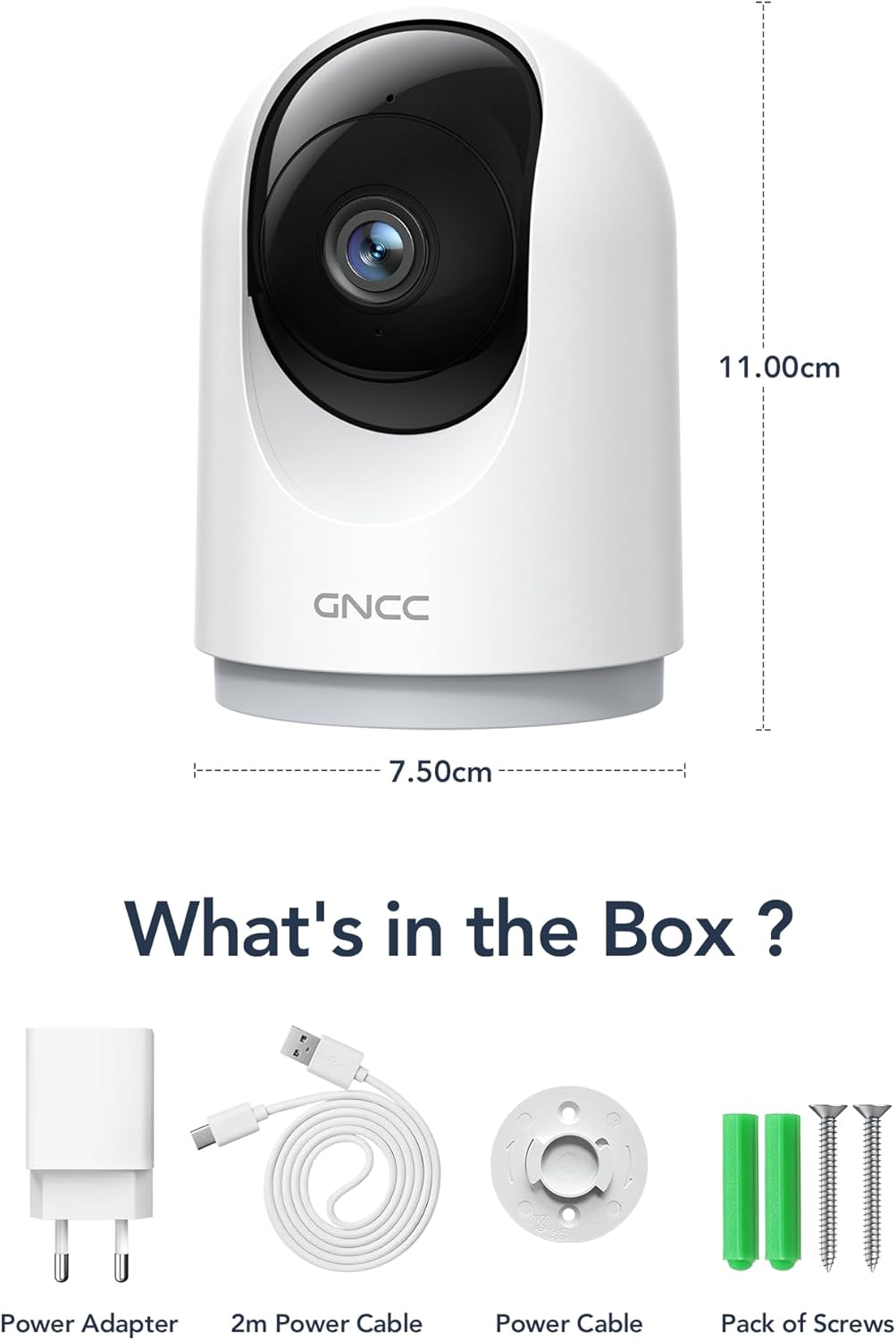
Image: Illustration of the GNCC P5 camera and its included accessories: power adapter, USB-C cable, and mounting hardware.
1.2 Persediaan Fizikal
- Pilih Lokasi: Place the camera on a flat surface or mount it to a wall using the provided screw package. Ensure the location provides a clear view kawasan yang anda ingin pantau.
- Sambungan Kuasa: Connect the Type-C power cable to the camera and the power adapter. Plug the adapter into a standard electrical outlet. The camera will power on automatically.
- Wi-Fi Proximity: Ensure the camera is within 3 feet of your 2.4Ghz Wi-Fi router during the initial setup process for optimal connection. Note: This camera only supports 2.4Ghz Wi-Fi, not 5Ghz.

Image: The GNCC P5 camera positioned on a shelf, illustrating its compact design and highlighting its key features through surrounding icons.
1.3 Pemasangan dan Sambungan Apl
The GNCC P5 camera operates via the OSAIO app. Follow these steps to connect your camera:
- Download the OSAIO App: Cari untuk "OSAIO" in your smartphone's app store (App Store for iOS or Google Play Store for Android) and download it.
- Buat Akaun: Open the OSAIO app and follow the on-screen instructions to create a new user account or log in if you already have one.
- Tambah Peranti: Tap the "+" icon or "Add Device" option within the app. Select the GNCC P5 camera model from the list.
- Ikut Arahan Dalam Apl: The app will guide you through the Wi-Fi connection process, which typically involves scanning a QR code displayed on your phone with the camera's lens.
- Namakan Kamera Anda: Once connected, you can assign a name to your camera (e.g., "Living Room Camera," "Baby's Room").
2. Arahan Operasi
2.1 Langsung View dan Kawalan Pan/Tilt
Access the live video feed of your camera through the OSAIO app. The camera features 355° horizontal and 90° vertical rotation, providing a 360° panoramic view ruang anda.
- Akses Langsung View: From the app's main screen, tap on your camera's name to open the live feed.
- Kawalan Pan/Condong: Use the directional controls (usually a joystick or arrow buttons) within the live view antara muka untuk melaraskan kamera dari jauh viewsudut ing.

Image: The GNCC P5 camera demonstrating its 360° panoramic view, with a phone screen showing the extensive coverage of a living space.
Video: Tamatview of the GNCC 2K Security Camera, showcasing its features including 360° panoramic view, 2K HD resolution, motion detection, sound detection, 2-way audio, and night vision capabilities.
2.2 Audio Dua Hala
The camera features a built-in microphone and speaker, enabling real-time two-way communication.
- Initiate Talk: Dalam siaran langsung view, ketik ikon mikrofon untuk bercakap melalui pembesar suara kamera.
- Dengar: The camera's microphone will pick up audio from its surroundings, which you can hear through your phone.

Image: A user interacting with the camera via the app, demonstrating the two-way audio function to communicate with someone on the other end.
2.3 Pengesanan Gerakan dan Makluman
The camera is equipped with smart motion detection and tracking. When motion is detected, you will receive instant notifications on your phone.
- Dayakan Makluman: Configure motion detection sensitivity and notification preferences in the OSAIO app settings for your camera.
- Penjejakan Motion: Kamera boleh menjejaki pergerakan yang dikesan secara automatik dalam medannya view.

Image: The camera actively tracking movement in a room, with corresponding motion detection alerts shown on a smartphone.
2.4 Penglihatan Malam
The GNCC P5 camera provides clear night vision, allowing you to monitor your space even in low-light or no-light conditions.
- Pengaktifan Automatik: Night vision typically activates automatically in low-light conditions.
- Kawalan manual: Some settings within the app may allow for manual control of night vision mode.

Image: The camera providing clear night vision of a baby's room, as seen on a smartphone screen, ensuring monitoring in darkness.
2.5 Storage Options (SD Card / Cloud)
The camera offers flexible storage solutions for your recorded video footage.
- Storan Kad SD: Insert a Micro SD card (up to 128GB, not included) into the camera's designated slot for continuous 24/7 recording.
- Storan Awan: A 30-day trial of cloud storage is available. You can subscribe to a cloud plan through the OSAIO app for secure, off-site storage of alert videos.
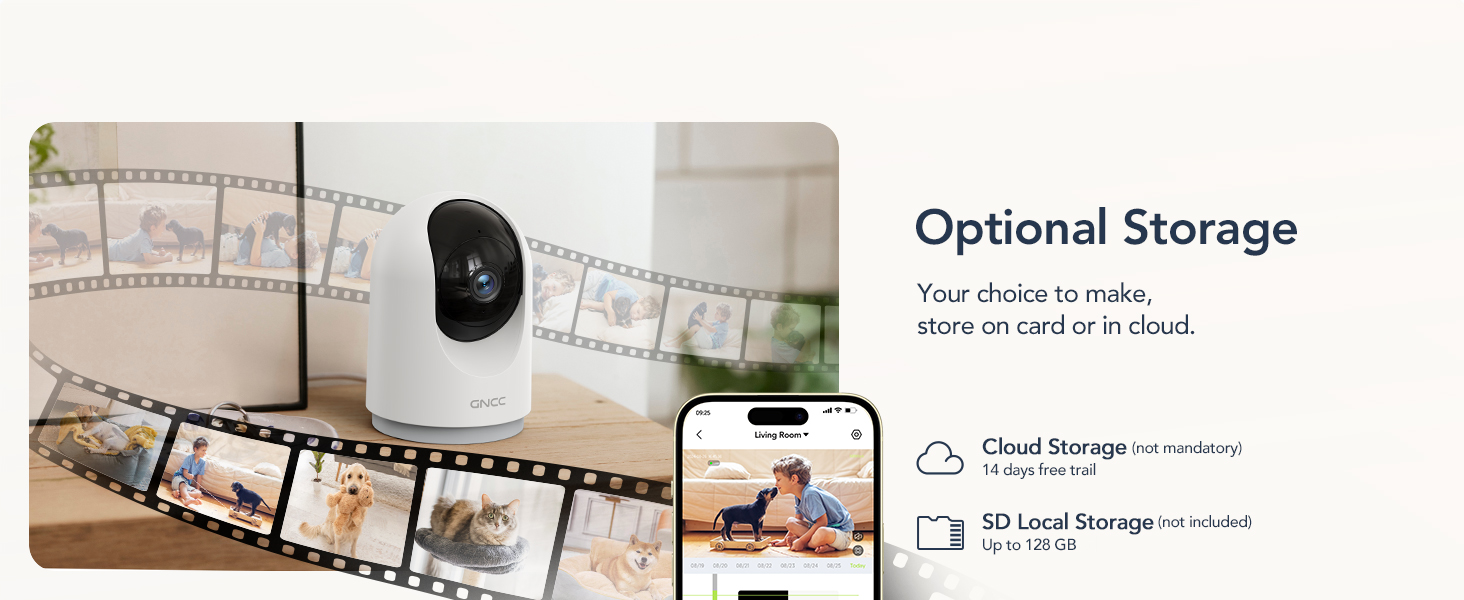
Image: Visual representation of the camera's optional storage methods: cloud storage and local SD card storage, with a smartphone showing recorded footage.
2.6 Integrasi Rumah Pintar
The GNCC P5 camera is compatible with Amazon Alexa and Google Assistant, allowing for voice-controlled viewing of your live camera feed.
- Berpasangan: Follow the instructions in the Alexa or Google Home app to link your OSAIO account and discover your GNCC camera.
- Perintah Suara: Use simple voice commands such as "Alexa, show me the baby's room" or "Hey Google, show me the living room camera" to view suapan langsung pada paparan pintar yang serasi.

Image: A user commanding Alexa to display the camera feed on a smart display, illustrating the camera's integration with smart home systems.
3. Penyelenggaraan
- Pembersihan: Gunakan kain lembut dan kering untuk membersihkan kanta dan badan kamera. Elakkan menggunakan pembersih cecair atau bahan kasar.
- Kemas kini Firmware: Periodically check the OSAIO app for available firmware updates. Keeping your camera's firmware updated ensures optimal performance and security. Follow the in-app instructions for any updates.
4. Penyelesaian masalah
| Masalah | Penyelesaian |
|---|---|
| Kamera tidak akan bersambung ke Wi-Fi. |
|
| Kualiti video yang teruk. |
|
| Tiada amaran pengesanan gerakan. |
|
| Audio dua hala tidak berfungsi. |
|
5. Spesifikasi
| Ciri | Perincian |
|---|---|
| Nama Model | P5 |
| Penggunaan Dalaman/Luar | Dalaman |
| Resolusi Tangkapan Video | 2K FHD |
| Viewsudut | 355° Mendatar, 90° Menegak |
| Julat Penglihatan Malam | 33 Kaki |
| Protokol Ketersambungan | Wi-Fi (2.4Ghz only) |
| Sumber Kuasa | Elektrik Berwayar (Jenis-C) |
| Peranti Serasi | OSIAO App, Amazon Alexa, Google Assistant |
| Pilihan Storan | Kad Mikro SD (sehingga 128GB), Storan Awan |
| Audio Dua Hala | ya |
| Pengesanan Pergerakan | Yes, with Motion Tracking |
| Jenis Makluman | Audio dan Pergerakan |
| Dimensi (L x W x H) | 2.95 x 2.95 x 4.33 inci |
| Berat Barang | 6 auns (0.17 Kilogram) |
| Voltage | 5 Volt |
| Wattage | 3 watt |
| Kadar Bingkai | 10 bingkai sesaat |
| Zum Optik | 4x |
6. Waranti dan Sokongan
For warranty information and technical support, please refer to the official GNCC webtapak atau hubungi perkhidmatan pelanggan mereka secara langsung. Simpan resit pembelian anda sebagai bukti pembelian untuk tuntutan waranti.
Sumber Dalam Talian:
- Lawati GNCC Store on Amazon for product updates and related information.
Ask a question about this manual
Ask about setup, troubleshooting, compatibility, parts, safety, or missing instructions. Manuals+ will review the question and use this page’s manual context to help answer it.