
Oilsky M303
Oilsky M303 Android 9.0 MP3 Player User Manual
Model: M303
1. Pengenalan
The Oilsky M303 is a versatile digital audio and video player running on Android 9.0. It features a 4-inch full-touch screen, 8-core processor, 2GB RAM, 16GB internal storage (expandable with a 64GB microSD card included), Wi-Fi, and Bluetooth connectivity. This manual provides essential information for operating your device.
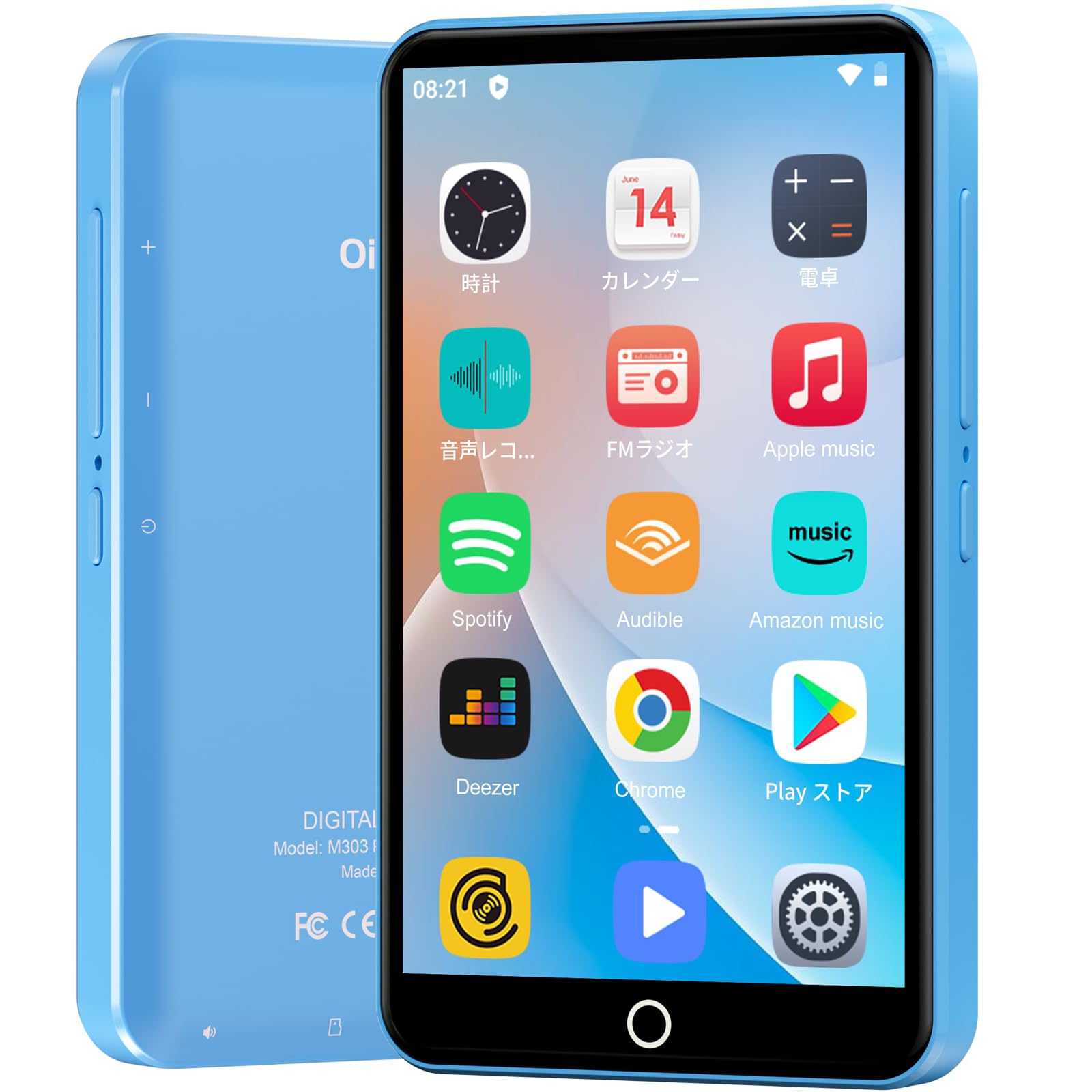
Imej: Depan view of the Oilsky M303 MP3 Player, showcasinreka bentuk padat dan antara muka skrin sentuhnya.
2. Apa yang ada di dalam Kotak
Sila pastikan semua item berikut disertakan dalam pakej anda:
- Oilsky M303 Main Unit
- Fon telinga
- Kabel Data Jenis-C
- Protective Film (one pre-installed, one spare)
- Multi-language User Manual (including Japanese)
- Sarung Pelindung Silikon
- Kad Memori 64GB

Image: All included accessories for the Oilsky M303 MP3 Player, neatly arranged.
3. Produk Lebihview
Familiarize yourself with the device's physical features and controls.
3.1. Reka Letak Peranti

Imej: Sisi view of the Oilsky M303, highlighting the volume buttons, power button, and USB-C port.
- Butang Kuasa: Press and hold to power on/off or restart. Short press to turn the screen on/off.
- Butang Kelantangan: Laraskan kelantangan audio.
- Port USB-C: Untuk pengecasan dan pemindahan data.
- Bicu Fon Kepala 3.5mm: Connect wired earphones.
- Slot Kad MicroSD: Insert a microSD card for expanded storage.
- Pembesar Suara Terbina dalam: Untuk main balik audio tanpa fon kepala.
4. Persediaan
4.1. Pengecasan Awal
Before first use, fully charge the device. Connect the provided Type-C data cable to the player and a USB power adapter (not included). A full charge takes approximately 3 hours. The device has a 2000mAh battery for extended use.
4.2. Hidupkan/Mati Kuasa
- Untuk Menghidupkan: Tekan dan tahan butang Power sehingga skrin menyala.
- Untuk Mematikan: Tekan dan tahan butang Kuasa, kemudian pilih "Matikan" daripada pilihan yang tersedia.
- Skrin Hidup/Mati: Short press the Power button to turn the screen on or off.
4.3. Tetapan Bahasa
Upon first boot, you may need to set the language. Navigate to Settings > System > Languages & input > Languages to select your preferred language, such as English or Japanese.
4.4. Sambungan Wi-Fi
Untuk mengakses ciri dalam talian dan memuat turun apl, sambung ke rangkaian Wi-Fi:
- Pergi ke Tetapan > Rangkaian & Internet > Wi-Fi.
- Togol Wi-Fi On.
- Pilih rangkaian yang anda inginkan daripada senarai dan masukkan kata laluan jika digesa.
4.5. Google Play Store
The Oilsky M303 supports Google Play Store, allowing you to download various applications.
- Pastikan anda disambungkan ke Wi-Fi.
- Buka Gedung Play app from the home screen.
- Log masuk dengan akaun Google anda.
- Cari untuk and install desired applications like YouTube, Spotify, or other streaming services.

Image: The Oilsky M303 screen showing the Google Play Store interface with various app icons.
5. Arahan Operasi
5.1. Main balik Muzik
The device supports various audio formats including MP3, WMA, WAV, FLAC, OGG, AAC, APE, and M4A.
- Pindahkan Muzik: Connect the player to your computer using the Type-C cable and transfer audio files to the device's internal storage or the microSD card.
- Main Muzik: Open the Music app. You can browse by artist, album, song, or create custom playlists.
- Penyama: Adjust sound settings using the built-in equalizer for a personalized audio experience.
- Online Lyrics: The player supports displaying online lyrics for songs.

Image: The Oilsky M303 displaying its music playback interface, showing options for song classification, search, playlist creation, and equalizer settings.
5.2. Main Semula Video
Enjoy videos on the 4-inch IPS full-touch screen with 480x800px resolution, supporting up to 1080P Full HD video playback. Supported formats include RM, AVI, RMVB, FLV, MP4, DAT, MKV, MPG, MOV, TS.
- Transfer Videos: Pindahkan video files daripada komputer anda ke peranti.
- Mainkan Video: Open the Video app and select your desired video.
- Pilihan Main Semula: Features include loop or random playback, variable speed playback, sleep timer, and gesture controls for zoom.

Image: The Oilsky M303 displaying a video on its 4-inch screen, illustrating its video playback capabilities.
5.3. Sambungan Bluetooth
Connect your player to Bluetooth headphones, speakers, or car audio systems.
- Pergi ke Tetapan > Peranti yang disambungkan > Bluetooth.
- Togol Bluetooth On.
- Make sure your Bluetooth accessory is in pairing mode.
- Select the accessory from the list of available devices to pair.

Image: The Oilsky M303 demonstrating its Bluetooth connectivity with various audio devices like speakers and headphones.
5.4. Radio FM
The device includes an FM radio function. Connect wired earphones to act as an antenna for optimal reception.
5.5. Perakam Suara
Use the built-in voice recorder for capturing audio notes or lectures. Open the Perakam Bunyi app to start recording.
5.6. File Pengurusan
The player comes with 16GB of internal storage and a 64GB microSD card, providing a total of 80GB usable storage. This can be expanded further up to 512GB using a larger microSD card. Use the File Manager app to organize your media and documents.
6. Penyelenggaraan
- Pembersihan: Gunakan kain lembut dan kering untuk membersihkan peranti. Elakkan pembersih cecair atau bahan yang melelas.
- Storan: Simpan peranti di tempat yang sejuk dan kering jauh dari cahaya matahari langsung dan suhu yang melampau.
- Penjagaan Bateri: Untuk memanjangkan hayat bateri, elakkan daripada kerap mencas sepenuhnya bateri. Caskannya secara berkala.
- Kemas Kini Perisian: Check for system updates periodically in Settings > System > Advanced > System update untuk memastikan prestasi dan keselamatan yang optimum.
7. Penyelesaian masalah
| Masalah | Penyelesaian yang Mungkin |
|---|---|
| Peranti tidak dihidupkan. | Pastikan bateri telah dicas. Sambungkan kepada pengecas selama sekurang-kurangnya 30 minit sebelum cuba menghidupkannya semula. |
| Tidak dapat menyambung ke Wi-Fi. | Check if Wi-Fi is enabled in settings. Ensure the password is correct. Restart the device and your Wi-Fi router. |
| Sambungan Bluetooth tidak stabil atau terputus sambungan. | Ensure the player and Bluetooth accessory are within close range. Avoid areas with strong electromagnetic interference. Try re-pairing the devices. |
| Apps are slow or unresponsive. | Close unnecessary background applications. Clear app cache (Settings > Apps & notifications > See all apps > [App Name] > Storage & cache > Clear cache). Restart the device. |
| Device gets warm during use. | It is normal for the device to warm up during intensive use (e.g., video playback, gaming). If it becomes excessively hot, close applications and let it cool down. |
| Cannot charge with USB-C PD charger. | The device may not support USB-C Power Delivery (PD) protocols. Use a standard USB-A to USB-C cable with a compatible USB-A power adapter (5V, up to 900mA). |
8. Spesifikasi
| Jenama | Oilsky |
| Model | M303 |
| Sistem Operasi | Android 9.0 |
| Skrin | 4-inch Full-touch IPS LCD (480x800px) |
| Pemproses | 8-core (MTK 8-Core) |
| RAM | 2GB |
| Storan Dalaman | 16GB |
| Storan Boleh Dikembangkan | MicroSD card up to 512GB (64GB card included) |
| Bateri | 2000mAh |
| Ketersambungan | Wi-Fi, Bluetooth |
| Format Audio yang Disokong | MP3, WMA, WAV, FLAC, OGG, AAC, APE, M4A |
| Format Video yang Disokong | RM, AVI, RMVB, FLV, MP4, DAT, MKV, MPG, MOV, TS (up to 1080P) |
| Dimensi (D x W x H) | 1 x 6.1 x 10.3 cm |
| Ciri-ciri | Touchscreen, Voice Recorder, Built-in Speaker, Video Playback, FM Radio, Calculator, Calendar, Alarm |
| asal usul | China |
9. Waranti dan Sokongan
The Oilsky M303 MP3 Player comes with a Waranti 1 tahun dari tarikh pembelian. Sila simpan bukti pembelian anda untuk tuntutan waranti.
For technical support or warranty inquiries, please contact the retailer or manufacturer directly. Refer to the contact information provided in the packaging or on the official Oilsky webtapak.
Ask a question about this manual
Ask about setup, troubleshooting, compatibility, parts, safety, or missing instructions. Manuals+ will review the question and use this page’s manual context to help answer it.