
1. Pengenalan
The MEETION DirectorD-KB is a wireless ergonomic keyboard designed for comfortable and natural typing. It features a scientific wave key design and a built-in firm wrist rest to support your hands during extended use. This keyboard offers broad compatibility with Windows and macOS devices through a 2.4GHz wireless connection.

Image: The MEETION DirectorD-KB Wireless Ergonomic Keyboard positioned on a wooden desk, showcasing its wave-curved design and integrated wrist rest.
2. Kandungan Pakej
Pastikan semua item ada dalam pakej:
- 1 x MEETION DirectorD-KB Wireless Ergonomic Keyboard
- 1 x Manual Pengguna
- 1 x USB-A 2.4GHz Wireless Receiver
- 1 x Penyesuai USB-C
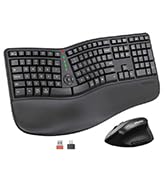
Image: Contents of the MEETION DirectorD-KB package, including the keyboard, user manual, USB-A receiver, and USB-C adapter.
3. Arahan Persediaan
3.1. Pemasangan Bateri
- Cari petak bateri di bahagian bawah papan kekunci.
- Buka penutup petak bateri.
- Insert two AAA batteries (not included) into the compartment, ensuring correct polarity.
- Tutup penutup petak bateri dengan selamat.

Image: The underside of the keyboard showing the battery compartment for two AAA batteries and details on power saving features.
3.2. Menyambungkan Penerima
- Locate the USB-A 2.4GHz wireless receiver, typically found in the slot inside the keyboard's battery compartment or in the accessory pouch.
- For devices with a USB-A port: Plug the USB-A receiver directly into an available USB-A port on your computer.
- For devices with a USB-C port: Attach the provided USB-C adapter to the USB-A receiver, then plug the combined unit into an available USB-C port on your computer.
- The keyboard is plug-and-play and should connect automatically.
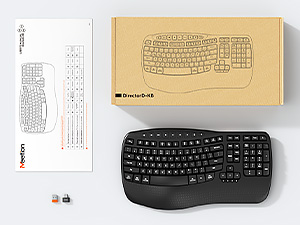
Image: Step-by-step guide on connecting the USB-A receiver with the USB-C adapter to a computer's USB-C port.
3.3. Menghidupkan
After installing batteries and connecting the receiver, slide the power switch on the keyboard to the 'ON' position. The keyboard is now ready for use.
4. Arahan Operasi
4.1. Ergonomic Design and Wrist Rest
The keyboard features a wave-shaped key layout and a firm, integrated wrist rest. This design guides your hands and wrists into a natural, relaxed typing position, reducing strain during long typing sessions.

Image: A user's hands resting comfortably on the integrated wrist rest while typing on the ergonomic keyboard.
4.2. Kecondongan Boleh Laras
Utilize the adjustable tilt legs on the underside of the keyboard to find your preferred typing angle. Different angles can further enhance comfort and reduce wrist fatigue.

Imej: Side profiles of the keyboard demonstrating three different adjustable tilt angles for personalized comfort.
4.3. Dual System Layout (Windows/macOS)
The keyboard supports both Windows and macOS layouts. To switch between operating systems:
- Tekan FN+Q untuk susun atur Windows.
- Tekan FN + W untuk susun atur macOS.
4.4. Kekunci Multimedia
The keyboard includes dedicated and combined multimedia keys for quick access to functions like volume control, media playback, and more.
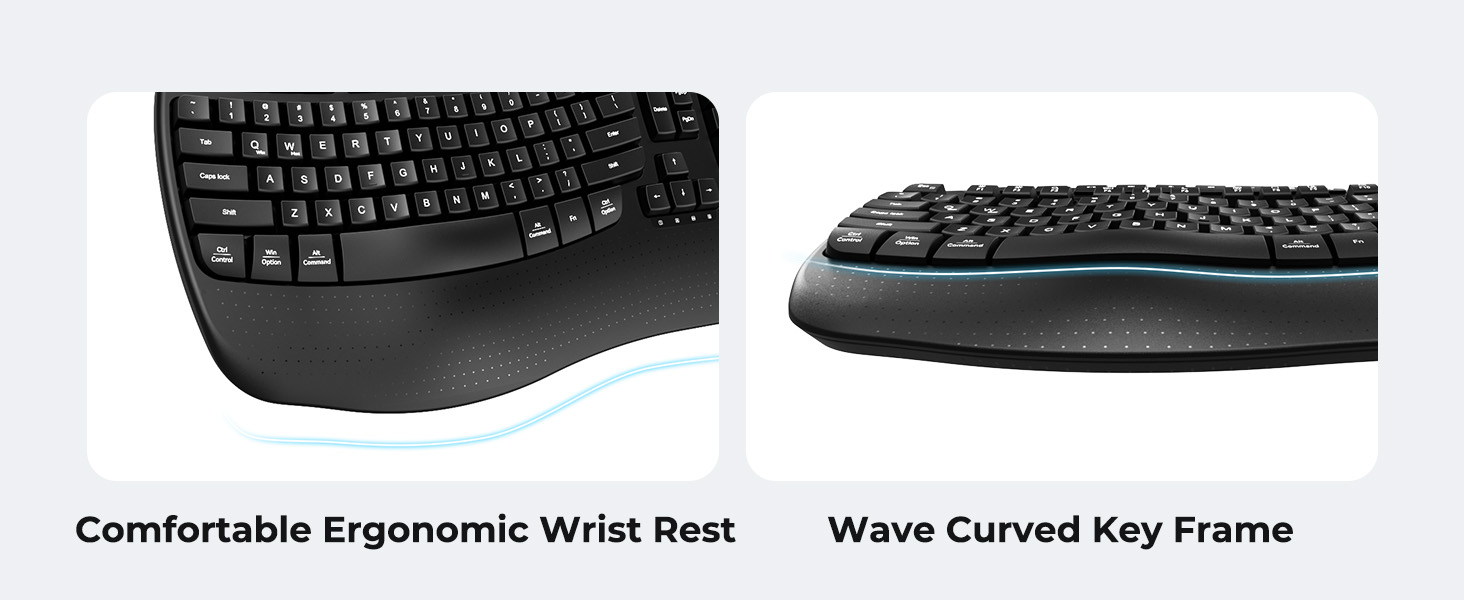
Image: A visual representation of the independent and combined multimedia keys available on the keyboard.
4.5. Intelligent Power Saving
The keyboard features an auto-sleep mode to conserve battery life. After 20 minutes of inactivity, it will enter hibernation. To wake it up, simply press any key.

Image: Close-up of the keyboard's indicator lights, showing status for Num Lock, Caps Lock, FN Lock, and low battery warning.
5. Penyelenggaraan
Untuk memastikan jangka hayat dan prestasi optimum papan kekunci anda, ikut garis panduan penyelenggaraan ini:
- Pembersihan: Gunakan kain lembut dan kering untuk mengelap permukaan papan kekunci. Untuk pembersihan yang lebih mendalam, sedikitamp Kain dengan sabun lembut boleh digunakan, memastikan tiada cecair memasuki penutup kekunci atau komponen dalaman.
- Elakkan Cecair: Do not expose the keyboard to excessive moisture or spill liquids on it.
- Storan: Simpan papan kekunci di tempat yang sejuk dan kering jauh dari cahaya matahari langsung dan suhu yang melampau.
- Penggantian Bateri: Replace batteries promptly when the low battery indicator appears to maintain consistent performance.
6. Penyelesaian masalah
If you encounter issues with your MEETION DirectorD-KB keyboard, refer to the following common solutions:
- Papan kekunci tidak bertindak balas:
- Periksa sama ada papan kekunci dihidupkan.
- Ensure the batteries are correctly installed and not depleted. Replace if necessary.
- Verify that the USB receiver is securely plugged into your computer's USB port (or via the USB-C adapter).
- Cuba palamkan penerima ke port USB yang berbeza.
- Mulakan semula komputer anda.
- Sambungan ketinggalan atau terputus-putus:
- Ensure the keyboard is within the effective range of the receiver (typically up to 10 meters).
- Kurangkan gangguan daripada peranti wayarles lain dengan mengalihkannya lebih jauh.
- Elakkan meletakkan penerima berhampiran objek logam yang besar.
- Kekunci tidak berfungsi dengan betul:
- Check for any physical obstructions under the keycaps.
- Ensure the correct operating system layout (Windows/macOS) is selected using FN+Q or FN+W.
7. Spesifikasi
| Ciri | Perincian |
|---|---|
| Jenama | MESYUARAT |
| Nombor Model | DirectorD-KB |
| Teknologi Ketersambungan | 2.4G Wireless (USB-A, USB-C Adapter) |
| Peranti Serasi | Laptop, PC (Windows XP/7/8/10/11 & macOS X 10.6 or later) |
| Susun atur papan kekunci | QWERTY |
| Bilangan Kunci | 113 |
| Ciri Khas | Ergonomic, Hotkeys and Media Keys, Integrated Stand, Wave Keys, Wrist Rest |
| Dimensi Produk (L x W x H) | 17.39" x 9.43" x 1.81" |
| bahan | plastik |
| Sumber Kuasa | Dikuasakan oleh Bateri (2 x AAA, tidak termasuk) |
8. Video Produk Rasmi
Video: Tayangan video produk rasmicasing the features and ergonomic design of the MEETION DirectorD-KB Wave Ergonomic Wireless Keyboard. (Duration: 0:39)
9. Waranti dan Sokongan
This MEETION DirectorD-KB Wireless Ergonomic Keyboard comes with a 1-year manufacturer's warranty.
For further assistance, troubleshooting, or warranty claims, please visit the official MEETION store or contact customer support.
Official MEETION Store: Kedai MEETION di Amazon