1. Produk Lebihview
The TABWEE T20 is a versatile 10-inch Android tablet designed for both productivity and entertainment. It features a high-resolution Incell display, a powerful Octa-Core processor, and ample memory and storage, making it suitable for a wide range of applications from content creation to multimedia consumption.
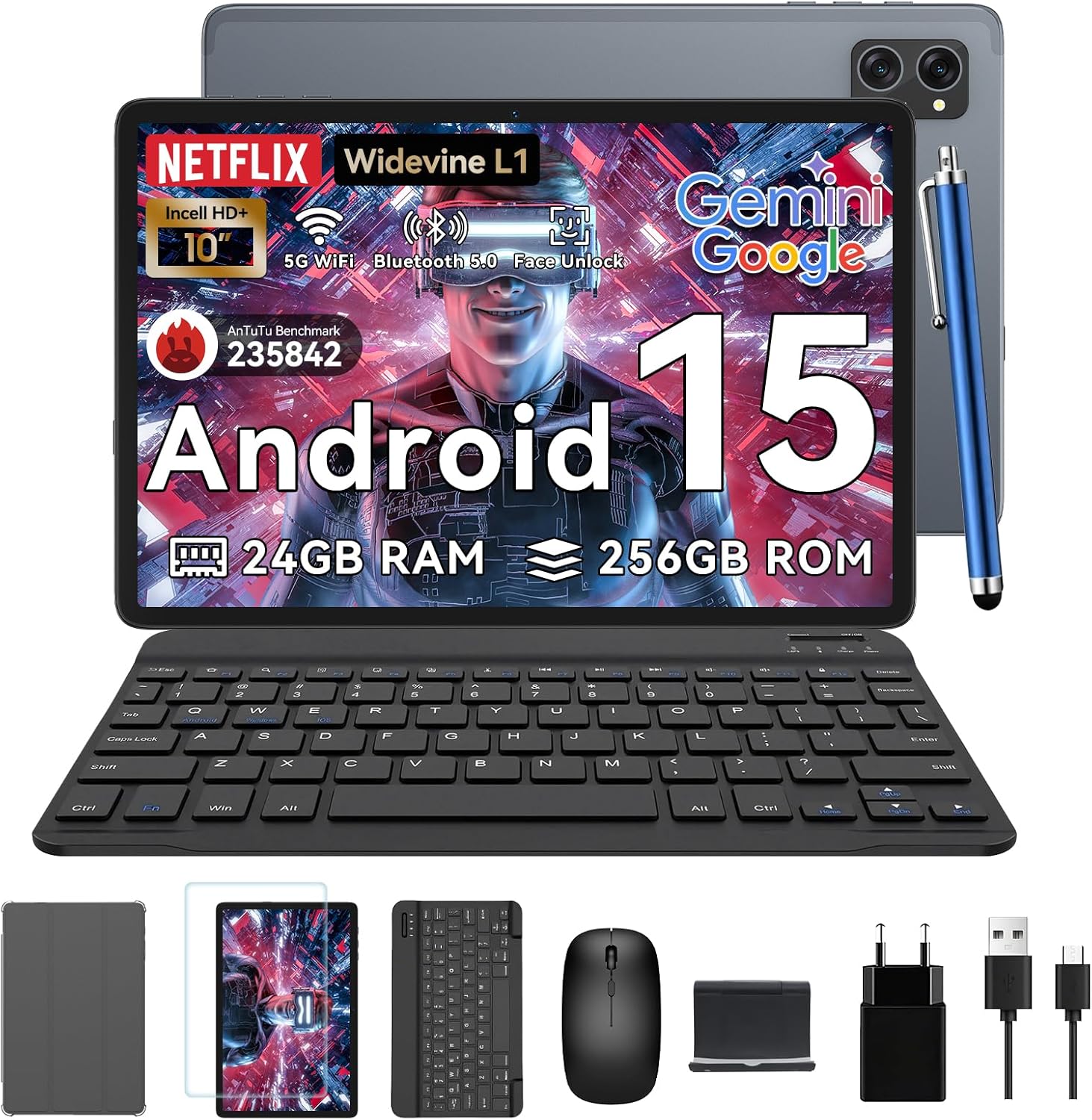
Figure 1.1: TABWEE T20 Tablet and its complete accessory package, including a Bluetooth keyboard, mouse, stylus, protective case, screen protector, charger, and USB cable.
Apa yang ada dalam Kotak
Upon unboxing your TABWEE T20 Tablet, verify that all components are present:

Figure 1.2: Contents of the TABWEE T20 Tablet retail package.
- 1x TABWEE T20 Tablet
- 1x Papan Kekunci Bluetooth
- 1x tetikus
- 1x Stylus
- 1x Sarung Pelindung
- 1x Pelindung Skrin
- 1x Tablet Stand
- 1x Pengecas
- 1x Kabel USB
2. Persediaan dan Penggunaan Awal
Mengecas Tablet
Before first use, fully charge the tablet using the provided charger and USB cable. Connect the charger to a power outlet and the USB cable to the tablet's charging port. The charging indicator will illuminate.
Menghidupkan/Mematikan
- Untuk Menghidupkan: Press and hold the Power button until the TABWEE logo appears on the screen.
- Untuk Mematikan: Press and hold the Power button until the power options menu appears. Select "Power Off" and confirm.
- Untuk Mulakan Semula: Daripada menu pilihan kuasa, pilih "Mulakan Semula" dan sahkan.
Wizard Persediaan Awal
Setelah dihidupkan pertama, tablet akan membimbing anda melalui wizard persediaan awal. Ikuti gesaan pada skrin untuk:
- Pilih bahasa anda.
- Sambung ke rangkaian Wi-Fi.
- Log masuk dengan akaun Google anda atau buat yang baharu.
- Sediakan kunci skrin (PIN, corak, kata laluan atau Buka Kunci Wajah).
- Review dan menerima terma dan syarat.
Menyambungkan Aksesori
The TABWEE T20 comes with a Bluetooth keyboard and mouse for enhanced productivity.
- Bluetooth Keyboard:
- Pastikan papan kekunci dicas dan dihidupkan.
- Pada tablet, pergi ke Tetapan > Peranti yang disambungkan > Bluetooth.
- Turn on Bluetooth and tap "Pair new device".
- Select the keyboard from the list of available devices and follow pairing instructions.
- Bluetooth Mouse:
- Pastikan tetikus dihidupkan dan dalam mod berpasangan.
- Pada tablet, pergi ke Tetapan > Peranti yang disambungkan > Bluetooth.
- Tap "Pair new device" and select the mouse from the list.
- Stylus: The included stylus can be used directly on the screen for navigation, drawing, and note-taking. It features palm-rejection precision.
3. Mengendalikan Tablet
Sistem Operasi Android 15
The TABWEE T20 runs on Android 15, offering enhanced privacy controls, seamless cross-device collaboration, and improved multitasking capabilities.

Rajah 3.1: Ciri-ciri utama sistem pengendalian Android 15.
Gemini AI Integration
The tablet integrates Google Gemini AI, which intelligently optimizes tasks, from photo editing to document formatting, while prioritizing security with a dedicated encrypted privacy space.

Gambar 3.2: Lebihview of Gemini AI capabilities on the tablet.
Display and Multimedia
The 10.1-inch Incell HD+ display (1280x800 resolution) provides vivid colors and crisp details. With Widevine L1 certification, you can enjoy 1080P streaming on platforms like Netflix, Disney+, and Hulu.

Figure 3.3: Display features and eye-friendly modes.
The tablet also features Dual Smart-K Box Speakers for an immersive audio experience.

Figure 3.4: Dual Smart-K Box Speakers for enhanced audio.
Ciri Kamera
Equipped with an 8MP rear camera and a 5MP front camera, the tablet supports Google Lens integration for smart scanning and object recognition. Face Unlock is also supported for convenient security.

Figure 3.5: Camera specifications and features.

Figure 3.6: Smart Google Lens functionalities.
Ketersambungan
The TABWEE T20 supports dual-band 5G WiFi and Bluetooth 5.0 for fast and stable connections.
- Wi-Fi: Connect to 2.4GHz or 5GHz networks for seamless streaming and quick downloads.
- Bluetooth 5.0: Pair with wireless earbuds, speakers, or other Bluetooth-enabled devices with 20% faster data transfer speed.
- Sokongan OTG: Allows for easy transfer of files to and from external storage devices.

Figure 3.7: Advanced Bluetooth 5.0 connectivity.

Figure 3.8: Lightning Fast WiFi 5 Technology.
4. Penyelenggaraan dan Penjagaan
Proper maintenance ensures the longevity and optimal performance of your TABWEE T20 Tablet.
Pengurusan Bateri
The 5000mAh battery provides extended usage times. To maximize battery life:
- Elakkan suhu yang melampau.
- Gunakan pengecas yang disediakan.
- Enable smart power-saving modes in settings.
- Tutup aplikasi yang tidak digunakan yang berjalan di latar belakang.

Figure 4.1: 5000mAh Mega Battery performance metrics.
Membersihkan Tablet
- Gunakan kain lembut dan tidak berbulu untuk membersihkan skrin dan badan.
- Untuk calitan degil, sedikit dampen kain dengan air atau pembersih skrin.
- Elakkan menggunakan bahan kimia yang keras atau bahan yang melelas.
Storan dan Pengurusan Memori
The tablet comes with 256GB of internal storage and supports up to 2TB TF card expansion. It also features 24GB RAM (8GB physical + 16GB virtual) for smooth multitasking.

Figure 4.2: Storage and RAM expansion capabilities.
To optimize performance and storage:
- Regularly clear cache and temporary files.
- Nyahpasang aplikasi yang tidak digunakan.
- Utilize the 2TB TF card slot for large files like 4K videos and design documents.
5. Penyelesaian masalah
This section addresses common issues you might encounter with your TABWEE T20 Tablet.
| Masalah | Kemungkinan Punca | Penyelesaian |
|---|
| Tablet tidak dihidupkan. | Bateri lemah; sistem rosak. | Cas tablet selama sekurang-kurangnya 30 minit. Jika masih tidak bertindak balas, tekan dan tahan butang Kuasa selama 10-15 saat untuk memaksa mulakan semula. |
| Isu sambungan Wi-Fi. | Kata laluan salah; masalah penghala; di luar julat. | Verify Wi-Fi password. Restart your router. Ensure tablet is within Wi-Fi range. Forget the network and reconnect. |
| Bluetooth accessories not pairing. | Accessory not in pairing mode; Bluetooth off on tablet. | Ensure accessory is in pairing mode. Turn Bluetooth off and on again on the tablet. Restart both devices. |
| Slow performance or app crashes. | Too many apps running; low storage; outdated software. | Close background apps. Clear app caches. Free up storage space. Check for system updates in Tetapan > Sistem > Kemas kini sistem. |
| Skrin tidak bertindak balas. | Gangguan perisian sementara. | Force restart the tablet by holding the Power button for 10-15 seconds. |
Jika masalah berterusan selepas mencuba penyelesaian ini, sila hubungi khidmat pelanggan.
7. Waranti dan Sokongan
TABWEE is committed to providing excellent customer service and support for your T20 Tablet.
Maklumat Waranti
Your TABWEE T20 Tablet is covered by a Waranti 2 Tahun from the date of purchase. This warranty covers manufacturing defects and ensures risk-free ownership.
Sokongan Pelanggan
For any technical assistance, troubleshooting, or warranty claims, please contact our support team:
- Sokongan E-mel: serviceplus.linda@gmail.com
- Online Call Support: Available 24/7 for US/CA customers.
- Repair Support: 2-Year Repair Support is provided.

Figure 7.1: TABWEE Customer Support Services.
Please have your purchase details and tablet model number ready when contacting support to expedite the process.

