
Aptkdoe HD65
Aptkdoe HD65 Wireless Earbuds User Manual
Model: HD65
1. Pengenalan
Thank you for choosing the Aptkdoe HD65 Wireless Earbuds. These earbuds are designed to provide a superior audio experience with advanced features such as Bluetooth 5.4 connectivity, Hi-Fi stereo sound, ENC noise cancellation, and IPX7 waterproofing. This manual will guide you through the setup, operation, and maintenance of your new earbuds to ensure optimal performance and longevity.

Image: The Aptkdoe HD65 Wireless Earbuds in their dark green charging case, showcasing the digital battery display.
2. Maklumat Keselamatan
Please read all safety warnings carefully before using the product. Failure to follow these instructions may result in damage to the product or personal injury.
- Do not disassemble, hit, or burn the device.
- Keep away from water and high humidity environments when not in use, despite IPX7 rating, prolonged submersion is not recommended.
- Elakkan suhu yang melampau.
- Use only the provided charging cable and a compatible power adapter. The power delivered by the charger must be between min 0.24 Watts and max 2.64 Watts to achieve maximum charging speed.
- Jauhkan daripada kanak-kanak.

Imej: Sisi view of the product packaging displaying safety warnings in multiple languages and regulatory compliance logos (FCC, CE, RoHS).
3. Kandungan Pakej
Pastikan semua item ada dalam pakej:
- 2 x Earbud Wayarles (Kiri dan Kanan)
- 1 x Sarung Pengecasan Pantas
- 1 x Kabel Pengecasan USB-C
- 3 x Pasang Penyumbat Telinga (S, M, L)
- 1 x Manual Arahan

Image: An illustration showing all components included in the product box: the charging case, HD65 wireless earbuds, USB-C charging cable, user manual, and three sizes of ear tips.
4. Persediaan
4.1 Mengecas Fon telinga dan Sarung
Before first use, fully charge both the earbuds and the charging case. Connect the USB-C charging cable to the charging port on the case and a power source. The dual LED display on the case will show the charging progress and remaining battery percentage.
- Earbuds provide up to 15 hours of continuous use on a single charge.
- The portable charging case can recharge the earbuds 5-6 times, offering a total playtime of up to 75 hours.
- Fast charging takes approximately 1.5 hours for the earbuds and 2 hours for the charging case.
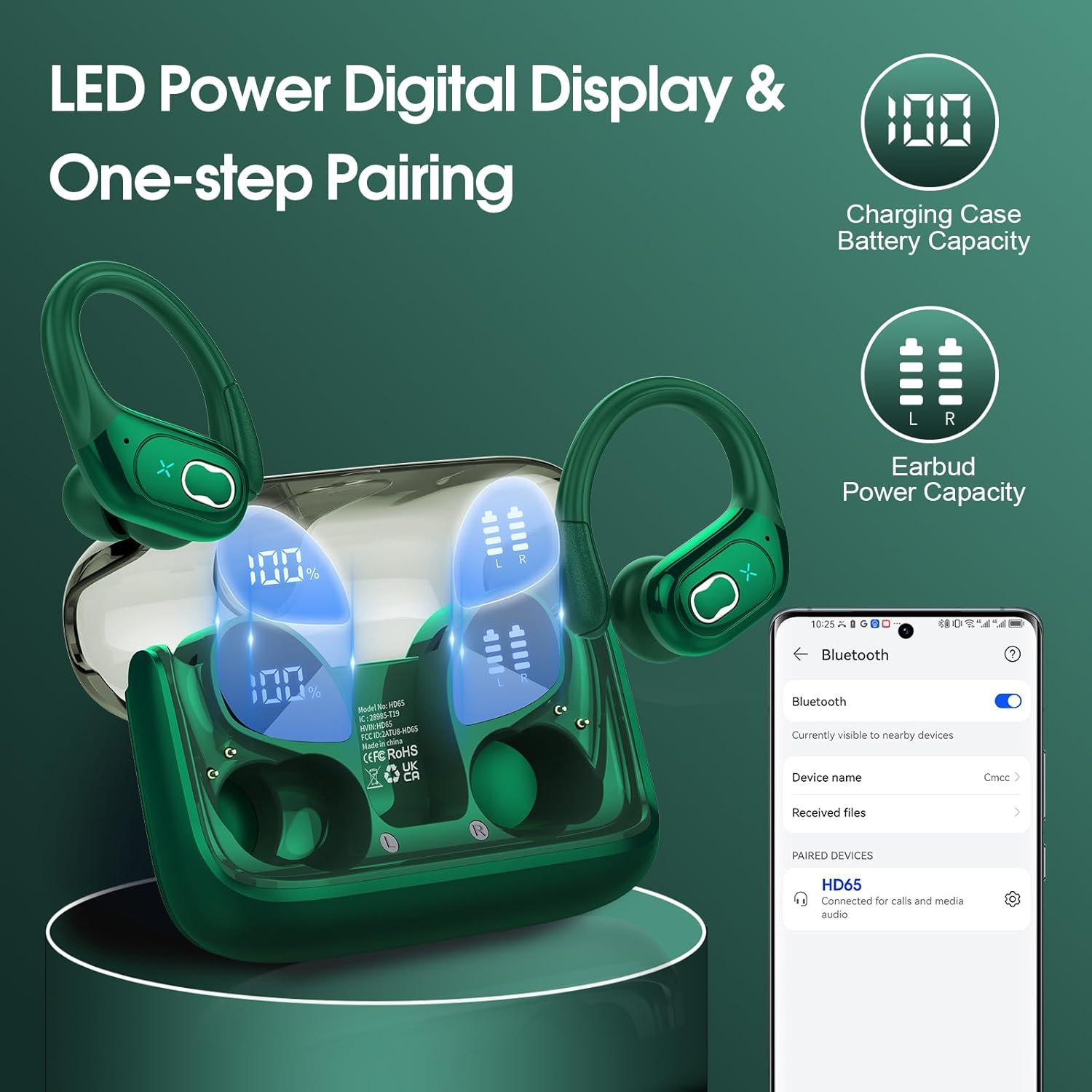
Image: The charging case with earbuds inside, showing the LED digital display indicating 100% charge for the case and individual battery levels for the left and right earbuds. A phone screen shows the earbuds connected via Bluetooth.

Imej: Dari dekat view of the charging case highlighting the Type-C charging port, indicating where to connect the charging cable.
4.2 Berpasangan dengan Peranti Anda
The earbuds feature advanced Bluetooth 5.4 technology for instant pairing and stable transmission.
- Buka bekas pengecas. Fon telinga akan dihidupkan secara automatik dan memasuki mod berpasangan.
- Pada peranti anda (telefon pintar, tablet, komputer riba), dayakan Bluetooth.
- Cari untuk "HD65" in the list of available Bluetooth devices and select it to connect.
- Once connected, the earbuds will automatically pair with your device in the future when the case is opened.
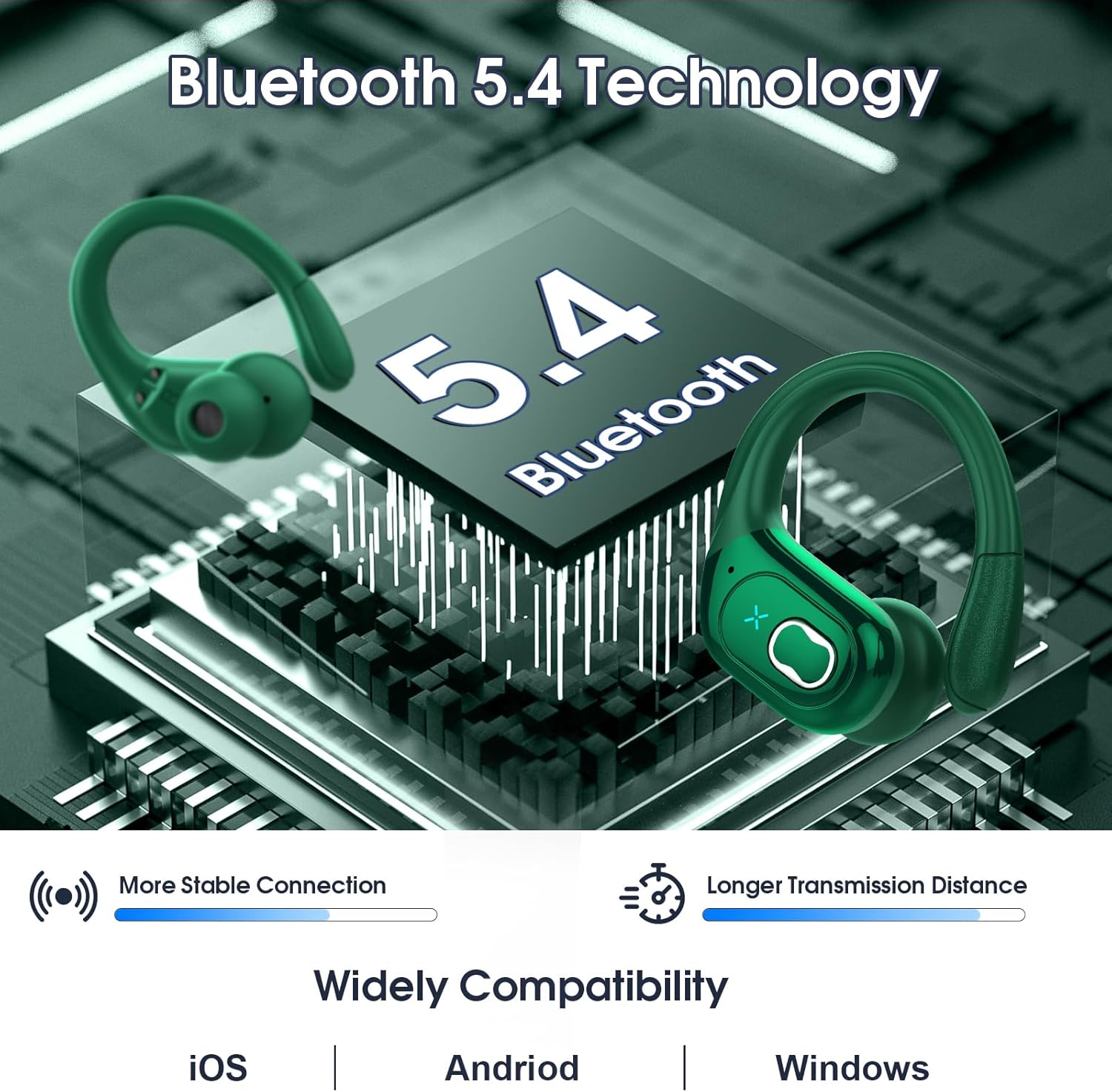
Image: A graphic illustrating Bluetooth 5.4 technology with the earbuds, emphasizing more stable connection and longer transmission distance. It also shows wide compatibility with iOS, Android, and Windows devices.
4.3 Memakai Fon Telinga
The HD65 earbuds are designed with ergonomic ear hooks for a secure and comfortable fit, especially during sports activities.
- Choose the suitable earplugs (S, M, L) that best fit your ear canal for optimal sound and comfort.
- Masukkan earbud ke saluran telinga anda.
- Rotate the earbud backward until the earhook sits securely over your ear.
- Adjust the earbud to a comfortable and secure angle.

Image: A collage showing the ergonomic design of the earbuds, the flexible earhook, and the three sizes of ear tips (L, M, S). A person is shown running while wearing the earbuds, demonstrating their secure fit.
5. Arahan Operasi
The earbuds feature sensitive physical buttons for easy control of music and calls.

Image: A visual guide detailing the physical button controls on the earbuds for various functions like volume adjustment, track navigation, call management, and voice assistant activation.
| Fungsi | Tindakan (Earbud Kiri) | Tindakan (Earbud Kanan) |
|---|---|---|
| Kelantangan Naik | T/A | Tekan lama 2s |
| Kelantangan Kurang | Tekan lama 2s | T/A |
| Trek Sebelumnya | Ketik dua kali | T/A |
| Trek Seterusnya | T/A | Ketik dua kali |
| Jawab Panggilan | One tap (L/R) | One tap (L/R) |
| Panggilan Sambungan | One tap (L/R) | One tap (L/R) |
| Main/Jeda | One tap (L/R) | One tap (L/R) |
| Pembantu Suara | Quick triple tap (L/R) | Quick triple tap (L/R) |
6. Penyelenggaraan
6.1 Pembersihan
Regular cleaning helps maintain sound quality and hygiene. Use a soft, dry, lint-free cloth to wipe the earbuds and charging case. Do not use abrasive cleaners or solvents.
6.2 Rintangan Air (IPX7)
The HD65 earbuds are IPX7 waterproof, meaning they can withstand sweat and rain. This makes them ideal for sports and outdoor activities. However, they are not designed for swimming or prolonged submersion in water. Ensure the earbuds are dry before placing them back in the charging case to prevent damage.

Image: A visual representation of the earbuds being splashed with water, illustrating their IPX7 waterproof and sweat-resistant capabilities.
6.3 Penyimpanan
When not in use, store the earbuds in their charging case to protect them and keep them charged. Store the case in a cool, dry place away from direct sunlight.
7. Penyelesaian masalah
If you encounter any issues, please refer to the following common solutions:
| Masalah | Penyelesaian yang Mungkin |
|---|---|
| Fon telinga tidak berpasangan | Ensure earbuds are charged. Turn off and on Bluetooth on your device. Forget "HD65" from your device's Bluetooth list and re-pair. |
| Hanya satu fon telinga berfungsi | Place both earbuds back in the charging case, close the lid, wait a few seconds, then open and try again. Ensure both earbuds are charged. |
| Kelantangan rendah atau kualiti bunyi yang lemah | Adjust volume on both earbuds and your device. Ensure ear tips are properly sealed in your ear canal. Clean any debris from the earbud speakers. |
| Fon telinga terjatuh | Try different sizes of ear tips (S, M, L) to find the best fit. Ensure the ear hooks are properly positioned over your ears. |
| Kes pengecas tidak dicas | Periksa kabel USB-C dan penyesuai kuasa. Pastikan port pengecasan bersih dan bebas daripada serpihan. |
8. Spesifikasi
Detailed technical specifications for the Aptkdoe HD65 Wireless Earbuds:
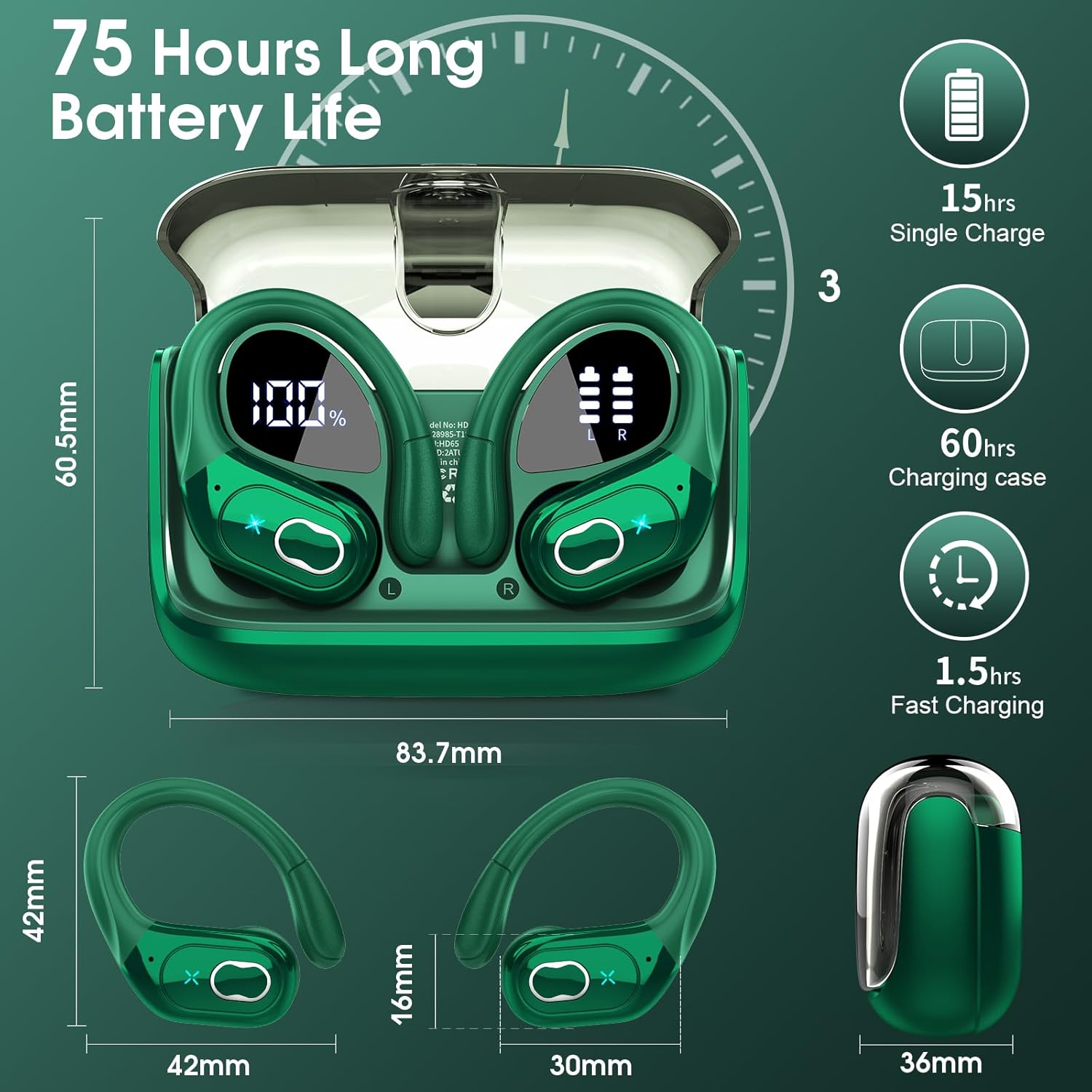
Image: A detailed diagram showing the dimensions of the earbuds and charging case, along with key battery life specifications like 15 hours single charge and 75 hours total playtime.
| Ciri | Perincian |
|---|---|
| Nama Model | HD65 |
| Jenama | Aptkdoe |
| Teknologi Ketersambungan | Wayarles (Bluetooth 5.4) |
| Julat Bluetooth | Sehingga 33 kaki (15 meter) |
| Hayat Bateri Earbud | 15 Jam (cas sekali) |
| Jumlah Masa Main (dengan kes) | Sehingga 75 Jam |
| Saiz Pemacu Audio | Pemacu Dinamik 14.2mm |
| Kawalan Bunyi | ENC Noise Cancelling Mic |
| Tahap Ketahanan Air | IPX7 Kalis Air |
| Jenis Kawalan | Kawalan Butang Fizikal |
| Bentuk alat dengar | Hook (Over Ear) |
| Julat Kekerapan | 20Hz - 20,000Hz |
| Impedans | 32 Ohm |
| bahan | plastik |
| Berat Barang | 5.6 auns (0.16 Kilogram) |
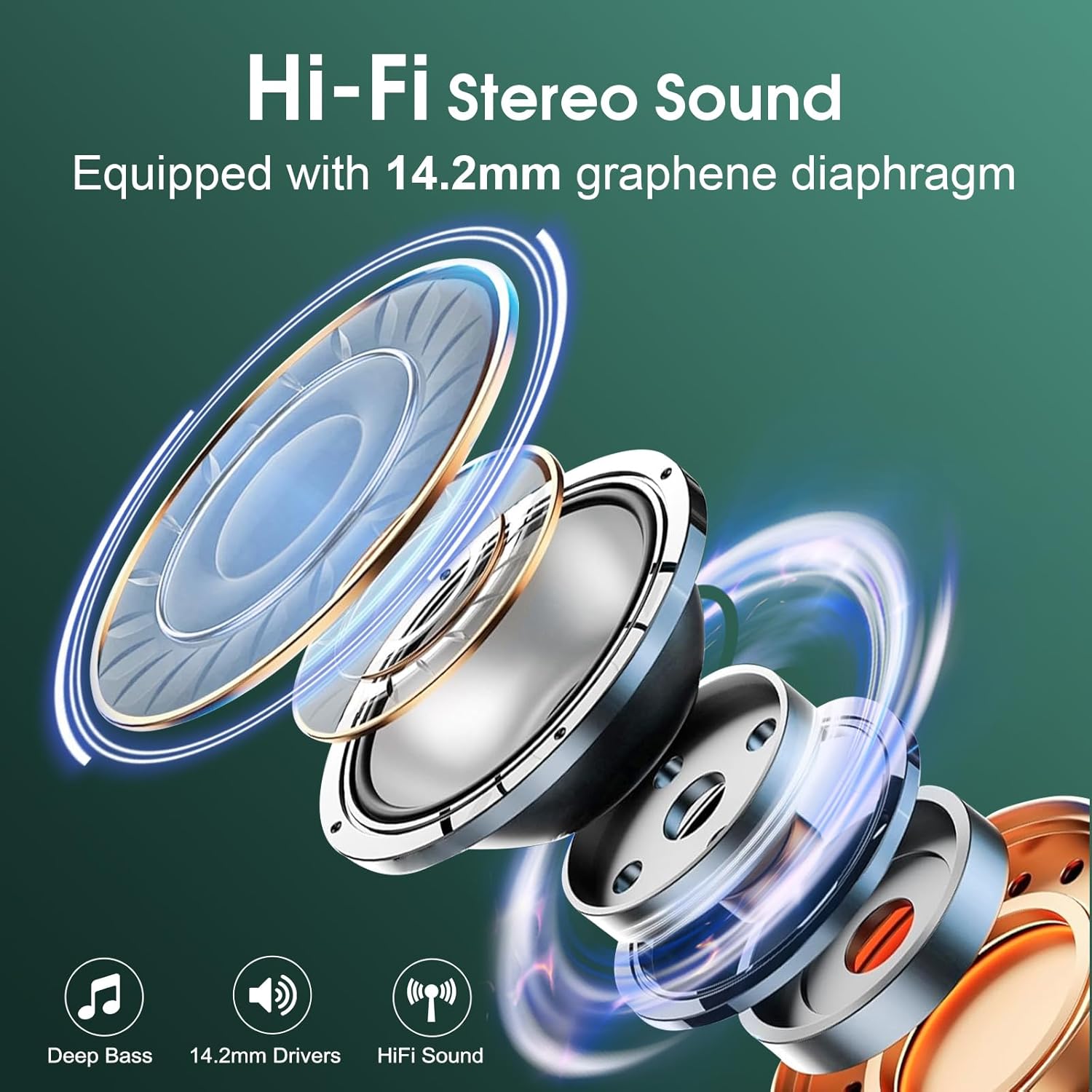
Imej: Meletup view diagram illustrating the components of the 14.2mm speaker driver, highlighting its capability for deep bass and Hi-Fi sound.
9. Waranti dan Sokongan
Aptkdoe products are manufactured to the highest quality standards. For any product-related inquiries, technical support, or warranty claims, please contact Aptkdoe customer service through the retailer's platform or visit the official Aptkdoe store online. Please retain your proof of purchase for warranty purposes.
Untuk maklumat lanjut, lawati Aptkdoe Store.