
1. Pengenalan
The TMEZON H4 Trail Camera is designed for wildlife monitoring, security surveillance, and game tracking. It features 4K video recording, 48MP still image capture, integrated WiFi and Bluetooth connectivity, and a solar panel for extended operation. This manual provides detailed instructions for setting up, operating, and maintaining your camera to ensure optimal performance.
2. Kandungan Pakej
- TMEZON H4 Trail Camera
- Panel Suria
- Tali Pemasangan
- Skru Pemasangan
- Kabel USB
- Kad SD 64GB
- Manual Pengguna
3. Produk Lebihview
Familiarize yourself with the main components of your TMEZON H4 Trail Camera.
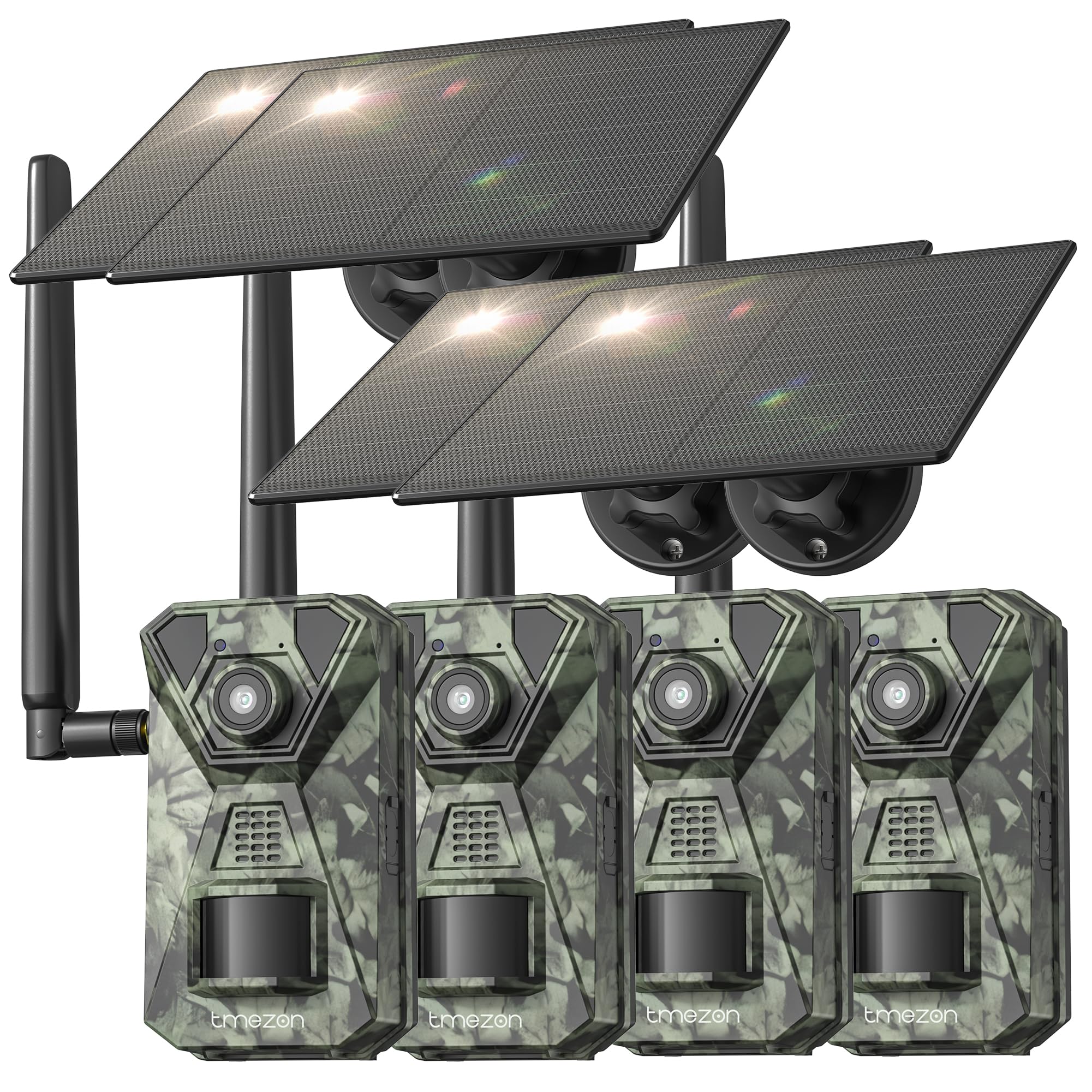
Imej 1: Depan view of the TMEZON H4 Trail Camera, showing the lens, PIR sensors, and integrated solar panel. This image illustrates the compact, camouflage design suitable for outdoor environments.
Komponen Kamera:
- Kanta: Menangkap imej dan video.
- Penderia PIR: Passive Infrared sensors detect motion.
- LED IR: Infrared LEDs for night vision.
- Skrin LCD: Untuk navigasi menu dan viewmedia yang ditangkap.
- Butang Kawalan: Navigate menus and settings.
- Slot Kad SD: Insert the provided 64GB SD card.
- Port USB: Untuk menyambung ke komputer.
- Port Kuasa Luaran: For connecting the solar panel or external power source.
- Petak Bateri: Holds 8 AA batteries (not included) for backup power.
4. Persediaan
4.1. Battery and Solar Panel Installation
- Buka petak bateri pada kamera.
- Insert 8 new AA batteries (alkaline or rechargeable NiMH recommended) according to the polarity indicators. These batteries serve as a backup to the solar panel.
- Connect the solar panel cable to the camera's external power port. Ensure the solar panel is positioned to receive maximum sunlight.
4.2. Sisipan Kad SD
- Locate the SD card slot on the side or bottom of the camera.
- Insert the provided 64GB SD card with the metal contacts facing the correct direction until it clicks into place.
- To remove, push the card in gently until it springs out.
4.3. Memasang Kamera
- Gunakan tali pelekap yang disertakan untuk memasang kamera pada pokok atau tiang. Masukkan tali melalui slot di bahagian belakang kamera dan ketatkan.
- Alternatively, use the mounting screws to attach the camera to a wall or other flat surface.
- Position the camera at a height of 3-6 feet (1-2 meters) and aim it towards the desired monitoring area. Ensure no obstacles block the PIR sensors.
4.4. Muat Turun Apl dan Berpasangan
- Download the official TMEZON app from your smartphone's app store (iOS or Android). Cari untuk "TMEZON Trail Camera" or scan the QR code provided in the quick start guide.
- Dayakan Bluetooth pada telefon pintar anda.
- Hidupkan kamera.
- Open the TMEZON app, select "Add Device," and follow the on-screen instructions to connect via Bluetooth.
- Once connected via Bluetooth, the app will prompt you to connect to the camera's WiFi network for faster data transfer and live view.
5. Mengendalikan Kamera
5.1. Hidupkan/Mati Kuasa dan Pemilihan Mod
- MATI: Matikan kamera.
- PENYEDIAAN: Enter setup mode to configure settings, view photos/videos, or connect to the app.
- ON: Activate the camera for monitoring. The camera will enter monitoring mode after a short countdown.
5.2. Navigasi dan Tetapan Menu
In SETUP mode, use the control buttons to navigate the menu on the LCD screen. Press the 'MENU' button to access settings. Key settings include:
- Mod: Select Photo, Video, or Photo+Video (Hybrid).
- Resolusi Foto: 48MP, 30MP, 20MP, etc.
- Resolusi Video: 4K, 2.7K, 1080P, 720P.
- Sensitiviti PIR: High, Medium, Low. Adjust based on environment to avoid false triggers.
- Selang PIR: Time delay between detections.
- Selang Masa: Tangkap imej pada selang masa yang ditetapkan tanpa mengira pergerakan.
- Tarikh & Masa: Tetapkan tarikh dan masa semasa.
- Format Kad SD: Erase all data on the SD card. Caution: This will delete all files.
5.3. Remote Monitoring via App
Once connected to the TMEZON app:
- View hidup footage daripada kamera.
- Laraskan tetapan kamera dari jauh.
- Browse and download captured photos and videos to your smartphone.
- Receive notifications for detected motion (if 4G LTE cellular transmission is enabled and configured).
6. Penyelenggaraan
6.1. Pembersihan
- Wipe the camera lens and PIR sensors with a soft, dry cloth to remove dust or smudges.
- Pastikan panel solar bersih untuk pengecasan yang cekap.
- Jangan gunakan pembersih atau pelarut yang melelas.
6.2. Penyimpanan
- If storing the camera for an extended period, remove the AA batteries.
- Simpan kamera di tempat yang sejuk dan kering, jauh daripada cahaya matahari langsung.
7. Penyelesaian masalah
- Kamera tidak dihidupkan: Check battery installation and charge level. Ensure solar panel is connected and receiving sunlight.
- Kualiti imej/video yang lemah: Clean the lens. Ensure sufficient lighting or proper night vision settings. Check resolution settings.
- No motion detection: Adjust PIR sensitivity (High for sparse areas, Low for busy areas). Ensure PIR sensors are not obstructed. Check PIR interval settings.
- Ralat kad SD: Format the SD card in the camera's settings. If the issue persists, try a different compatible SD card.
- Isu sambungan aplikasi: Ensure Bluetooth and WiFi are enabled on your phone. Restart both the camera and the app. Ensure the camera is in SETUP mode for initial pairing.
- Panel solar tidak mengecas: Ensure the solar panel is clean and positioned to receive direct sunlight. Check the connection cable.
8. Spesifikasi
| Nama Model | H4 |
| Resolusi Pegun Berkesan | 48 MP |
| Resolusi Video Berkesan | 4K |
| Teknologi Ketersambungan | Wireless (WiFi, Bluetooth, 4G LTE) |
| Sumber Kuasa | Solar Powered, 8x AA Battery Backup |
| Jenis Memori Denyar | SD Card (64GB included, max 64GB supported) |
| Julat Penglihatan Malam | 65 Kaki |
| Kecepatan Pencetus | 0.2an |
| Sudut Pengesanan PIR | 120° |
| Penilaian Kalis Air | IP66 |
| Dimensi Item | 4 x 3.5 x 6 inci |
| bahan | Logam, Plastik |
9. Waranti dan Sokongan
TMEZON products come with a standard manufacturer's warranty. For detailed warranty information, technical support, or service inquiries, please refer to the warranty card included in your package or visit the official TMEZON website. You can also contact customer support through the TMEZON app or the contact information provided on the product packaging.