
FUWANG A3354 A3355 A3356 A2696 A2757 A2777
FUWANG Keyboard Case for iPad A16 11th/10th Generation User Manual
Model: A3354, A3355, A3356, A2696, A2757, A2777
1. Produk Lebihview
The FUWANG Keyboard Case is designed to enhance your iPad experience, transforming it into a versatile laptop-like device. It features a detachable wireless Bluetooth keyboard with 7-color backlighting, multiple viewing angles, and a protective case with an integrated pencil holder. The case is crafted from durable synthetic leather with a unique marble pattern and a soft TPU inner shell for comprehensive protection.
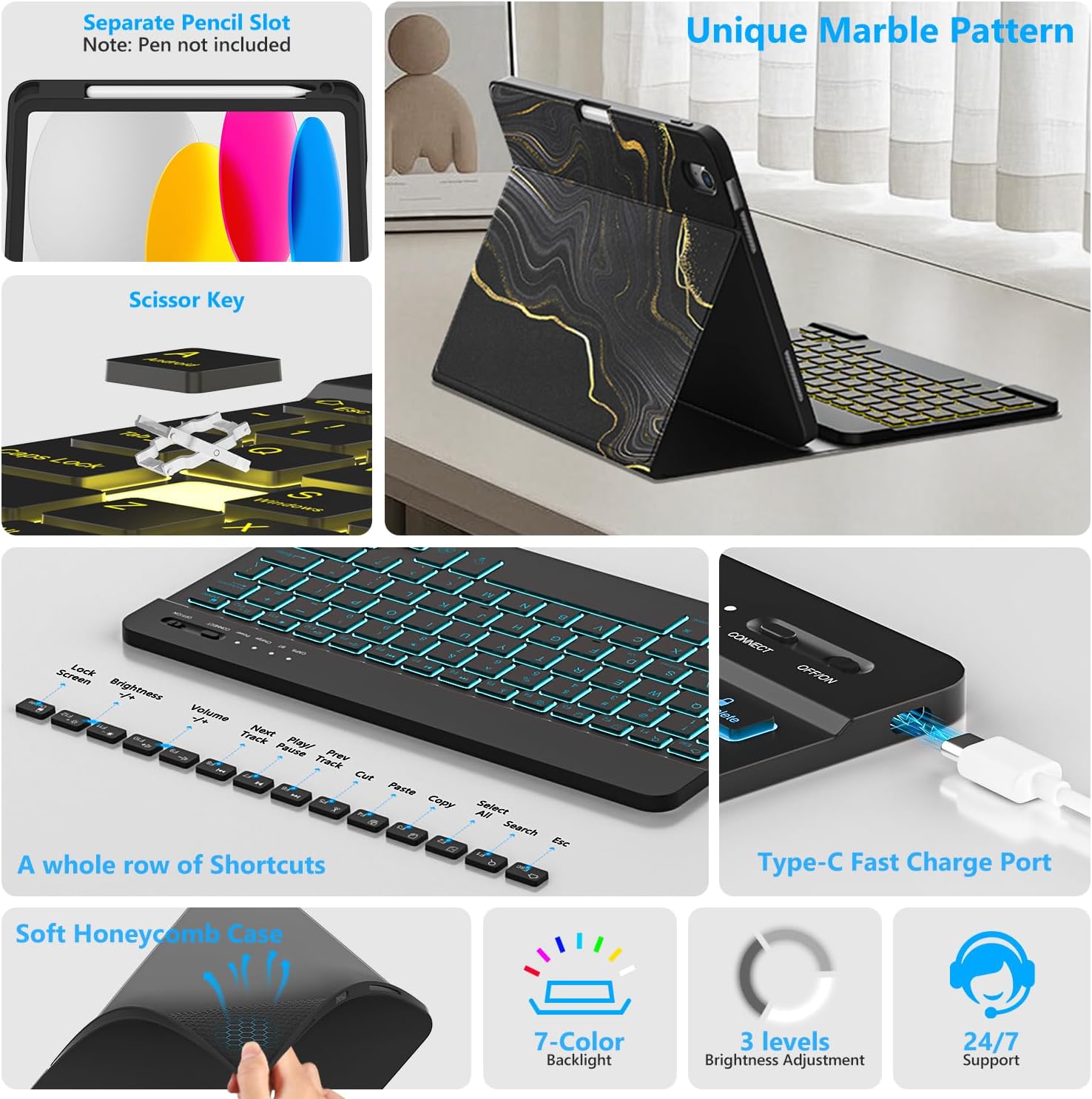
Imej 1.1: Berakhirview of FUWANG Keyboard Case features, highlighting the pencil slot, scissor-key mechanism, keyboard shortcuts, Type-C charging port, and the soft honeycomb case for heat dissipation.
2. Kandungan Pakej
- 1 x FUWANG iPad Case (for A16 11th/10th Generation)
- 1 x Wireless Backlit Bluetooth Keyboard
- 1 x Kabel Pengecas Jenis-C
- 1 x Manual Pengguna
Note: iPad tablet and stylus are not included.
3. Keserasian
This keyboard case is specifically designed for the following iPad models:
- iPad A16 11th Generation 11" 2025: Nombor Model A3354, A3355, A3356
- iPad 10th Generation 10.9" 2022: Nombor Model A2696, A2757, A2777, A3162
To verify your iPad model, please check the back of your tablet for a model number starting with "A". This case is not compatible with other iPad models.
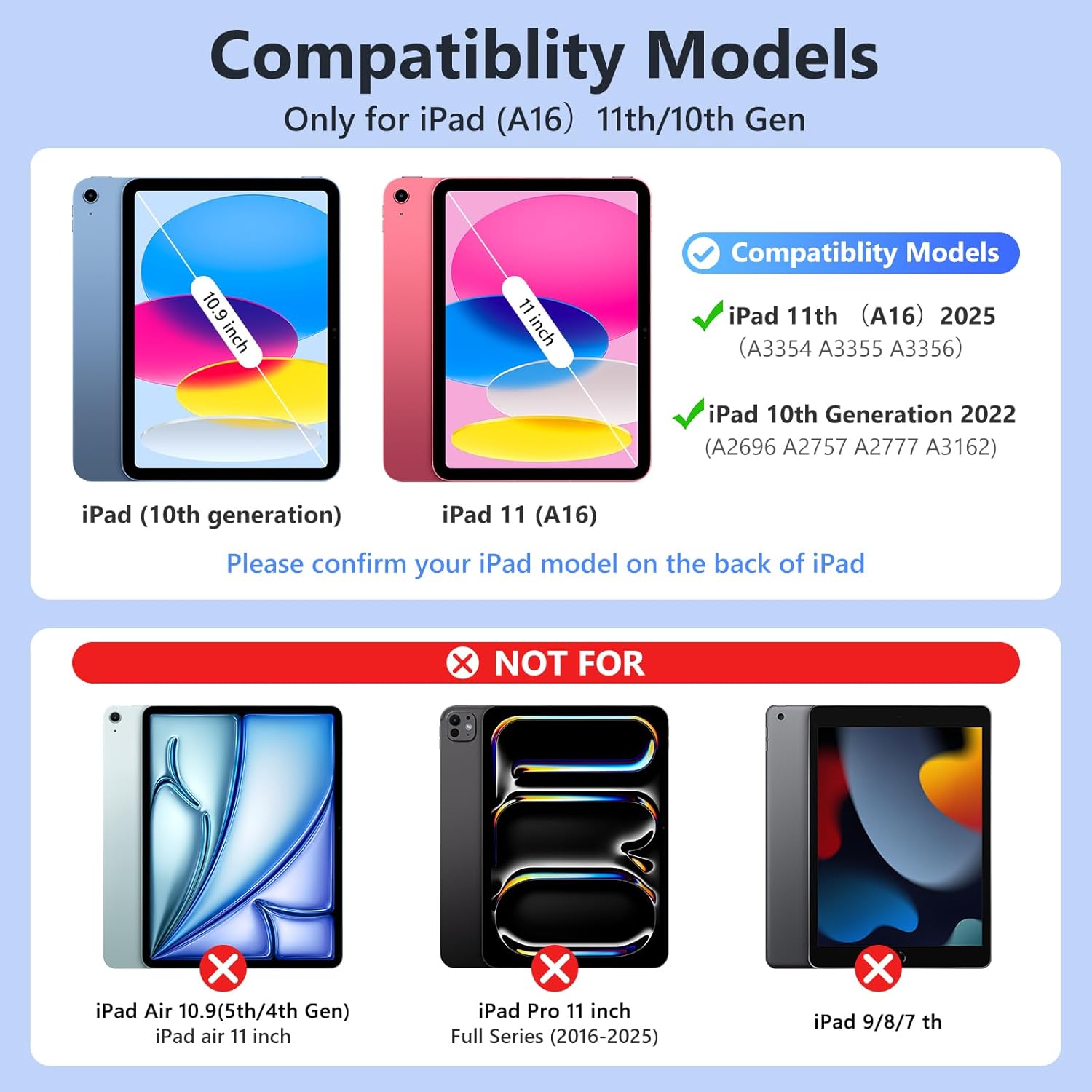
Imej 3.1: Visual guide for iPad model compatibility. Please confirm your iPad model number on the back of your device.
4. Arahan Persediaan
4.1 Initial Charging of the Keyboard
Before first use, fully charge the keyboard for 2 to 3 hours using the provided Type-C charging cable. Connect the cable to the keyboard's Type-C port and a USB power source. The power indicator light will flash during charging and turn off when fully charged.

Imej 4.1: Keyboard charging via Type-C port. Initial charge takes 2-3 hours.
4.2 Memasang Papan Kekunci Bluetooth
- Pastikan papan kekunci dicas.
- Turn on the keyboard by sliding the power switch to the "ON" position. The power indicator will flash for approximately 3 seconds and then turn off.
- Pada iPad anda, pergi ke tetapan > Bluetooth dan HIDUPKAN Bluetooth.
- The iPad will search for available devices. Select "Bluetooth Keyboard" (or similar name) from the list.
- If prompted, enter the pairing code displayed on your iPad onto the keyboard and press Masuk.
- Once paired, the keyboard's indicator light will turn off, and your iPad will show the keyboard as "Connected".
For subsequent uses, simply turn on your iPad's Bluetooth and the keyboard's power. Press any key on the keyboard, and it should automatically reconnect.
4.3 Installing the iPad into the Case
Gently insert your iPad into the soft TPU inner shell of the case. Ensure all cutouts for the camera, speakers, and volume buttons align perfectly. The case provides full protection against drops and scratches.
5. Arahan Operasi
5.1 Using the Backlit Keyboard
The keyboard features 7-color backlighting with 3 adjustable brightness levels.
- To change backlight colors: Press the Ikon mentol lampu key (often next to the Spacebar or Function keys).
- Untuk melaraskan kecerahan: Tekan butang Ikon mentol lampu kunci + Kekunci anak panah atas/bawah or a dedicated brightness key (if available).

Imej 5.1: Demonstrating the 7-color backlit keyboard with adjustable brightness settings.
5.2 Melaraskan Viewsudut
The case is designed with three anti-slip grooves, allowing you to adjust your iPad to multiple viewing angles (e.g., 110°, 120°, 130°) for comfortable typing, viewmelukis, atau melukis.
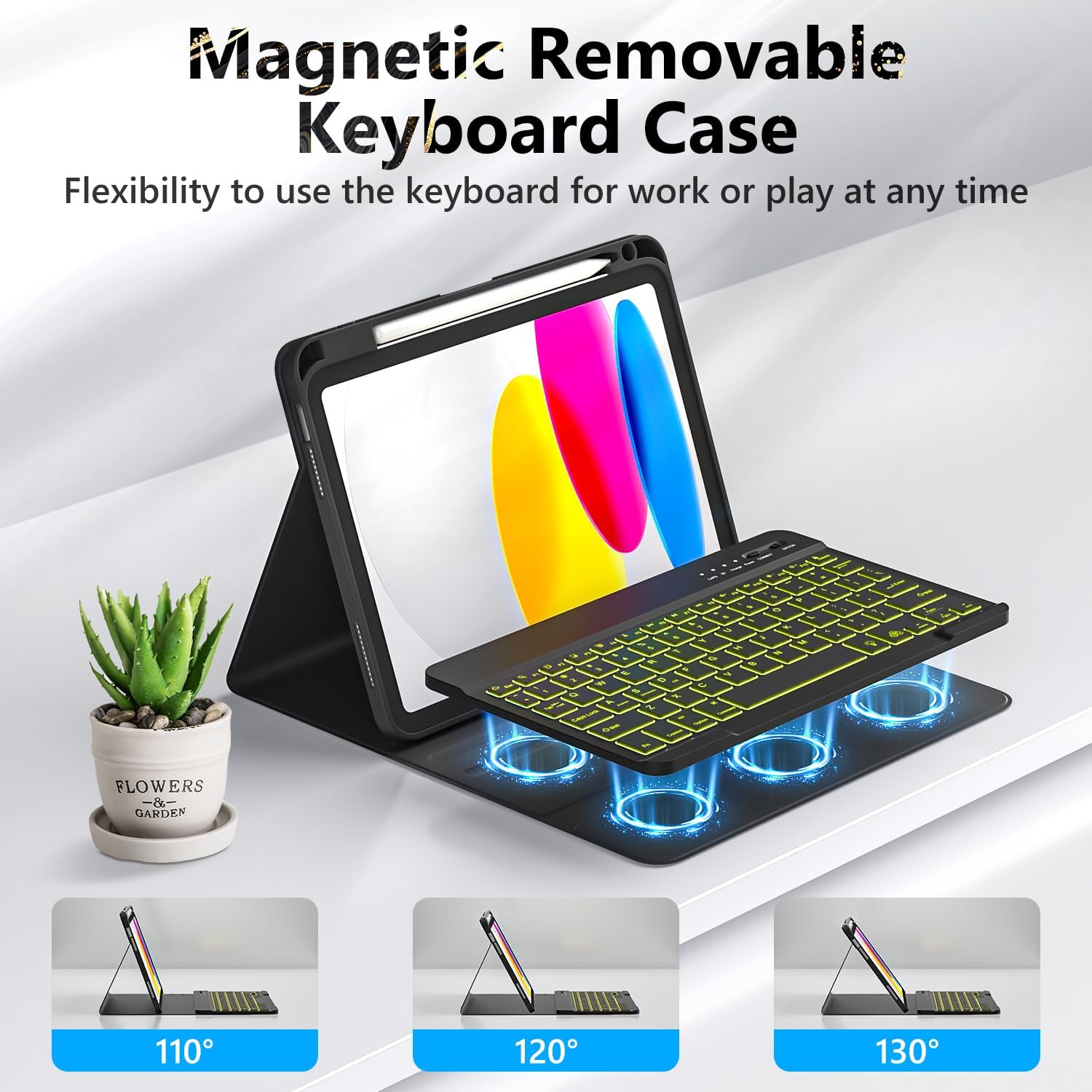
Imej 5.2: The magnetic removable keyboard case offers flexible viewing angles for various tasks.
5.3 Keyboard Shortcuts
The keyboard includes a row of dedicated function keys and shortcuts for quick access to iPad features:
- Kunci Skrin
- Pelarasan Kecerahan
- Kawalan Kelantangan
- Kawalan Main Semula Media (Previous Track, Play/Pause, Next Track)
- Copy, Cut, Paste
- Pilih Semua
- Cari
- Rumah
5.4 Fungsi Tidur/Bangun Automatik
The case supports the iPad's automatic sleep/wake function, preserving battery life. When closing the case, the iPad will go to sleep; opening it will wake the iPad. For optimal performance of this feature, it is recommended to remove the wireless Bluetooth keyboard from the case, as the keyboard's magnetic components can interfere with the iPad's magnets.
5.5 Using the Pencil Holder
The integrated pencil holder securely stores your stylus, keeping it accessible and preventing loss. Simply slide your stylus into the designated slot.
6. Penyelenggaraan
- Membersihkan Kes: Wipe the synthetic leather case with a soft, damp kain. Elakkan bahan kimia yang keras atau pembersih yang kasar.
- Membersihkan Papan Kekunci: Use a soft, dry cloth to clean the keyboard keys. For stubborn dirt, a slightly damp kain boleh digunakan, memastikan tiada kelembapan memasuki papan kekunci.
- Penjagaan Bateri: To prolong battery life, avoid fully discharging the keyboard frequently. Charge it regularly, especially if not used for extended periods.
7. Penyelesaian masalah
- Papan Kekunci Tidak Menyambung:
- Pastikan papan kekunci dicas sepenuhnya.
- Make sure the keyboard's power switch is ON.
- Sahkan Bluetooth telah diaktifkan pada iPad anda.
- Lupakan peranti dalam tetapan Bluetooth iPad anda dan cuba pasangkan semula.
- Mulakan semula iPad dan papan kekunci anda.
- Backlight Not Working/Changing:
- Pastikan papan kekunci dihidupkan.
- Press the backlight control key (light bulb icon) to cycle through colors and brightness levels.
- If the battery is low, backlighting may be disabled to conserve power. Charge the keyboard.
- Kunci Tidak Menjawab:
- Check if the keyboard is connected via Bluetooth.
- Pastikan papan kekunci dicas.
- Bersihkan sebarang serpihan dari sekeliling kunci.
- Auto Sleep/Wake Function Issues:
- Pastikan iPad diletakkan dengan betul di dalam bekasnya.
- Remove the detachable keyboard from the case when closing the cover, as its magnets can interfere with the auto sleep/wake feature.
8. Spesifikasi
| Jenama | FUWANG |
| Nombor Model | A3354, A3355, A3356, A2696, A2757, A2777 |
| Ketersambungan | Bluetooth |
| Jenis Papan Kekunci | Detachable, Backlit (7 colors, 3 brightness levels) |
| Kapasiti Bateri | Litium-ion 500 mAh (boleh dicas semula) |
| Masa Mengecas | 2-3 jam |
| Masa Bekerja | Approx. 120 hours (without backlight) |
| Masa Tunggu Sedia | > 130 hari |
| Jarak Operasi | Sehingga 3 meter |
| bahan | Premium Synthetic Leather, Thermoplastic Polyurethane (TPU) |
| Ciri Khas | Pencil holder, Full protection, Multiple viewing angles, Auto sleep/wake function |
9. Waranti dan Sokongan
For any questions or issues regarding your FUWANG Keyboard Case, please refer to the contact information provided with your purchase or reach out to the seller directly. Specific warranty details may vary by region and retailer.