
PROVISION ISR DI-320A-VF-G
PROVISION ISR 2MP Dome Security Camera User Manual
Model: DI-320A-VF-G
pengenalan
This manual provides comprehensive instructions for the installation, operation, and maintenance of your PROVISION ISR 2MP Dome Security Camera. This wired security camera is designed for stable and reliable surveillance, offering high-definition video quality and robust performance in various environments.

Imej: Depan view of the PROVISION ISR 2MP Dome Security Camera, showcasing its compact black dome design with a red accent ring around the lens.
Apa yang ada dalam Kotak
Selepas membongkar, sila sahkan bahawa semua komponen ada:
- Badan Kamera
- Manual Arahan
Persediaan dan Pemasangan
The PROVISION ISR Dome Security Camera is designed for straightforward installation, primarily as a ceiling-mounted unit. It requires a wired connection for stable operation and is compatible with various DVR systems.
1. Memasang Kamera
This camera is designed for screw-in installation, typically on a ceiling. Ensure the mounting surface is stable and can support the camera's weight. Proper positioning is crucial for optimal coverage.

Image: A technician installing the PROVISION ISR dome camera on a ceiling, demonstrating the simple installation process.
2. Wired Connection and DVR Integration
This camera operates via a wired Ethernet connection and is compatible with AHD/TVI/CVI DVRs. Connect the camera to your DVR system using appropriate cabling. The camera supports multiple analog formats, including CVBS, ensuring seamless integration with existing surveillance infrastructure.

Image: A PROVISION ISR camera connected to a DVR system, displaying multiple camera feeds on a monitor, illustrating easy integration into an analog infrastructure.
Arahan Operasi
Your PROVISION ISR camera provides high-definition surveillance with advanced features for optimal monitoring.
1. High-Definition Video and Viewsudut
The camera delivers 2MP resolution (1920x1080), ensuring sharp and detailed video quality. The motorized lens offers an adjustable 92° field of view, allowing for comprehensive coverage of large areas.

Image: A visual comparison demonstrating the superior clarity of 2MP (1920x1080) resolution compared to 920P (1280x720), highlighting the camera's high-definition capability.
2. Keupayaan Penglihatan Malam
Equipped with a high-power IR LED, the camera provides a 40-meter infrared range for clear night vision. This ensures 24/7 surveillance, even in low-light or complete darkness.
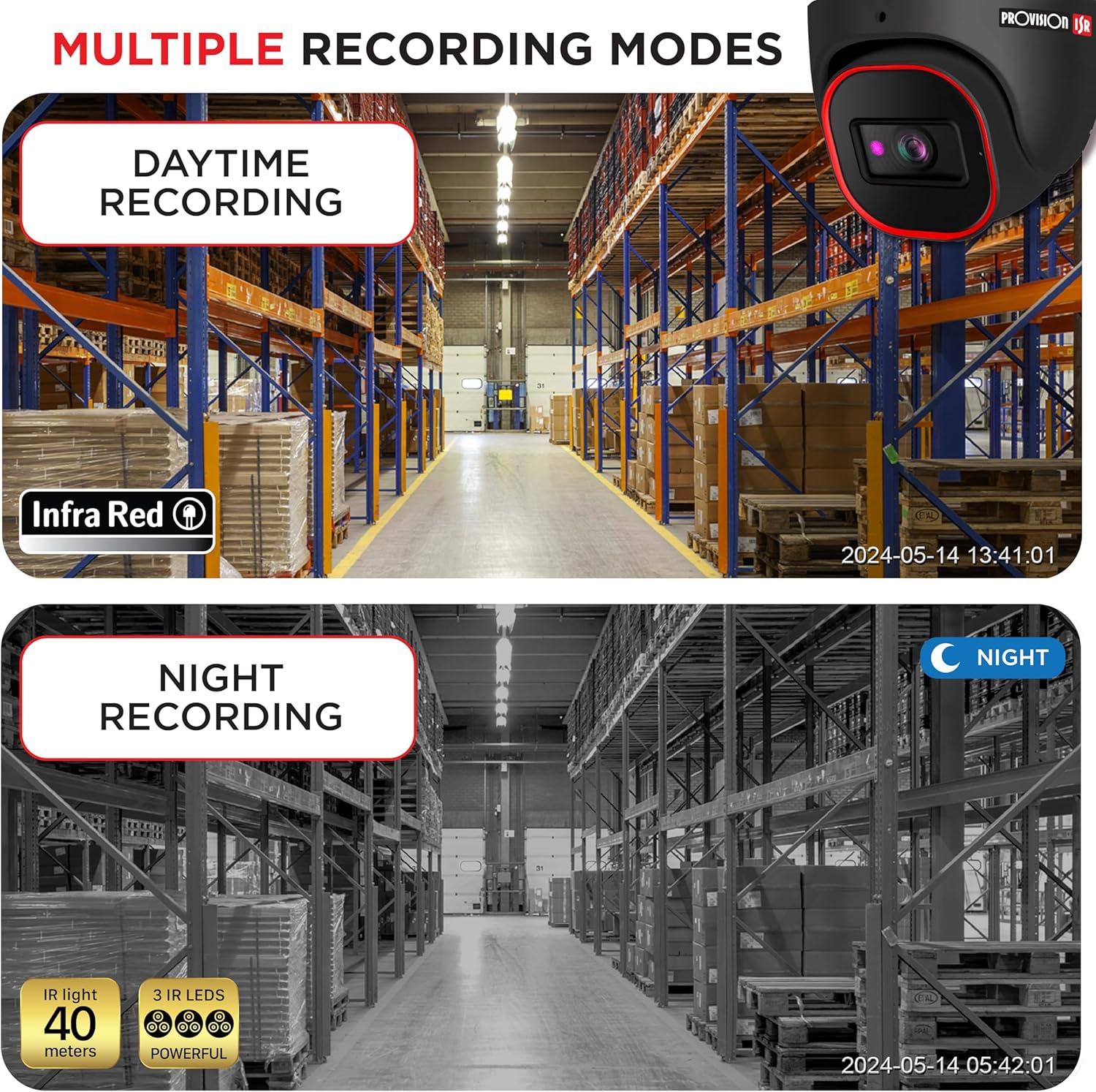
Image: A split image showing the camera's performance in both daytime and nighttime recording modes, demonstrating its effective infrared night vision up to 40 meters.
3. Real-Time Surveillance and Remote Monitoring
When connected to a compatible DVR and configured with a mobile application, you can monitor live feeds and recorded footage from your smartphone, enabling real-time surveillance from anywhere.
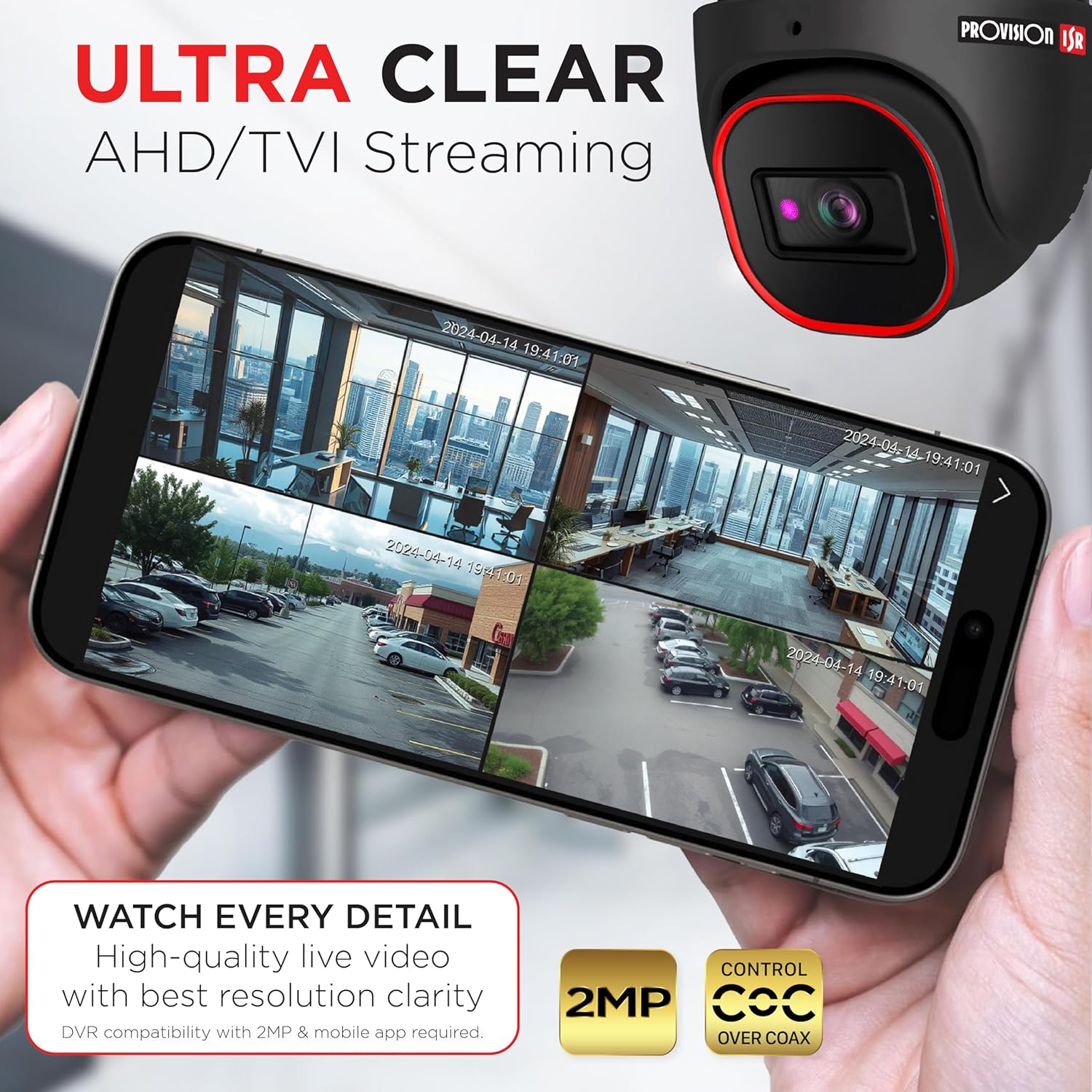
Image: A smartphone displaying multiple live camera feeds, illustrating the ultra-clear AHD/TVI streaming capability and remote monitoring via a mobile app.

Image: A person holding a smartphone displaying a live feed from the security camera, emphasizing real-time surveillance and remote access.
Penyelenggaraan
The PROVISION ISR camera is built for durability and requires minimal maintenance.
Reka Bentuk Kalis Cuaca
With an IP67-rated weatherproof design, this camera is protected against dust and water ingress, making it suitable for outdoor use in harsh weather conditions. Regular visual inspection for any physical damage or obstructions to the lens is recommended.

Image: The PROVISION ISR camera shown in a rainy environment, highlighting its IP67 waterproof and dustproof rating for durable outdoor performance.
Menyelesaikan masalah
If you encounter issues with your PROVISION ISR camera, please refer to the following common troubleshooting steps:
- Tiada Isyarat Video: Check all cable connections between the camera and the DVR. Ensure the power supply is connected and functioning correctly. Verify the DVR input channel settings.
- Kualiti Imej Lemah: Clean the camera lens with a soft, dry cloth. Ensure the camera's resolution settings on the DVR match the camera's capabilities (2MP). Check for obstructions in the camera's field of view.
- Isu Penglihatan Malam: Ensure there are no strong light sources directly facing the camera at night, which can interfere with IR performance. Verify the IR LEDs are illuminating.
- Masalah Akses Jauh: Confirm your DVR is connected to the internet and configured for remote access. Check network settings and firewall rules. Ensure the mobile application is updated to the latest version.
For further assistance, please contact PROVISION ISR customer support.
Spesifikasi
| Ciri | Perincian |
|---|---|
| Nama Model | Analog Security Camera |
| Nombor Model Item | DI-320A-VF-G |
| Resolusi Tangkapan Video | 2MP (1920x1080) |
| Viewsudut | 92 Degrees (Adjustable) |
| Julat Penglihatan Malam | 40 Meter |
| Penggunaan Dalaman/Luar | Dalaman, Luaran |
| Peringkat Cuaca | IP67 |
| Teknologi Ketersambungan | Berwayar (Ethernet) |
| Peranti Serasi | Digital Video Recorder, Smartphone |
| Jenis Pengawal | DVR |
| Jenis Pemasangan | Pemasangan Siling |
| Jenis Pemasangan | Skru Masuk |
| Dimensi Produk | 6.25 x 5.5 x 5.5 inci |
| warna | Hitam |
| Pengeluar | Provision ISR |
Waranti dan Sokongan
PROVISION ISR stands behind the quality of its products.
Maklumat Waranti
For detailed warranty terms and conditions, please refer to the official PROVISION ISR website or contact their customer service. Protection plans may also be available for extended coverage.
Sokongan Pelanggan
Should you require technical assistance, have questions about installation, or need to report an issue, please contact PROVISION ISR customer support. Contact information can typically be found on the manufacturer's webtapak atau pada pembungkusan produk.
Ask a question about this manual
Ask about setup, troubleshooting, compatibility, parts, safety, or missing instructions. Manuals+ will review the question and use this page’s manual context to help answer it.