
pengenalan
This manual provides detailed instructions for the safe and efficient use of your boAt Airdopes Plus 311 True Wireless Stereo (TWS) Earbuds. Please read this guide thoroughly before using the product to ensure optimal performance and longevity. Keep this manual for future reference.

Image: boAt Airdopes Plus 311 TWS Earbuds in Midnight Blue, showcasinfon telinga dan bekas pengecas.
Apa yang ada dalam Kotak
Upon unboxing your boAt Airdopes Plus 311, you should find the following items:
- boAt Airdopes Plus 311 Earbuds
- Sarung Pengecas Tanpa Wayar
- Kabel Pengecasan USB Jenis-C
- Additional Ear Cushions (S, M, L sizes)
- Manual Pengguna

Image: The boAt Airdopes Plus 311 earbuds nestled within their charging case.
Produk Selesaiview
The boAt Airdopes Plus 311 features a minimalistic glass design and is equipped with 10mm dynamic drivers for boAt Signature Sound. Each earbud includes dual microphones with ENx Technology for clear voice calls.
Imej: Dari dekat view of the boAt Airdopes Plus 311 earbuds, highlighting their design and in-ear form factor.
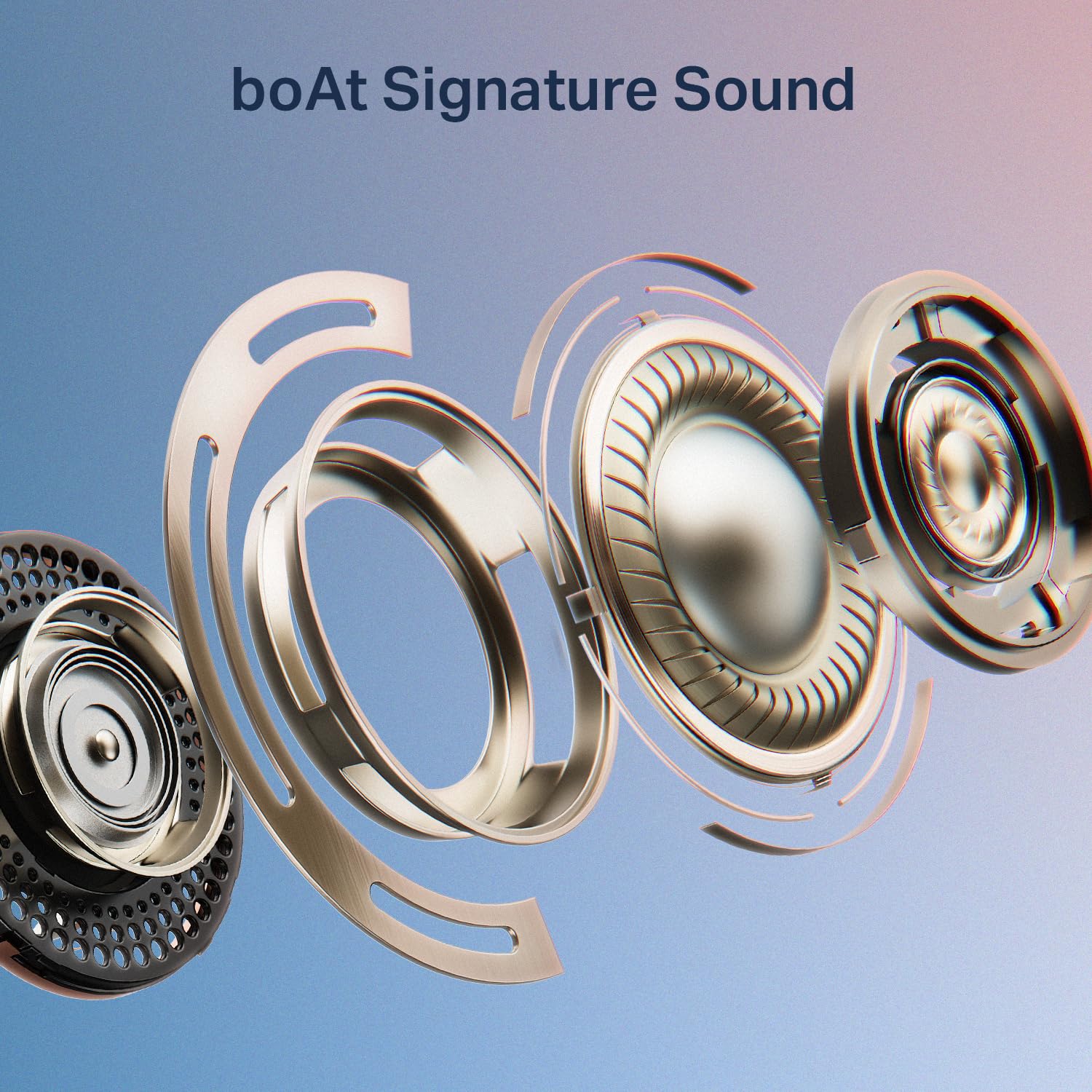
Image: An exploded diagram illustrating the internal components of a boAt Airdopes Plus 311 earbud, emphasizing the boAt Signature Sound driver.
Persediaan
1. Mengecas Fon Telinga dan Sarung
Before first use, fully charge the Airdopes Plus 311 earbuds and their charging case. The case provides additional charges for extended playtime.
- Connect the provided USB Type-C cable to the charging port on the case and a compatible USB power source.
- Penunjuk LED pada sarung akan menunjukkan status pengecasan.
- Pengecasan penuh mengambil masa kira-kira 1.5 jam.
- The ASAP Charge feature allows for 150 minutes of playback with just 10 minutes of charging.
- The earbuds offer up to 50 hours of total playback time with the charging case.
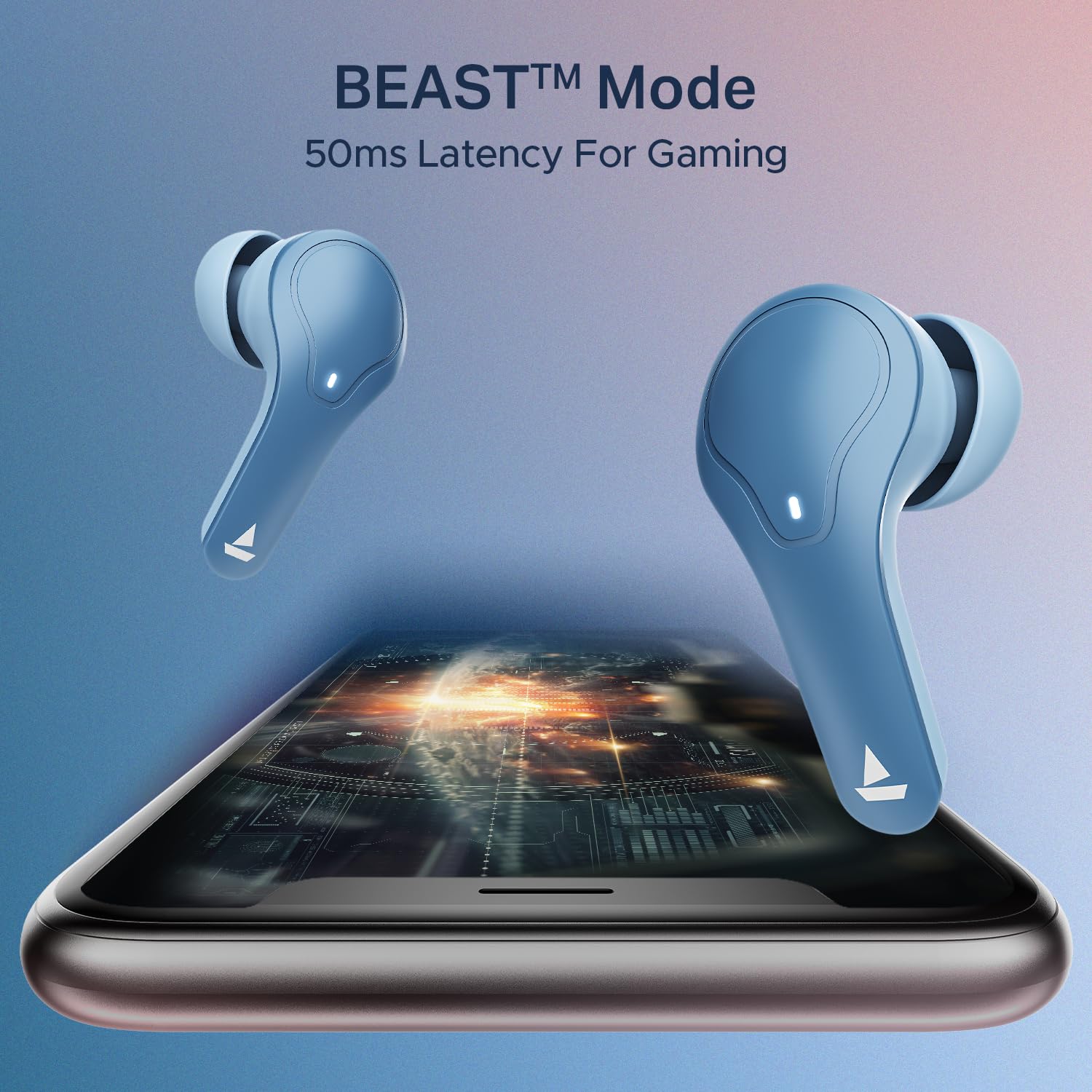
Image: The boAt Airdopes Plus 311 charging case, highlighting the Type-C charging port.

Image: Visual representation of the boAt Airdopes Plus 311's 50 hours of total playback and ASAP Charge capability (10 minutes charge for 150 minutes playback).
2. Berpasangan dengan Peranti Anda
The Airdopes Plus 311 features Insta Wake N’ Pair (IWP) technology for seamless connectivity.
- Gandingan Awal:
- Buka penutup bekas pengecas. Fon telinga akan dihidupkan secara automatik dan memasuki mod berpasangan.
- Pada peranti anda (telefon pintar, tablet, komputer riba), dayakan Bluetooth.
- Cari untuk "Airdopes Plus 311" in the list of available Bluetooth devices and select it to connect.
- Once connected, you will hear an audio prompt, and the LED indicator on the earbuds will change.
- Berpasangan semula:
- Once paired, the earbuds will automatically connect to the last paired device when you open the case lid (if Bluetooth is enabled on the device).
The earbuds utilize Bluetooth v5.3 for stable connectivity up to a range of 10 meters.

Image: A smartphone screen displaying the Bluetooth connection interface with the boAt Airdopes Plus 311 earbuds.
Arahan Operasi
The Airdopes Plus 311 earbuds feature intuitive touch controls for managing your audio and calls.
| Tindakan | Fungsi |
|---|---|
| Ketik Tunggal (Earbud Kiri/Kanan) | Main/Jeda Muzik, Jawab/Tamatkan Panggilan |
| Dwiketik (Earbud Kanan) | Trek Seterusnya |
| Dwiketik (Earbud Kiri) | Trek Sebelumnya |
| Tekan Lama (Fon Telinga Kiri/Kanan, 2 saat) | Aktifkan Pembantu Suara |
| Long Press (Left/Right Earbud, 3 seconds during call) | Tolak Panggilan |
| Ketik Tiga Kali (Earbud Kiri/Kanan) | Toggle BEAST™ Mode (Low Latency Gaming) |
Pembantu Suara: Activate your device's voice assistant (Google Assistant, Siri) with a long press on either earbud. This allows for hands-free control and information retrieval.
Mod BEAST™: For an enhanced gaming experience, triple tap either earbud to activate BEAST™ Mode, which provides 50ms low latency audio.

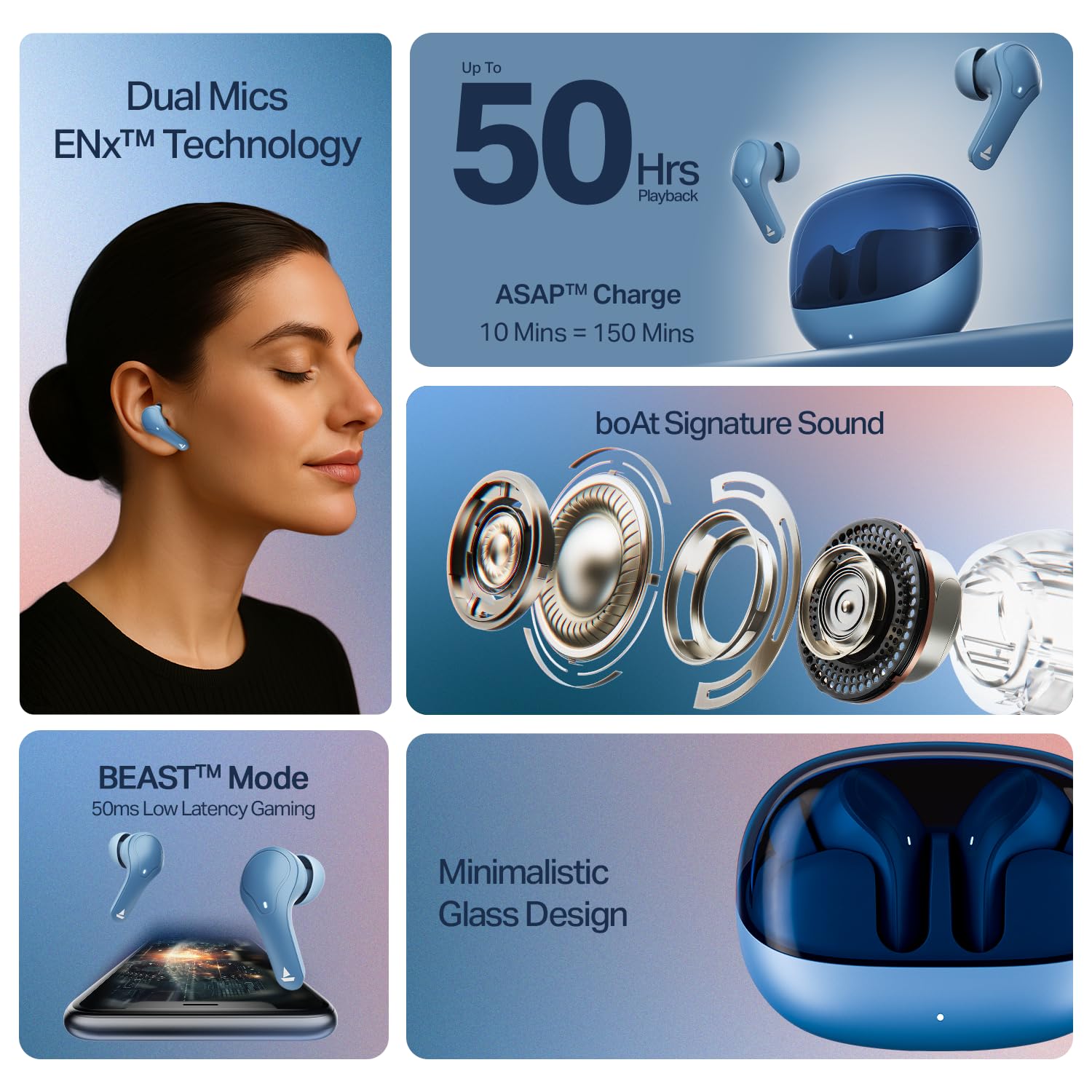
Imej: Tayangan kolajcasing key features of the boAt Airdopes Plus 311, including Dual Mics with ENx Technology, 50 hours playback, boAt Signature Sound, BEAST™ Mode for gaming, and Minimalistic Glass Design.
boAt Hearables App
Enhance your experience by downloading the boAt Hearables App. The app provides additional features and controls for your Airdopes Plus 311.

Image: A smartphone displaying the boAt Hearables App with a QR code for easy download. Scan the QR code to access the app.
Muat turun aplikasi di sini: boAt Hearables App
Penyelenggaraan
Proper care ensures the longevity and optimal performance of your Airdopes Plus 311.
- Pembersihan: Bersihkan fon telinga dan bekas pengecas secara berkala dengan kain yang lembut, kering dan tidak berbulu. Elakkan menggunakan bahan kimia yang keras atau bahan yang melelas.
- Tahan Air: The earbuds are IPX4 rated, meaning they are resistant to dust, sweat, and splashes. Do not submerge them in water or expose them to heavy rain. Ensure they are dry before placing them back in the charging case.
- Storan: Apabila tidak digunakan, simpan fon telinga dalam bekas pengecasnya untuk melindunginya dan memastikan ia dicas. Simpan di tempat yang sejuk dan kering jauh dari cahaya matahari langsung dan suhu yang melampau.
- Penjagaan Bateri: Untuk menjimatkan hayat bateri, elakkan daripada kerap mengecas fon telinga dan sarungnya sepenuhnya. Caskannya secara berkala, walaupun tidak digunakan secara berterusan.

Image: A collage highlighting features including IPX4 Dust, Sweat & Splash Resistant rating for the boAt Airdopes Plus 311.
Menyelesaikan masalah
If you encounter any issues with your Airdopes Plus 311, refer to the following common solutions:
- Fon telinga tidak menyala:
- Pastikan bekas pengecas dan fon telinga dicas sepenuhnya.
- Place the earbuds back in the case, close the lid, and then open it again.
- Fon telinga tidak berpasangan:
- Pastikan Bluetooth didayakan pada peranti anda.
- Ensure the earbuds are in pairing mode (LED indicator flashing).
- Forget "Airdopes Plus 311" from your device's Bluetooth list and try pairing again.
- Ensure the earbuds are within the 10-meter Bluetooth range.
- Hanya satu fon telinga berfungsi:
- Place both earbuds back into the charging case, close the lid, wait a few seconds, and then open it again.
- Semak sama ada kedua-dua fon telinga dicas.
- Try resetting the earbuds (refer to the full product manual for specific reset instructions if needed).
- Kelantangan rendah atau kualiti bunyi yang lemah:
- Laraskan kelantangan pada kedua-dua peranti anda dan fon telinga.
- Ensure the ear tips are properly sealed in your ear canal. Try different sized ear cushions.
- Bersihkan sebarang serpihan daripada pembesar suara fon telinga.
- Isu pengecasan:
- Periksa kabel pengecas dan penyesuai untuk kerosakan.
- Pastikan port pengecasan pada bekas bersih dan bebas daripada serpihan.
- Cuba kabel pengecasan atau sumber kuasa lain.
For further assistance, please contact boAt customer support.
Spesifikasi
| Ciri | Perincian |
|---|---|
| Nama Model | Airdopes Plus 311 |
| Nombor Model | 1000003677 |
| Jenama | botAt |
| Penempatan Telinga | Di Telinga |
| Faktor Bentuk | Di Telinga |
| Kawalan Bunyi | Active Noise Cancellation (Note: This specification refers to the general capability. The product features ENx Technology for clear call microphones, not active noise cancellation for listening.) |
| Kaedah Kawalan | Sentuh |
| Purata Hayat Bateri | 50 Jam (dengan kes pengecasan) |
| Masa Pengecasan Bateri | 1.5 Jam |
| Jenis Pemacu Audio | Pemacu Dinamik (10mm) |
| Julat Kekerapan | 20 Hz - 20 KHz |
| Bahan Kepungan | kaca |
| Peranti Serasi | Cellphones, Laptops, Tablets |
| Tahap Ketahanan Air | IPX4 (Tahan Air) |
| Kesambungan Rangkaian | Bluetooth |
| Versi Bluetooth | 5.3 |
| Julat Bluetooth | 10 Meter |
| Berat Barang | 45 Gram |
Waranti dan Sokongan
Your boAt Airdopes Plus 311 comes with a Waranti 1 tahun dari tarikh pembelian.
For product-related queries, technical support, or warranty claims, please contact boAt customer service:
- Hubungi Sokongan: +91 (022) 69181920
- e-mel: info@imaginemarketingindia.com
- Pengeluar: Imagine Marketing Sdn. Bhd.
- Alamat: Unit no. 204 & 205, 2nd floor, D-wing & E-wing, Corporate Avenue, Andheri Ghatkopar Link Road, Mumbai, Maharashtra-400093, India.
Sila simpan resit pembelian anda sebagai bukti pembelian untuk perkhidmatan jaminan.