
1. Pengenalan
Thank you for choosing the iClever BTH20 Active Noise Cancelling Headphones for Kids. These headphones are designed with your child's safety and comfort in mind, featuring an 80dBA volume limit and robust construction. Enjoy extended playtime, fast charging, and effective noise reduction for an immersive audio experience.
2. Apa yang ada di dalam Kotak
- Fon Kepala Pembatal Bunyi Aktif iClever BTH20
- Kabel Pengecas USB-C
- Kabel Audio 3.5mm
- Manual Pengguna
- Carrying Pouch (may vary by package)
3. Produk Lebihview
The iClever BTH20 headphones are designed for ease of use and durability. Key components include:
- Destar boleh laras: Features 10 levels of adjustment for a perfect fit for children aged 3 and up. Padded for comfort.
- Penutup Telinga Lembut: 90° rotatable and made with pressure-reducing, skin-like texture for comfortable wear during extended periods.
- Kawalan Intuitif: Large, easily accessible buttons for power, volume, and Active Noise Cancellation (ANC) modes.
- Pelabuhan Sambungan: Includes a USB-C port for charging and a 3.5mm audio jack for wired connection.
- Reka Bentuk Lipat: The headphones can be folded for compact storage and portability.
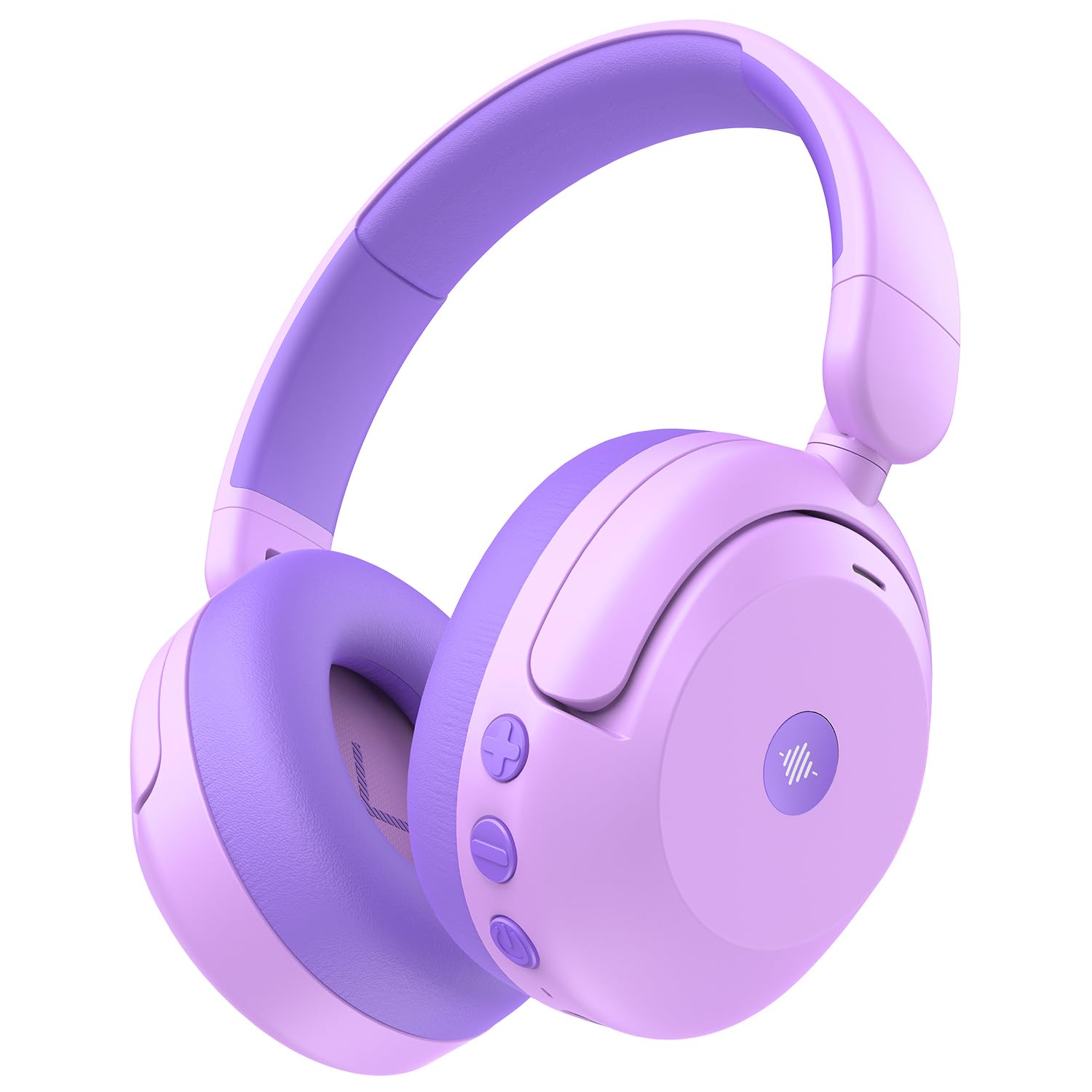
Image: iClever BTH20 headphones in purple, showcasing their over-ear design and vibrant color.

Video: A close-up view of the iClever BTH20 headphones, highlighting the control buttons, charging port, and audio jack. This video demonstrates the physical features and connectivity options.
4. Persediaan
4.1 Mengecas Fon Kepala
- Sambungkan kabel pengecas USB-C yang disediakan ke port pengecasan pada fon kepala.
- Palamkan hujung kabel USB-C yang satu lagi ke dalam penyesuai kuasa USB yang serasi (tidak disertakan) atau port USB komputer.
- Penunjuk LED akan menunjukkan status pengecasan (cth, merah untuk mengecas, biru untuk dicas penuh).
- A full charge takes approximately 2 hours. A 10-minute fast charge provides about 5 hours of use.
4.2 Berpasangan Bluetooth
- Pastikan fon kepala dicas dan dimatikan.
- Tekan dan tahan butang Kuasa sehingga penunjuk LED berkelip biru dan merah, menunjukkan mod berpasangan.
- Pada peranti anda (telefon pintar, tablet, dll.), dayakan Bluetooth dan cari peranti yang tersedia.
- Select "iClever BTH20" from the list of devices.
- Setelah disambungkan, penunjuk LED akan bertukar menjadi biru padu.
4.3 Sambungan Berwayar
For devices without Bluetooth or when the battery is low, use the included 3.5mm audio cable:
- Plug one end of the 3.5mm audio cable into the audio jack on the headphones.
- Palamkan hujung yang satu lagi ke dalam output audio 3.5mm peranti anda.
- Note: Active Noise Cancellation (ANC) is not available when using a wired connection.
5. Arahan Operasi
5.1 Hidupkan/Mati Kuasa
- Hidupkan kuasa: Tekan dan tahan butang Kuasa selama 2-3 saat sehingga penunjuk LED menyala.
- Matikan: Tekan dan tahan butang Kuasa selama 3-5 saat sehingga penunjuk LED dimatikan.
5.2 Kawalan Kelantangan
The headphones feature an 80dBA volume limit to protect young hearing. Use the dedicated volume buttons:
- Kelantangan: Tekan butang '+'.
- Perlahankan suara: Tekan butang '-'.
5.3 Pembatalan Bising Aktif (ANC)
The BTH20 headphones offer two noise reduction modes for different environments:
- Mengaktifkan ANC: Press the ANC button (often marked with a wave icon) to cycle through modes.
- Low Noise Reduction Mode: Provides a gentler ear pressure, suitable for environments with moderate background noise.
- High Noise Reduction Mode: Blocks out most engine and mechanical noises, ideal for travel (e.g., airplanes).

Image: Diagram illustrating the Active Noise Cancellation feature and its effectiveness in reducing ambient sound.
5.4 Penggunaan Mikrofon
The headphones include an inbuilt microphone for basic voice chat and calls when connected via Bluetooth.
- Menjawab / Menamatkan Panggilan: Press the Multi-function button (often the Power button) once.
- Menolak Panggilan: Tekan dan tahan butang Berbilang fungsi selama 2 saat.
6. Keselesaan dan Kecergasan
The iClever BTH20 headphones are designed for maximum comfort for children:
- Destar boleh laras: The 10-level adjustable headband ensures a snug yet comfortable fit for various head sizes, accommodating children from 3 years old and up.
- Kusyen Telinga Lembut: The ear cushions are made from a pressure-reducing, skin-like texture, providing a gentle fit that prevents discomfort during long listening sessions.
- Reka bentuk ringan: Weighing only 220 grams, these headphones are light enough for children to wear without feeling burdened.

Image: A child wearing the iClever BTH20 headphones, demonstrating the comfortable and secure fit.
7. Penyelenggaraan
Untuk memastikan jangka hayat dan prestasi optimum fon kepala iClever BTH20 anda, ikuti garis panduan penyelenggaraan ini:
- Pembersihan: Use a soft, dry cloth to wipe the headphones. Avoid using harsh chemicals or abrasive materials.
- Storan: When not in use, fold the headphones and store them in the provided carrying pouch to protect them from dust and damage. Store in a cool, dry place.
- Elakkan Air: These headphones are not water-resistant. Avoid exposure to liquids, moisture, or extreme temperatures.
- Tangani dengan Berhati-hati: Although durable, avoid excessive bending or dropping the headphones to prevent damage to internal components.
8. Penyelesaian masalah
| Masalah | Penyelesaian |
|---|---|
| Fon kepala tidak dapat dihidupkan. | Pastikan fon kepala dicas sepenuhnya. Sambungkan ke sumber kuasa menggunakan kabel USB-C. |
| Tidak boleh berpasangan melalui Bluetooth. | Make sure the headphones are in pairing mode (flashing blue/red LED). Turn off and on Bluetooth on your device. Ensure no other devices are connected. |
| Tiada bunyi atau kelantangan rendah. | Check volume levels on both headphones and the connected device. Ensure the headphones are properly paired or the 3.5mm cable is securely connected. |
| ANC tidak berfungsi. | Ensure the headphones are powered on and not connected via the 3.5mm audio cable (ANC is only for Bluetooth mode). Press the ANC button to cycle through modes. |
| Mikrofon tidak berfungsi. | Ensure headphones are connected via Bluetooth. Check microphone settings on your connected device. |
9. Spesifikasi
| Ciri | Perincian |
|---|---|
| Nama Model | BTH20 |
| Jenama | iClever |
| Teknologi Ketersambungan | Wireless (Bluetooth 5.4) / Wired (3.5mm Jack) |
| Versi Bluetooth | 5.4 |
| Julat Bluetooth | 10 Meter |
| Kawalan Bunyi | Pembatalan Bunyi Aktif (sehingga 40dB) |
| Had Kuantiti | 80dBA (iClever Sound Refiner Technology) |
| Saiz Pemacu Audio | 40 Milimeter |
| Julat Kekerapan | 20Hz - 20,000Hz |
| Hayat Bateri (ANC Mati) | Sehingga 60 Jam |
| Hayat Bateri (ANC Hidup) | Sehingga 35 Jam |
| Masa Pengecasan Bateri | 2 Hours (10-min fast charge for 5 hours playtime) |
| Port Pengecasan | USB-C |
| bahan | Acrylonitrile Butadiene Styrene (ABS), Leather, POK (BPA/PVC free) |
| Berat Barang | 220 Gram |
| Julat Umur | 3+ Tahun |
| Tahan Air | Bukan Tahan Air |
10. Waranti & Sokongan
iClever products come with a standard warranty. For specific warranty details and to register your product, please refer to the warranty card included in your package or visit the official iClever webtapak.
For technical support, troubleshooting assistance, or any questions regarding your iClever BTH20 headphones, please contact iClever Customer Service:
- Webtapak: Visit the official iClever webtapak untuk Soalan Lazim dan sumber sokongan.
- e-mel: Refer to your product packaging or the iClever webtapak untuk alamat e-mel sokongan pelanggan.