1. Pengenalan Produk
The Generic Bluetooth Curtain Robot transforms traditional curtains into smart curtains, offering convenient control and automation. This device operates quietly, ensuring a peaceful environment. It features a robust motor capable of handling curtains up to 8kg.
Ciri-ciri Utama:
- Quiet operation for a serene smart home experience.
- Maximum thrust capacity of 8kg.
- Supports one-way and two-way curtain solutions.
- Adjustable curtain running direction via the app.
- Manual start function: gently pull the curtain to activate automatic opening/closing.
- Inductive resistance and stop function for safety, preventing movement if an obstacle is detected.
- Intelligent linkage with other smart home devices (requires Bluetooth gateway).
- App and Voice Control via Smart Life APP, Google Assistant, and Alexa (requires Bluetooth gateway).
Produk Selesaiview

Imej 1: Selesaiview of the Smart Curtain Robot highlighting its features.

Image 2: Illustration of the curtain robot's 8KG load capacity, suitable for various curtain weights.
2. Persediaan dan Pemasangan
Nota Penting Sebelum Pemasangan:
- Three (3) AA batteries are required for power supply and are tidak termasuk dengan produk.
- For remote control, voice control, and smart device linkages, a Bluetooth gateway is required dan mesti dibeli secara berasingan.

Image 3: Diagram illustrating the system setup, emphasizing the need for a Bluetooth gateway.
2.1 Pemasangan Bateri
- Open the back cover of the curtain robot.
- Insert three (3) AA batteries, ensuring correct polarity as indicated in the battery compartment.
- Tutup penutup belakang dengan selamat.
2.2 Berpasangan Peranti
- Upon first power-on, the device should automatically enter pairing mode, indicated by a flashing blue light.
- If the device does not enter pairing mode automatically, press and hold the product button for 5 seconds until the blue light flashes.
- In the Smart Life App, navigate to your Zigbee gateway.
- Click the "Add Device" button and follow the on-screen instructions to complete the pairing process.
2.3 Pemasangan Fizikal
The curtain robot is designed for universal compatibility, supporting mainstream U-bar and I-bar curtain tracks. For Roman rods, an additional accessory (not included) may be required.
- Slide down the main body of the robot to remove the hooks on both sides.
- Use the side knob to adjust the hooks to their top position.
- Attach the hooks to the corresponding curtain rings on your track.
- Combine the main body of the curtain robot with the hooks.
- Adjust the knob with the down arrow to ensure the top roller fits snugly against the curtain track.

Image 4: The curtain robot is compatible with various curtain rail types including U-rail, I-rail, and curtain rods.
2.4 Penentukuran
After physical installation, calibrate the device using the Smart Life App:
- Completely close the curtains.
- Open the device panel in the Smart Life App and click "Calibrate".
- Select "Indoor" or "Outdoor" based on the orientation of the device buttons, then click "Next".
- Choose the direction of the curtain track (Left/Right) and click "Next".
- Select the type of curtain (Half/Full) and click "Next".
- Click the "Start" button to begin calibration.
- Once the curtains are fully open, click the "Stop" button immediately to complete the calibration.
Installation and Pairing Video Guide
Video 1: A comprehensive guide on battery installation, device pairing, and physical installation of the smart curtain robot.
3. Arahan Operasi
3.1 Kawalan Apl
Control your curtains remotely using the Smart Life App. You can precisely adjust the opening and closing percentage of your curtains.
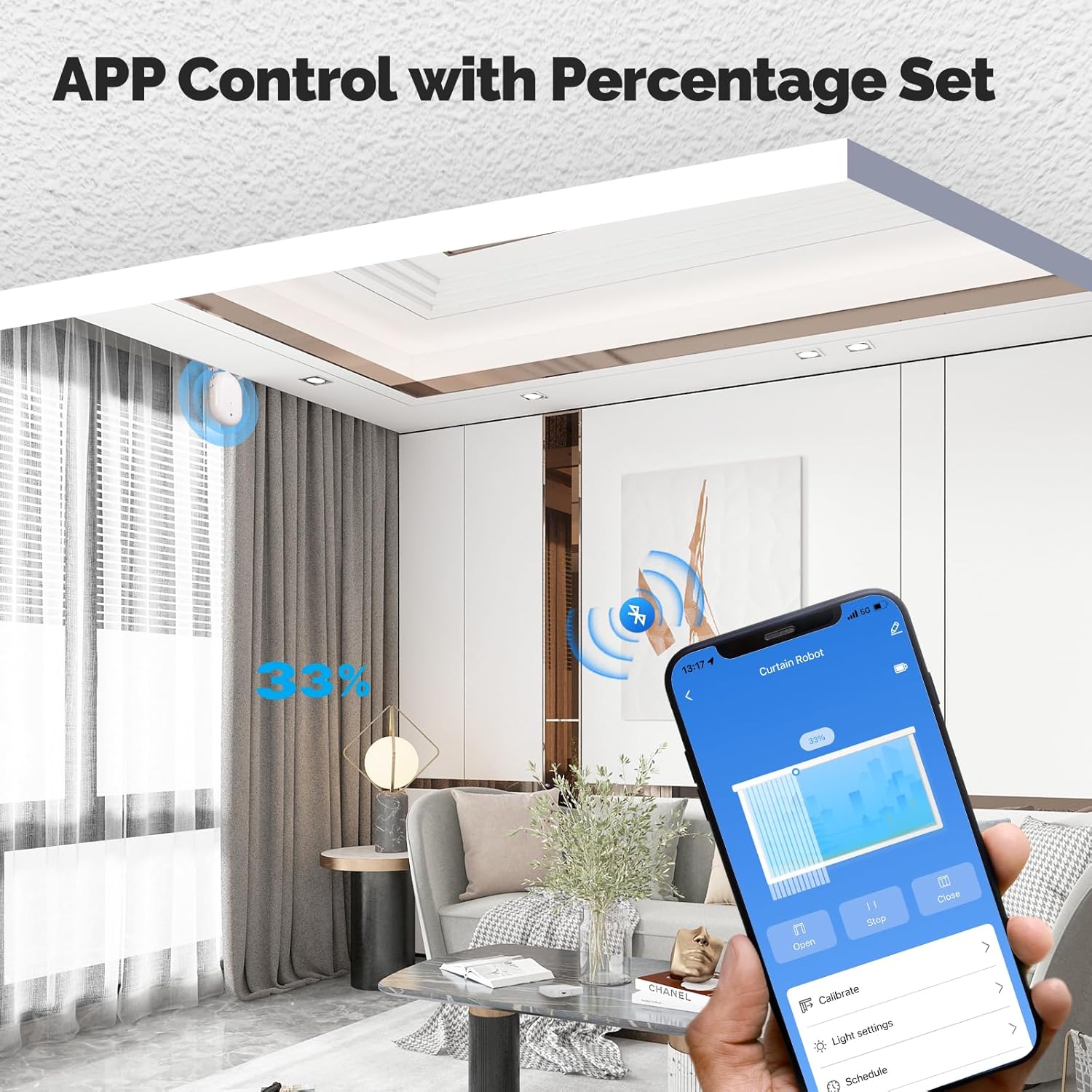
Image 5: The Smart Life App interface for controlling the curtain robot, including percentage tetapan.
3.2 Kawalan Suara
Integrate with Google Assistant or Alexa (via a Bluetooth gateway) to control your curtains with simple voice commands.
3.3 Penjadualan dan Automasi
Set schedules for automatic opening and closing of your curtains through the Smart Life App. You can also create intelligent linkages with other smart devices, for example, having curtains open automatically when a smart door lock is disengaged.

Imej 6: Cthample of the timing function for automatic curtain operation.
3.4 Manual Start and Safety Features
- Permulaan Manual: Gently pull the curtain for more than 10cm, and the robot will automatically complete the opening or closing action. This feature works even without electricity.
- Inductive Resistance and Stop: If the curtain encounters resistance (e.g., an obstruction) during operation, it will automatically stop to prevent damage or injury.
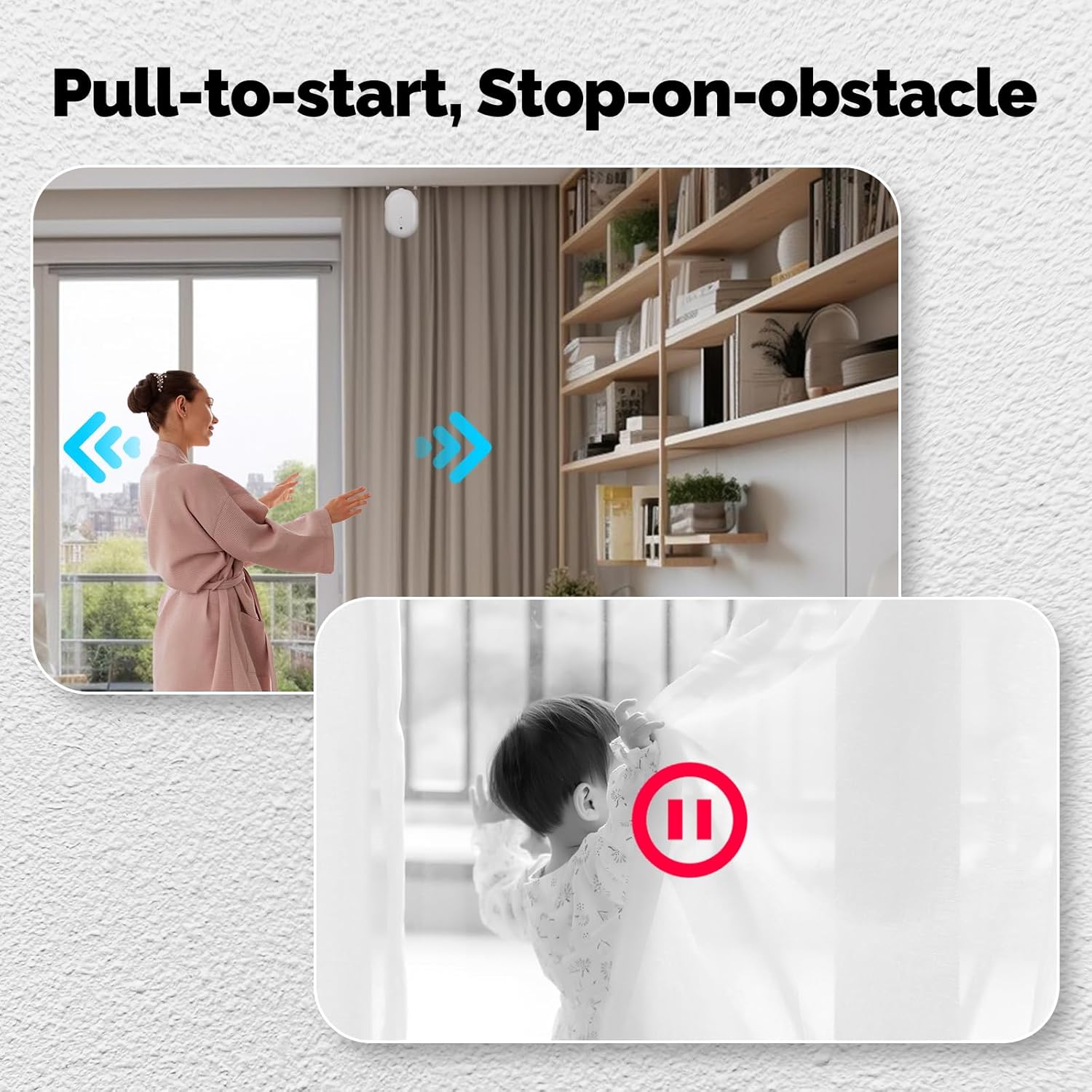
Image 7: Demonstration of the manual pull-to-start and obstacle detection features.
3.5 One-way / Two-way Curtain Solutions
The system supports both one-way and two-way curtain configurations:
- For one-way curtains, a single curtain robot is sufficient for intelligent control.
- For two-way curtains (center opening), it is recommended to use two curtain robots to achieve synchronized opening and closing.
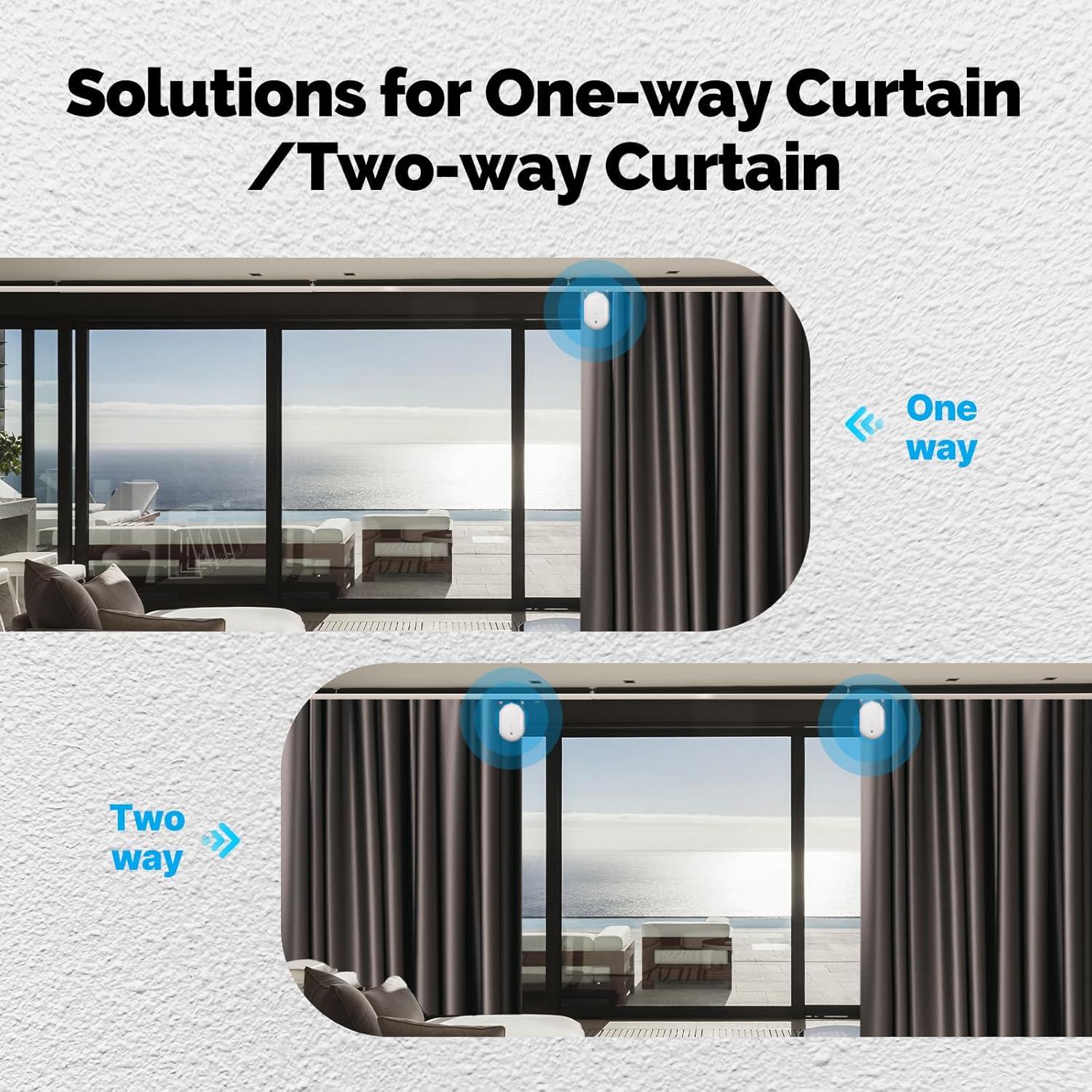
Image 8: Visual guide for setting up one-way or two-way curtains.
4. Penyelenggaraan
- Regularly check battery levels and replace AA batteries as needed.
- Keep the device clean and free from dust to ensure optimal performance. Use a soft, dry cloth for cleaning.
- Ensure the curtain track is clear of obstructions to prevent the inductive resistance feature from activating unnecessarily.
- Elakkan daripada mendedahkan peranti kepada suhu atau kelembapan yang melampau.
5. Penyelesaian masalah
- Peranti tidak berpasangan: Ensure batteries are correctly installed and charged. Press and hold the product button for 5 seconds until the blue light flashes to enter pairing mode. Check your Bluetooth gateway connection in the Smart Life App.
- Curtains not moving: Check battery levels. Ensure the device is properly installed on the curtain track and calibrated. Verify there are no obstructions on the track.
- Inaccurate curtain position: Recalibrate the device through the Smart Life App (refer to Section 2.4).
- Kawalan suara tidak berfungsi: Ensure your Bluetooth gateway is connected to your voice assistant (Alexa/Google Home) and the curtain robot is linked to the gateway. Check voice command syntax.
- Device making unusual noise: Check for any physical obstructions on the curtain track or within the device's movement path. Ensure the device is securely attached.
6. Spesifikasi
| Nama Produk | Robot Tirai |
| Nombor Model | Bluetooth curtain robot |
| Pengeluar | MOES |
| Dimensi | 3.35 x 2 x 5.51 inci |
| Berat badan | 266g (lebih kurang) |
| warna | putih |
| Protokol Tanpa Wayar | Bluetooth |
| Suhu Operasi | 0°C - 45°C |
| Bekalan Kuasa | 3 x Bateri AA (tidak termasuk) |
| Komponen yang Disertakan | Curtain Robot *1 |
7. Waranti dan Sokongan
Untuk maklumat waranti dan sokongan teknikal, sila rujuk kepada pegawai pengilang webtapak atau hubungi peruncit anda. Simpan resit pembelian anda untuk tuntutan waranti.


