
1. Pengenalan
Welcome to the Noise ColorFit Pulse 4 Pro Smartwatch user manual. This guide provides essential information for setting up, operating, and maintaining your new smartwatch. Please read this manual thoroughly to ensure proper use and to maximize your device's features.
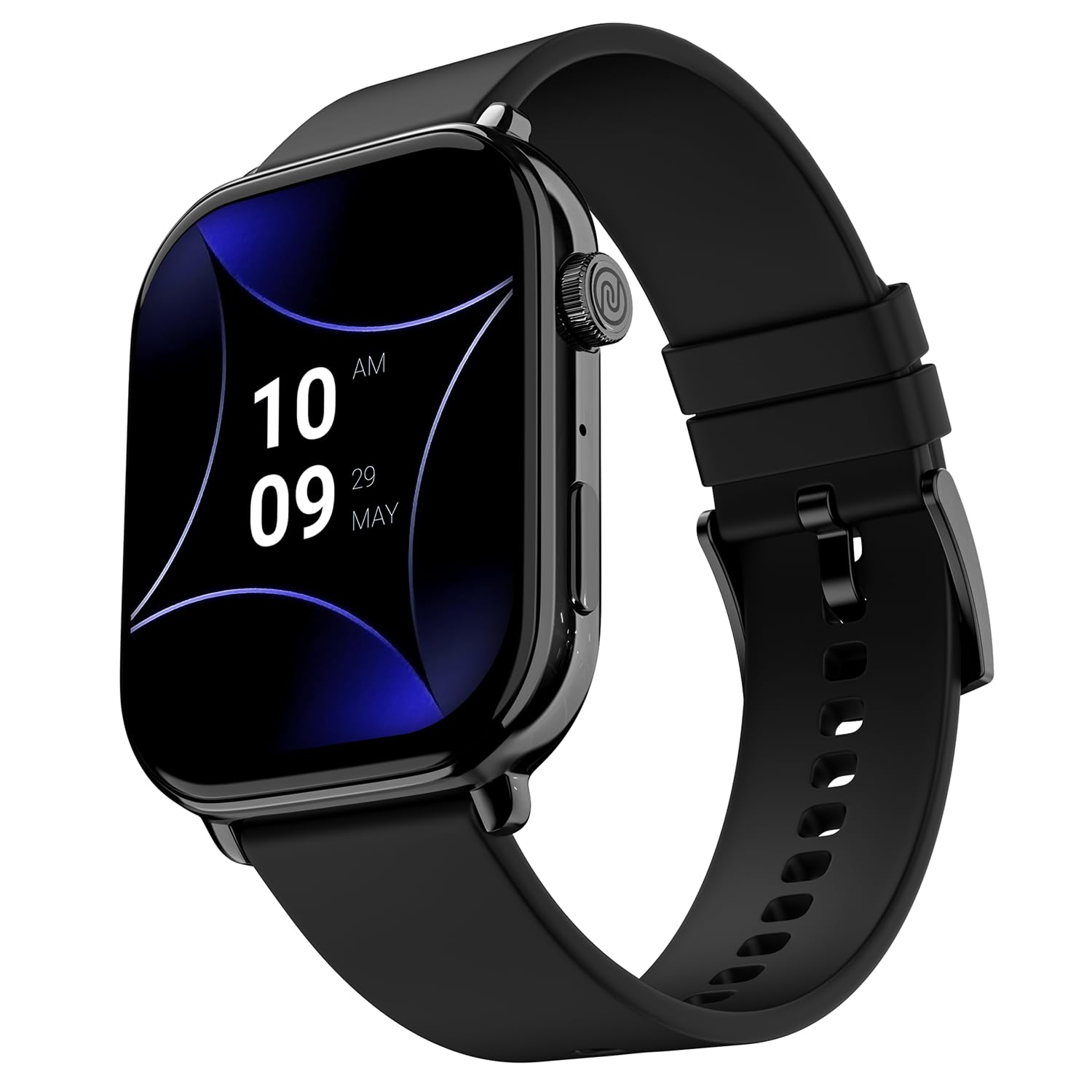
Image 1.1: The Noise ColorFit Pulse 4 Pro Smartwatch in Jet Black.
2. Apa yang ada di dalam Kotak
Upon unboxing your Noise ColorFit Pulse 4 Pro Smartwatch, please verify that all the following items are included:
- Noise ColorFit Pulse 4 Pro Smartwatch
- Pengecas Magnetik
- Manual Pengguna (dokumen ini)
- Kad Waranti
Video 2.1: Tamatview of the Noise ColorFit Pulse 4 Pro Smartwatch and its contents, including the watch, color options, and items found in the box.
3. Persediaan
3.1 Pengecasan Awal
Before first use, fully charge your smartwatch. Connect the magnetic charger to the charging pins on the back of the watch and plug the USB end into a power adapter (not included) or a computer's USB port. The watch display will indicate charging status.
3.2 Muat Turun Apl dan Berpasangan
To unlock the full potential of your smartwatch, download the Kebisingan application on your smartphone. The app is compatible with both Android and iOS devices.
- Scan the QR code below or search for 'NoiseFit' in your smartphone's app store.
- Install and open the NoiseFit app.
- Follow the on-screen instructions in the app to create an account and pair your smartwatch via Bluetooth. Ensure Bluetooth is enabled on your smartphone.
- Sahkan permintaan berpasangan pada telefon pintar dan jam tangan pintar anda.

Image 3.1: The smartwatch display showing a QR code for payments, which can also be used to illustrate app download. For app download, please refer to the official NoiseFit app store page or pautan ini.
4. Arahan Operasi
4.1 Hidupkan/Mati Kuasa
- Hidupkan kuasa: Press and hold the functional crown button on the side of the watch until the Noise logo appears.
- Matikan: Swipe down from the watch face, tap the settings icon, then select 'Power Off'. Alternatively, press and hold the functional crown button and select 'Power Off' when prompted.
4.2 Navigasi
The Noise ColorFit Pulse 4 Pro features a responsive touchscreen and a functional crown for intuitive navigation.
- Skrin sentuh: Swipe left, right, up, or down to access different menus, notifications, and widgets. Tap to select items.
- Mahkota Fungsian: Rotate the crown to scroll through lists and menus. Press the crown to return to the watch face or to confirm a selection.

Imej 4.1: Terperinci view of the functional crown on the Noise ColorFit Pulse 4 Pro Smartwatch, used for navigation.
4.3 Paparan
The smartwatch features a 1.96-inch AMOLED display with Always-on Display functionality for clear visibility and quick access to information.

Image 4.2: The smartwatch display highlighting its 1.96-inch AMOLED screen with Always-on Display capabilities.
5. Pemantauan Kesihatan
The Noise ColorFit Pulse 4 Pro integrates the Noise Health Suite™ to help you monitor various aspects of your well-being. Access these features via the watch menu or the NoiseFit app.
- 24*7 Heart Rate Monitor: Menjejaki kadar denyutan jantung anda secara berterusan sepanjang hari.
- SpO2 Measure: Mengukur tahap ketepuan oksigen darah anda.
- Pemantau Tekanan: Memberikan gambaran tentang tahap tekanan anda.
- Monitor Tidur: Tracks your sleep patterns, including awake, REM, and deep sleep stages.
- Breathe Practice: Guided breathing exercises to help you relax.
- Penjejak Basikal Wanita: Membantu mengesan dan meramalkan kitaran haid.

Image 5.1: An illustration of the Noise Health Suite™ features available on the smartwatch.
6. Ciri Pintar
6.1 Panggilan Bluetooth
Stay connected directly from your wrist. The Noise ColorFit Pulse 4 Pro supports Bluetooth calling, allowing you to make and receive calls without reaching for your phone.
- PAD dail: Use the on-screen dial pad to initiate calls.
- Kenalan Kegemaran: Save up to 10 favorite contacts for quick dialing.
- In-built Speaker: Listen to calls directly from the watch.

Image 6.1: The smartwatch interface displaying Bluetooth calling options.
6.2 AI Voice Assistance
Control your smartwatch and connected devices using voice commands. Simply activate the AI Voice Assistant and speak your commands.

Image 6.2: The smartwatch displaying the AI Voice Assistance feature, ready for voice commands.
6.3 QR Code Payments
Facilitate quick and convenient payments directly from your wrist by displaying your UPI QR code on the smartwatch screen.
6.4 Security and Convenience Features
- Scheduled DND: Set specific time windows during which notifications will be silenced.
- Perlindungan Kata Laluan: Secure your smartwatch with a password to prevent unauthorized access.

Image 6.3: Smartwatch screens illustrating the Scheduled DND and Password Protection functionalities.
7. Penyelenggaraan
7.1 Membersihkan Jam Tangan Pintar Anda
Regular cleaning helps maintain the performance and appearance of your device.
- Lap skrin dan badan dengan kain lembut dan tidak berbulu.
- Untuk kotoran degil, sedikit dampen kain dengan air. Elakkan menggunakan bahan kimia yang keras atau bahan yang melelas.
- Ensure the charging pins are clean and dry before charging.
7.2 Tahan Air
The Noise ColorFit Pulse 4 Pro is rated IP68 for water resistance, meaning it can withstand immersion in water up to 1.5 meters for a limited time. It is suitable for daily use, such as hand washing or light rain. However, it is not recommended for swimming, diving, or high-pressure water activities.
7.3 Garis Panduan Pengecasan
Use only the provided magnetic charger. Do not attempt to charge the watch if it or the charger is wet. Avoid exposing the charger to extreme temperatures.
8. Penyelesaian masalah
If you encounter issues with your Noise ColorFit Pulse 4 Pro Smartwatch, refer to the following common solutions:
- Tonton tidak dihidupkan: Pastikan jam tangan dicas sepenuhnya. Sambungkannya ke pengecas magnet dan tunggu beberapa minit sebelum cuba menghidupkannya semula.
- Tidak boleh berpasangan dengan telefon pintar: Make sure Bluetooth is enabled on your phone and the watch is within range. Restart both devices and try pairing again through the NoiseFit app.
- Data kesihatan tidak tepat: Pastikan jam tangan dipakai dengan kemas di pergelangan tangan anda, tidak terlalu ketat atau terlalu longgar. Bersihkan sensor di bahagian belakang jam tangan.
- Pemberitahuan tidak muncul: Check notification settings in the NoiseFit app and on your smartphone. Ensure the app has necessary permissions.
- Hayat bateri pendek: Reduce screen brightness, disable unnecessary features like Always-on Display, and limit background app refresh.
For persistent issues, consult the NoiseFit app's help section or contact customer support.
9. Spesifikasi
Key technical specifications for the Noise ColorFit Pulse 4 Pro Smartwatch:
| Jenis Paparan | AMOLED |
| Saiz Skrin | 1.96 Inci |
| Bahan Band | silikon |
| Bahan Kes | Aloi Zink |
| Berat Barang | 45 Gram |
| Teknologi Ketersambungan | Bluetooth |
| Penilaian Ketahanan Air | IP68 (1.5 Metres) |
| Sistem Operasi | Android (Serasi) |
| Peranti Serasi | Laptop, Smartphone, Tablet (Android, iOS) |
| Metrik Diukur | Calories Burned, Distance, Heart Rate, Step Count |
| Ciri Khas | Activity Tracker, Alarm Clock, Lightweight, Notifications, Touchscreen, Voice Call |
10. Waranti dan Sokongan
10.1 Maklumat Waranti
The Noise ColorFit Pulse 4 Pro Smartwatch comes with a Waranti terhad 1 tahun provided by the manufacturer from the date of purchase. Please retain your purchase receipt and warranty card for any warranty claims.
10.2 Sokongan Pelanggan
For technical assistance, warranty claims, or any other inquiries, please contact Noise customer support:
- telefon: 02268056289
- e-mel: help@nexxbase.com
- Pengeluar: Nexxbase Marketing Pvt. Ltd, Khasra No-146/25/2/1, Jail Road Badshahpur, Gurugram Haryana-122101