
pengenalan
This manual provides comprehensive instructions for the safe and efficient use of your FOCHEW 120W USB C Charger Block. Designed with advanced GaN IV technology and built-in retractable cables, this 4-in-1 charging station offers a powerful and convenient solution for charging multiple devices simultaneously. Please read this manual thoroughly before operation and retain it for future reference.
Produk Selesaiview
Ciri-ciri Utama:
- Reka Bentuk Semua-dalam-Satu: Features two built-in retractable cables (USB-C and Lightning) for a clutter-free charging experience. The foldable plug enhances portability.
- Jangkauan Kabel Lanjutan: Durable retractable cables extend up to 27.56 inches (70 cm) for flexible use and retract smoothly for storage.
- 120W Multi-Port Charging: Capable of powering up to four devices simultaneously via its USB C1 Port, USB-A Port, built-in USB-C Cable, and built-in Lightning Cable. Supports PD and PPS protocols.
- 65W Laptop Charging: The dedicated USB C1 top port delivers up to 65W, ideal for quickly charging laptops like the MacBook Pro 13" (up to 46% in 30 minutes).
- GaN IV Technology: Utilizes Gallium Nitride (GaN IV) chip for a compact, lightweight design (50% smaller/lighter than traditional chargers) with enhanced charging efficiency, minimal heat generation, and stable power delivery.
- Keserasian Luas: Compatible with a broad range of USB-C and Lightning devices, including MacBooks, iPads, iPhones (16/15/14/13/12/11/X/8/7/6/SE series), Samsung Galaxy phones and tablets, Google Pixel devices, and more.
Komponen:
- 1x FOCHEW 120W USB C Charger Block (Model: HX100P4)
- 1x Product Instruction Manual (this document)

Rajah 1: Depan view of the FOCHEW 120W USB C Charger Block, showcasing its compact design, foldable plug, and integrated USB-C and Lightning cables, along with the USB-A and USB-C ports.

Figure 2: The charger with its built-in retractable cables fully extended, demonstrating their length and the various charging interfaces available on the device.
Spesifikasi
| Atribut | Perincian |
|---|---|
| Jenama | FOCHEW |
| Nombor Model | HX100P4 |
| Wattage | 120W (Max Total Output) |
| Input Voltage | 240 Volt |
| Ketersambungan | 1x USB-A Port, 1x USB-C Port, 1x Built-in USB-C Cable, 1x Built-in Lightning Cable |
| Cable Length (Retractable) | Sehingga 27.56 inci (70 cm) |
| Teknologi | GaN IV (Gallium Nitride) |
| Dimensi | 4.76 x 4.61 x 1.61 inci |
| Berat badan | 8.8 auns |
| Pengeluar | Dongguan Yuanhaoxun Technology Co., Ltd. |

Rajah 3: Terperinci view of the charger's compact dimensions, foldable plug, internal GaN IV chip, and safety certifications.
Persediaan
- Buka Pembungkusan Pengecas: Carefully remove the FOCHEW 120W USB C Charger Block and this instruction manual from the packaging.
- Buka Palam: Buka penutup pengudaraan (AC) dari badan pengecas dengan lembut sehingga terkunci di tempatnya.
- Sambung ke Alur Kuasa: Insert the charger's prongs into a standard wall power outlet (compatible with 240 Volts input).
- Extend Cables (Optional): To use the built-in retractable cables, gently pull both ends of the desired cable simultaneously until it reaches the desired length (up to 27.56 inches / 70 cm). Do not pull only one side, as this may damage the retraction mechanism.
- Sambungkan Peranti: Plug your devices into the appropriate ports or cables:
- For laptops requiring up to 65W, use the top USB-C1 port.
- For other USB-C devices, use the built-in USB-C cable or the additional USB-C port.
- For Lightning devices (e.g., iPhones, iPads), use the built-in Lightning cable.
- For standard USB-A devices, use the USB-A port.
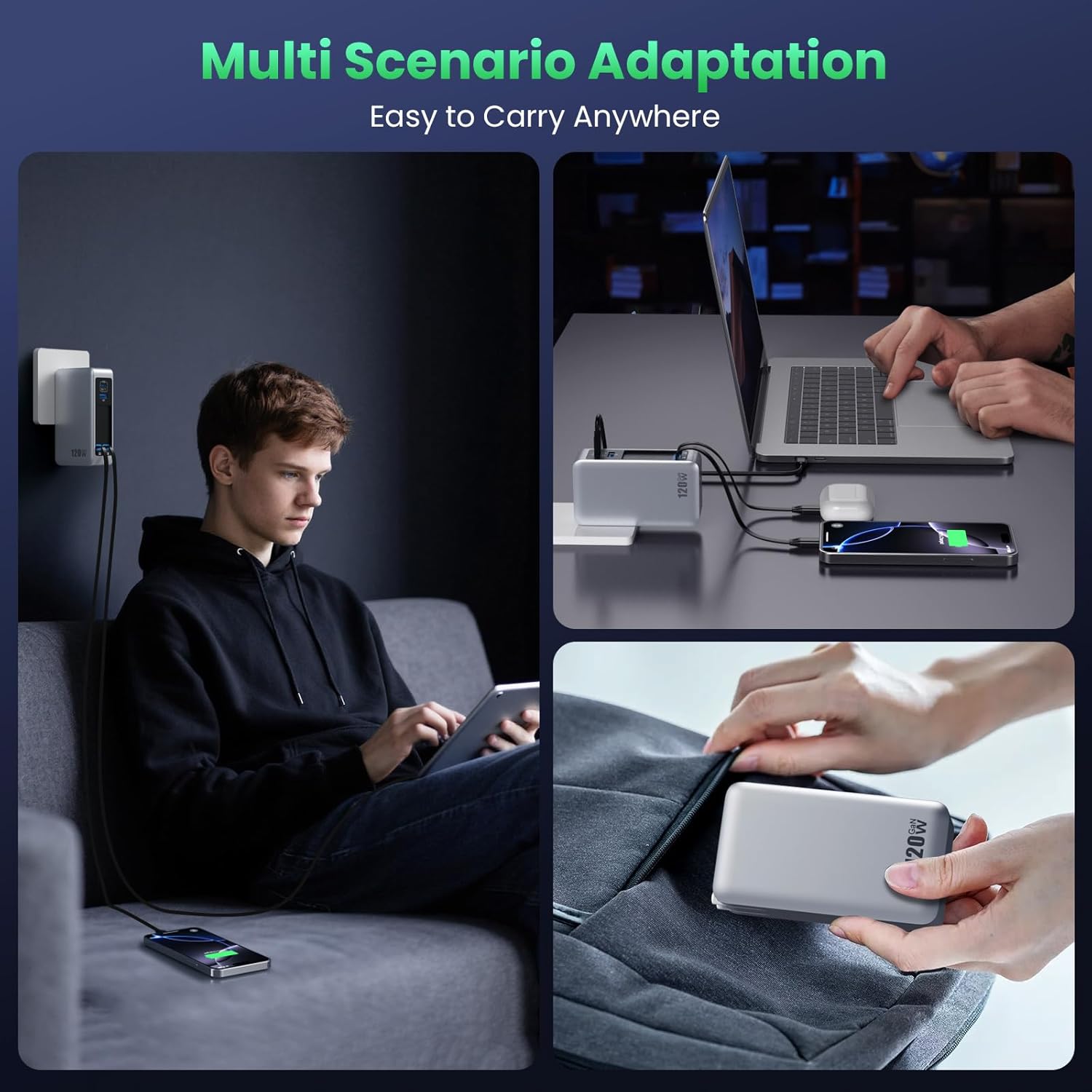
Figure 4: The charger adapting to various environments, from wall charging to desktop use and portable storage.
Arahan Operasi
The FOCHEW 120W USB C Charger Block is designed for intuitive operation. Simply connect your devices, and the charger will automatically detect and deliver the optimal charging current.
Pengecasan Berbilang Peranti:
This charger can power up to four devices simultaneously. The total output is dynamically distributed up to 120W across all active ports and cables. For optimal performance, consider the power requirements of your devices:
- The 65W USB-C1 port is best for high-power devices like laptops.
- The remaining ports and cables will share the available wattage, providing efficient charging for smartphones, tablets, earbuds, and other accessories.

Figure 5: Illustration of the charger's ability to charge four devices concurrently, highlighting its 120W total power output and 65W PD max for laptops.
Retracting Cables:
To retract the built-in cables, gently pull both ends of the cable again. The cable will smoothly retract back into the charger body. Ensure both ends are pulled evenly to prevent tangling or damage to the retraction mechanism.
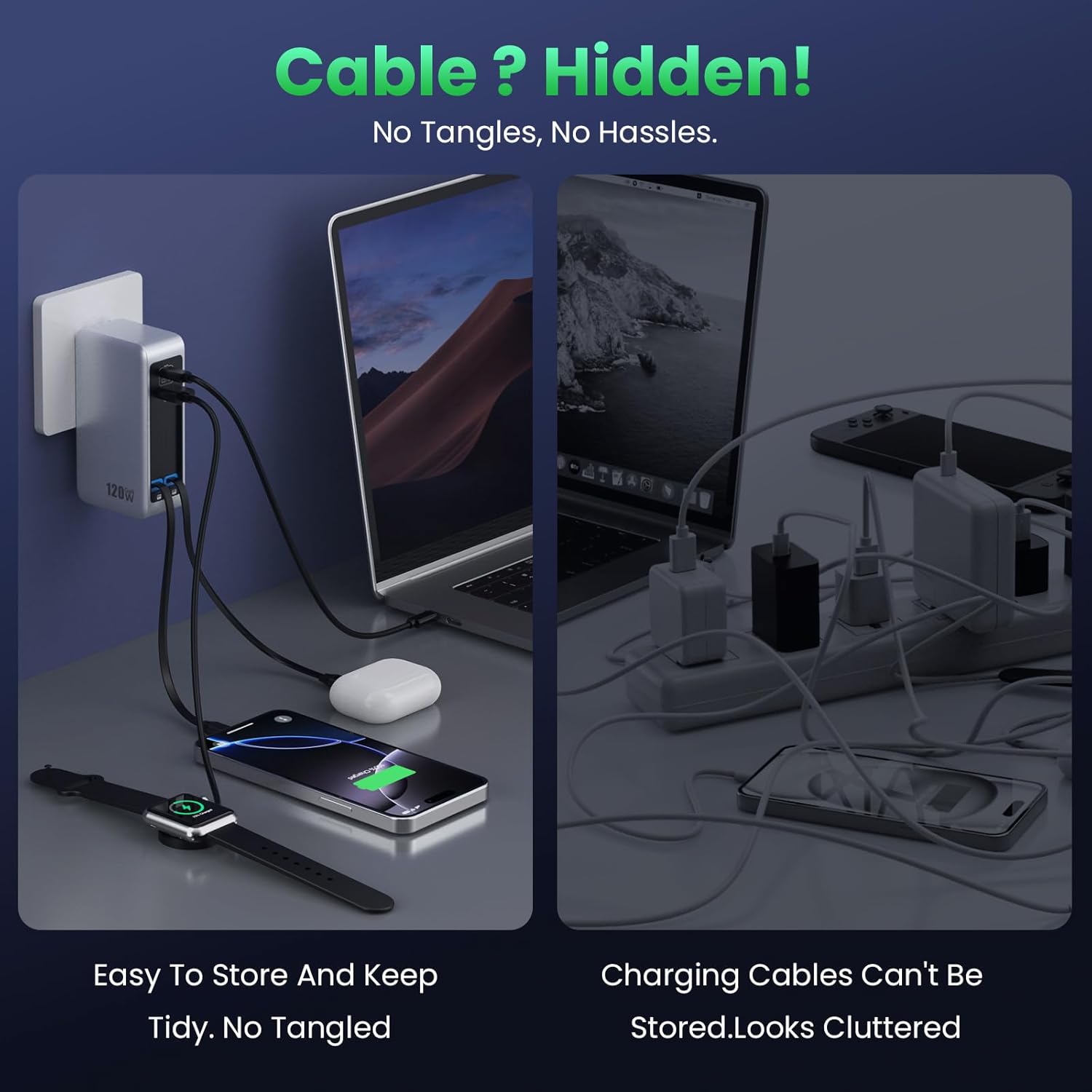
Figure 6: Visual demonstration of how the hidden retractable cables contribute to a tidy charging space compared to traditional chargers with external cables.
Penyelenggaraan
- Pembersihan: Putuskan sambungan pengecas daripada salur keluar kuasa dan semua peranti sebelum membersihkan. Gunakan kain lembut dan kering untuk mengelap permukaan. Jangan gunakan pembersih cecair atau aerosol.
- Storan: When not in use, ensure the foldable plug is tucked away and the retractable cables are fully retracted. Store the charger in a cool, dry place away from direct sunlight and extreme temperatures.
- Pengendalian: Elakkan daripada menjatuhkan pengecas atau terkena impak yang kuat. Jangan cuba membuka atau mengubah suai pengecas, kerana ini akan membatalkan jaminan dan boleh menyebabkan kerosakan atau kecederaan.
- Penjagaan Kabel: Always pull both ends of the retractable cables evenly when extending or retracting to prevent internal damage. Avoid excessive force.
Menyelesaikan masalah
| Masalah | Kemungkinan Punca | Penyelesaian |
|---|---|---|
| Charger not powering on/charging devices. | No power from outlet; loose connection; faulty device cable. | Ensure the charger is securely plugged into a working outlet. Check all cable connections. Try a different device cable to rule out cable issues. |
| Kelajuan pengecasan perlahan. | Device not compatible with fast charging; multiple devices connected; cable quality. | Ensure your device supports fast charging protocols (PD/PPS). If charging multiple devices, the total wattage is shared. Try charging fewer devices or use the 65W USB-C1 port for high-power devices. Use original or certified cables. |
| Retractable cables not retracting smoothly. | Uneven pulling; internal mechanism obstruction. | Always pull both ends of the cable simultaneously and evenly. Do not force retraction. If the issue persists, contact customer support. |
| Pengecas berasa hangat semasa digunakan. | Normal operation, especially under heavy load; poor ventilation. | A slight warmth is normal due to GaN technology's efficiency. Ensure adequate ventilation around the charger. If it becomes excessively hot, disconnect immediately and contact support. |
Waranti dan Sokongan
Your FOCHEW 120W USB C Charger Block comes with a product instruction manual. For any problems with product usage, please contact us. We are committed to providing satisfactory customer service and will assist you with any inquiries or issues you may encounter.
Please refer to your purchase documentation or the seller's contact information for specific warranty details and how to reach customer support.