
1. Pengenalan
Welcome to the user manual for your new XINDADA H99 2025 Smartwatch. This manual provides essential information on how to set up, operate, and maintain your device. Please read it carefully to ensure optimal performance and longevity of your smartwatch.
2. Maklumat Keselamatan
- Keselamatan Bateri: Do not attempt to replace the battery yourself. Use only the provided charging cable and adapter. Avoid exposing the device to extreme temperatures or direct sunlight for prolonged periods.
- Tahan Air: The device may have a degree of water resistance; however, it is not waterproof. Avoid submerging the watch in water or exposing it to high-pressure water jets.
- Persekitaran Operasi: Operate the smartwatch within a temperature range of 0°C to 40°C (32°F to 104°F).
- Peranti Perubatan: If you use a pacemaker or other medical electronic equipment, consult your physician before using this device.
- Pelupusan: Dispose of the device and its battery responsibly according to local regulations. Do not dispose of it with household waste.
3. Kandungan Pakej
Sila tandai kotak untuk item berikut:
- XINDADA H99 2025 Smartwatch
- Kabel Pengecasan
- Manual Pengguna
Jika terdapat sebarang barang yang hilang atau rosak, sila hubungi peruncit anda.
4. Produk Lebihview
Familiarize yourself with the components of your XINDADA H99 2025 Smartwatch.

Imej 1: Depan view of the XINDADA H99 2025 Smartwatch, highlighting the main display and the integrated rotatable camera mechanism on the side.

Imej 2: The XINDADA H99 2025 Smartwatch showcasing its 190-degree rotatable pull-out HD camera, designed for versatile photography and video calls.
- Paparan AMOLED: 1.95-inch (4.95 cm) round touchscreen for clear visuals and interactive control.
- Kamera Boleh Berputar: Integrated HD camera that can be rotated for various viewsudut-sudut.
- Butang Kuasa/Fungsi: Located on the side, used for powering on/off, waking the screen, and returning to the home screen.
- Slot Kad SIM: Supports 4G Nano-SIM cards for cellular connectivity.
- mikrofon: Untuk arahan suara dan panggilan.
- Penceramah: For audio output during calls, notifications, and media playback.
- Port Pengecasan: Magnetic charging pins on the back of the watch.
- Penderia: Various sensors for health tracking and device functionality.
5. Persediaan
5.1. Mengecas Jam Pintar
Before first use, fully charge your smartwatch. Connect the magnetic charging cable to the charging pins on the back of the watch and plug the USB end into a power adapter (not included) or a computer's USB port. The screen will indicate charging status.
5.2. Hidupkan/Mati Kuasa
- Hidupkan kuasa: Press and hold the Power/Function button until the XINDADA logo appears.
- Matikan: Press and hold the Power/Function button, then select 'Power Off' on the screen.
5.3. Pemasangan Kad SIM
The XINDADA H99 2025 supports 4G cellular connectivity via a Nano-SIM card.
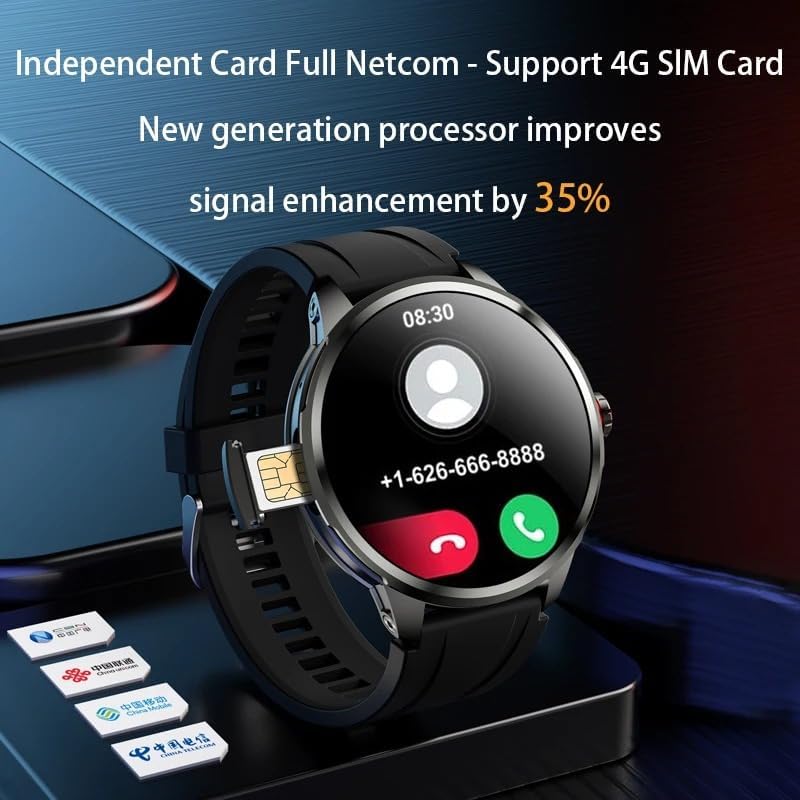
Imej 3: The XINDADA H99 2025 Smartwatch displaying its SIM card slot, indicating support for 4G independent network communication.
- Cari slot kad SIM pada sisi jam pintar.
- Buka dulang kad SIM dengan berhati-hati menggunakan alat yang disediakan (jika berkenaan) atau dengan mencungkilnya perlahan-lahan.
- Insert a Nano-SIM card into the tray with the gold contacts facing down and the notched corner aligned correctly.
- Gently push the SIM card tray back into the slot until it clicks into place.
5.4. Konfigurasi Awal
Upon first power-on, the smartwatch will guide you through initial setup steps:
- Pemilihan Bahasa: Pilih bahasa pilihan anda.
- Masa dan Tarikh: Set the correct time zone and synchronize time.
- Sambungan Wi-Fi: Sambung ke rangkaian Wi-Fi untuk akses internet dan kemas kini perisian.
- Persediaan Akaun: Log in with your Google account or create a new one to access the app store and other Android services.
6. Arahan Operasi
6.1. Navigasi Asas
- Skrin sentuh: Tap to select, swipe to scroll, pinch to zoom (where applicable).
- Skrin Utama: Displays time, date, notifications, and quick access icons.
- Pemberitahuan: Leret ke bawah dari bahagian atas skrin ke view pemberitahuan.
- Tetapan Pantas: Swipe down again or from the top right to access quick settings like Wi-Fi, Bluetooth, brightness.
- Laci Apl: Swipe up from the bottom or press the function button to access all installed applications.
6.2. Calls and Messages
With a 4G SIM card installed, you can make and receive calls and messages directly from your smartwatch.
- Membuat Panggilan: Open the 'Phone' app, dial a number, or select a contact.
- Menerima Panggilan: Tap the green icon to answer or the red icon to decline.
- Pemesejan: Use the 'Messages' app to send and receive SMS.
6.3. Using the Rotatable Camera
The integrated HD camera can be rotated up to 190 degrees for flexible photo and video capture.
- Buka apl 'Kamera'.
- Gently rotate the camera module on the side of the watch to your desired angle.
- Tap the screen to focus and press the shutter button to take a photo or start/stop video recording.
6.4. GPS dan Navigasi
The smartwatch features built-in GPS for location tracking and navigation. Use compatible mapping applications downloaded from the app store.
6.5. Kesambungan Wi-Fi
Untuk menyambung ke rangkaian Wi-Fi:
- Pergi ke 'Tetapan' > 'Rangkaian & Internet' > 'Wi-Fi'.
- Hidupkan Wi-Fi dan pilih rangkaian yang anda inginkan.
- Masukkan kata laluan jika digesa.
6.6. Pemasangan Apl
As an Android OS device, the H99 2025 supports a wide range of applications.
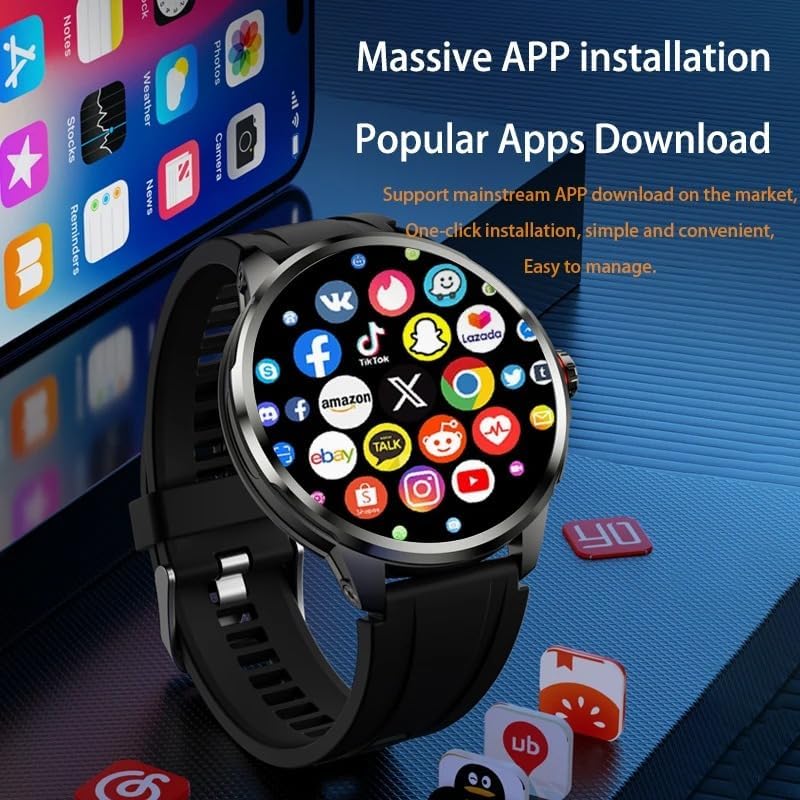
Imej 4: The XINDADA H99 2025 Smartwatch screen showing a grid of popular application icons, illustrating its capability for massive app installation and downloads.
- Open the 'Play Store' app (or equivalent app store).
- Cari untuk the desired application.
- Tap 'Install' to download and install the app.
6.7. Pengecaman Muka
Set up facial recognition for secure unlocking of your smartwatch.
- Go to 'Settings' > 'Security & Location' > 'Face Unlock'.
- Ikut arahan pada skrin untuk mendaftarkan wajah anda.
- Once set up, your watch can be unlocked by recognizing your face.
6.8. Main Semula Media
The large AMOLED screen supports video playback.
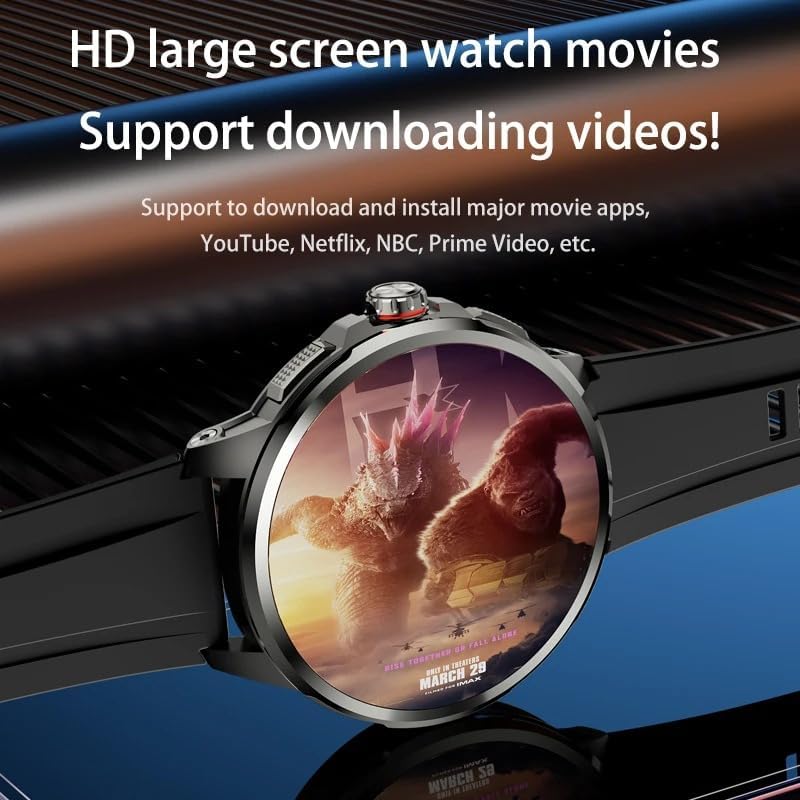
Imej 5: The XINDADA H99 2025 Smartwatch displaying a movie on its HD large screen, demonstrating its capability to download and play videos from various platforms.
Download video streaming apps or transfer video files to the watch's storage to enjoy media on the go.
7. Penyelenggaraan
7.1. Pembersihan
- Lap skrin dan badan jam tangan dengan kain lembut dan tidak berbulu.
- Elakkan menggunakan bahan kimia yang keras atau bahan yang melelas.
- Pastikan sesentuh pengecasan bersih dan kering sebelum mengecas.
7.2. Penyimpanan
When not in use for extended periods, store the smartwatch in a cool, dry place. Charge the battery periodically to prevent deep discharge.
7.3. Kemas Kini Perisian
Regularly check for and install software updates to ensure optimal performance, security, and access to new features. Go to 'Settings' > 'About Watch' > 'Software Update'.
8. Penyelesaian masalah
| Isu | Penyelesaian yang Mungkin |
|---|---|
| Jam tangan tidak boleh dihidupkan | Ensure the battery is charged. Connect to the charger for at least 30 minutes. If still unresponsive, perform a forced restart by holding the Power/Function button for 15 seconds. |
| Tidak dapat bersambung ke Wi-Fi/4G | Check Wi-Fi settings and password. Ensure the SIM card is correctly inserted and activated. Restart the watch and try again. Verify network coverage for 4G. |
| Skrin sentuh tidak bertindak balas | Restart the smartwatch. Ensure the screen is clean and dry. If the issue persists, contact support. |
| Apl ranap atau beku | Close and reopen the app. Clear the app's cache in 'Settings' > 'Apps'. Ensure the watch's software is up to date. |
9. Spesifikasi

Imej 6: Close-up of the XINDADA H99 2025 Smartwatch's 1.95-inch AMOLED HD large screen, highlighting its 720x720 display resolution and 98% Adobe RGB Ultra-Wide Color Gamut.
- model: H99 2025
- Jenama: XINDADA
- Sistem pengendalian: OS Android
- paparan: 1.95-inch (4.95 cm) AMOLED HD Round Display, 720*720 Resolution
- Pemproses: High-performance flagship chip
- Ingatan: 4GB RAM
- Storan: 128GB
- Ketersambungan: 4G (SIM card support), GPS, Wi-Fi, Bluetooth
- kamera: 190° Rotatable HD Camera
- Ciri Khas: Pengecaman Muka
- warna: Silice noire (Black Silicone)
10. Waranti dan Sokongan
For warranty information and customer support, please refer to the warranty card included with your purchase or contact your retailer. Information regarding spare parts availability and software updates beyond the initial period is not available at this time.