pengenalan
This manual provides detailed instructions for the safe and effective use of your Generic Ultrapods Pro Wireless Noise Cancelling Earbuds. Please read this manual thoroughly before using the product and retain it for future reference.
The Ultrapods Pro are designed to deliver high-quality audio with advanced features such as Bluetooth 5.3 connectivity, Environmental Noise Cancellation (ENC), and IPX4 water resistance.
Imej: Depan dan belakang views of the Ultrapods Pro charging case, showcasing its design and the DUOTRONIX branding often associated with Generic products.

Image: People enjoying music and calls with Ultrapods Pro earbuds in different scenarios, highlighting general usage.
Apa yang ada dalam Kotak
- Bluetooth Earbuds (Ultrapods Pro)
- Kabel Pengecasan
- Manual Pengguna
Ciri-ciri Produk
- Bluetooth 5.3: Memastikan sambungan tanpa wayar yang stabil dan cekap.
- 30 Hours Total Playtime: Extended battery life with the included charging case.
- Smart ENC (Environmental Noise Cancellation): Reduces background noise for clear calls.
- IPX4 Splash & Water Resistance: Protects against sweat and light splashes.
- Latensi Rendah 40ms: Provides synchronized audio for gaming and video calls.
- Pengecasan Cepat: 10 minutes of charge provides up to 100 minutes of playback.
- High Fidelity 13mm Drivers: Delivers immersive sound quality.
- Kawalan Sentuh: Intuitive control for media and calls.

Image: A graphic illustrating the noise reduction capability of the earbuds, emphasizing the 'Tune the World Out' feature with 38 dB reduction.
Persediaan
1. Pengecasan Awal
Before first use, fully charge the Ultrapods Pro earbuds and their charging case.
- Letakkan fon telinga ke dalam bekas pengecasan.
- Sambungkan bekas pengecas ke sumber kuasa USB menggunakan kabel pengecas yang disediakan.
- The LED indicator on the case will show charging status. A full charge typically takes approximately 1.5 hours.

Image: The Ultrapods Pro charging case displaying its battery level, indicating the charging status.

Image: Close-up of the Ultrapods Pro charging case featuring a 3D embossed digital power display.
2. Berpasangan Bluetooth
- Buka bekas pengecas. Fon telinga akan memasuki mod berpasangan secara automatik, ditunjukkan oleh lampu LED yang berkelip.
- Pada peranti anda (telefon pintar, tablet, dll.), dayakan Bluetooth dan cari peranti yang tersedia.
- Select "Ultrapods Pro" from the list of found devices.
- Setelah disambungkan, LED fon telinga akan berhenti berkelip dan anda akan mendengar nada pengesahan.
3. Memakai Earbud
Gently insert the earbuds into your ears, ensuring a comfortable and secure fit. Adjust them until the sound is clear and the fit is snug to optimize audio quality and noise cancellation.

Image: An Ultrapods Pro earbud shown correctly positioned within the ear for optimal fit and sound.
Arahan Operasi
Kawalan Sentuh
The Ultrapods Pro feature intuitive touch controls on each earbud.
| Tindakan | Fungsi |
|---|---|
| Ketik Tunggal (Kiri/Kanan) | Main/Jeda Muzik, Jawab/Tamatkan Panggilan |
| Dwiketik (Earbud Kanan) | Trek Seterusnya |
| Dwiketik (Earbud Kiri) | Trek Sebelumnya |
| Ketik Tiga Kali (Kiri/Kanan) | Aktifkan Pembantu Suara |
| Tekan lama (2 saat) | Reject Call, Toggle Gaming Mode (Low Latency) / Normal Mode |
| Tekan lama (3 saat) | Toggle ENC (Environmental Noise Cancellation) On/Off |
Pembatalan Kebisingan Alam Sekitar (ENC)
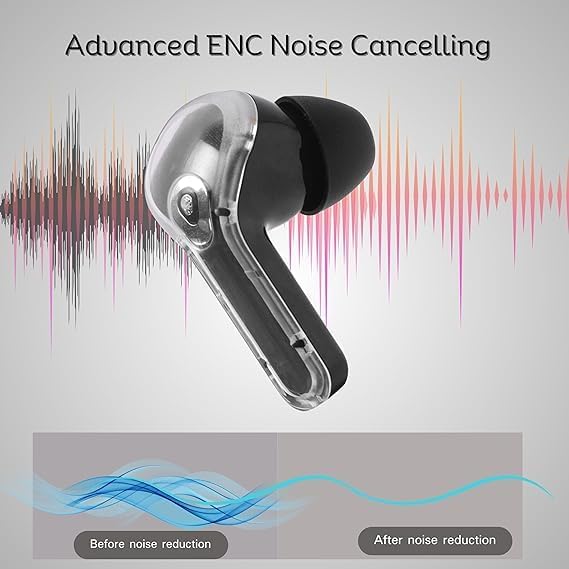
The Ultrapods Pro feature Smart ENC technology to reduce ambient noise during calls, ensuring clearer communication.

Image: A visual representation of how Advanced ENC Noise Cancelling technology reduces background noise for improved audio clarity.

Imej: Meletup view of the earbud highlighting the dual microphones and 10+6mm double moving coil drivers for ENC and sound quality.
Mod Permainan (Latensi Rendah)
Activate Gaming Mode for a low-latency audio experience, ideal for gaming and video playback where audio-visual synchronization is critical.
- To activate: Long press the touch control area for 2 seconds.
- To deactivate: Long press again for 2 seconds.
Penyelenggaraan
Pembersihan
Pembersihan tetap membantu mengekalkan prestasi dan kebersihan yang optimum.
- Gunakan kain lembut, kering dan tidak berbulu untuk mengelap fon telinga dan bekas pengecas.
- Jangan gunakan pembersih yang melelas, alkohol atau pelarut kimia.
- Tanggalkan kotoran telinga atau serpihan dari hujung fon telinga dan jaring pembesar suara dengan lembut menggunakan berus kecil yang bersih atau kapas.
Rintangan Air (IPX4)
The Ultrapods Pro are IPX4 rated, meaning they are resistant to splashes and sweat. They are not designed for submersion in water.
- Avoid exposing the earbuds to running water or heavy rain.
- Do not wear them while swimming or showering.
- If they get wet, wipe them dry thoroughly before placing them back in the charging case or using them.
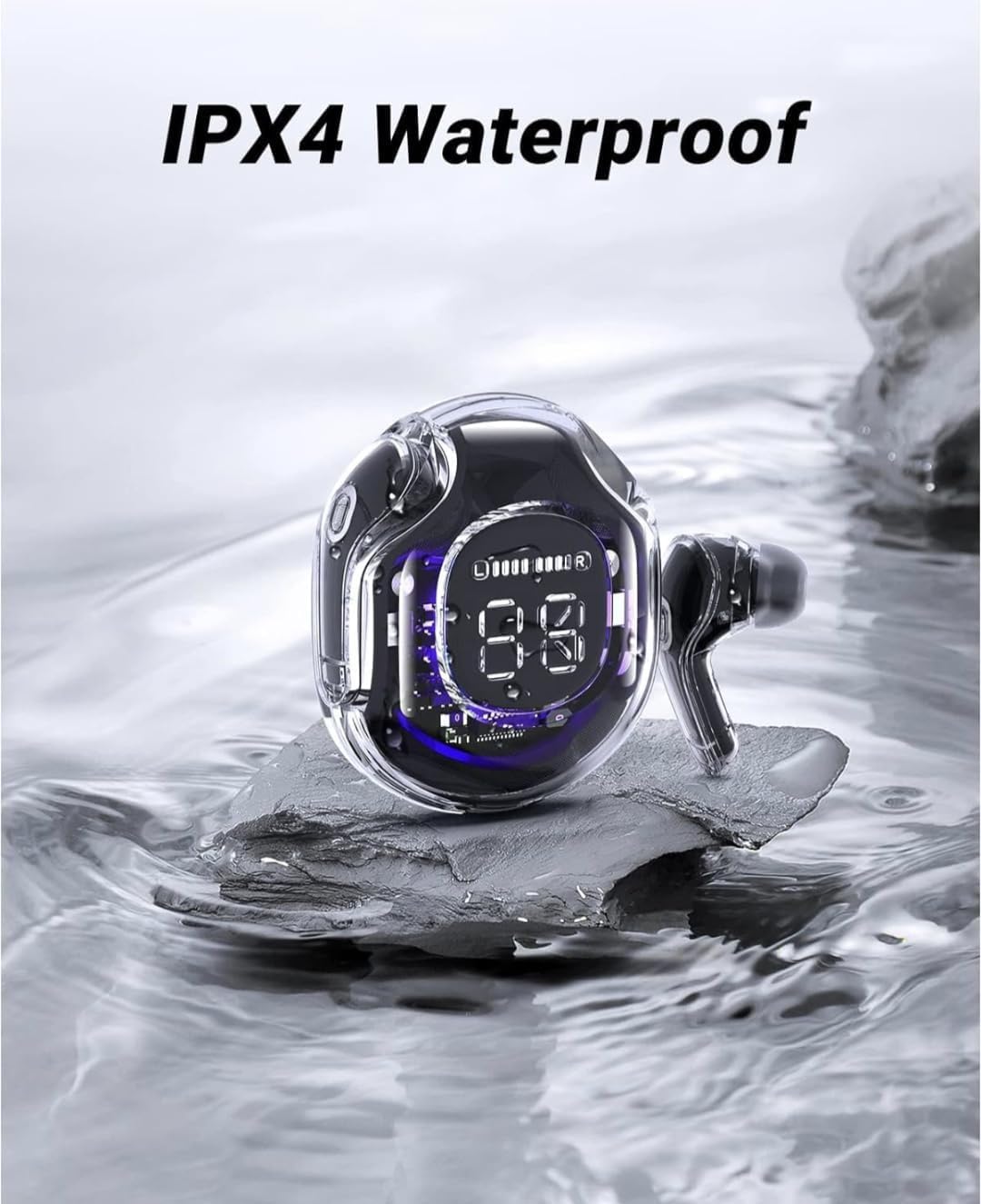
Image: The Ultrapods Pro charging case and earbuds shown with water splashes, illustrating their IPX4 water resistance rating.

Image: A person wearing Ultrapods Pro earbuds while being splashed with water, highlighting the product's IPX4 water resistance against sweat and splashes.
Penyimpanan
Simpan fon telinga dalam bekas pengecasnya apabila tidak digunakan untuk melindunginya dan memastikan ia dicas.
- Keep the product away from extreme temperatures, humidity, and dust.
- Elakkan daripada menjatuhkan atau mendedahkan fon telinga kepada hentaman yang kuat.
Menyelesaikan masalah
| Masalah | Penyelesaian yang Mungkin |
|---|---|
| Fon telinga tidak berpasangan |
|
| Tiada bunyi dari satu fon telinga |
|
| Kes pengecas tidak dicas |
|
| Kualiti panggilan yang lemah |
|
Menetapkan semula Earbud
Jika anda mengalami masalah berterusan, tetapan semula kilang boleh menyelesaikannya.
- Letakkan kedua earbud ke dalam cas pengecasan.
- With the case open, press and hold the reset button (if available, otherwise refer to specific product instructions for a long press on both earbuds simultaneously) for approximately 10-15 seconds until the LED indicators flash rapidly.
- Remove "Ultrapods Pro" from your device's Bluetooth list and re-pair the earbuds.
Spesifikasi
| Ciri | Perincian |
|---|---|
| Nama Model | Ultrapods Pro |
| Teknologi Ketersambungan | Wayarles (Bluetooth) |
| Teknologi Komunikasi Tanpa Wayar | Bluetooth 5.3 |
| Kawalan Bunyi | Pembatalan Kebisingan Alam Sekitar (ENC) |
| Hayat Bateri | Sehingga 30 Jam (dengan kes pengecasan) |
| Masa Mengecas | Approx. 10 minutes for 100 minutes playback (Fast Charging) |
| Tahap Ketahanan Air | IPX4 (Kalis Percikan & Peluh) |
| Jenis Pemacu Audio | Pemacu Dinamik (13mm) |
| Kaedah Kawalan | Sentuh |
| Format Mikrofon | Built-in HD Mic |
| Latensi | 40ms (Low Latency Gaming Mode) |
| bahan | Plastik, Silikon |
| Dimensi Produk | 12 x 8 x 8 cm |
| Berat Barang | 200 g |
Waranti dan Sokongan
Untuk maklumat waranti dan sokongan pelanggan, sila rujuk dokumentasi yang diberikan semasa pembelian atau hubungi peruncit anda. Simpan bukti pembelian anda untuk sebarang tuntutan waranti.


