
1. Produk Lebihview
The AWANFI YG-811 Two-Way Radios provide reliable communication for various activities. This manual details the setup, operation, and maintenance of your device to ensure optimal performance and longevity.
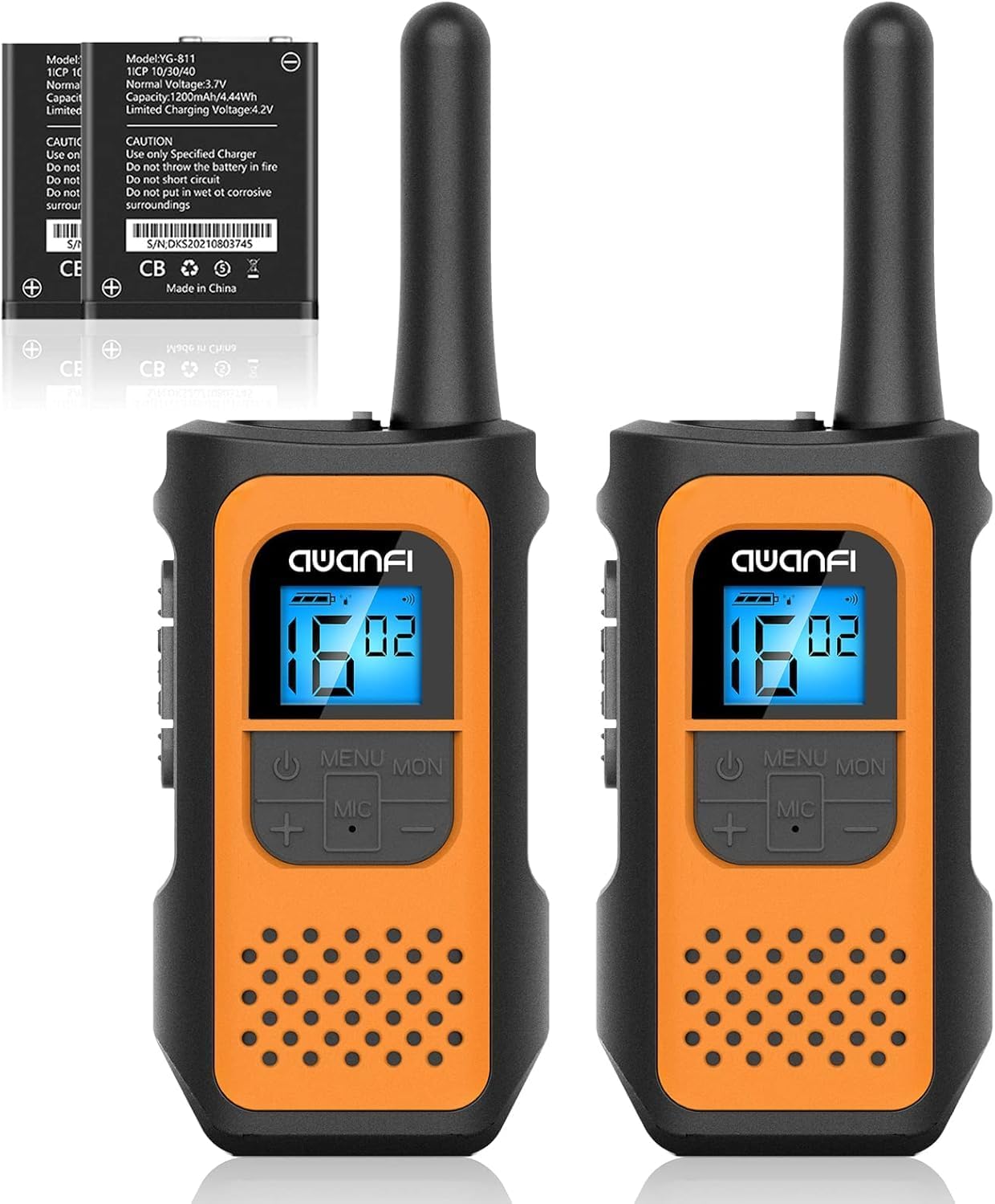
Image 1.1: AWANFI YG-811 Two-Way Radios. This image displays two orange and black walkie-talkies, highlighting their compact design and digital display.
2. Kandungan Pakej
Sila sahkan bahawa semua item terdapat dalam pakej anda:
- 2 x AWANFI Walkie Talkies
- 2 x Klip Tali Pinggang
- 1 x Kabel Jenis-C 2-dalam-1
- 1 x Manual Pengguna (dokumen ini)
3. Ciri-ciri Produk
- Bateri Li-ion 1200mAh yang boleh dicas semula: Menyediakan sehingga 24 jam hayat bateri dengan sekali cas.
- Pengecasan USB Jenis-C: Convenient and efficient charging.
- 22 Saluran: Menawarkan pelbagai pilihan komunikasi.
- 99 Kod Privasi: Ensures private communication.
- VOX (Pertukaran Dikendalikan Suara): Membolehkan komunikasi bebas tangan.
- Lampu suluh bersepadu: Useful for low-light conditions.
- Kunci Pad Kekunci: Mencegah perubahan tetapan secara tidak sengaja.
- Imbasan Auto: Mengimbas secara automatik untuk saluran aktif.
- 10 Call Tone Alerts: Customizable alert sounds.
- Siren SOS: Untuk isyarat kecemasan.
- Reka bentuk padat dan ringan: Easy to carry with included lanyards and belt clips.
- Back-lit Display: Improves visibility in various lighting conditions.
- Pengurangan Bunyi: Enhances audio clarity.
- Sistem Pemadaman: Reduces background noise.
- Perlindungan jatuh: Durable environmental protection shell.
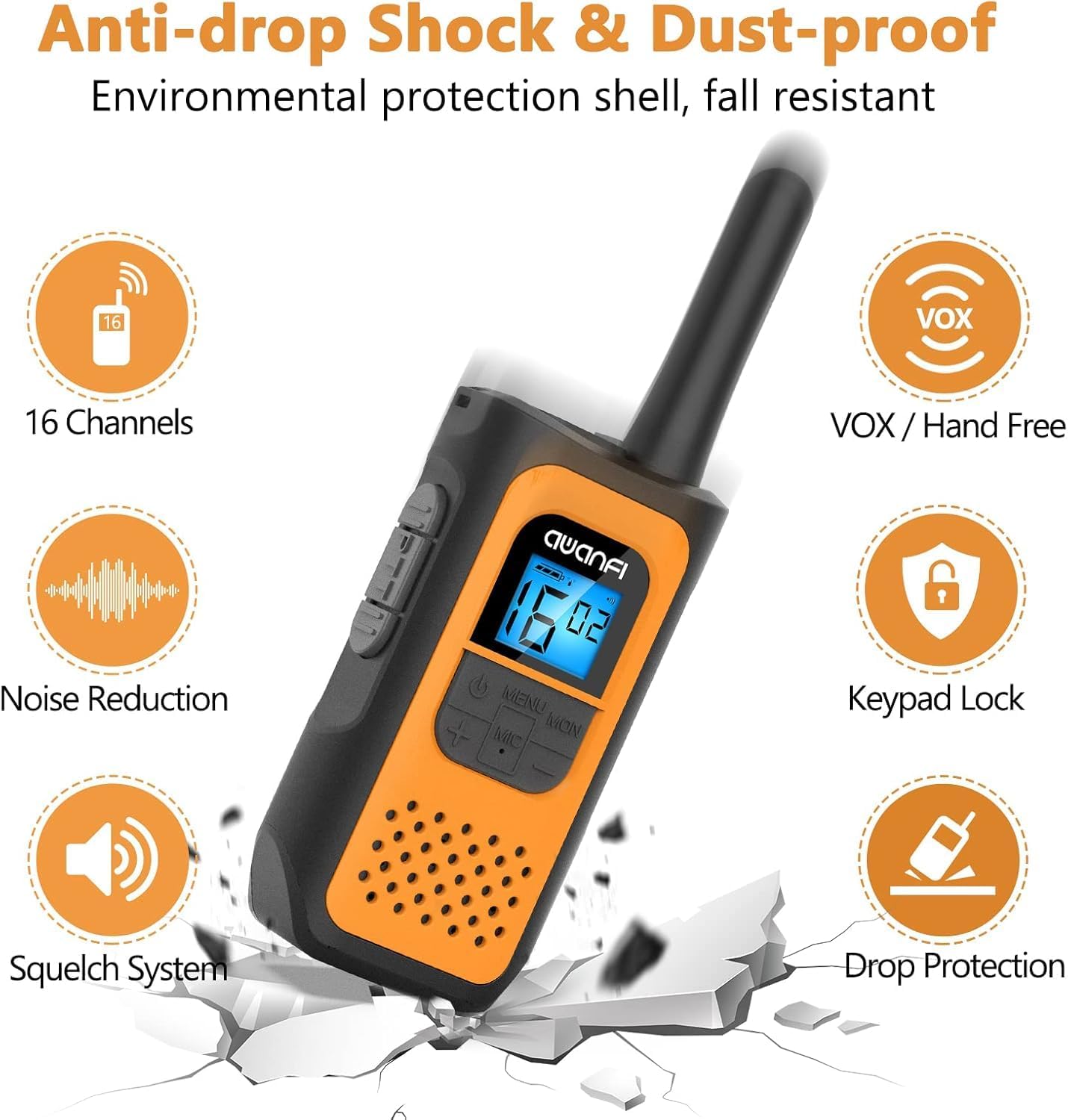
Image 3.1: Key Features of the AWANFI YG-811. This graphic illustrates the main functionalities such as VOX, Keypad Lock, and Noise Reduction.
4. Pengenalan Komponen
Familiarize yourself with the various parts of your AWANFI Two-Way Radio:

Image 4.1: AWANFI YG-811 Component Diagram. This image labels the antenna, earphone jack, charge jack, PTT button, power button, microphone/speaker, LCD display, menu/lock button, up button, and down button.
- Antena: Untuk penghantaran dan penerimaan isyarat.
- Jack fon telinga: Connect external audio accessories.
- Caj Jack: Port USB Jenis-C untuk pengecasan.
- Butang PTT (Tekan Untuk Bercakap): Tekan dan tahan untuk menghantar suara anda.
- Butang Kuasa: Menghidupkan/mematikan radio.
- Mikrofon/Speaker: For speaking and listening.
- Paparan LCD: Menunjukkan saluran, status bateri dan tetapan lain.
- MENU/MON Button: Accesses menu settings or monitors channels.
- UP Button (+): Navigates menu or increases values.
- DOWN Button (-): Navigates menu or decreases values.
5. Persediaan
5.1 Pemasangan Bateri
The AWANFI YG-811 uses a 1200mAh Li-ion battery. Ensure the battery is correctly installed before first use.
- Buka penutup petak bateri di belakang radio.
- Masukkan bateri Li-ion, pastikan sesentuhnya diselaraskan dengan betul.
- Tutup penutup petak bateri dengan selamat.

Image 5.1: Battery Installation and Safety. This image illustrates how to insert the 1200mAh Li-ion battery and highlights its safety features like overcharge protection and IEC62133 certification.
5.2 Mengecas Bateri
Charge the walkie-talkie fully before initial use. Use the provided Type-C cable for charging.
- Connect the Type-C cable to the charge jack on the side of the radio.
- Sambungkan hujung kabel yang satu lagi kepada penyesuai kuasa USB, bank kuasa atau pengecas kereta yang serasi.
- Penunjuk bateri pada paparan LCD akan menunjukkan status pengecasan.
- Pengecasan selesai apabila penunjuk bateri menunjukkan penuh.
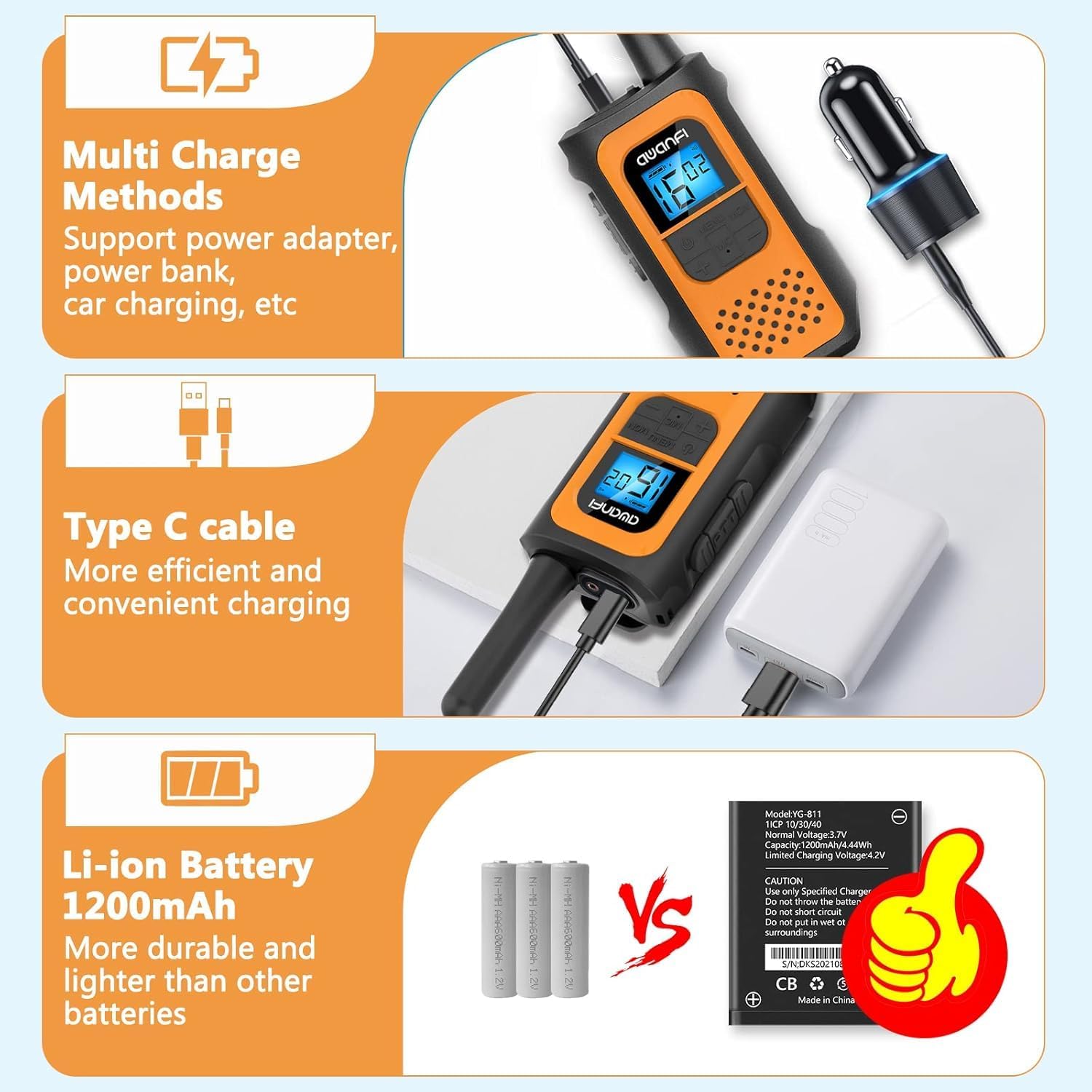
Image 5.2: Multi-Charge Methods. This image demonstrates various ways to charge the walkie-talkie using the Type-C cable, such as with a power adapter, power bank, or car charger.
5.3 Menghidupkan/Mematikan
- Untuk Menghidupkan: Tekan dan tahan Butang Kuasa sehingga paparan LCD menyala.
- Untuk Mematikan: Tekan dan tahan Butang Kuasa sehingga paparan LCD dimatikan.
6. Arahan Operasi
6.1 Memilih Saluran
- Tekan butang MENU untuk masuk ke menu.
- Use the UP (+) or DOWN (-) buttons to navigate to the channel setting.
- Press MENU again to select the channel.
- Use UP (+) or DOWN (-) to choose your desired channel (1-22).
- Press MENU to confirm, then press PTT or wait for the menu to exit automatically.
6.2 Setting Privacy Codes (CTCSS/DCS)
Privacy codes help reduce interference from other users on the same channel.
- Press the MENU button repeatedly until the privacy code setting appears.
- Use UP (+) or DOWN (-) to select a privacy code (01-99).
- Press MENU to confirm, then press PTT or wait for the menu to exit automatically.
- Ensure all radios in your group are set to the same channel and privacy code.
6.3 Menghantar dan Menerima
- Untuk Menghantar: Press and hold the PTT button. Speak clearly into the microphone. Release the PTT button when finished speaking.
- Untuk Menerima: The radio will automatically receive transmissions when the PTT button is not pressed and you are on the same channel and privacy code as the transmitting party.
6.4 Fungsi VOX (Komunikasi Bebas Tangan)
When VOX is enabled, the radio transmits automatically when it detects your voice.

Image 6.1: VOX Function in Use. This image shows two individuals hiking, with walkie-talkies attached to their backpacks, illustrating the convenience of hands-free communication.
- Press the MENU button repeatedly until the VOX setting appears.
- Use UP (+) or DOWN (-) to select a VOX sensitivity level (e.g., 1-3, with 3 being most sensitive). Select 'OFF' to disable.
- Press MENU to confirm, then press PTT or wait for the menu to exit automatically.
6.5 Kunci Pad Kekunci
Untuk mengelakkan perubahan tetapan yang tidak disengajakan:
- Untuk mengunci: Press and hold the MENU/MON button until the lock icon appears on the display.
- Untuk Membuka Kunci: Press and hold the MENU/MON button again until the lock icon disappears.
6.6 Lampu suluh
The integrated flashlight can be activated for illumination in dark environments.
- Consult the specific button assignment in your radio's menu or quick guide for flashlight activation, typically a long press of a specific button (e.g., UP or DOWN button).
6.7 Range Information
The communication range varies depending on terrain and conditions.

Image 6.2: Communication Range. This graphic provides estimated ranges for different environments: up to 5km in mountainous areas, up to 3km in open water, and up to 1.5km in urban neighborhoods.
- Gunung ke Lembah: Sehingga 5 km
- Open Water: Sehingga 3 km
- Kejiranan: Sehingga 1.5 km
7. Penyelenggaraan
7.1 Penjagaan Bateri
- Jangan dedahkan bateri kepada suhu yang melampau.
- Elakkan litar pintas terminal bateri.
- Recharge the battery regularly, even if not in use, to maintain its lifespan.
- Gunakan hanya pengecas yang ditentukan.
7.2 Pembersihan
- Lap radio dengan lembut, damp kain.
- Jangan gunakan bahan kimia atau pembersih kasar.
- Pastikan radio kering sebelum digunakan atau dicas.
7.3 Penyimpanan
- Simpan radio di tempat yang sejuk dan kering apabila tidak digunakan.
- Tanggalkan bateri jika disimpan untuk tempoh yang lama.
7.4 Tahan Air
Please note that the AWANFI YG-811 Two-Way Radio is Bukan Tahan Air. Avoid exposure to water or high humidity to prevent damage.
8. Penyelesaian masalah
| Masalah | Kemungkinan Punca | Penyelesaian |
|---|---|---|
| Tiada kuasa | Bateri lemah atau tidak dipasang dengan betul. | Cas bateri. Pasang semula bateri, pastikan sentuhan yang betul. |
| Tidak boleh menghantar atau menerima | Incorrect channel/privacy code. Out of range. Battery low. | Verify all radios are on the same channel and privacy code. Move closer to other radios. Charge the battery. |
| Kualiti audio yang lemah | Isyarat lemah. Gangguan. | Move to an open area. Change channel/privacy code. |
| Pad kekunci tidak bertindak balas | Kunci pad kekunci aktif. | Unlock the keypad by pressing and holding the MENU/MON button. |
9. Spesifikasi
- Nombor Model: YG-811
- Jenama: AWANFI
- Bilangan Saluran: 22
- Jenis Bateri: 1200mAh Li-ion (Bateri Bukan Standard)
- Julat Percakapan Maksimum: 3 Kilometers (Open Water)
- Tahap Rintangan Air: Bukan Tahan Air
- Pengeluar: Shenzhen yizhongge Electronic Co., Ltd
10. Waranti dan Sokongan
Your AWANFI YG-811 Two-Way Radio comes with a Waranti 1 Tahun dari tarikh pembelian.
For technical support, warranty claims, or further assistance, please contact AWANFI customer service through the retailer where the product was purchased or visit the official AWANFI webtapak.
Sila simpan bukti pembelian anda untuk tujuan waranti.