
1. Pengenalan
Welcome to the world of boAt Nirvana Zenith Pro TWS Earbuds. These earbuds are designed to provide a superior audio experience with advanced features such as Hybrid Adaptive Active Noise Cancellation, Spatial Audio, and Hi-Res Audio with LDAC support. This manual will guide you through the setup, operation, and maintenance of your new earbuds.
2. Apa yang ada di dalam Kotak
- boAt Nirvana Zenith Pro TWS Earbuds
- Kes Pengecasan
- Fon Telinga Tambahan (pelbagai saiz)
- Kabel Pengecasan USB Jenis-C
- Manual Pengguna

Image: boAt Nirvana Zenith Pro TWS Earbuds and Charging Case in Platinum Gold.
3. Persediaan dan Penggunaan Pertama
3.1 Pengecasan Awal
Before first use, fully charge your earbuds and charging case. Connect the USB Type-C cable to the charging port on the case and a power source. The LED indicator on the case will show charging status.
3.2 Berpasangan dengan Peranti Anda
- Buka bekas pengecas. Fon telinga akan memasuki mod berpasangan secara automatik.
- Pada telefon pintar atau peranti lain yang didayakan Bluetooth anda, pergi ke tetapan Bluetooth.
- Cari untuk 'boAt Nirvana Zenith Pro' in the list of available devices.
- Select it to connect. Once connected, you will hear an audio prompt.

Image: Earbuds resting in their open charging case, indicating readiness for Bluetooth pairing.
4. Arahan Operasi
4.1 Kawalan Sentuhan
The boAt Nirvana Zenith Pro features intuitive touch controls on each earbud. Specific functions can be customized via the boAt Hearables App.
| Tindakan | Fungsi |
|---|---|
| Ketik Tunggal (Kiri/Kanan) | Main/Jeda Muzik, Jawab/Tamatkan Panggilan |
| Ketik Dua Kali (Kanan) | Trek Seterusnya |
| Ketik Dua Kali (Kiri) | Trek Sebelumnya |
| Ketik Tiga Kali (Kiri/Kanan) | Aktifkan Pembantu Suara |
| Tekan Lama (Kiri/Kanan) | Toggle ANC/Ambient Mode |
4.2 Active Noise Cancellation (ANC) & Ambient Mode
The earbuds feature 50dB Hybrid Adaptive ANC to minimize external noise, allowing for an immersive listening experience. Ambient Mode allows you to hear your surroundings while still enjoying your audio.

Image: Graphic demonstrating the effectiveness of 50dB Hybrid Adaptive Noise Cancellation.
4.3 Audio Ruang
Experience a theater-like sound from all directions with boAt Spatial Audio, co-tuned by filmmaker Imtiaz Ali. This feature provides a 360-degree immersive audio experience.
Video: Filmmaker Imtiaz Ali discussing the co-tuning of Spatial Audio for an immersive experience.

Image: Visual representation of Spatial Audio creating a 360-degree sound field around the listener.
4.4 Hi-Res Audio with LDAC
The Nirvana Zenith Pro supports Hi-Res Audio powered by the LDAC codec, ensuring high-quality sound transmission and a rich listening experience through its 12mm drivers.

Imej: Terperinci view of the 12mm audio drivers, highlighting Hi-Res Audio and LDAC compatibility.
4.5 boAt Hearables App Compatibility
Unlock Pro Mode and customize your listening experience with the boAt Hearables App. Adjust EQ modes, customize touch functions, control ANC settings, and receive software updates.

Image: Screenshot of the boAt Hearables App, showing various settings and customization options.
Muat turun aplikasi di sini: boAt Hearables App
4.6 Kesambungan Berbilang Titik
Connect and switch seamlessly between two devices simultaneously. For example, watch a movie on your tablet and answer an incoming call on your phone without manually reconnecting.
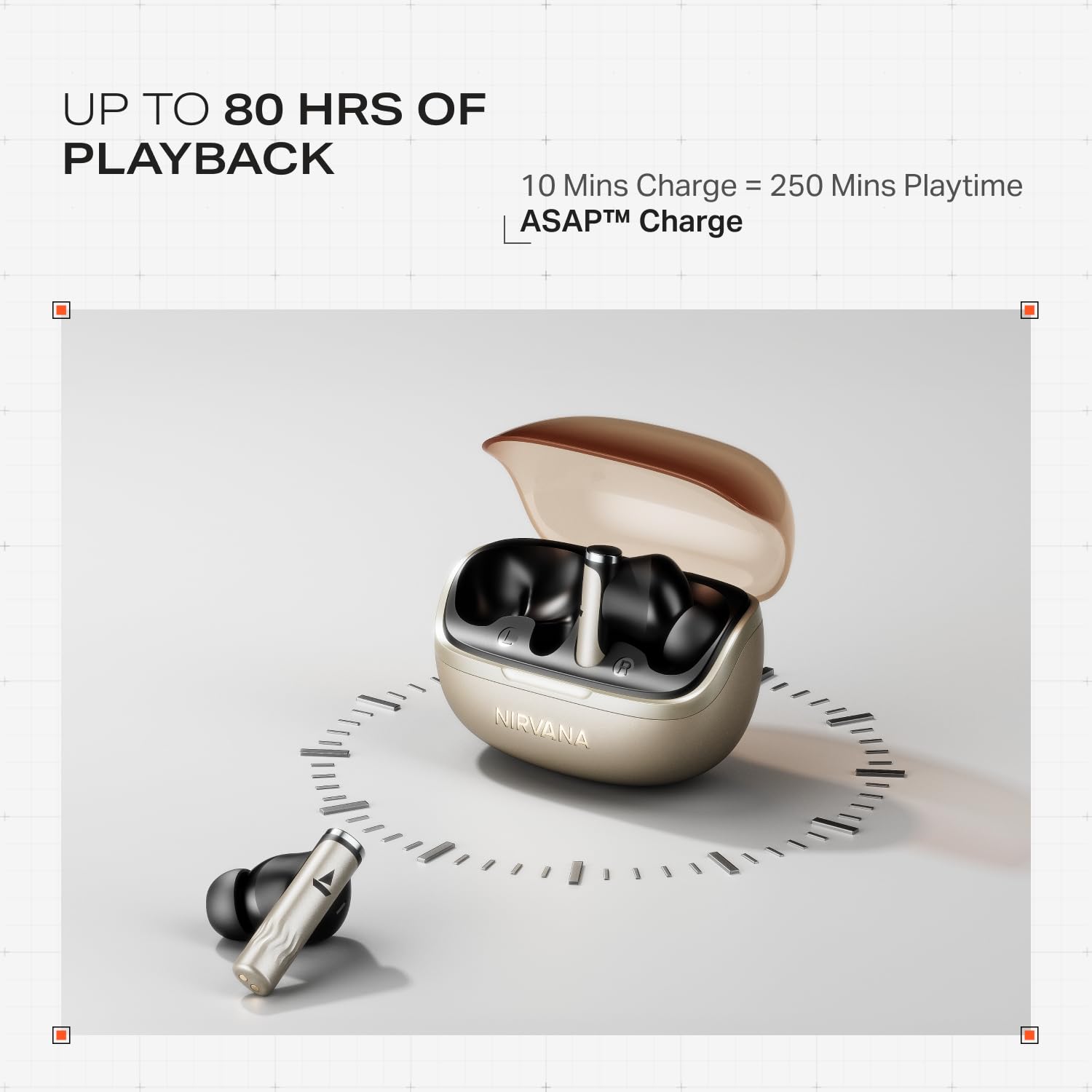
Image: Illustration of multipoint connectivity, with earbuds linked to both a smartphone and a tablet.
4.7 Pengesanan Dalam Telinga
The earbuds automatically pause playback when removed from your ears and resume when placed back in, providing a seamless listening experience.

Image: Diagram showing an earbud in an ear, with text indicating 'Plug-in to Play' and 'Plug-Out to Pause'.
4.8 Beast Mode (Low Latency)
Activate Beast Mode for an ultra-low latency of 60ms, ideal for gaming to ensure synchronized audio and visuals.

Image: A smartphone displaying a racing game, with earbuds positioned nearby, illustrating the Beast Mode for low-latency gaming.
4.9 Google Fast Pair Service
Enjoy quick and effortless pairing with Android devices using Google Fast Pair Service, allowing for instant connection upon opening the case.

Image: A smartphone displaying a Google Fast Pair notification, prompting connection to the Nirvana Zenith Pro earbuds.
5. Mengecas dan Bateri
The earbuds offer up to 80 hours of total playtime with the charging case. The ASAP Charge feature provides 250 minutes of playtime after just 10 minutes of charging.
- Hayat Bateri: Hingga 80 jam (dengan cas pengecasan)
- Caj ASAP: 10 minutes charge = 250 minutes playtime
- Masa Pengecasan Penuh: Approximately 110 minutes for earbuds and case.

Image: Visual representation of the earbuds and charging case, highlighting 80 hours of playback and ASAP Charge capabilities.
6. Penyelenggaraan dan Penjagaan
- Pembersihan: Regularly clean the earbuds and charging contacts with a soft, dry cloth. Avoid using harsh chemicals.
- Storan: Simpan fon telinga dalam bekas pengecasnya apabila tidak digunakan untuk melindunginya dan memastikan ia dicas.
- Tahan Air: The earbuds are IPX4 rated, meaning they are resistant to splashes and sweat. Do not submerge them in water.
Video: A short animation demonstrating the IPX4 water resistance of the earbuds, showing protection against splashes.
7. Penyelesaian masalah
7.1 Fon Telinga Tidak Berpasangan
- Pastikan kedua-dua fon telinga dicas.
- Letakkan semula fon telinga ke dalam bekas, tutup penutup, tunggu beberapa saat, kemudian buka semula untuk memasuki semula mod berpasangan.
- Lupakan peranti daripada tetapan Bluetooth telefon anda dan cuba pasangkan semula.
7.2 Low Volume/Poor Sound Quality
- Semak tahap kelantangan pada kedua-dua peranti anda dan fon telinga.
- Pastikan fon telinga bersih dan bebas daripada serpihan.
- Cuba saiz hujung telinga yang berbeza untuk pengedap yang lebih baik.
- Disable ANC temporarily to see if it improves sound in certain environments.
7.3 Fon Telinga Tidak Mengecas
- Pastikan kabel pengecasan disambungkan dengan selamat pada kedua-dua bekas dan sumber kuasa.
- Bersihkan sesentuh pengecasan pada kedua-dua fon telinga dan sarung.
- Cuba kabel pengecasan atau penyesuai kuasa yang berbeza.
8. Spesifikasi
| Ciri | Perincian |
|---|---|
| Nama Model | Nirvana Zenith Pro |
| Nombor Model | PP0010 |
| Kawalan Bunyi | 50dB Hybrid Adaptive Active Noise Cancellation |
| Codec Audio | LDAC (Hi-Res Audio) |
| Pemandu | Pemacu Dinamik 12mm |
| Mikrofon | 6 Mics with AI-ENx Technology |
| Hayat Bateri | Sehingga 80 Jam (dengan kes) |
| Versi Bluetooth | 5.4 |
| Tahan Air | IPX4 |
| Latensi Rendah | 60ms (Beast Mode) |
| Berat badan | 45 Gram |
9. Waranti dan Sokongan
Your boAt Nirvana Zenith Pro TWS Earbuds come with a Waranti 1 tahun dari tarikh pembelian. Sila simpan resit pembelian anda untuk tuntutan waranti.
For further assistance, technical support, or warranty claims, please visit the official boAt webtapak atau hubungi perkhidmatan pelanggan mereka. Maklumat hubungan biasanya boleh didapati pada pembungkusan produk atau jenama rasmi webtapak.