
1. Pengenalan
This manual provides detailed instructions for the safe and effective use of your AWANFI 2AYV7YG-811 Two-Way Radios. Please read this manual thoroughly before operating the device and retain it for future reference. These radios are designed for reliable communication over short to medium distances, featuring 22 channels and rechargeable batteries.
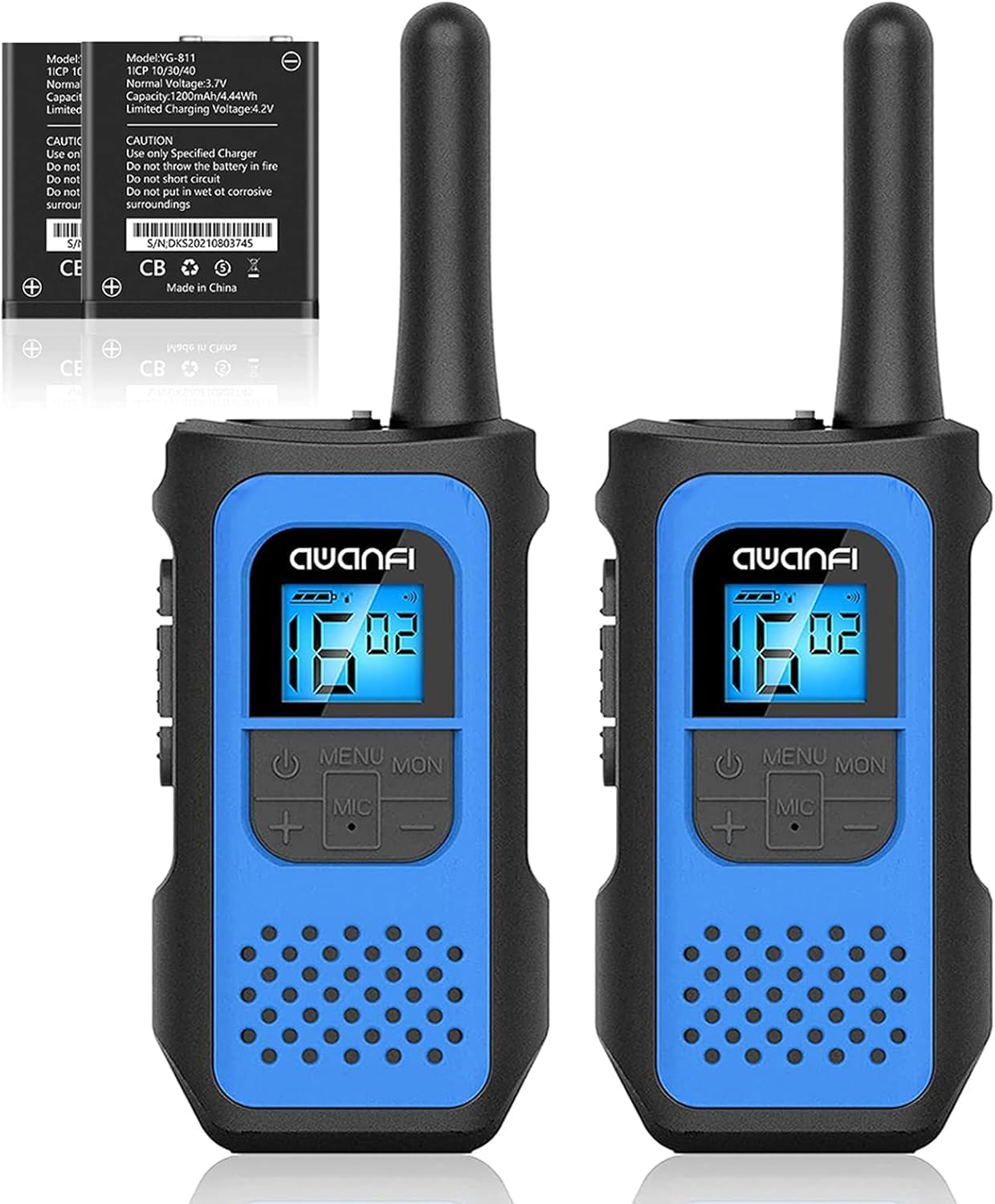
Image 1.1: AWANFI 2AYV7YG-811 Two-Way Radio. This image displays the front view of the AWANFI two-way radio, highlighting its compact design and main controls.
2. Senarai Bahagian
Pastikan semua item yang disenaraikan di bawah terdapat dalam pakej anda:
- 2 x AWANFI Two-Way Radios (Model: 2AYV7YG-811)
- 3 x Klip Tali Pinggang
- 1 x Kabel Pengecas Jenis-C 3-dalam-1
- 1 x Manual Pengguna (dokumen ini)
3. Persediaan
3.1. Pemasangan dan Pengecasan Bateri
- Caj Permulaan: Before first use, fully charge the radios. Connect the 3-in-1 Type-C charging cable to the charging port on the radio and to a compatible USB power adapter (not included).
- Penunjuk Pengecasan: The radio's display or an indicator light will show charging status. A full charge typically takes several hours.
- Jenis Bateri: The radios use 1200mAh Li-ion rechargeable batteries. Do not attempt to replace with non-standard batteries.
3.2. Memasang Belt Clip
- Selaraskan klip tali pinggang dengan slot yang ditetapkan di belakang radio.
- Slide the clip downwards until it clicks securely into place.
- Untuk menanggalkannya, angkat tab pada klip tali pinggang dan luncurkannya ke atas.
4. Operasi
4.1. Hidupkan/Mati Kuasa
- Untuk Menghidupkan: Tekan dan tahan butang Kuasa / Menu butang sehingga paparan menyala.
- Untuk Mematikan: Tekan dan tahan butang Kuasa / Menu butang sehingga paparan dimatikan.
4.2. Pemilihan Saluran
- The radios feature 22 available channels.
- Tekan ke Menu button once to enter channel selection mode.
- Gunakan Up or Bawah butang untuk memilih saluran yang anda inginkan.
- Tekan ke PTT butang atau Menu butang sekali lagi untuk mengesahkan dan keluar.
- Nota: Kedua-dua radio mesti berada pada saluran yang sama untuk berkomunikasi.
4.3. Kod Privasi (CTCSS/DCS)
The radios support 99 privacy codes (CTCSS/DCS) to help reduce interference from other users on the same channel. When a privacy code is set, you will only hear transmissions from radios using the same channel and privacy code.
- Tekan ke Menu button twice to enter privacy code selection mode.
- Gunakan Up or Bawah buttons to select a privacy code.
- Tekan ke PTT butang atau Menu butang sekali lagi untuk mengesahkan.
4.4. Push-to-Talk (PTT)
- Untuk menghantar, tekan dan tahan butang PTT butang yang terletak di sisi radio. Bercakap dengan jelas ke dalam mikrofon.
- Lepaskan PTT butang untuk mendengar jawapan.
4.5. VOX (Pertukaran Beroperasi Suara)
VOX allows for hands-free operation. When activated, the radio will automatically transmit when it detects your voice.
- Tekan ke Menu button multiple times until the VOX icon appears on the display.
- Gunakan Up or Bawah buttons to select a VOX sensitivity level (e.g., 1-3, with 3 being most sensitive).
- Tekan ke PTT butang atau Menu butang sekali lagi untuk mengesahkan.
4.6. Amaran Panggilan
To send an audible alert tone to other radios on the same channel:
- Tekan ke Panggil button (usually a dedicated button or a function accessed via the Menu). The radio will transmit a distinct tone.
4.7. Integrated Flashlight
The radio includes a built-in flashlight for convenience in low-light conditions.
- Tekan ke Lampu suluh button (or a designated function key) to turn the flashlight on or off.
4.8. Kunci Pad Kekunci
Untuk mengelakkan perubahan tetapan yang tidak disengajakan:
- Tekan dan tahan butang Kunci button (or a combination like Menu + Atas/Bawah) until a lock icon appears on the display.
- Repeat the action to unlock the keypad.
4.9. Auto Scan
The Auto Scan feature allows the radio to automatically scan through channels to find active transmissions.
- Tekan ke Imbas button (or a designated function key) to activate channel scanning.
- The radio will stop on an active channel. Press PTT to transmit on that channel or Imbas sekali lagi untuk menyambung semula pengimbasan.
5. Penyelenggaraan
5.1. Pembersihan
- Lap bahagian luar radio dengan lembut, damp kain. Jangan gunakan bahan kimia yang keras atau pembersih yang kasar.
- Pastikan port pengecasan bebas daripada habuk dan serpihan.
5.2. Penjagaan Bateri
- Untuk memaksimumkan hayat bateri, elakkan daripada kerap mencas sepenuhnya bateri.
- Simpan radio di tempat yang sejuk dan kering apabila tidak digunakan untuk tempoh yang lama.
- Recharge the battery at least once every three months if stored for long durations.
5.3. Penyimpanan
- Store the radios in a dry environment, away from direct sunlight and extreme temperatures.
- Jauhkan daripada kanak-kanak.
6. Penyelesaian masalah
| Masalah | Kemungkinan Punca | Penyelesaian |
|---|---|---|
| Tiada kuasa | Bateri habis atau dipasang dengan tidak betul. | Cas bateri. Pastikan bateri dipasang dengan betul. |
| Tidak boleh berkomunikasi dengan radio lain | Radios on different channels or privacy codes. Out of range. | Pastikan semua radio berada di saluran dan kod privasi yang sama. Bergerak lebih dekat ke radio yang satu lagi. |
| Kualiti audio yang lemah | Isyarat lemah, gangguan atau bateri rendah. | Move to an open area. Check battery level. Avoid sources of interference. |
| Pad kekunci tidak bertindak balas | Kunci pad kekunci aktif. | Unlock the keypad (refer to section 4.8). |
7. Spesifikasi
- model: 2AYV7YG-811
- Jenama: AWANFI
- Bilangan Saluran: 22 Saluran FRS
- Kod Privasi: 99 (CTCSS/DCS)
- Julat Percakapan Maksimum: Up to 3 Kilometers (in open fields)
- Jenis Bateri: 1200mAh Li-ion Rechargeable Battery (2 required)
- mengecas: USB Jenis-C
- Ciri Khas: Call Alert, Integrated Flashlight, Keypad Lock, VOX, Auto Scan, 10 Call Tone Alerts, SOS Siren
- Tahap Rintangan Air: Bukan Tahan Air
- Komponen yang Disertakan: 2 x Radios, 3 x Belt Clips, 1 x 3-in-1 Type-C Cable, User Manual
8. Waranti & Sokongan
8.1. Maklumat Waranti
This AWANFI product is covered by a Waranti Terhad 1 Tahun from the date of purchase. This warranty covers manufacturing defects in materials and workmanship under normal use. It does not cover damage caused by misuse, accidents, unauthorized modifications, or normal wear and tear. Please retain your proof of purchase for warranty claims.
8.2. Sokongan Pelanggan
For technical assistance, troubleshooting, or warranty inquiries, please contact AWANFI customer support. Refer to the contact information provided on the product packaging or the official AWANFI webtapak untuk mendapatkan butiran sokongan yang paling terkini.
Pengeluar: Shenzhen yizhongge Electronic Co., Ltd