
CG3A
User Manual for Generic Security Camera CG3A
1080P Color Night Vision WiFi Outdoor Security Camera
1. Pengenalan
This manual provides comprehensive instructions for the installation, operation, and maintenance of your Generic CG3A Outdoor Security Camera. Designed for reliable outdoor surveillance, this camera features 1080P live video, full-color night vision, wireless connectivity, and a rechargeable battery. Please read this manual thoroughly before using the product to ensure proper setup and optimal performance.
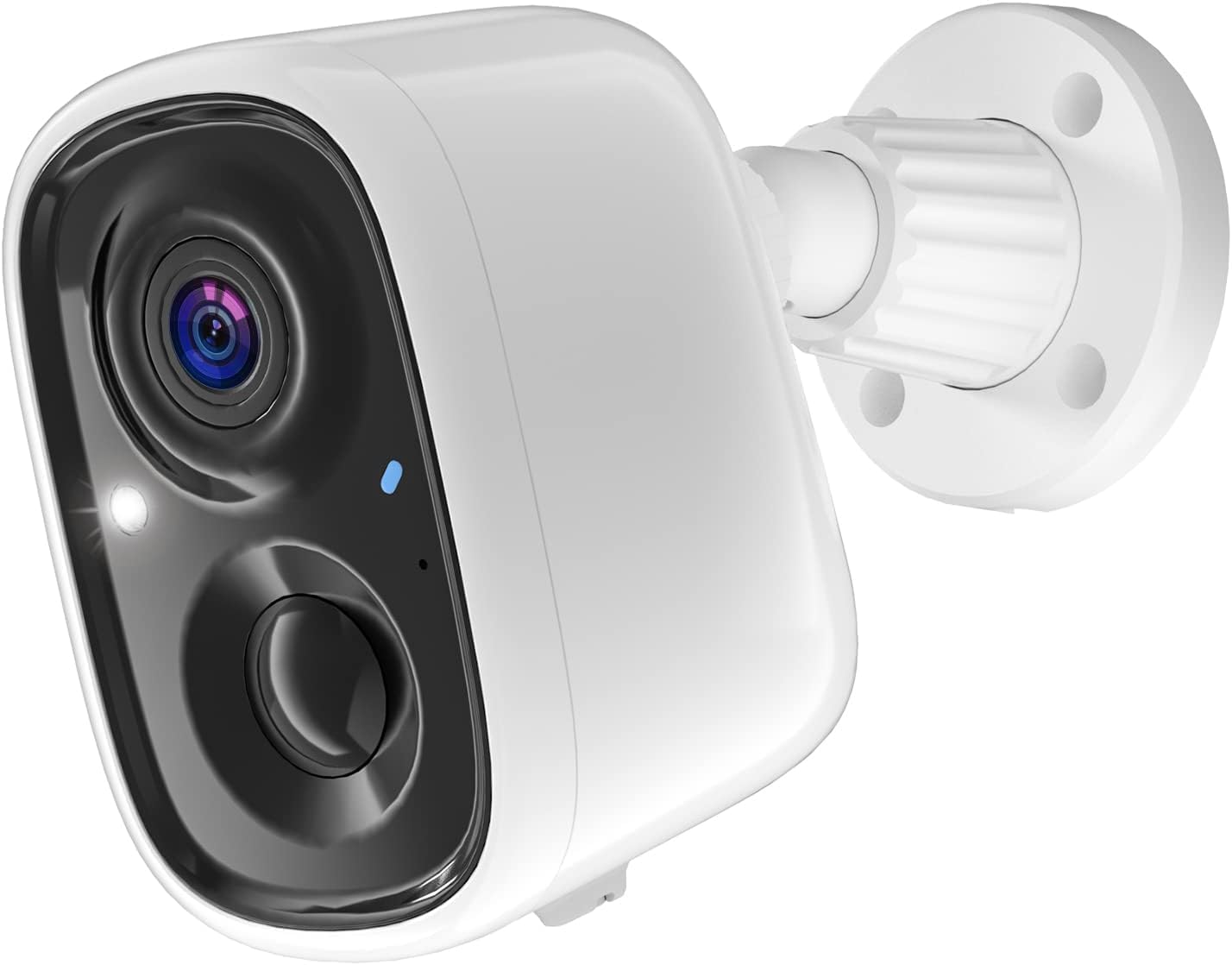
Figure 1: Generic CG3A Outdoor Security Camera. This image shows the white bullet-style camera with its lens, infrared lights, and a blue status indicator, attached to a white wall-mount base.
2. Kandungan Pakej
Sahkan bahawa semua barang yang disenaraikan di bawah ada dan dalam keadaan baik semasa membuka bungkusan. Jika terdapat barang yang hilang atau rosak, sila hubungi khidmat pelanggan.
- Generic CG3A Outdoor Security Camera
- Pendakap Pelekap Dinding
- Kabel Pengecas USB
- Mounting Screws and Wall Anchors (typically 4 sets)
- Manual Arahan (dokumen ini)

Figure 2: Package Contents. This image displays the security camera, its wall mount, a USB charging cable, a set of screws and wall anchors, and a small instruction manual booklet.
3. Ciri-ciri Produk
- Video HD Penuh 1080P: Menangkap video foo yang jelas dan terperincitage.
- Penglihatan Malam Warna Penuh: Provides vivid, full-color video even in low-light conditions, enhancing visibility and detail compared to traditional black-and-white infrared night vision.
- Kesambungan Tanpa Wayar: Connects to your home Wi-Fi network for flexible placement without network cables.
- Bateri boleh dicas semula: Equipped with a long-lasting battery for wire-free operation.
- IP65 Kalis Cuaca: Direka untuk menahan pelbagai keadaan cuaca luar, memastikan ketahanan dan prestasi yang andal.
- PIR Motion Detection & AI Recognition: Advanced passive infrared (PIR) sensor detects human motion, and AI technology helps differentiate between humans, pets, cars, and packages, reducing false alarms.
- Audio Dua hala: Built-in microphone and speaker allow for real-time communication with visitors or to deter intruders.
- Storan Awan: Offers free 3-day video history cloud storage for convenient access to recorded events.

Figure 3: PIR Motion Detection & AI Recognition. This image illustrates the camera's ability to distinguish between humans, pets, cars, and packages, with examples of detected objects highlighted by green boxes on a smartphone screen displaying the camera's app interface.
4. Panduan Persediaan
4.1 Pengecasan Awal
Before first use, fully charge the camera battery. Connect the provided USB cable to the camera's charging port and plug the other end into a 5V/1A USB power adapter (not included). The indicator light will show charging status and turn solid when fully charged.
4.2 Pemasangan Aplikasi dan Penciptaan Akaun
- Download the "Smart Camera" app from your smartphone's app store (Google Play Store for Android or Apple App Store for iOS).
- Buka apl dan ikut arahan pada skrin untuk membuat akaun baharu.
- Log masuk ke akaun yang baru dibuat.
4.3 Berpasangan Kamera
- Dalam apl, ketik ikon "+" untuk menambah peranti baharu.
- Select "Security Camera" or "Wireless Camera" from the device list.
- Power on the camera. Ensure the camera's indicator light is blinking, indicating it's ready for pairing. If not, press and hold the reset button for 5 seconds until it blinks.
- Enter your 2.4GHz Wi-Fi network name (SSID) and password into the app. Note: This camera supports 2.4GHz Wi-Fi only.
- The app will generate a QR code. Hold your smartphone approximately 6-8 inches (15-20 cm) in front of the camera lens until you hear a confirmation sound from the camera.
- Once connected, the camera's indicator light will turn solid blue, and the app will confirm successful pairing. You can then name your camera.
4.4 Memasang Kamera
- Choose a suitable outdoor location for mounting. Consider Wi-Fi signal strength, viewing angle, and proximity to a charging point if needed.
- Use the wall mount bracket as a template to mark the drilling points on the wall.
- Drill holes at the marked positions. Insert wall anchors if mounting on masonry or drywall.
- Pasangkan pendakap dinding pada dinding menggunakan skru yang disediakan.
- Attach the camera to the wall mount bracket and adjust the angle for optimal coverage. Ensure it is securely fastened.
5. Arahan Operasi
5.1 Langsung View
Open the "Smart Camera" app and select your camera from the device list. You will see the live video feed. From here, you can take screenshots, record manually, or use the two-way audio function.
5.2 Pengesanan dan Rakaman Gerakan
- The camera automatically records video clips when motion is detected. These clips are stored in the cloud for 3 days.
- To adjust motion detection sensitivity or set detection zones, navigate to the camera settings within the app.
- You will receive push notifications on your smartphone when motion is detected, allowing you to view the live feed or recorded event.
5.3 Penglihatan Malam Warna Penuh
The camera automatically switches to full-color night vision mode in low-light conditions. This feature utilizes built-in spotlights to illuminate the area, providing clear, color images at night.
5.4 Audio Dua Hala
Semasa dalam live view, tap the microphone icon in the app to speak through the camera's speaker. Tap it again to end speaking. The speaker icon allows you to hear audio from the camera's microphone.
5.5 Playback Recorded Videos
Access the "Playback" or "History" section in the app to review recorded motion-triggered events. You can filter by date and time.
6. Penyelenggaraan
6.1 Pengecasan Bateri
Monitor the battery level via the app. When the battery is low, remove the camera from its mount and recharge it using the USB cable. A full charge typically takes several hours.
6.2 Membersihkan Kamera
Bersihkan kanta dan perumah kamera secara berkala dengan lembut, damp cloth. Do not use harsh chemicals or abrasive cleaners, as these can damage the camera's finish or lens coating.
6.3 Kemas Kini Perisian Tegar
Check the app regularly for firmware updates. Keeping your camera's firmware updated ensures optimal performance, security, and access to new features. Follow the in-app instructions for any available updates.
7. Penyelesaian masalah
| Masalah | Kemungkinan Punca | Penyelesaian |
|---|---|---|
| Kamera tidak dapat dihidupkan. | Bateri habis. | Charge the camera fully using the provided USB cable. |
| Tidak dapat menyambung ke Wi-Fi. | Kata laluan Wi-Fi salah; kamera terlalu jauh dari penghala; rangkaian Wi-Fi 5GHz. | Ensure correct 2.4GHz Wi-Fi password. Move camera closer to router. Confirm router is broadcasting 2.4GHz. Reset camera and try pairing again. |
| Motion detection is too sensitive/not sensitive enough. | Sensitivity settings are not optimized. | Adjust the PIR motion detection sensitivity in the app settings. Ensure camera is not facing busy streets or swaying trees if false alarms are an issue. |
| No video or poor image quality. | Lens is dirty; poor Wi-Fi signal; camera offline. | Clean the camera lens. Check Wi-Fi signal strength in the app. Ensure camera is online and connected. |
| Audio dua hala tidak berfungsi. | Microphone/speaker muted in app; app permissions. | Check if microphone/speaker icons are enabled in the app. Verify app has microphone permissions on your smartphone. |
8. Spesifikasi
| Ciri | Perincian |
|---|---|
| Nama Model | CG3A |
| Penggunaan Dalaman/Luar | Luar |
| Resolusi Tangkapan Video | 1080p |
| Teknologi Ketersambungan | Tanpa Wayar (Wi-Fi 2.4GHz) |
| Sumber Kuasa | Dikuasakan Bateri (termasuk 1 bateri Lithium Ion) |
| Ciri Khas | 2-Way Audio, Full Color Night Vision, PIR Motion Detection, AI Recognition, IP65 Waterproof |
| Peranti Serasi | Telefon pintar (Android, iOS) |
| Jenis Pemasangan | Lekap di dinding |
| Dimensi Produk | 5.04 x 3.27 x 6.26 inci |
| Berat Barang | 14.1 auns |
9. Waranti dan Sokongan
This product comes with a standard manufacturer's warranty. For specific warranty terms and conditions, please refer to the documentation included with your purchase or contact the retailer. For technical support, troubleshooting assistance, or inquiries regarding your Generic CG3A Security Camera, please contact the manufacturer's customer service. Contact information can typically be found on the product packaging or the manufacturer's official webtapak.
Sila simpan resit pembelian anda untuk tuntutan waranti.
Ask a question about this manual
Ask about setup, troubleshooting, compatibility, parts, safety, or missing instructions. Manuals+ will review the question and use this page’s manual context to help answer it.