
1. Pengenalan
This manual provides essential instructions for setting up, operating, and maintaining your PEJE Smartwatch. Please read this manual thoroughly before using the device to ensure proper function and longevity.
2. Apa yang ada di dalam Kotak
Upon unboxing your PEJE Smartwatch, verify that all components are present:
- 1x PEJE Smartwatch
- 1x Kabel Pengecasan Magnetik
- 1x Manual Pengguna (dokumen ini)

Image: Contents of the PEJE Smartwatch packaging.
3. Produk Lebihview dan Dimensi
The PEJE Smartwatch features a 1.45-inch HD TFT display. Understanding its dimensions can help with comfortable wear and accessory selection.

Image: PEJE Smartwatch dimensions.
4. Persediaan
4.1 Mengecas Jam Pintar
Before initial use, fully charge your smartwatch. Connect the magnetic charging cable to the charging points on the back of the watch and plug the USB end into a power source.
- Cas penuh biasanya mengambil masa 2-2.5 jam.
- The 180mAh polymer battery provides approximately 4-6 days of normal use dan 8-12 hari dalam keadaan sedia.

Image: Smartwatch charging and battery life indication.
4.2 Berpasangan dengan Telefon Pintar Anda
To unlock the full functionality of your PEJE Smartwatch, pair it with your smartphone via the dedicated app.
- Muat turun Apl: Cari untuk the official PEJE Smartwatch app on your smartphone's app store (compatible with Android 5.0+ and iOS 9.0+).
- Dayakan Bluetooth: Pastikan Bluetooth didayakan pada telefon pintar anda.
- Buka Apl: Launch the PEJE Smartwatch app and follow the on-screen instructions to add a new device.
- Select Your Device: The app will scan for available devices. Select your PEJE Smartwatch from the list.
- Sahkan Gandingan: Sahkan permintaan berpasangan pada telefon pintar anda dan jam tangan pintar.
5. Arahan Operasi
5.1 Navigasi Asas
The smartwatch features a 1.45-inch HD TFT full touchscreen display. Swipe left, right, up, or down to navigate through menus and functions. Tap to select items.
5.2 Panggilan dan Pemberitahuan Bluetooth
With Bluetooth 5.2, your smartwatch allows you to manage calls and receive notifications directly on your wrist.
- Make/Receive Calls: Use the built-in microphone and speaker to answer or make calls. Access call lists and sync over 100 contacts via the app.
- Pemberitahuan Mesej: Receive real-time notifications for SMS, WhatsApp, and other applications.
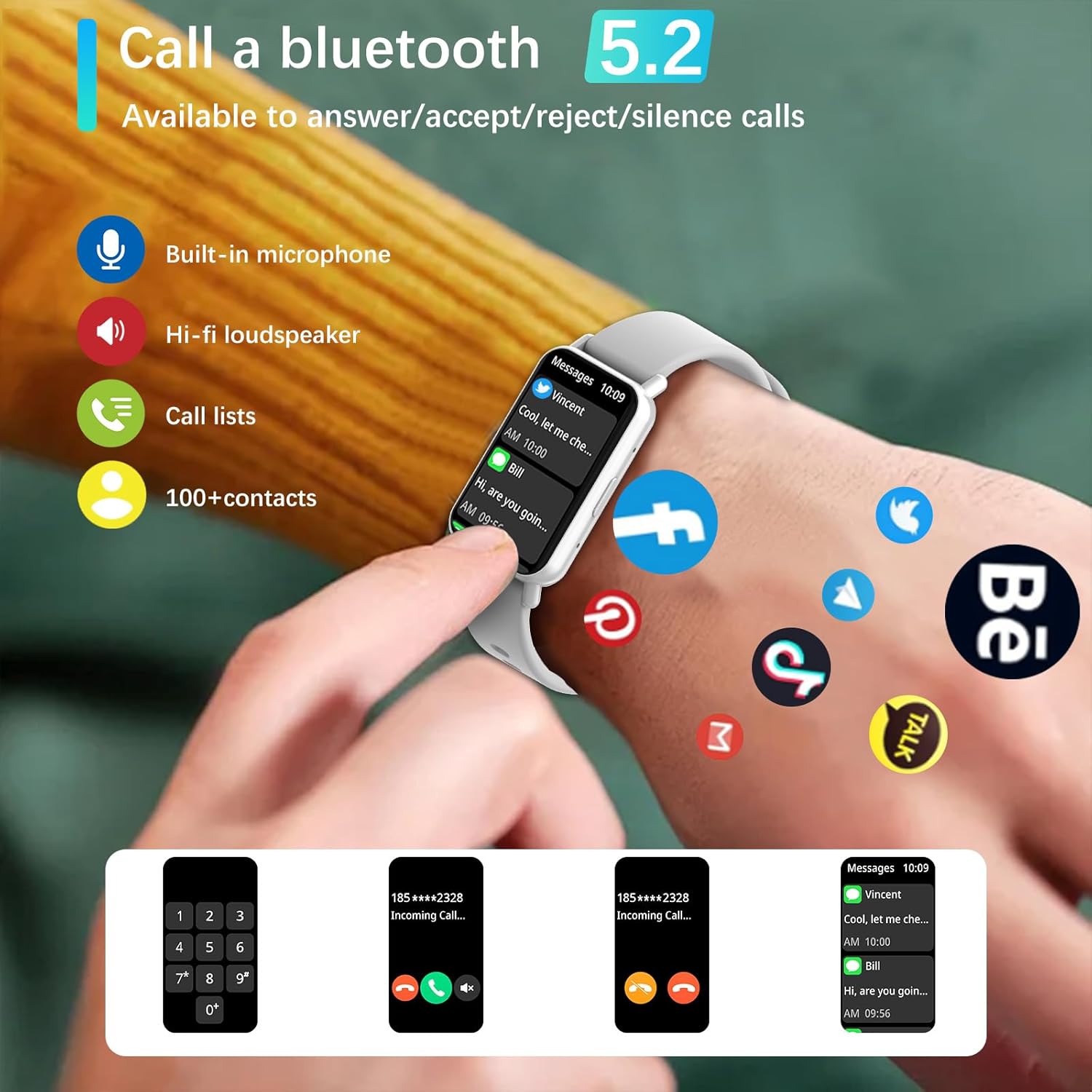
Image: Bluetooth 5.2 calling and message notifications.
5.3 Pemantauan Kesihatan
The smartwatch is equipped with advanced sensors for comprehensive health tracking:
- Pemantauan Denyut Jantung: Penjejakan kadar denyutan jantung berterusan 24/7.
- Blood Pressure & Blood Oxygen (SpO2) Monitoring: Ukur tekanan darah dan tahap oksigen dalam darah anda.
- Penjejakan Tidur: Monitors sleep patterns from 10 PM to 8 AM.
- Latihan Pernafasan: Latihan pernafasan berpandu untuk relaksasi.
- Peringatan Sedentari: Alerts to encourage movement after periods of inactivity.
5.4 Mod Sukan dan Penjejakan Kecergasan
Engage in various physical activities with 123 built-in sports modes, including walking, running, cycling, and swimming. The watch tracks essential data:
- Langkah diambil
- Jarak yang dilalui
- Kalori dibakar
- Kadar jantung semasa bersenam
- GPS routes (via smartphone)
Receive goal achievement notifications and reminders to drink water.
5.5 Muka Jam Tersuai
Personalize your smartwatch display:
- Choose from 5 default watch face designs.
- Create custom watch faces using your favorite photos via the app.
- Download additional watch faces from the watch face market within the PEJE app.
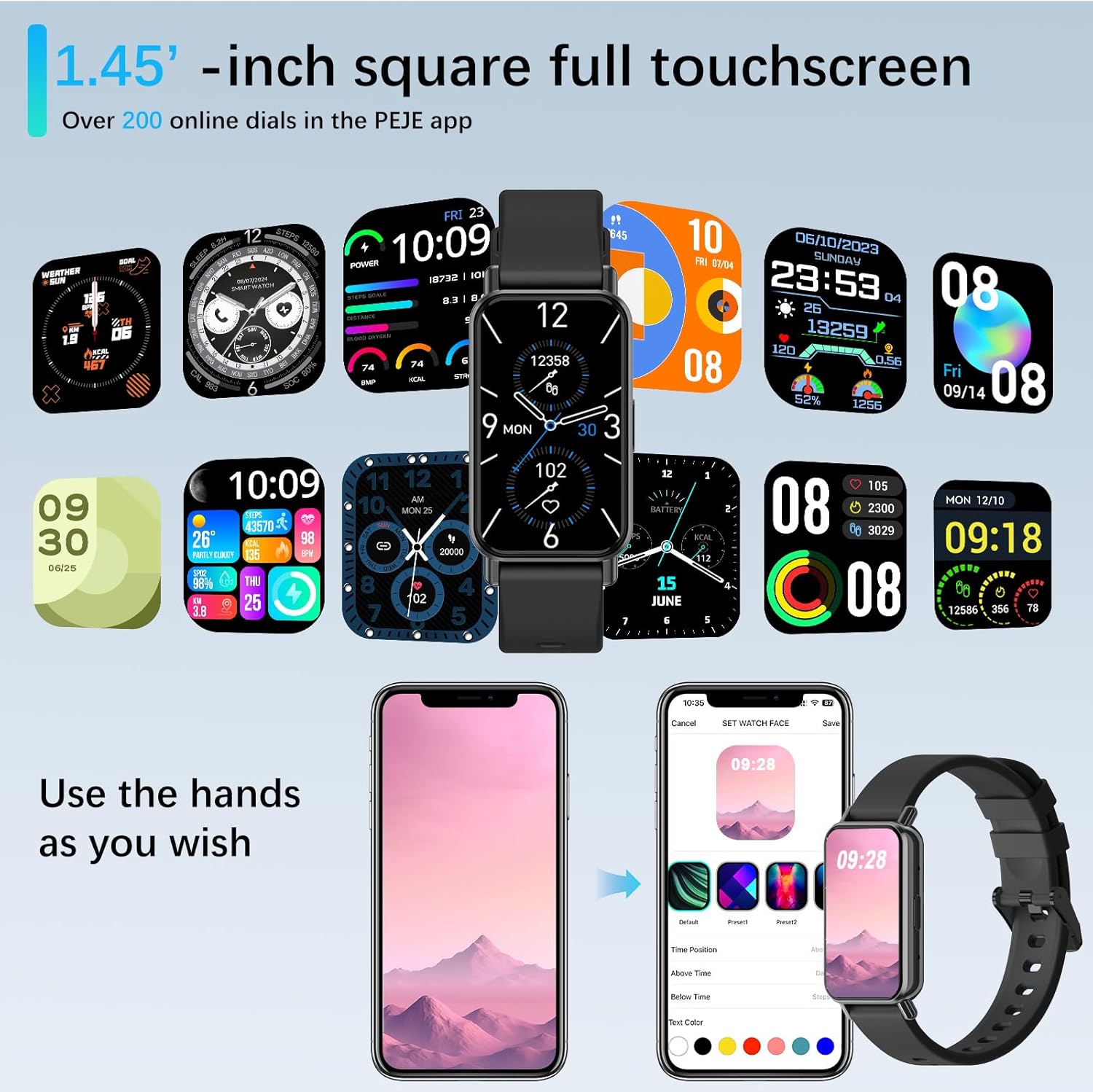
Image: Customizing watch faces through the PEJE app.
5.6 Ciri Tambahan
- Kawalan Kamera Jauh: Shake your wrist or tap the watch to remotely trigger your smartphone's camera.
- Kawalan Muzik: Manage music playback (play, pause, skip) directly from your wrist.
- Kemas Kini Cuaca: View current weather conditions and 5-day forecasts.
- Find My Phone & Watch: Locate your paired smartphone or smartwatch using the app.
- Alatan: Access a stopwatch, calculator, and 4 built-in games.
- Mod Jangan Ganggu: Senyapkan pemberitahuan pada waktu tertentu.
- cepat-View: Raise your wrist to automatically wake the screen.
- Muslim Prayer Reminders: Receive timely reminders for prayer.
- Tasbih Reminder: Set reminders for Tasbih practice.
- Arah Kiblat: Displays Qibla angle and device's angle to Qibla.

Image: Qibla Direction and Tasbih Reminder features.
6. Penyelenggaraan
6.1 Tahan Air
The PEJE Smartwatch has an Penarafan kalis air IP68, making it resistant to splashes, rain, and sweat. It is suitable for daily use and light water exposure.
Note: The device is not suitable for prolonged immersion in water, hot water, or diving. Avoid exposure to high-pressure water streams.
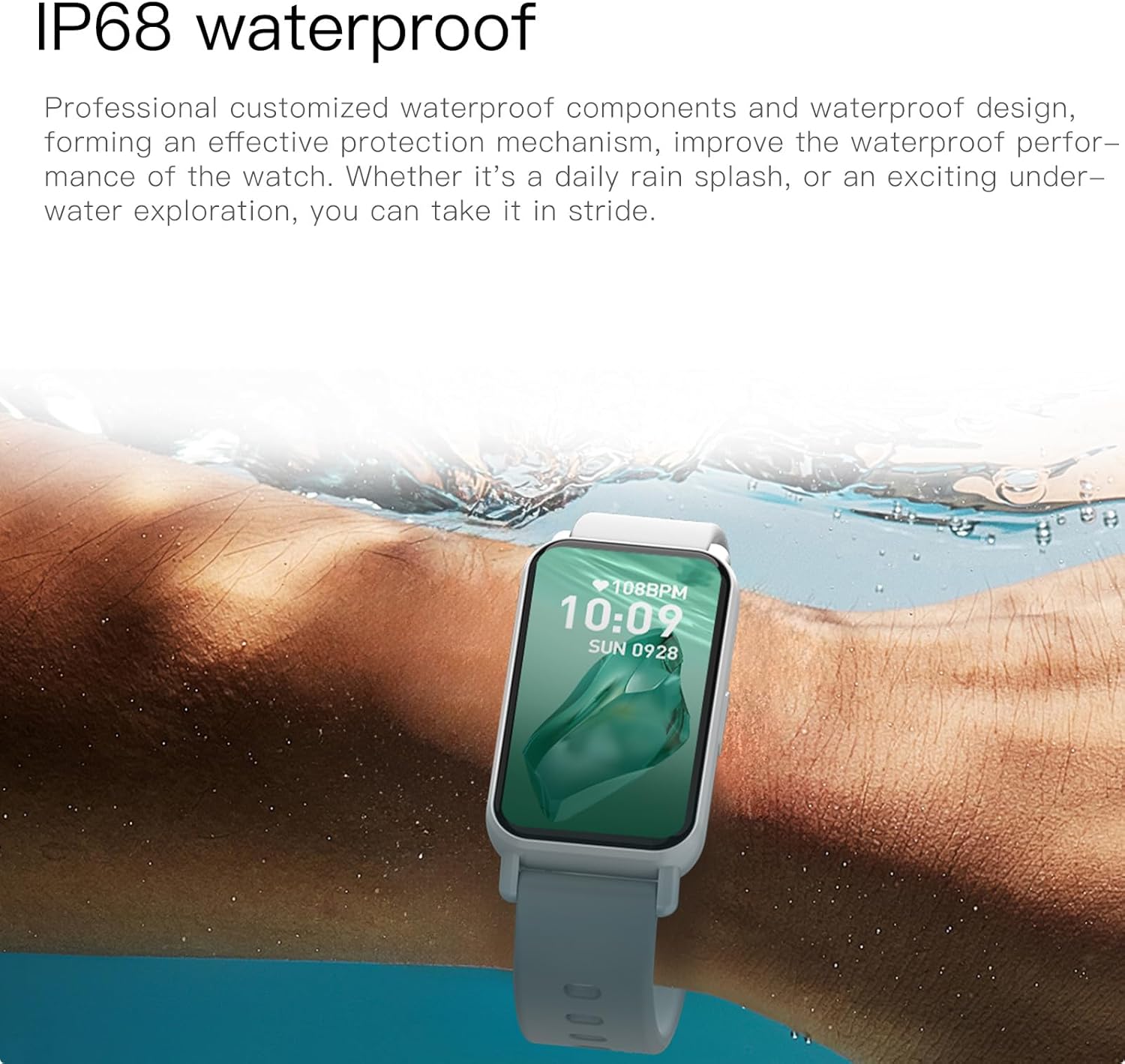
Image: PEJE Smartwatch demonstrating IP68 water resistance.
6.2 Pembersihan dan Penjagaan
- Lap jam tangan dan ikat dengan kerap menggunakan kain lembut dan kering.
- Elakkan menggunakan bahan kimia yang keras atau bahan yang melelas.
- Pastikan sesentuh pengecasan bersih dan kering sebelum mengecas.
7. Penyelesaian masalah
If you encounter issues with your PEJE Smartwatch, try the following steps:
- Peranti Tidak Dihidupkan: Pastikan jam tangan dicas sepenuhnya. Sambungkannya ke pengecas selama sekurang-kurangnya 30 minit.
- Tidak Boleh Dipasangkan dengan Telefon:
- Pastikan Bluetooth didayakan pada telefon dan jam tangan anda.
- Pastikan jam tangan berada dalam julat telefon anda.
- Mulakan semula kedua-dua telefon anda dan jam tangan pintar.
- Kosongkan cache aplikasi atau pasang semula aplikasi.
- Pemberitahuan Tidak Muncul:
- Semak kebenaran pemberitahuan apl pada telefon anda.
- Ensure Do-Not-Disturb mode is not active on the watch.
- Verify the watch is properly connected to the app.
- Data Kesihatan Tidak Tepat: Pastikan jam tangan dipakai dengan kemas pada pergelangan tangan anda, tidak terlalu ketat atau terlalu longgar. Bersihkan kawasan sensor dengan kerap.
8. Spesifikasi
| Ciri | Spesifikasi |
|---|---|
| Jenama | PEJE |
| Model | PEJE Smartwatch |
| Saiz Skrin | 1.45 Inci |
| Jenis Paparan | HD TFT |
| Teknologi Ketersambungan | Bluetooth 5.2 |
| Standard Komunikasi Tanpa Wayar | Bluetooth |
| Kapasiti Bateri | 180 Miliamp jam |
| Komposisi Sel Bateri | Polimer Litium |
| Tahan Air | IP68 |
| GPS | GPS Melalui Telefon Pintar |
| Keserasian | Android 5.0+ / iOS 9.0+ |
| Ciri Khas | Notifications, Health Monitoring, 123 Sport Modes, Bluetooth Calling |
| Dimensi Pakej | 16.2 x 10.4 x 3.4 cm |
| Berat Barang | 110 g |
| Negara Asal | China |
9. Waranti dan Sokongan
9.1 Maklumat Waranti
Warranty details for your PEJE Smartwatch are typically provided with your purchase documentation or can be found on the official PEJE webtapak. Sila simpan bukti pembelian anda untuk tuntutan waranti.
9.2 Sokongan Pelanggan
For further assistance, technical support, or inquiries not covered in this manual, please visit the official PEJE Store or contact PEJE customer service through their website. You can find the PEJE Store at https://www.amazon.sa/-/en/stores/StaySmartStayStylish/page/70BC458D-9595-4688-8DEF-D60BE431932F.