
pengenalan
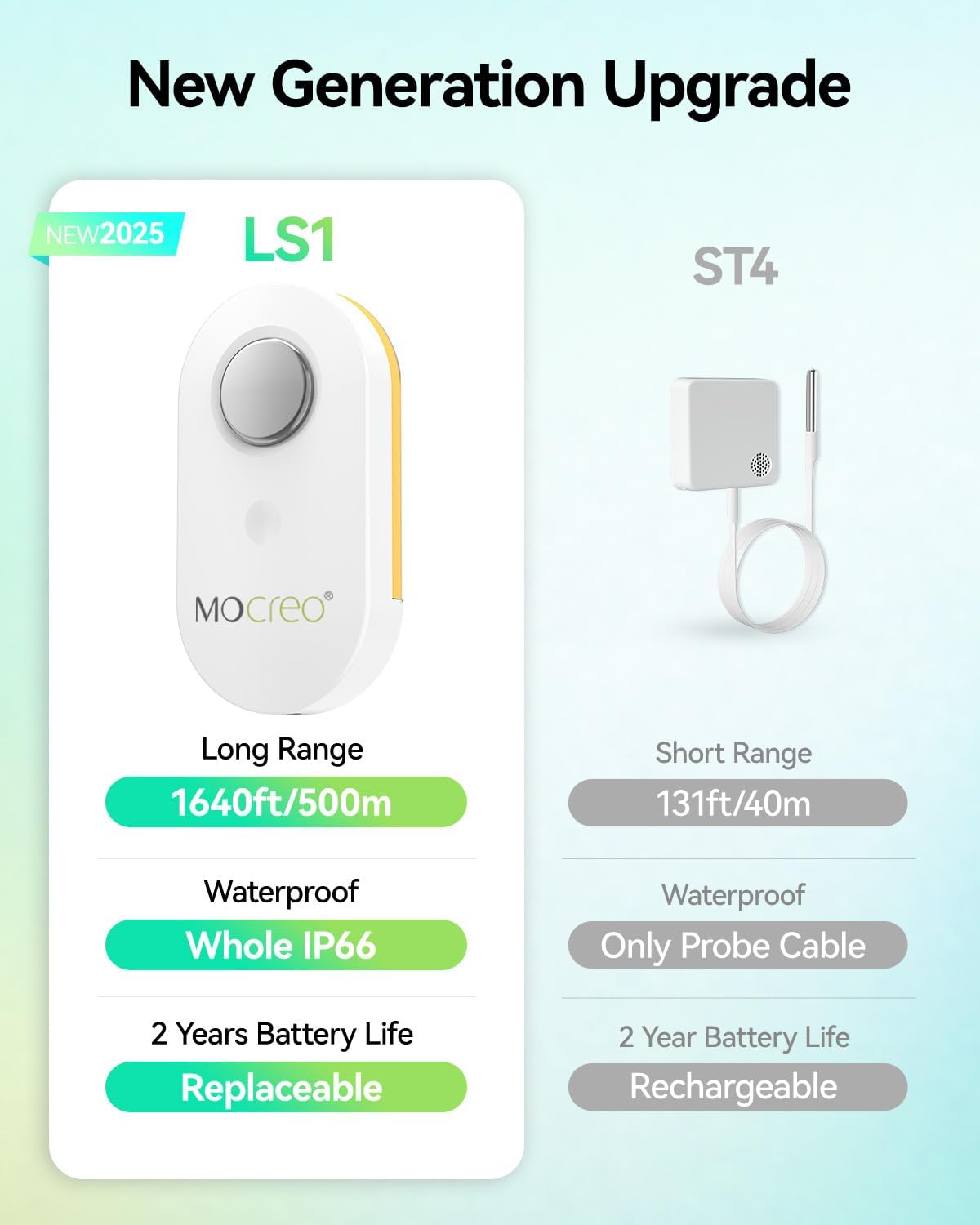
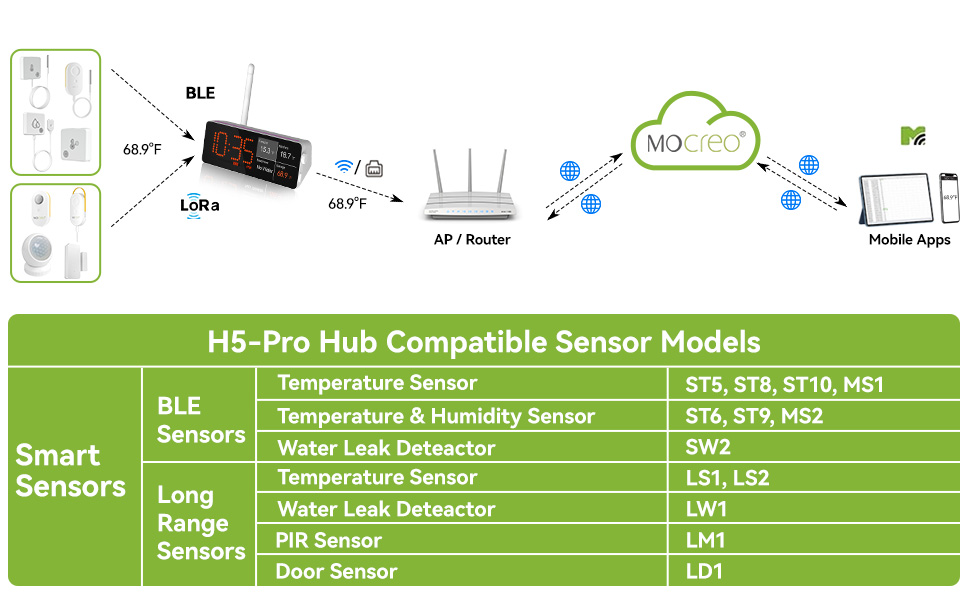
The MOCREO WiFi Remote Refrigerator Thermometer (Model AP-H5Pro-LS1S) provides reliable, long-range temperature monitoring for various environments. This kit includes an H5Pro Hub and an LS1 waterproof temperature sensor, designed for precision and durability. With its IP66 rating, the sensor is suitable for humid conditions, making it ideal for refrigerators, freezers, and other indoor/outdoor spaces. The system offers 24/7 remote monitoring via the MOCREO Smart App, providing real-time data, historical charts, and multiple alarm options to ensure you are always informed about temperature fluctuations.
Kandungan Pakej
The MOCREO WiFi Remote Refrigerator Thermometer kit includes the following items:
- 1 x H5Pro Digital Monitor Hub
- 1 x LS1 Waterproof Temperature Sensor
- 1 x Kabel Kuasa USB-C
- 1 x Penyesuai Kuasa
- 1 x External Antenna for Hub
- Velcro Adhesive Strips for mounting
- Manual Arahan
- Kad Waranti Produk
Panduan Persediaan
Follow these steps to set up your MOCREO WiFi Remote Refrigerator Thermometer:
- Power the Hub: Connect the USB-C power cable to the H5Pro Hub and plug the power adapter into a wall outlet.
- Pasang Antena: Screw the external antenna into the designated port on the back of the H5Pro Hub.
- Insert Sensor Batteries: Open the LS1 sensor and insert three AAA batteries (included). Ensure correct polarity.
- Muat turun Aplikasi: Scan the QR code in the instruction manual or search for "MOCREO Smart" in your device's app store (iOS/Android) and download the application.
- Connect Hub to Wi-Fi: Follow the in-app instructions to connect your H5Pro Hub to your 2.4 GHz Wi-Fi network. An Ethernet connection is also supported.
- Pair Sensor: Within the MOCREO Smart App, add your LS1 sensor by following the pairing guide. This typically involves pressing a button on the sensor to initiate pairing.
- Penderia Gunung: Use the provided Velcro adhesive strips to securely mount the LS1 sensor inside your refrigerator, freezer, or desired monitoring location. Ensure the probe is positioned to accurately measure the temperature. For optimal signal, avoid placing the sensor inside thick, fully-enclosed metal containers.

Arahan Operasi
H5Pro Hub Display
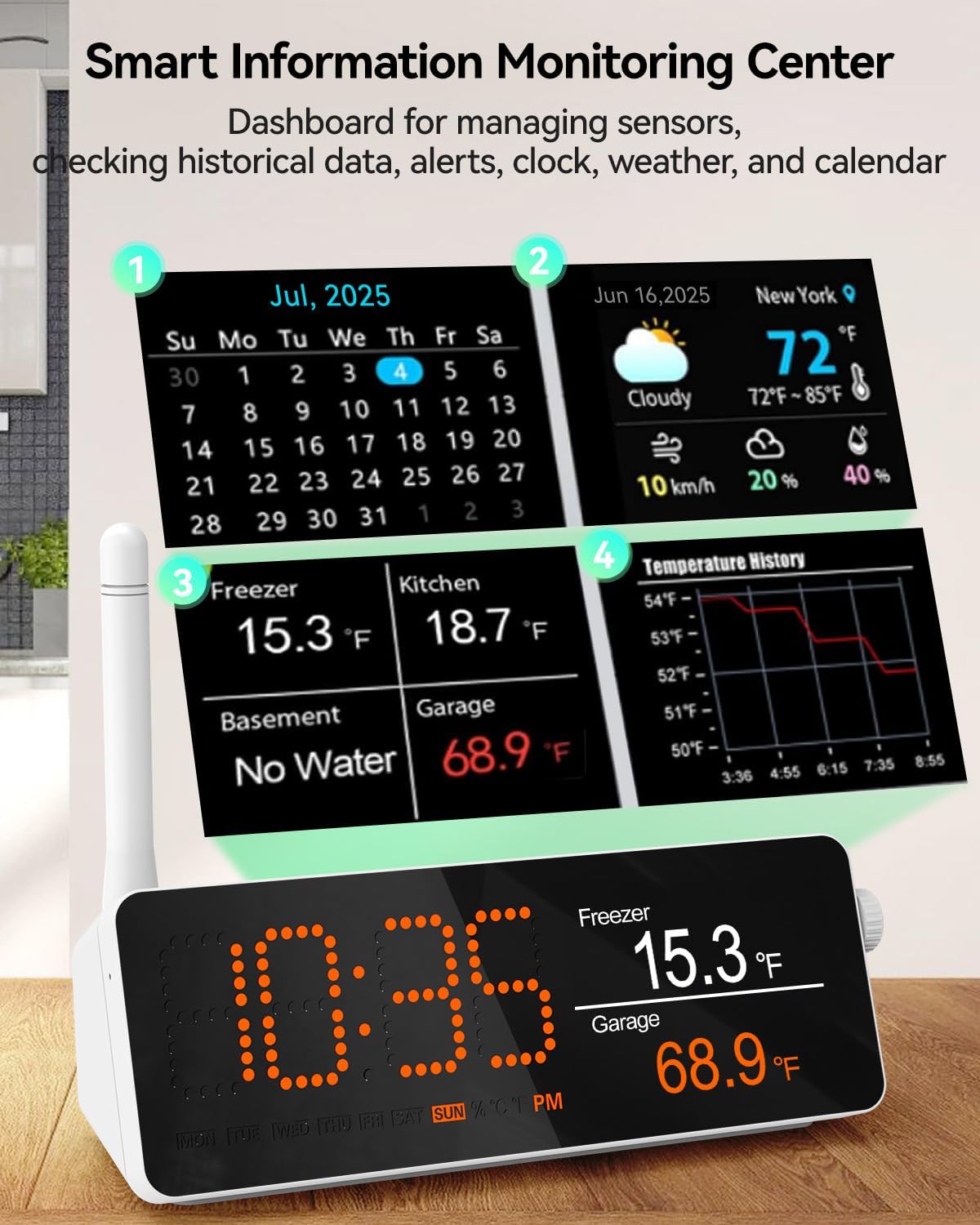
The H5Pro Hub features a digital LCD screen that serves as a comprehensive dashboard. It displays real-time temperature readings from connected sensors, historical data charts, current time, weather information, and a calendar. Use the side controls to navigate through different display modes and settings.
MOCREO Smart App Monitoring
The MOCREO Smart App allows for 24/7 remote monitoring of your sensors. You can:
- View real-time temperature readings from all connected sensors.
- Access clear, intuitive charts of historical temperature data (up to 2 years).
- Export historical data in CSV format for detailed analysis.
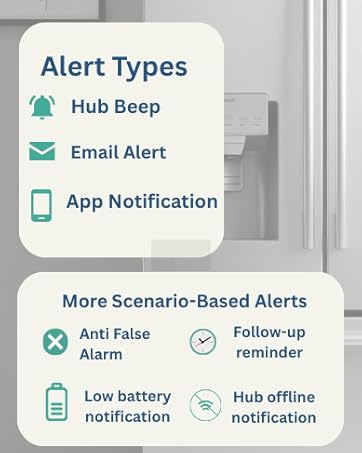
- Receive app push notifications and email alerts for critical events.
Pilihan Penggera
Configure various alarm settings through the MOCREO Smart App:
- Penggera Suhu: Set custom high and low temperature thresholds for each sensor.
- Notification Types: Choose to receive app push notifications, email alerts, or an audible 95dB buzzer from the hub.
- Smart App Settings: Utilize features like "Power Outage," "WiFi Disconnect," "Low Battery Alert," and "False Alarm Prevention" for flexible monitoring.
- Early Alerts: Monitor temperature graphs in real-time to proactively identify potential risks such as a door left ajar, a power outage, or equipment failure.
Penyelenggaraan
Hayat dan Penggantian Bateri
The LS1 wireless thermometer is powered by three replaceable AAA batteries, providing a long battery life of up to 2 years when used in temperatures above 32°F. To replace batteries, open the sensor casing, remove the old batteries, and insert new ones, ensuring correct polarity. Dispose of used batteries responsibly.
Pembersihan
To clean the device, wipe it with a clean, damp cloth. Do not submerge the hub in water. The LS1 sensor is IP66 splash-proof, but avoid prolonged submersion.
Menyelesaikan masalah
- No Signal/Weak Signal: Ensure the sensor is not placed inside thick, fully-enclosed metal containers, which can interfere with wireless communication. Reposition the sensor or hub for better signal strength.
- Bacaan Tidak Tepat: Verify the sensor probe is correctly positioned in the area you wish to monitor. Minor temperature fluctuations during appliance cycles (e.g., auto-defrost in refrigerators) are normal and do not indicate a fault.
- Isu Ketersambungan Apl: Ensure your H5Pro Hub is connected to a stable 2.4 GHz Wi-Fi network. Check your router and internet connection.
- Hub Not Alerting: Check alarm settings in the MOCREO Smart App to ensure thresholds are correctly set and notification types are enabled. Verify hub volume is adequate.
- Makluman Bateri Rendah: Replace the AAA batteries in the LS1 sensor as soon as a low battery alert is received to ensure continuous monitoring.
Spesifikasi
| Jenama | MOCREO |
| Nama Model | AP-H5Pro-LS1S |
| Ciri Khas | Alarm, App Companion, High Accuracy, Large Display, Wi-Fi Support |
| Komponen yang Disertakan | 1 LS1 waterproof thermometer and 1 H5Pro hub |
| Bahan Luar | Akrilonitril Butadiena Stirena |
| Jenis Paparan | digital |
| Teknologi Ketersambungan | Wi-Fi |
| Sumber Kuasa | Dikuasakan Bateri (termasuk 3 bateri AAA) |
| Upper Temperature Range | 131 Darjah Fahrenheit |
| Kebolehgunaan semula | Boleh guna semula |
| Penggunaan Dalaman/Luar | Dalaman, Luaran |
| Keserasian Rumah Pintar | Smart Home Compatible |
Waranti dan Sokongan
MOCREO is committed to providing reliable products and excellent customer service. Your purchase includes:
- Jaminan Kepuasan 90 Hari: 100% satisfaction guaranteed with money back and free returns.
- Waranti 1 Tahun: Enjoy a 1-year warranty on your product.
- Sokongan Dalam Talian 24/7: Access dedicated 1-on-1 online support for any queries or assistance.
Untuk maklumat lanjut atau sokongan, sila layari MOCREO Store.