
1. Pengenalan
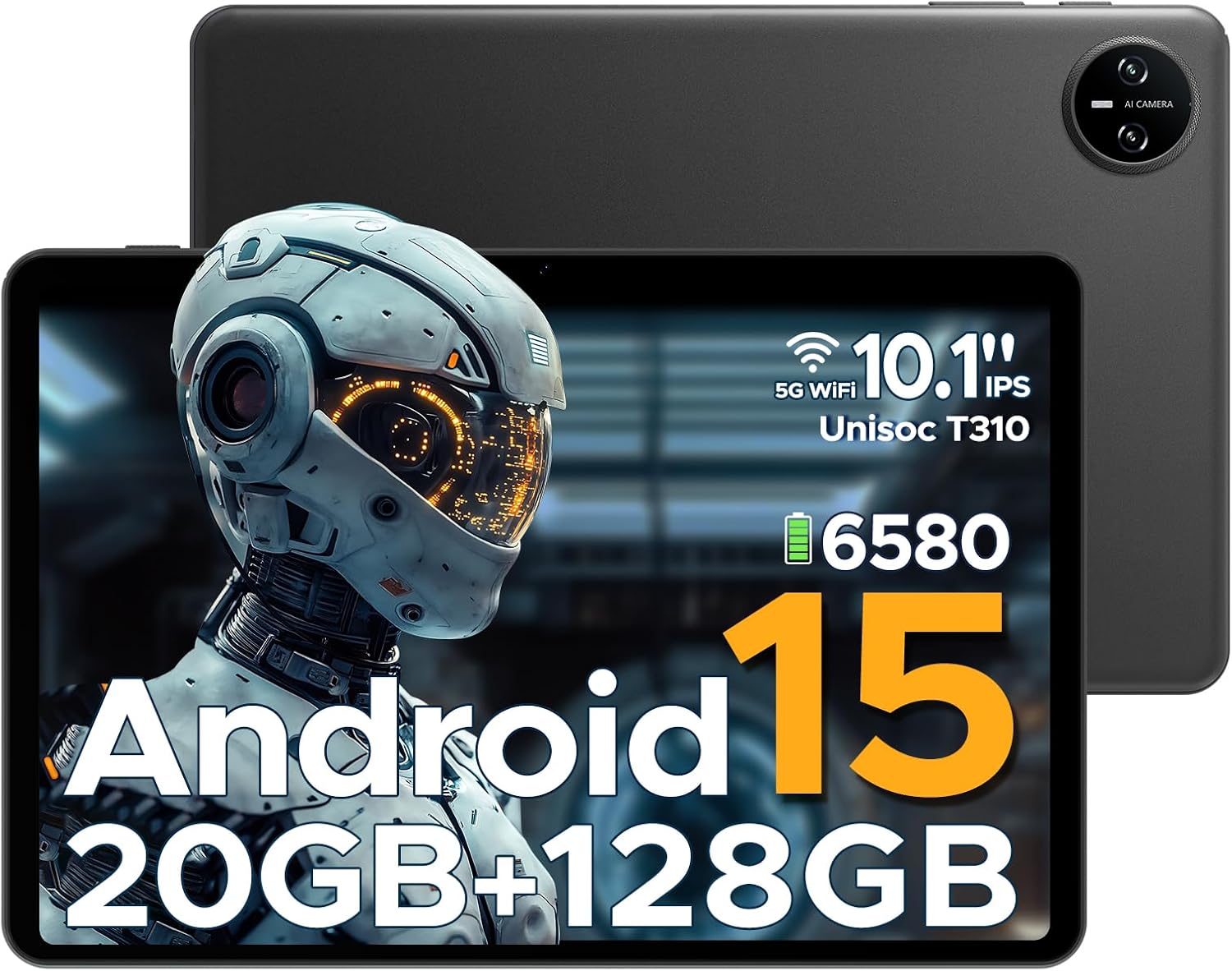
This manual provides essential information for the safe and efficient use of your DOOGEE Tab A9 Pro Android 15 Tablet. Please read this manual thoroughly before operating the device and retain it for future reference. The DOOGEE Tab A9 Pro is a 10-inch tablet featuring the latest Android 15 system, a Unisoc T310 processor, 20GB RAM, 128GB ROM (expandable to 2TB), a 6580mAh battery, and dual speakers, designed for a smooth and versatile user experience.
2. Apa yang ada di dalam Kotak
Sahkan bahawa semua item ada semasa menyahkotak:
- 1 x DOOGEE Tab A9 Pro Tablet
- 1 x Pengecas
- 1 x Kabel USB Jenis-C
- 1 x Manual Pengguna
Note: The OTG cable is not included with the tablet and needs to be purchased separately.
3. Produk Lebihview
3.1 Ciri-ciri Utama
- Sistem pengendalian: Latest Android 15, offering enhanced speed and privacy features.
- Pemproses: Unisoc T310 Quad-Core Processor (2.0 GHz Cortex-A75 core) for efficient performance and low power consumption.
- Memori & Storan: 20GB RAM (4GB base + 16GB expandable virtual RAM) and 128GB internal storage, expandable up to 2TB via Micro SD card (sold separately).
- paparan: 10.1-inch IPS HD display with 1280x800 resolution, 16:10 aspect ratio, and 2.5D cover glass.
- Bateri: Bateri berkapasiti tinggi 6580mAh untuk penggunaan yang berpanjangan.
- Kamera: 8MP AI rear camera and 5MP front camera for photography and video calls.
- Audio: 1217 BOX Dual Speakers for clear sound.
- Ketersambungan: 5G WiFi, Bluetooth, GMS certified.
- Keselamatan: Face ID for convenient unlocking.
- Pelabuhan: 3.5mm headphone jack, USB Type-C port.
- Ciri-ciri tambahan: OTG support, built-in WPS Office, Eye-Caring Mode, Dark Mode, Split-Screen Multitasking, Parental Control, Bedtime Mode, Multi-user System.
3.2 Komponen Visual


4. Persediaan
4.1 Mengecas Tablet
Before first use, fully charge the tablet using the provided charger and Type-C USB cable. Connect the Type-C cable to the tablet's charging port and the charger to a power outlet. The battery indicator on the screen will show charging status.
4.2 Menghidupkan/Mematikan
- Untuk Menghidupkan: Tekan dan tahan butang Kuasa sehingga logo DOOGEE muncul.
- Untuk Mematikan: Tekan dan tahan butang Kuasa sehingga menu pilihan kuasa muncul, kemudian pilih 'Matikan kuasa'.
- Untuk Mulakan Semula: Tekan dan tahan butang Kuasa sehingga menu pilihan kuasa muncul, kemudian pilih 'Mulakan Semula'.
4.3 Persediaan Awal
Upon first power-on, the tablet will guide you through the initial setup process. This includes selecting your language, connecting to a Wi-Fi network, setting up your Google account, and configuring basic security settings like Face ID or a PIN/pattern.
5. Arahan Operasi
5.1 Navigasi
The Android 15 operating system provides intuitive navigation. Use gestures or on-screen buttons to navigate home, go back, or switch between recent applications.
5.2 Installing and Managing Apps
Download and install applications from the Google Play Store. To manage apps, go to Settings > Apps & notifications. From here, you can uninstall, force stop, or clear data for applications.
5.3 Face ID Unlock
To set up Face ID, go to Settings > Security & privacy > Face unlock. Follow the on-screen instructions to register your face. Once set up, you can unlock the tablet by simply looking at the front camera.
5.4 Kefungsian OTG
The tablet supports USB On-The-Go (OTG), allowing you to connect external USB devices such as flash drives, keyboards, or mice. An OTG adapter cable (not included) is required for this functionality. Connect the OTG adapter to the tablet's Type-C port, then connect your USB device to the adapter.
5.5 Split-Screen Multitasking
To use split-screen mode, open an app, then swipe up from the bottom of the screen and hold to access recent apps. Tap the app icon at the top of the app's card and select 'Split screen'. Choose a second app to open in the other half of the screen.
5.6 Eye-Caring Mode and Dark Mode
These modes can be enabled in the display settings to reduce eye strain. Eye-Caring Mode adjusts screen colors to warmer tones, while Dark Mode changes the interface to a darker theme, ideal for low-light environments.
6. Penyelenggaraan
6.1 Penjagaan Bateri
- Elakkan daripada mendedahkan tablet kepada suhu yang melampau.
- Jangan biarkan bateri dicas sepenuhnya dengan kerap.
- Gunakan hanya pengecas asal atau pengecas serasi yang diperakui.
6.2 Pembersihan
Gunakan kain lembut dan tidak berbulu untuk membersihkan skrin dan badan tablet. Jangan gunakan pembersih atau pelarut yang kasar. Untuk kotoran degil, sapukan sedikitampen kain dengan air atau pembersih skrin yang direka untuk elektronik.
6.3 Kemas Kini Perisian
Regularly check for and install software updates to ensure optimal performance, security, and access to new features. Go to Settings > System > System update to check for available updates.
7. Penyelesaian masalah
| Masalah | Kemungkinan Punca | Penyelesaian |
|---|---|---|
| Tablet tidak boleh dihidupkan | Bateri lemah; Ranap sistem | Cas tablet selama sekurang-kurangnya 30 minit; Tekan dan tahan butang Kuasa selama 10-15 saat untuk memaksa mula semula. |
| Apl perlahan atau ranap | Too many apps running; Insufficient storage; App bug | Close background apps; Clear app cache/data; Free up storage space; Update the app or tablet software. |
| Isu sambungan Wi-Fi | Kata laluan salah; Isu penghala; Gangguan isyarat | Re-enter Wi-Fi password; Restart router; Move closer to the router; Forget and reconnect to the network. |
| Face ID not working | Poor lighting; Face not properly aligned; Face ID not set up correctly | Ensure adequate lighting; Hold tablet at eye level; Re-register your face in settings. |
| Tablet tidak dicas | Kabel/pengecas rosak; Port pengecas kotor | Try a different cable/charger; Clean the charging port gently with a dry, soft brush. |
8. Spesifikasi
| Ciri | Perincian |
|---|---|
| Jenama | DOOGEE |
| Nama Model | Tab A9 Pro |
| Sistem Operasi | Android 15 |
| Pemproses | Unisoc T310 (1.8 GHz) |
| Pemproses bersama Grafik | Mali-G52 |
| Saiz Terpasang Memori RAM | 20 GB (4GB base + 16GB virtual) |
| Kapasiti Penyimpanan Memori | 128 GB (Expandable up to 2TB via Micro SD) |
| Saiz Skrin | 10.1 Inci |
| Resolusi Skrin | 1280 x 800 Piksel |
| belakang Webresolusi cam | 8 MP |
| Depan Webresolusi cam | 5 MP |
| Kapasiti Bateri | 6580 mAh (Lithium Polimer) |
| Jenis Kesambungan | Bluetooth, Wi-Fi (5G WiFi) |
| Dimensi Produk | 25.7 x 16.88 x 0.79 cm |
| Berat Barang | 910 g |
| Ciri Khas | Stereo Speakers, Supports USB OTG, Expandable Storage, Face ID |
| Tahun Model | 2025 |
9. Waranti dan Sokongan
For warranty information and technical support, please refer to the warranty card included with your product or visit the official DOOGEE webtapak. Anda juga boleh melawat Kedai DOOGEE di Amazon untuk butiran produk tambahan dan sumber sokongan.