
DOOGEE TABE3MAX-GREEN-HS-UK-AMZ13
DOOGEE Tab E3 Max 14 Inch Tablet User Manual
Model: TABE3MAX-GREEN-HS-UK-AMZ13
1. Pengenalan
This manual provides detailed instructions for the proper use and maintenance of your DOOGEE Tab E3 Max 14 Inch Tablet. Please read this manual thoroughly before using the device to ensure optimal performance and longevity.

The DOOGEE Tab E3 Max, showcasing its large 14-inch display and sleek design.
2. Persediaan
2.1 Kandungan Pembungkusan
Setelah membuka kotak, pastikan semua barang ada:
- 1* DOOGEE Tab E3 Max Tablet
- 1* Kabel USB Jenis-C
- 1* Pengecas
- 1* Card Removal Needle
- 1 * Kotak Pembungkusan
- 1* Manual Pengguna

All components included in the DOOGEE Tab E3 Max package.
2.2 Pengecasan Awal
Before first use, fully charge the tablet using the provided Type-C USB cable and charger. The 13,500 mAh battery ensures extended usage.

The tablet features a large 13,500 mAh battery for prolonged use.
2.3 Hidupkan/Mati Kuasa
- Untuk Menghidupkan: Tekan dan tahan butang Kuasa sehingga logo DOOGEE muncul.
- Untuk Mematikan: Tekan dan tahan butang Kuasa, kemudian pilih 'Matikan kuasa' daripada pilihan.
2.4 Pemasangan Kad SIM/TF
The tablet supports dual SIM cards or one SIM card and one TF (microSD) card for expandable storage up to 2TB. Use the provided card removal needle to open the SIM tray.

The tablet offers flexible connectivity with dual SIM or SIM + TF card options.
2.5 Persediaan Sistem Permulaan
Follow the on-screen prompts to complete the initial setup, including language selection, Wi-Fi connection, Google account login, and security settings. The tablet runs on Android 15.

The DOOGEE Tab E3 Max operates on the latest Android 15 system.
3. Arahan Operasi
3.1 Ciri Paparan
The Tab E3 Max features a 14-inch 2.1K (2160*1440) IPS eye-protection screen. It is certified to reduce harmful blue light, minimizing eye fatigue. TDDI technology enhances touch responsiveness.
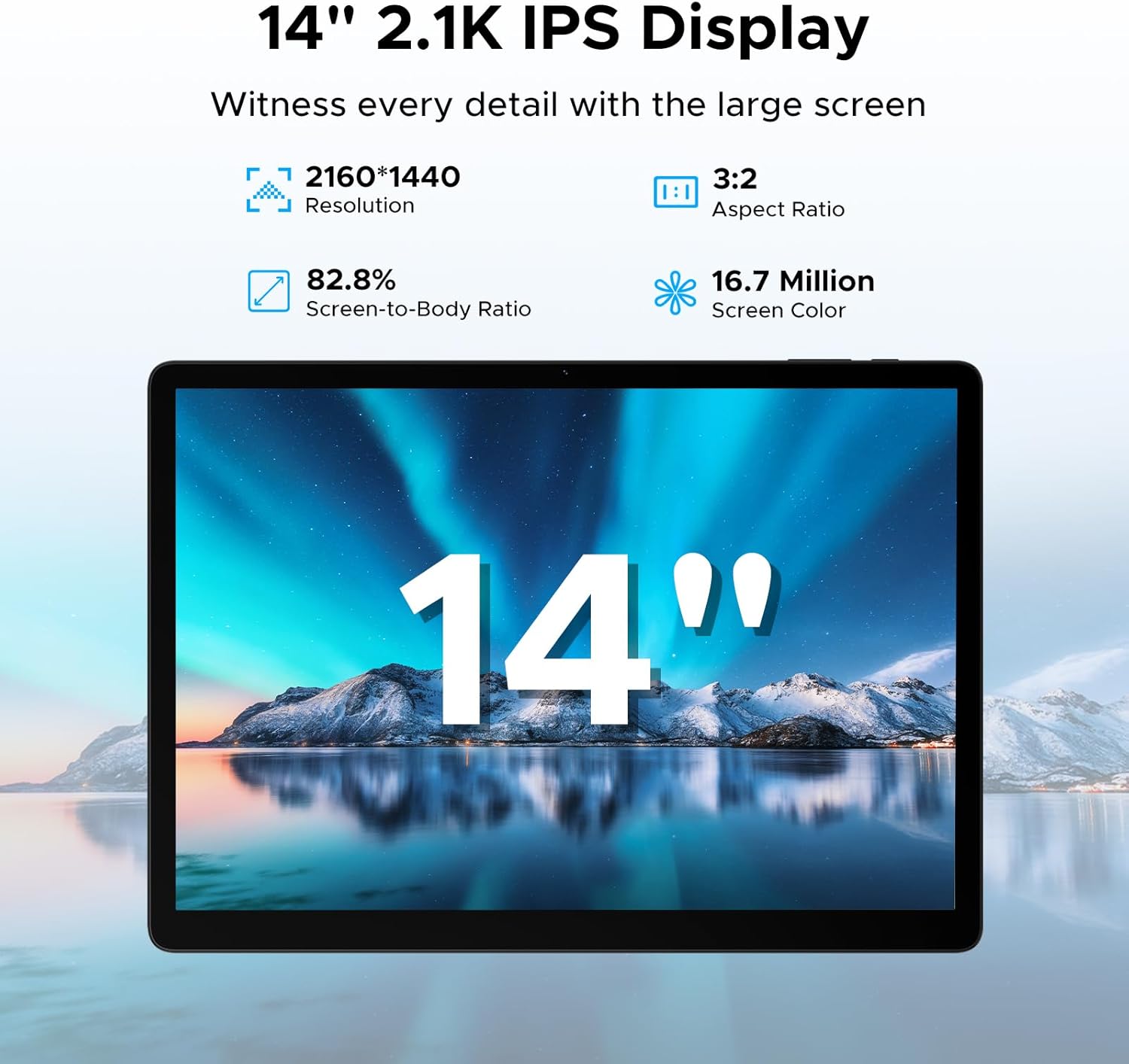
The tablet's 14-inch 2.1K IPS display offers a clear and vibrant visual experience.
3.2 Prestasi dan Penyimpanan
Powered by the MediaTek Helio G100 octa-core processor, the tablet ensures smooth performance for gaming, streaming, and multitasking. It comes with 32GB RAM (8GB basic + 24GB expandable) and 256GB ROM, expandable up to 2TB via TF card (sold separately).

The Helio G100 processor provides powerful and efficient performance.

Ample RAM and ROM ensure smooth operation and storage for all your files.
3.3 Ketersambungan
The tablet supports dual-band Wi-Fi (2.4G/5GHz) for fast internet and 4G LTE for mobile data. Bluetooth connectivity is also available for peripherals.

Enjoy stable and fast wireless connectivity with dual-band Wi-Fi.
3.4 Penggunaan Kamera
Equipped with a 16MP rear camera, an 8MP front camera, and a 2MP macro camera. The front camera supports high-quality video conferencing and facial unlock.

Capture various moments with the versatile camera system.
3.5 Audio
The tablet features four stereo speakers (Premium 1217 BOX Quad Speakers) for clear and immersive sound, enhancing your entertainment experience.

Experience crystal-clear audio with the tablet's quad speakers.
3.6 Ciri-ciri Produktiviti
The tablet comes with built-in WPS Office for document, spreadsheet, and presentation tasks. Efficient split-screen multitasking allows you to use two apps simultaneously.

The tablet is suitable for various tasks, from work to entertainment.

WPS Office is pre-installed for your productivity needs.

Efficient split-screen multitasking enhances productivity.
3.7 Gemini AI Integration
The tablet includes built-in Gemini AI, offering features like content creation, information retrieval, image analysis, code development, language learning, and smart assistance. Utilize Gemini Deep Research for in-depth insights.

Gemini AI serves as an intelligent companion for various tasks.
3.8 Security and Navigation
The tablet supports facial recognition for effortless unlocking. It also offers accurate positioning with A-GPS/GPS/BeiDou/GLONASS/Galileo support.

Facial recognition provides quick and secure access.
4. Penyelenggaraan
To ensure the longevity and optimal performance of your DOOGEE Tab E3 Max, follow these maintenance guidelines:
- Pembersihan: Gunakan kain lembut dan tidak berbulu untuk membersihkan skrin dan badan. Elakkan bahan yang melelas atau bahan kimia yang keras.
- Suhu: Operate the tablet within recommended temperature ranges (typically 0°C to 35°C). Avoid extreme heat or cold.
- Storan: When not in use for extended periods, store the tablet in a cool, dry place. Charge the battery to about 50% before long-term storage.
- Kemas Kini Perisian: Regularly check for and install system updates to ensure security and performance improvements.
- Perlindungan Fizikal: Pertimbangkan untuk menggunakan sarung pelindung dan pelindung skrin untuk melindungi daripada titisan dan calar.
5. Penyelesaian masalah
Bahagian ini menangani isu biasa yang mungkin anda hadapi dengan tablet anda.
5.1 Tablet Tidak Dihidupkan
- Pastikan bateri dicas. Sambungkan pengecas dan tunggu beberapa minit sebelum cuba menghidupkan.
- Tekan dan tahan butang Kuasa selama sekurang-kurangnya 10-15 saat untuk memaksa mulakan semula.
5.2 Prestasi Perlahan
- Tutup aplikasi latar belakang yang tidak diperlukan.
- Clear cache data from apps and system settings.
- Pastikan ruang simpanan mencukupi tersedia.
- Mulakan semula tablet.
5.3 Isu Ketersambungan Wi-Fi
- Toggle Wi-Fi off and on.
- Mulakan semula penghala Wi-Fi anda.
- Lupakan rangkaian dan sambung semula.
- Ensure the tablet is within range of the Wi-Fi signal.
5.4 Aplikasi Ranap atau Terhenti
- Tutup paksa apl dan buka semula.
- Kosongkan cache dan data apl dalam Tetapan > Apl.
- Kemas kini apl kepada versi terkini daripada Gedung Google Play.
- Jika isu berterusan, nyahpasang dan pasang semula apl.
5.5 Bateri Cepat Habis
- Kurangkan kecerahan skrin.
- Disable unused features like Bluetooth, GPS, or Wi-Fi when not needed.
- Identify and close power-intensive applications running in the background.
- Limit push notifications.
6. Spesifikasi
| Ciri | Spesifikasi |
|---|---|
| Nama Model | Tab E3 Max |
| Saiz Paparan | 14 Inci |
| Resolusi | 2160*1440 Piksel |
| Sistem Operasi | Android 15 |
| Pemproses | MediaTek Helio G100 Octa-Core (2 GHz) |
| RAM | 32GB (8GB Basic + 24GB Expandable) |
| Storan Dalaman | 256GB |
| Storan Boleh Dikembangkan | Sehingga 2TB (Kad TF) |
| Kapasiti Bateri | 13,500 mAh |
| Kamera Belakang | 16 MP |
| Kamera Depan | 8 MP |
| Ketersambungan | 4G LTE, 5G WLAN (802.11a/b/g/n/ac), Bluetooth |
| Dimensi | 31.87 x 22.18 x 0.89 cm |
| Berat badan | 992 Gram |
| Ciri Khas | USB OTG, Fast Charging, Media Card Reader, Gemini AI, Facial Recognition, Quad Speakers |
7. Waranti dan Sokongan
Your DOOGEE Tab E3 Max is covered by a standard manufacturer's warranty. Please refer to the warranty card included in your packaging for specific terms and conditions, including warranty period and coverage details.
For technical support, product inquiries, or warranty claims, please visit the official DOOGEE weblaman web atau hubungi khidmat pelanggan mereka. Simpan resit pembelian anda sebagai bukti pembelian untuk tujuan jaminan.
Sokongan dalam talian: www.doogee.cc
Ask a question about this manual
Ask about setup, troubleshooting, compatibility, parts, safety, or missing instructions. Manuals+ will review the question and use this page’s manual context to help answer it.