
1. Pengenalan
Thank you for choosing the Jectse Xg99 AI Voice Interpreter Headphones. This device combines advanced real-time translation capabilities with high-quality audio for music and calls, designed to facilitate communication across language barriers and enhance your daily audio experience. Please read this manual carefully to ensure proper use and optimal performance of your new headphones.
2. Produk Lebihview
2.1 Ciri-ciri Utama
- Terjemahan Masa Nyata: Supports translation for up to 80 languages.
- Pelbagai Mod Terjemahan: Includes modes for face-to-face, conference, and real-time app-based translation.
- Kesambungan Bluetooth: Seamless wireless connection to your smartphone or other devices.
- Fungsi Audio: Enjoy music playback and hands-free calling.
- Reka bentuk ergonomik: Selesa untuk dipakai berpanjangan.
2.2 Kandungan Pakej
Pakej termasuk item berikut:
- Jectse Xg99 AI Voice Interpreter Headphones (Left and Right)
- Kes Pengecasan
- Kabel Pengecas USB
- Lanyard
- Manual Pengguna

Image: All components included in the Jectse Xg99 package, including the headphones, charging case, USB cable, and lanyard.
3. Persediaan
3.1 Mengecas Peranti
- Place both headphones into the charging case.
- Connect the USB charging cable to the charging port on the case and to a compatible USB power source (e.g., computer, wall adapter).
- The indicator lights on the charging case will show the charging status. Ensure the headphones and case are fully charged before first use.
3.2 Berpasangan Bluetooth
- Buka bekas pengecas. Fon kepala akan memasuki mod berpasangan secara automatik.
- Pada telefon pintar anda, navigasi ke tetapan Bluetooth.
- Cari untuk available devices and select "Jectse Xg99" (or similar name) from the list.
- Sebaik sahaja disambungkan, anda akan mendengar gesaan audio dan lampu penunjuk pada fon kepala akan bertukar.
3.3 Pemasangan Aplikasi
To utilize the full translation features, download the dedicated Jectse translation application from your smartphone's app store (e.g., Apple App Store or Google Play Store). Follow the on-screen instructions to complete the app setup and connect it to your headphones.
4. Arahan Operasi
4.1 Hidupkan/Mati Kuasa
- Hidupkan kuasa: Open the charging case, or press and hold the touch control area on each earbud for a few seconds.
- Matikan: Place the headphones back into the charging case and close the lid, or press and hold the touch control area on each earbud for a few seconds until you hear a power-off prompt.
4.2 Muzik dan Kawalan Panggilan
The headphones feature touch-sensitive controls for managing audio playback and calls:
- Main/Jeda: Ketik sekali pada salah satu fon telinga.
- Lagu Seterusnya: Ketik dua kali pada fon telinga kanan.
- Trek Sebelumnya: Ketik dua kali pada fon telinga kiri.
- Jawab/Tamatkan Panggilan: Ketik sekali pada salah satu fon telinga semasa panggilan masuk.
- Tolak Panggilan: Tekan dan tahan pada mana-mana fon telinga semasa panggilan masuk.
4.3 Mod Terjemahan
The Jectse Xg99 offers several translation modes via its companion app:
4.3.1 Conference Assistant Mode
Ideal for group discussions or meetings, allowing multiple participants to communicate in different languages. Each participant can wear a headphone, and the system translates spoken words in real-time.
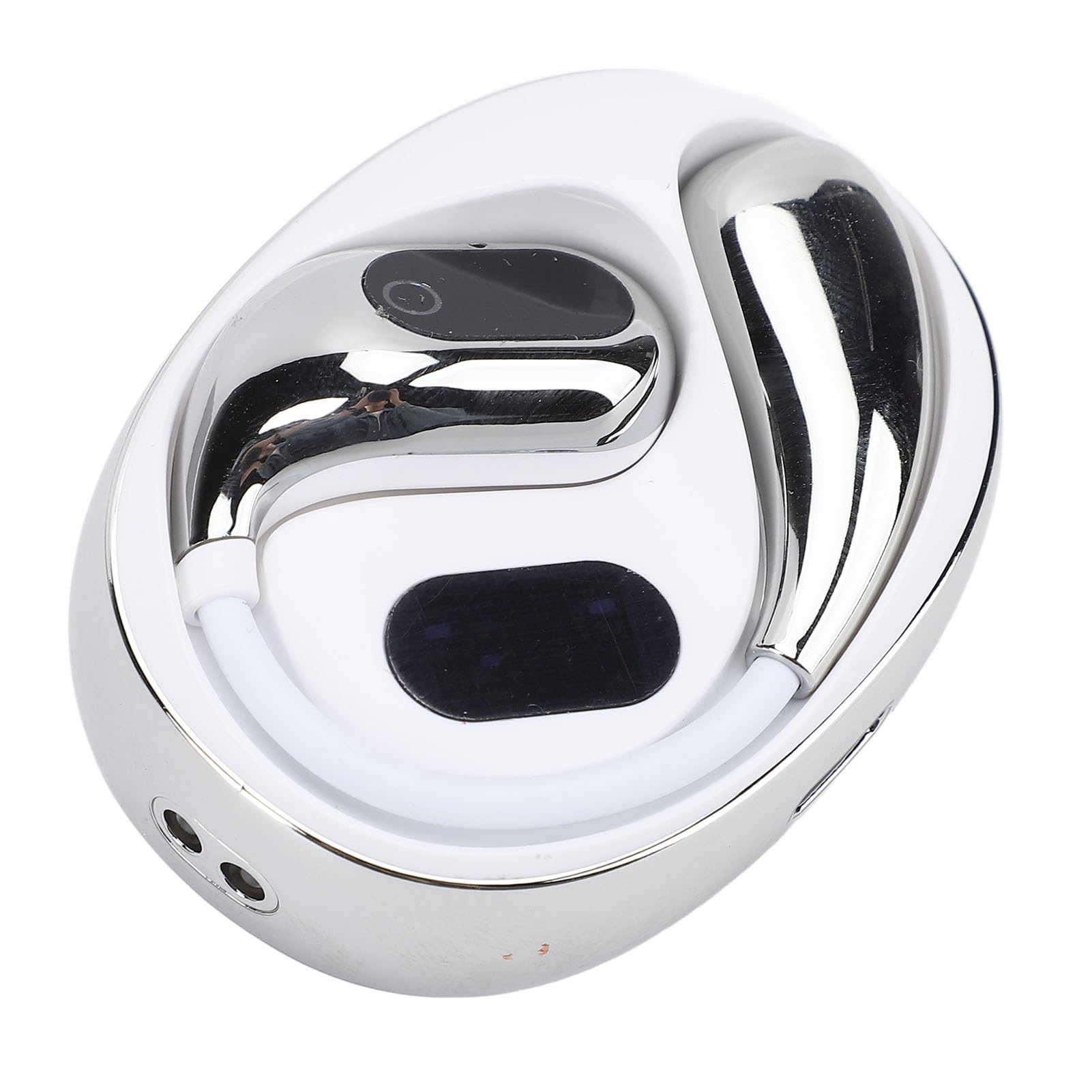
Image: Two individuals in a business setting using the Jectse Xg99 headphones for conference translation, with a speech bubble showing translated text.
4.3.2 Face-to-Face Communication Mode
Designed for direct conversations between two individuals. Each person wears one earbud, and the device translates their speech in real-time, enabling natural dialogue.

Image: Two men communicating face-to-face, each wearing one Jectse Xg99 earbud for real-time translation.
4.3.3 Real-Time App Translation Mode
Use the companion app on your smartphone to translate spoken words. Speak into the app, and the translation will be played through the headphones, or vice-versa. This mode is useful for translating signs, menus, or longer texts by speaking them into the app.

Image: A person using the Jectse Xg99 headphones while interacting with a translation app on a smartphone, showing a real-time translated conversation.
4.3.4 Other Modes
Consult the Jectse companion app for additional translation modes and features, which may include broadcast mode or speaker mode, depending on the app version.
4.4 Ergonomic Design and Usage Scenarios
The Jectse Xg99 headphones are designed for comfort, allowing for prolonged use without discomfort. Their versatile design makes them suitable for various activities and environments.

Image: A person wearing the Jectse Xg99 headset, highlighting its ergonomic design for comfortable, long-term wear.

Image: A collage showing different scenarios where the Jectse Xg99 headphones can be used, including sleeping, work, learning, traveling abroad, and exercise/running.
5. Penyelenggaraan
- Pembersihan: Gunakan kain lembut, kering dan tidak berbulu untuk membersihkan fon kepala dan bekas pengecas. Jangan gunakan pembersih atau pelarut yang kasar.
- Storan: When not in use, store the headphones in their charging case to protect them and keep them charged. Store in a cool, dry place away from direct sunlight and extreme temperatures.
- Penjagaan Bateri: Untuk memanjangkan hayat bateri, elakkan daripada menyahcas sepenuhnya fon kepala dengan kerap. Mengecasnya dengan kerap, walaupun tidak digunakan untuk tempoh yang lama.
- Tahan Air: The headphones are not waterproof. Avoid exposure to water, rain, or excessive moisture.
6. Penyelesaian masalah
| Masalah | Penyelesaian yang Mungkin |
|---|---|
| Fon kepala tidak dihidupkan. | Ensure the headphones and charging case are fully charged. |
| Tidak boleh berpasangan dengan telefon pintar. | Make sure Bluetooth is enabled on your phone. Place headphones in pairing mode. Forget previous pairings on your phone and try again. Ensure headphones are within range. |
| Tiada bunyi atau kualiti audio yang teruk. | Check volume levels on both headphones and smartphone. Ensure headphones are properly connected. Try restarting both devices. |
| Translation is inaccurate or not working. | Ensure the companion app is installed and updated. Check internet connection for the app (required for most translation features). Verify correct source and target languages are selected in the app. Speak clearly and at a moderate pace. |
| Headphones disconnect frequently. | Ensure no obstacles are between the headphones and your smartphone. Keep devices within Bluetooth range. Check for interference from other wireless devices. |
7. Spesifikasi
- Jenama: Jectse
- Nombor Model: Jectsegx6m42n7kc-11
- Dimensi Produk: Kira-kira 12 x 11 x 4 cm
- Berat produk: Lebih kurang 85 gram
- Ketersambungan: Bluetooth
- Bahasa Terjemahan: Up to 80 (via companion app)
- Hayat Bateri: Varies by usage (refer to app or product packaging for specifics)
8. Waranti dan Sokongan
The Jectse Xg99 AI Voice Interpreter Headphones come with a standard manufacturer's warranty. Please refer to the warranty card included in your package or visit the official Jectse webtapak untuk terma dan syarat jaminan terperinci.
For technical support, troubleshooting assistance, or warranty claims, please contact Jectse customer service through the contact information provided on the official webtapak atau dalam dokumentasi produk anda.