
pengenalan
Thank you for choosing the XINDADA F7 Ultra Smart Watch. This manual provides essential information to help you set up, operate, and maintain your device. Please read these instructions carefully before use to ensure optimal performance and longevity of your smartwatch.
1. Persediaan
1.1 Kandungan Pakej
- 1 x F7 Ultra Smart Watch
- 1 x USB Wireless Magnetic Charging Cable
- 1 x Manual Pengguna
1.2 Mengecas Jam Tangan Pintar
Before first use, fully charge your F7 Ultra Smart Watch. Connect the USB wireless magnetic charging cable to a power source and attach the magnetic end to the charging points on the back of the watch. The watch will indicate charging status on its screen.
1.3 Pemasangan Apl dan Berpasangan
- Muat turun RDFit application from your smartphone's app store (compatible with Android 4.4 and above, and iOS 9.0 and above).
- Pastikan Bluetooth didayakan pada telefon pintar anda.
- Open the RDFit app and follow the on-screen instructions to search for and connect to your F7 Ultra Smart Watch via Bluetooth 5.0.
- Sahkan permintaan berpasangan pada telefon pintar dan jam tangan anda.
2. Arahan Operasi
2.1 Navigasi Asas
- Angkat untuk Bangun: Angkat pergelangan tangan anda untuk mengaktifkan skrin secara automatik.
- Cover to Turn Off Screen: Place your palm over the screen to turn it off.
- Always-On Display (AOD): Configure this mode in the watch settings for continuous time display.
- Bahagian Lamp: Utilize the side lamp feature for illumination in low-light conditions.
2.2 Ciri-ciri Utama
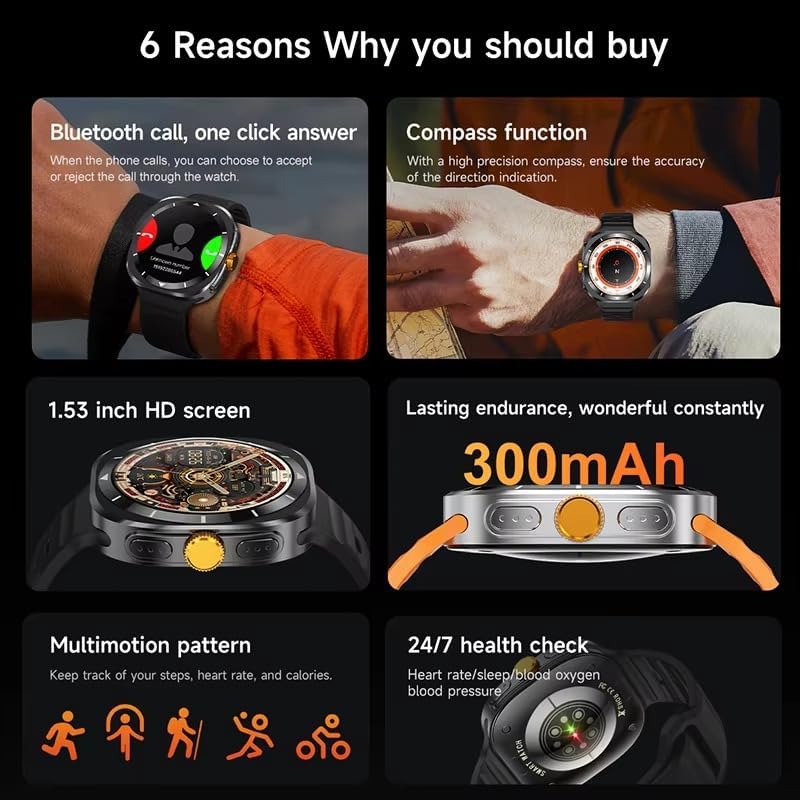
This image illustrates several key features of the F7 Ultra Smart Watch, including its Bluetooth call capability, compass function, 1.53-inch HD screen, 300mAh battery, various sports modes, and continuous health monitoring.
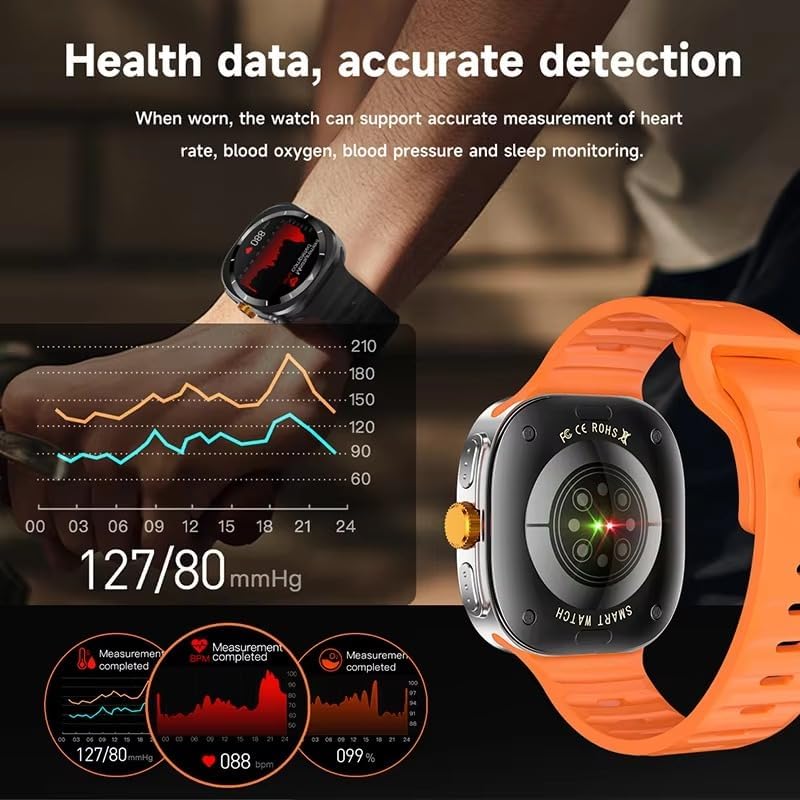
The watch provides accurate health data detection, including real-time heart rate, blood oxygen, and blood pressure monitoring, as shown with graphical representations.

Expand your exercise routine with multiple sports modes such as mountaineering, basketball, and running, each with precise record-keeping to help achieve fitness goals.

The GPS motion track feature accurately records your position during outdoor activities, enhancing safety and providing meaningful data for your adventures.
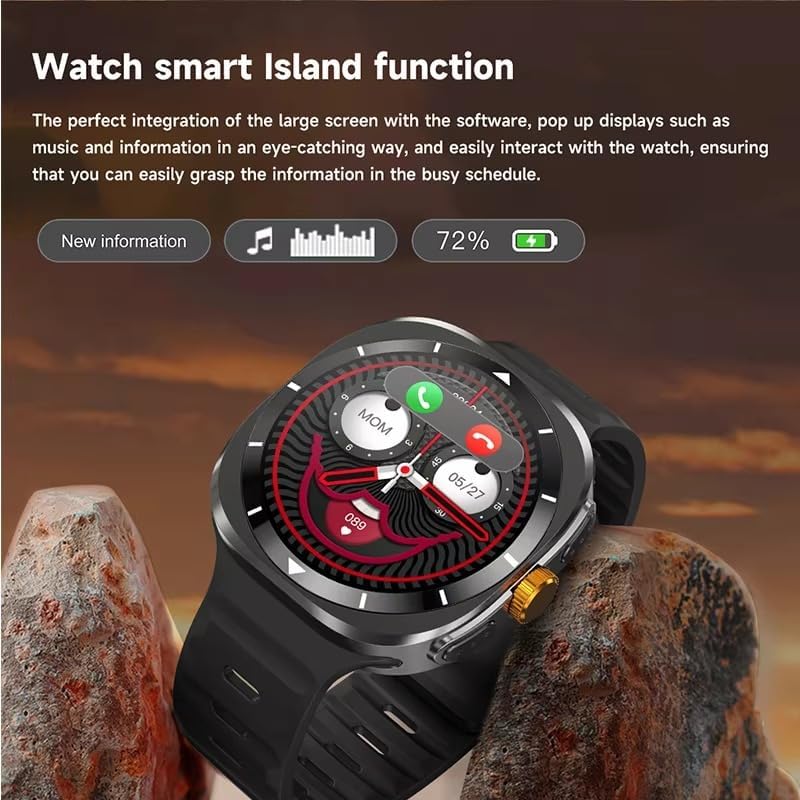
The Smart Island function integrates seamlessly with the large screen, providing eye-catching pop-up displays for new information, music controls, and battery status, allowing easy interaction even during a busy schedule.
- Panggilan Bluetooth: Answer or reject calls directly from your watch when connected to your phone.
- Fungsi Kompas: Utilize the high-precision compass for accurate direction indication.
- Pemantauan Kesihatan: Track heart rate, blood pressure, blood oxygen, and sleep patterns 24/7.
- Mod Sukan: Access 156 sports algorithms, including mountaineering, basketball, and running, with GPS motion tracking.
- Smart Island Function: Experience dynamic pop-up notifications for calls, music, and other information.
- Akses Pintu NFC: Use your watch for convenient NFC-enabled door access.
- Pemberitahuan: Receive app notifications directly on your wrist.
- Kawalan Muzik & Kamera: Kawal main balik muzik dan kamera telefon pintar anda dari jauh.
- Utiliti: Features include weather updates, 'Find My Phone', password protection, calculator, split screen, quick widgets, Alipay, QR code, Qibla finder, and AI voice assistant.
2.3 Sokongan Bahasa
The F7 Ultra Smart Watch supports multiple languages, including Chinese, English (default), Russian, Spanish, German, Italian, French, Portuguese, Polish, Dutch, Greek, Turkish, Romanian, Japanese, Traditional Chinese, Hebrew, Czech, Slovak, Hungarian, Arabic, Indonesian, Korean, Vietnamese, Thai, Persian, Ukrainian, Malay, and Burmese.
3. Penyelenggaraan
3.1 Tahan Air
The watch has an IP67 waterproof rating, meaning it is resistant to splashes and brief immersion in water. It is not suitable for swimming, diving, or high-pressure water activities. Avoid exposing the watch to hot water or steam.
3.2 Pembersihan
Lap jam tangan dan tali dengan kerap menggunakan kain lembut dan kering. Jika perlu, gunakan sedikit kainamp kain dan kemudian keringkan dengan teliti. Elakkan menggunakan bahan kimia yang keras atau bahan yang melelas.
3.3 Penjagaan Bateri
To prolong battery life, avoid extreme temperatures. Charge the watch using only the provided magnetic charging cable. Do not attempt to replace the battery yourself.
4. Penyelesaian masalah
- Tonton tidak dihidupkan: Pastikan jam tangan dicas sepenuhnya. Sambungkannya ke pengecas selama sekurang-kurangnya 30 minit.
- Tidak dapat dipasangkan dengan telefon: Make sure Bluetooth is enabled on both devices. Restart both the watch and your phone. Ensure the RDFit app is open and running.
- Data kesihatan tidak tepat: Pastikan jam tangan dipakai dengan kemas pada pergelangan tangan anda, tidak terlalu ketat atau terlalu longgar. Bersihkan penderia di belakang jam tangan.
- Pemberitahuan tidak diterima: Check app notification settings on your phone and within the RDFit app to ensure they are enabled for the watch.
- Hayat bateri pendek: Reduce screen brightness, disable unnecessary features, and limit background app refresh.
5. Spesifikasi
| Saiz Skrin | 1.54 inch HD large screen |
| Resolusi Skrin | 360 x 360 piksel |
| Dimensi Jam Tangan | 47 x 45 x 12.5 mm |
| Versi Bluetooth | Bluetooth 5.0 |
| Cip Bersepadu | Jerry 7012F6 |
| Tahap Kalis Air | IP67 |
| Jenis Pengecasan | Pengecasan Magnet Tanpa Wayar |
| Kapasiti Bateri | 300 mAh |
| Gaya Menu | 5 jenis |
| Keserasian | Android 4.4 dan ke atas, iOS 9.0 dan ke atas |
| Apl Pendamping | RDFit |
6. Waranti dan Sokongan
For warranty information and technical support, please refer to the documentation provided with your purchase or contact XINDADA customer service. Keep your purchase receipt for any warranty claims. This user manual is included in the product package for your convenience.