
pengenalan
This manual provides detailed instructions for the safe and effective use of your Normcore Manual Coffee Grinder V2. Designed for a fresh and rich aroma, this grinder features a 48.6mm Titanium Ghost Burr for uniform grinding and enhanced flavor. Please read this manual thoroughly before operating the device.
Komponen Produk
The Normcore Manual Coffee Grinder V2 package includes the following items:
- 1 x Manual Burr Coffee Grinder (with 48.6mm Titanium Ghost Burr)
- 1 x Beg Pembawa EVA
- 1 x Berus Pembersih
- 1 x Manual Pengguna (dokumen ini)
Key features of the grinder include:
- Stable Grinding: Centralized steel shaft and ball bearings for smooth and consistent grinding.
- Titanium Burr: Professional-grade titanium burr for enhanced flavor.
- Stepped Adjustment: 24 clicks per rotation with a 0.5 mm thread pitch for precise grind settings.
- Reka Bentuk Mudah Alih: Compact and robust design, ideal for travel.
- Bahan: Aluminum Alloy, 304 Stainless-steel, Wood, Polycarbonate.
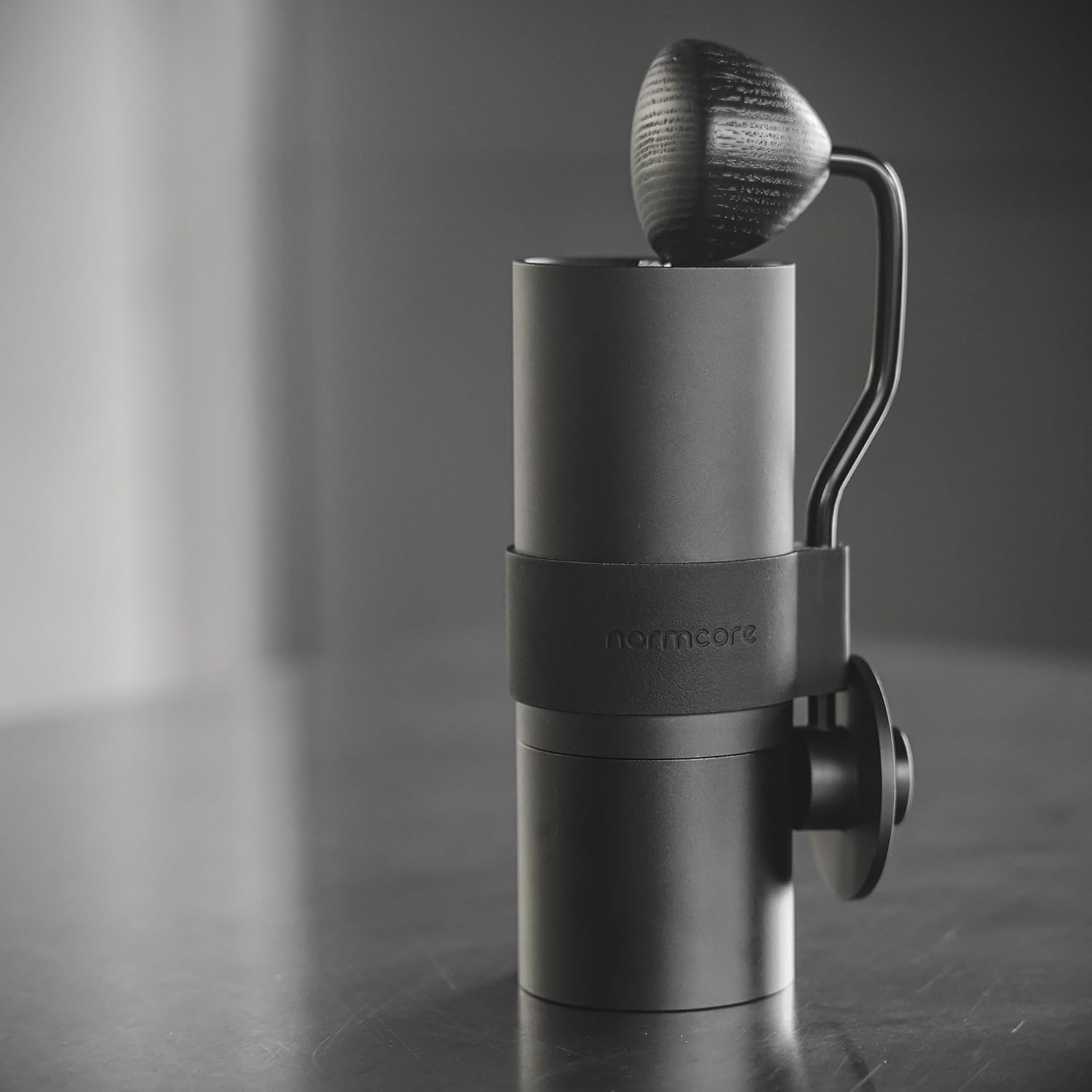
Image: Fully assembled Normcore Manual Coffee Grinder V2, showcasing its sleek black design and handle.

Imej: Atas ke bawah view of the Normcore Manual Coffee Grinder V2, highlighting the handle and grinding mechanism.

Image: Disassembled components of the Normcore Manual Coffee Grinder V2, showing the main body, handle, and collection cup.
Persediaan
- Bongkar: Carefully remove all components from the EVA carrying case.
- Pembersihan Awal: Before first use, it is recommended to clean the burrs and internal components with the provided cleaning brush to remove any manufacturing residue.
- Berhimpun: Ensure all parts are correctly assembled. The handle attaches to the top shaft, and the collection cup screws onto the bottom of the grinder body.
Arahan Operasi
1. Adjusting Grind Size
The Normcore Manual Coffee Grinder V2 features a stepped adjustment mechanism with 24 clicks per rotation, allowing for precise control over grind size. To adjust:
- Unscrew the collection cup from the bottom of the grinder.
- Locate the grind adjustment dial at the bottom of the burr assembly.
- Turn the dial clockwise for a finer grind and counter-clockwise for a coarser grind. Each click represents a specific step.
- Refer to the table below for recommended starting grind settings:
Kaedah Brew Saiz Pengisar Approximate Clicks (from finest) Kopi Turki Lebih Baik 1-3 klik Espresso baiklah 4-8 klik Pour Over / Filter Coffee Sederhana 9-15 klik Akhbar Perancis / Cold Brew Kasar 16-24 klik
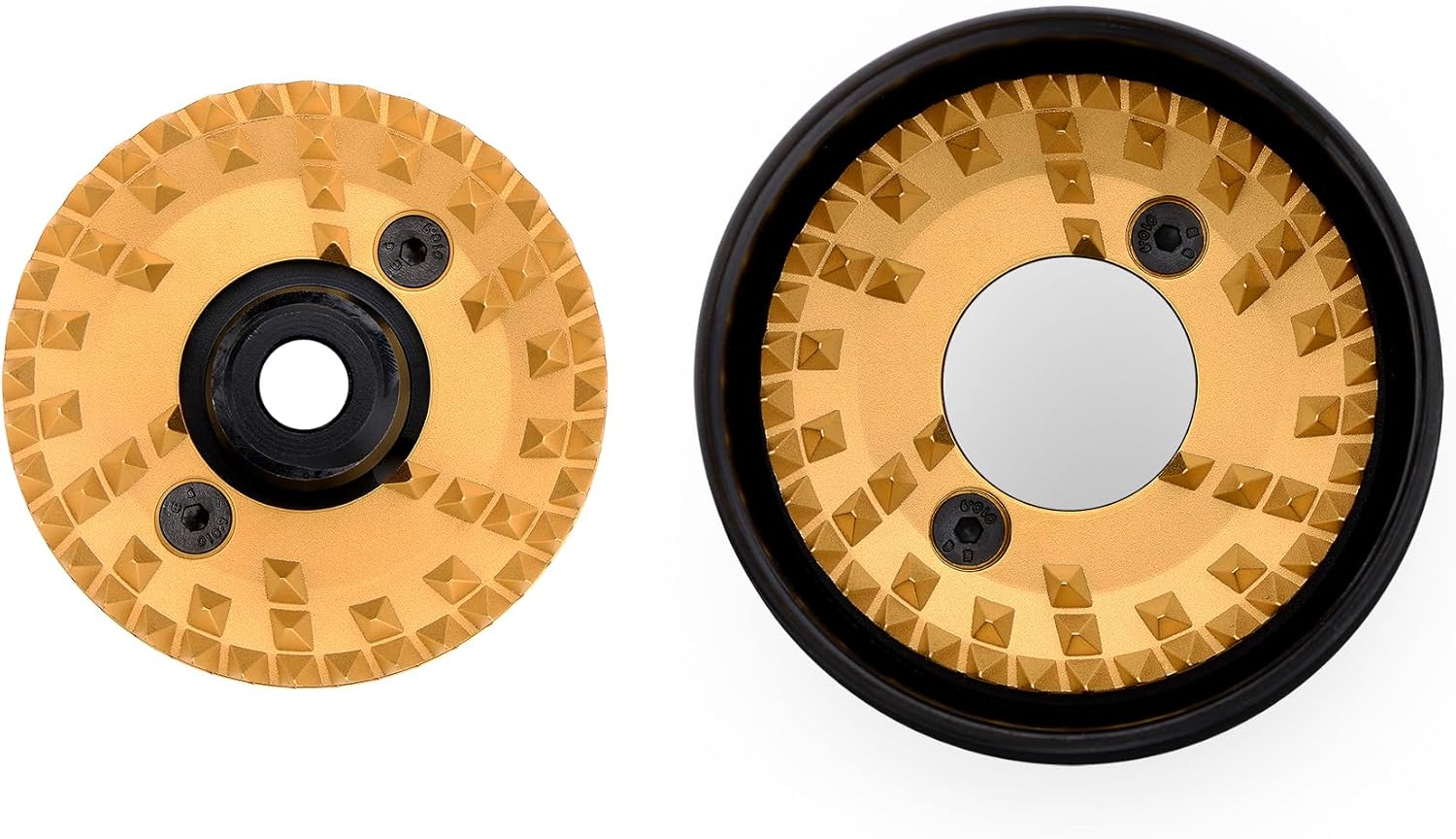
Image: Close-up of the 48.6mm Titanium Ghost Burr, showing its unique design for uniform grinding.

Image: The complete set of 48.6mm Titanium Ghost Burrs, highlighting their robust construction.
2. Mengisar Biji Kopi
- Muatkan Kacang: Open the top lid and pour your desired amount of whole coffee beans into the hopper. The grinder has a powder capacity of approximately 25g, depending on bean type.
- Lampirkan Pemegang: Securely attach the handle to the top shaft.
- mengisar: Hold the grinder firmly with one hand and turn the handle clockwise with the other. Continue grinding until all beans have passed through the burrs and collected in the bottom cup.
- Kumpul Alasan: Unscrew the collection cup to retrieve your freshly ground coffee.
Penyelenggaraan
Pembersihan
Regular cleaning ensures optimal performance and extends the lifespan of your grinder. The components can be easily disassembled and reassembled for thorough cleaning.
- Pembongkaran: Unscrew the collection cup, remove the handle, and carefully disassemble the burr assembly.
- Pembersihan berus: Use the provided cleaning brush to remove any coffee grounds or dust from the burrs, shaft, and internal components.
- Lap ke bawah: Wipe the exterior of the grinder with a soft, damp cloth. Do not immerse the entire grinder in water.
- Pemasangan semula: Ensure all parts are dry before reassembling the grinder.
Nota: Avoid using harsh chemicals or abrasive materials for cleaning, as these can damage the grinder's finish or components.

Image: The Normcore Manual Coffee Grinder V2 and its accessories, including the EVA carrying case and cleaning brush.
Menyelesaikan masalah
- Pengisar berasa kaku atau sukar untuk diputar:
- Periksa objek asing (contohnya, batu kecil) di antara biji kopi.
- Ensure the burrs are clean and free of old coffee residue.
- If grinding very fine, the resistance will naturally be higher.
- Pengisaran tidak konsisten:
- Sahkan bahawa dail pelarasan kisar telah ditetapkan dengan kukuh dan tidak beralih semasa kisaran.
- Ensure the burr assembly is properly tightened and aligned.
- Clean the burrs thoroughly, as accumulated oils can affect consistency.
- Grinder not producing grounds:
- Periksa sama ada corong kosong.
- Ensure the burrs are not completely jammed. Disassemble and clean if necessary.
Spesifikasi
| Ciri | Perincian |
|---|---|
| Jenama | Normcore |
| Nombor Model | 48.6mm Titanium Ghost Burr |
| warna | Hitam |
| bahan | Aluminum, Silicone, Stainless Steel |
| Berat Barang | 1.2 Paun (lebih kurang 552g) |
| Dimensi | 15cm (Height), Ø 5.7cm (Diameter) |
| Powder Capacity | 25g (according to bean type) |
| Jenis Burr | Titanium Ghost Burr |
| Pelarasan Kisar | Stepped, 24 clicks per rotation, 0.5 mm thread pitch |
Waranti dan Sokongan
For warranty information or technical support, please refer to the official Normcore webtapak atau hubungi perkhidmatan pelanggan mereka secara langsung. Simpan resit pembelian anda sebagai bukti pembelian.