
1. Pengenalan
This manual provides essential information for the safe and effective use of your QANYEGN 720P HD WiFi Camera. This camera is designed to enhance the experience of F3, F4, and 1/24 series RC cars by providing real-time high-definition video and image capture. Please read this manual thoroughly before operating the device and retain it for future reference.
2. Maklumat Keselamatan
- Keep the camera away from water and moisture to prevent damage.
- Jangan cuba membuka atau mengubah suai kamera, kerana ini akan membatalkan jaminan dan boleh menyebabkan kerosakan.
- Ensure proper ventilation when operating the camera to prevent overheating.
- Gunakan hanya aksesori yang disediakan atau disyorkan oleh pengilang.
- Jauhkan daripada kanak-kanak kecil kerana terdapat bahagian-bahagian kecil.
3. Kandungan Pakej
Sahkan bahawa semua item terdapat dalam pakej anda:
- 1 x 720P Wifi Camera
- 1 Set x Hook and Loop (2 Accessories in Total)
- 1 x Manual Pengguna
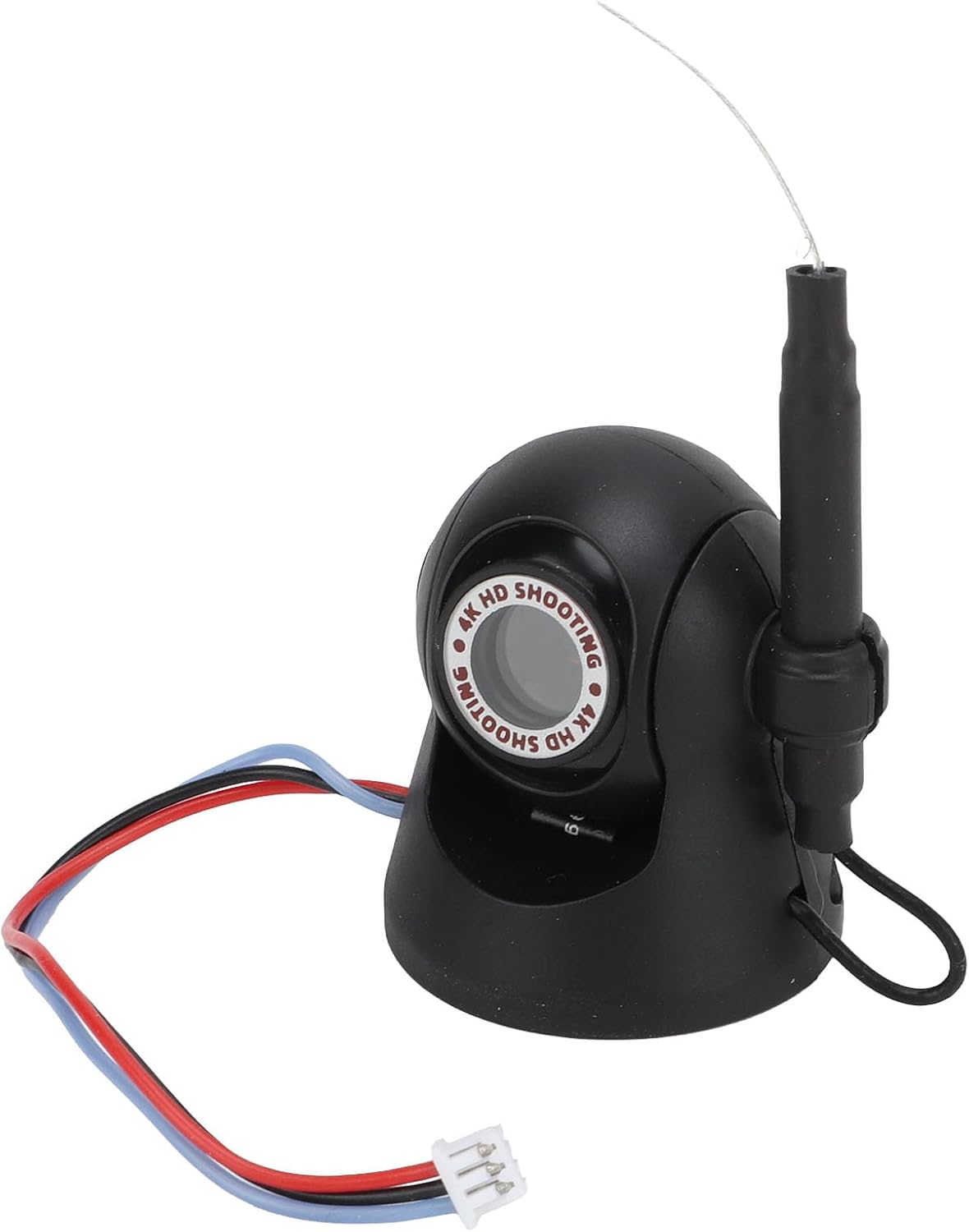
Imej: Depan view of the QANYEGN 720P HD WiFi Camera, showing its compact design and connection wires.
4. Spesifikasi
| Ciri | Perincian |
|---|---|
| Jenis Item | 720P Wifi Camera |
| bahan | Komponen Plastik + Elektronik |
| warna | Hitam |
| Resolusi Foto | 1280x720p |
| Resolusi Video | 1280x720p |
| Jarak Penghantaran Imej | Anggaran. 40m / 131.2ft |
| Saiz Produk | Lebih kurang 35x30mm / 1.4x1.2 inci |
| Permohonan | For F3 F4 1/24 Series RC Cars |
| Sudut Boleh Laras | 45° |

Imej: Terperinci view of the camera, illustrating its compact size and design.
5. Persediaan
5.1 Pemasangan Kamera
- Identify a suitable mounting location on your F3, F4, or 1/24 series RC car.
- Use the provided hook and loop fasteners to securely attach the camera to the RC car. Ensure the camera is stable and facing the desired direction.
- Connect the camera's power cable to the designated port on your RC car. Refer to your RC car's manual for specific power connection points.

Image: Step-by-step visual guide for attaching the camera to an RC car using hook and loop fasteners and connecting the power cable.
5.2 Sambungan Aplikasi Mudah Alih
- Download the official QANYEGN camera application from your mobile device's app store (iOS/Android).
- Power on your RC car and the attached WiFi camera.
- On your mobile device, go to WiFi settings and connect to the camera's WiFi network (usually named 'QANYEGN_XXXX' or similar). No password is typically required.
- Open the QANYEGN app. The app should automatically detect and connect to the camera, displaying a live feed.

Image: The camera positioned next to a smartphone, illustrating the wireless connection for live viewing.
6. Arahan Operasi
6.1 Pemantauan Masa Nyata
Once connected to the mobile app, you can view high-definition images and video in real-time directly on your smartphone. This allows for monitoring driving conditions and capturing scenic views semasa operasi.

Image: The camera shown in an outdoor environment, demonstrating its use for capturing moments during activities like picnics or playtime.
6.2 Adjusting the Shooting Angle
The camera features a 45° adjustable angle. Manually adjust the camera's position on its mount to expand your shooting range and capture different perspectives. This flexibility is useful for various activities such as picnics, hiking, or traveling with your RC car.
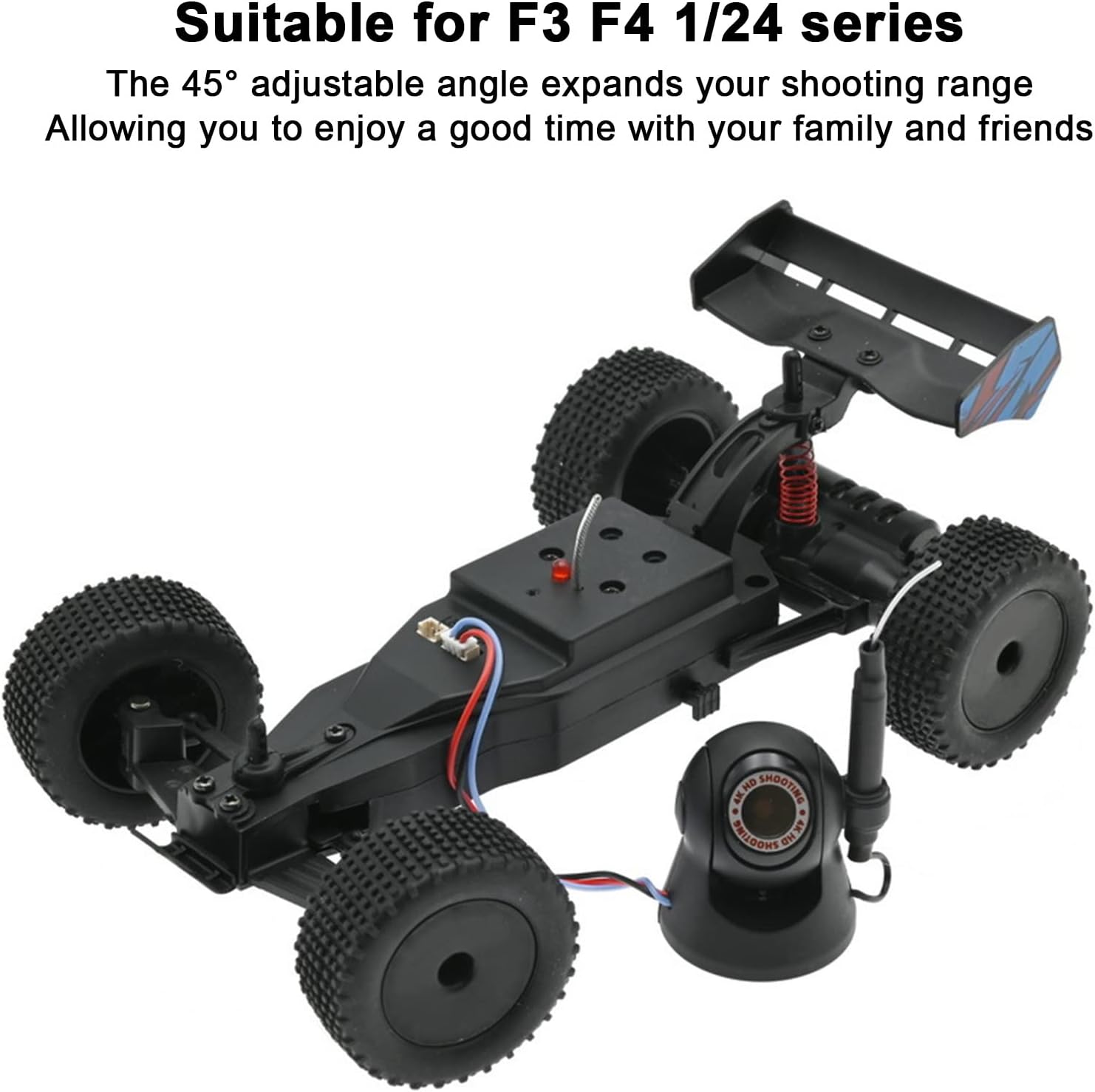
Image: The camera positioned alongside an RC car, illustrating its compatibility and the ability to adjust its viewsudut ing.
6.3 Tangkapan Foto dan Video
Within the mobile application, locate the dedicated buttons for taking photos and recording videos. Tap these buttons to capture high-resolution images (1280x720p) or record high-definition video (1280x720p). Captured media will be saved directly to your mobile device.
7. Penyelenggaraan
- Pembersihan: Gunakan kain lembut dan kering untuk membersihkan kanta dan badan kamera. Elakkan penggunaan bahan kimia yang keras atau bahan yang melelas.
- Storan: Apabila tidak digunakan, simpan kamera di tempat yang sejuk dan kering jauh dari cahaya matahari langsung dan suhu yang melampau.
- Semakan Sambungan: Periodically inspect the connection wires for any signs of wear or damage.
8. Penyelesaian masalah
| Masalah | Kemungkinan Punca | Penyelesaian |
|---|---|---|
| No live feed in app | Camera not powered on; WiFi not connected; App error. | Ensure RC car and camera are powered. Check mobile device WiFi settings to confirm connection to camera's network. Restart the app. |
| Kualiti imej yang lemah | Dirty lens; Low light conditions; Exceeding transmission range. | Clean the camera lens. Operate in well-lit environments. Ensure camera is within the 40m transmission range. |
| Camera disconnects frequently | Interference; Out of range; Low power. | Move away from sources of strong electromagnetic interference. Stay within the recommended transmission range. Ensure RC car battery is sufficiently charged. |
9. Waranti dan Sokongan
For warranty information or technical support, please refer to the contact details provided with your purchase documentation or visit the official QANYEGN webtapak. Simpan bukti pembelian anda untuk tuntutan waranti.