
ClokoWe T800
Manual Pengguna Projektor Mini ClokoWe T800
Model: T800
1. Pengenalan
This manual provides detailed instructions for the safe and effective use of your ClokoWe Mini Projector T800. Please read this manual thoroughly before operating the device and retain it for future reference.
Maklumat Keselamatan
- Jangan lihat terus ke dalam kanta projektor apabila lamp sedang aktif.
- Pastikan pengudaraan yang betul di sekeliling projektor untuk mengelakkan terlalu panas.
- Jauhkan projektor daripada air atau cecair lain.
- Gunakan hanya penyesuai kuasa yang disediakan bersama peranti.
- Jangan cuba membuka atau membaiki projektor sendiri. Hubungi khidmat pelanggan untuk mendapatkan bantuan.
2. Kandungan Pakej
Sahkan bahawa semua item terdapat dalam pakej:
- ClokoWe Mini Projector T800
- Kabel HDMI
- Alat Kawalan Jauh
- Kord Kuasa
- Manual Pengguna (dokumen ini)
3. Produk Lebihview
Familiarize yourself with the projector's components and features.
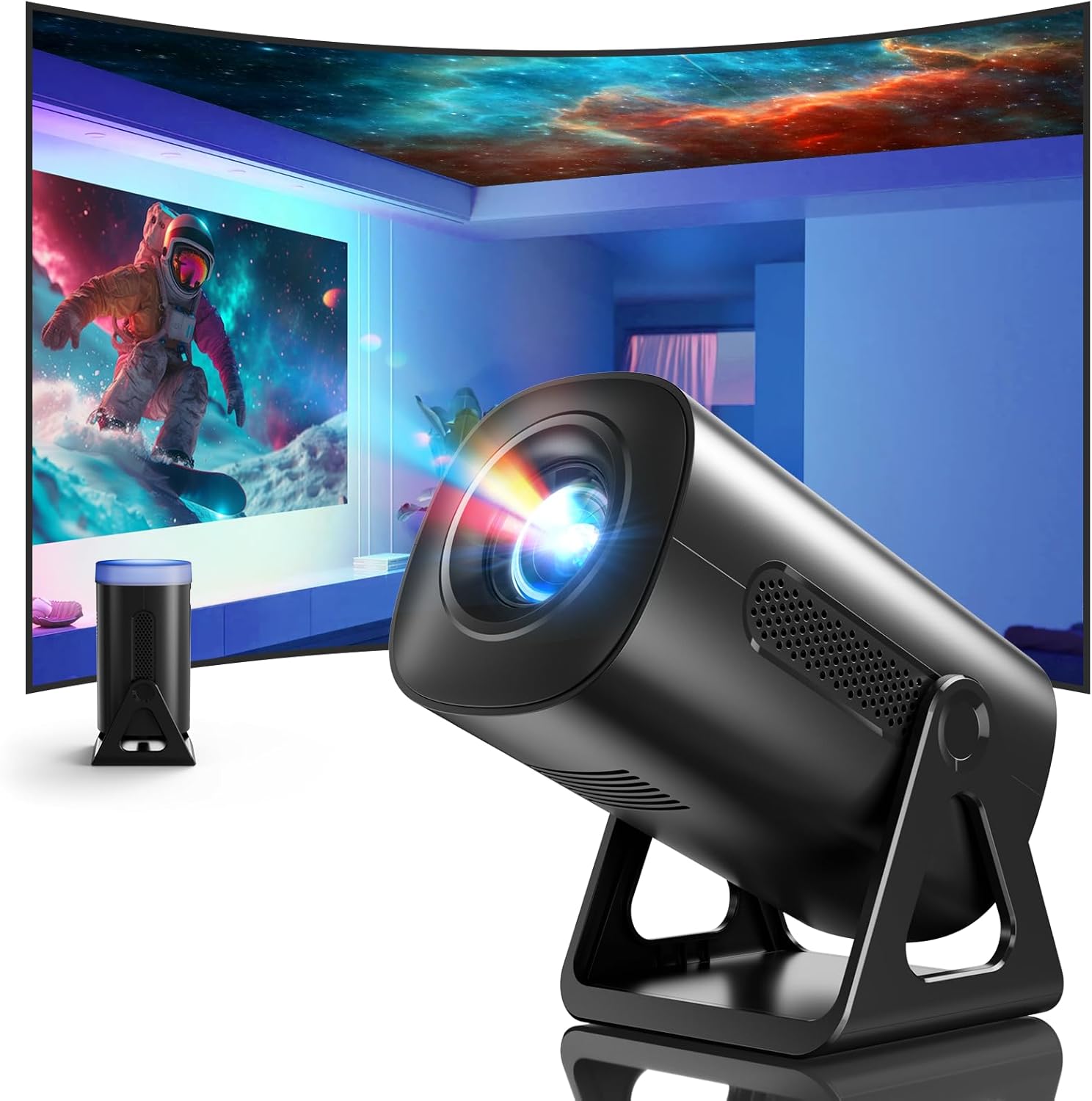
Imej 3.1: Depan view of the ClokoWe Mini Projector T800, showcasing its compact design and projection capability.
Ciri-ciri Utama:
- Native 1080p Resolution with 4K Support
- 270° Rotatable Stand for flexible projection angles
- Integrated Star Projector with 6 Galaxy Projection Modes and 7 Ambient Night Light Colors
- Dual Band WiFi 6 (2.4G/5G) for stable wireless connectivity
- Bluetooth 5.2 HiFi Speaker for enhanced audio
- Automatic Keystone Correction and 50%-100% Zoom function
- Multiple connectivity options: USB, HDMI, AV, Audio

Image 3.2: Dimensions and weight of the projector, highlighting the 270-degree rotatable stand.
4. Persediaan
4.1 Sambungan Kuasa
- Sambungkan kord kuasa ke port input kuasa projektor.
- Pasangkan hujung kord kuasa yang satu lagi ke soket elektrik standard.
- Lampu penunjuk kuasa akan menyala.
4.2 Placement and Adjustment
The 270° rotatable stand allows for flexible placement and projection.

Image 4.1: The projector's 270-degree rotation feature, enabling projection onto walls, floors, or ceilings.
- Kedudukan: Letakkan projektor di atas permukaan yang stabil dan rata.
- Pelarasan Sudut: Rotate the projector body on its stand to achieve the desired projection angle (up to 270 degrees).
- Fokus: Use the focus ring on the projector lens to sharpen the image.
- Pembetulan Keystone: The projector features automatic keystone correction. If the image appears trapezoidal, the device will automatically adjust it to a rectangular shape. Manual adjustments may also be available in the settings menu.

Image 4.2: Demonstration of automatic keystone correction and image zoom capabilities.
5. Arahan Operasi
5.1 Kuasa Awal Hidup
- Tekan butang kuasa pada projektor atau alat kawalan jauh.
- The projector will start up and display the main interface.
5.2 Ketersambungan
The projector supports various input sources and wireless connections.

Imej 5.1: Selesaiview of supported device connections via HDMI, USB, and Audio interfaces.
5.2.1 WiFi Connection (Dual Band WiFi 6)
- Navigasi ke menu 'Tetapan' pada projektor.
- Pilih 'Rangkaian' atau 'Tetapan WiFi'.
- Choose your desired 2.4G or 5G WiFi network from the list.
- Masukkan kata laluan dan sambungkan.

Image 5.2: Demonstrating Dual Band WiFi 6 connectivity and wired screen mirroring with a smartphone.
5.2.2 Bluetooth Connection (Bluetooth 5.2)
- Pergi ke 'Tetapan' dan pilih 'Bluetooth'.
- Hidupkan Bluetooth dan cari peranti yang tersedia.
- Select your Bluetooth speaker or headphones from the list to pair.

Image 5.3: The projector's Bluetooth 5.2 capability for connecting to external audio devices.
5.2.3 HDMI/USB/AV Connection
- Connect your device (e.g., laptop, TV stick, game console) to the corresponding HDMI, USB, or AV port on the projector.
- Select the correct input source from the projector's main menu using the remote control.
5.3 Projection Modes (Star Projector & Night Light)
The projector includes integrated ambient lighting features.

Image 5.4: The projector's ability to display 7 night light colors and 6 galaxy projection modes.
- Unjuran Galaxy: Access the 'Star Projector' or 'Galaxy Modes' option in the menu to select from 6 different galaxy patterns.
- Lampu Malam Ambien: With the lens cover on, select from 7 ambient light colors to use the projector as a night light.
5.4 Pelarasan Imej
- Fungsi Zum: Adjust the projection size from 50% to 100% via the projector's menu settings.
- Kualiti gambar: The projector supports native 1080p resolution and 4K input. Ensure your source content is of high quality for the best viewpengalaman dalam.
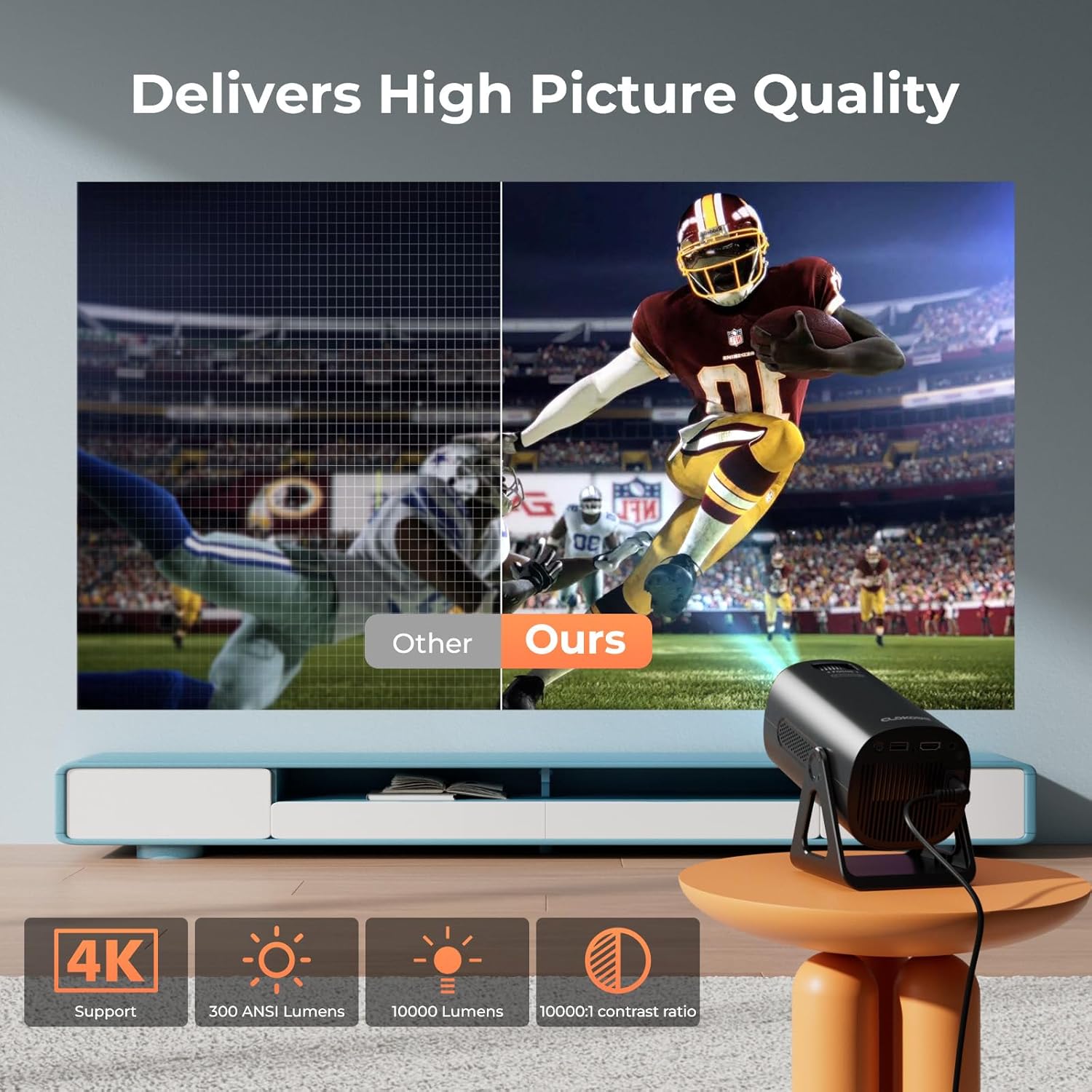
Image 5.5: Visual comparison of picture quality, emphasizing 4K support and brightness specifications.
6. Penyelenggaraan
- Pembersihan Kanta: Use a soft, lint-free cloth specifically designed for optical lenses to gently wipe the projector lens. Do not use abrasive cleaners.
- Penyingkiran habuk: Regularly clean the projector's vents with a soft brush or compressed air to prevent dust buildup, which can affect performance and lifespan.
- Storan: When not in use for extended periods, store the projector in a cool, dry place, preferably in its original packaging or a protective case.
- Matikan: Always power off the projector correctly and allow it to cool down before unplugging or moving it.
7. Penyelesaian masalah
Isu dan Penyelesaian Biasa:
- Tiada Kuasa:
• Ensure the power cord is securely connected to both the projector and the power outlet.
• Check if the power outlet is functional. - Tiada Imej/Isyarat:
• Verify that the correct input source (HDMI, USB, AV) is selected in the projector's menu.
• Check the connection cables between the projector and the source device.
• Ensure the source device is powered on and outputting a signal. - Imej Kabur:
• Adjust the focus ring on the projector lens.
• Ensure the projection surface is flat and the projector is stable.
• Check if the lens is clean. - Imej ialah Trapezoid:
• The automatic keystone correction should adjust this. If not, check for manual keystone adjustment options in the settings. - Tiada Bunyi:
• Check the volume settings on both the projector and the source device.
• If using Bluetooth, ensure the external speaker/headphones are properly paired and connected.
• If using HDMI, ensure the audio output is correctly configured on the source device. - WiFi/Bluetooth Connection Issues:
• Ensure the projector is within range of the WiFi router or Bluetooth device.
• Restart the projector and the network device.
• Re-enter WiFi passwords carefully.
8. Spesifikasi
| Ciri | Spesifikasi |
|---|---|
| Nombor Model | T800 |
| Resolusi Paparan | 1280 x 720 (Native 1080p, 4K Support) |
| Teknologi Ketersambungan | 3.5mm Jack, Bluetooth 5.2, HDMI, USB, Wi-Fi 6 (2.4G/5G) |
| Ciri Khas | Portable, 270° Rotatable Stand, Star Projector, Ambient Night Light, Auto Keystone Correction, Zoom |
| Penggunaan yang Disyorkan | Perniagaan, Pendidikan, Permainan, Pawagam Rumah |
| Berat Barang | 2.38 paun |
| Dimensi Pakej | 9.13 x 6.69 x 5.28 inci |
9. Waranti dan Sokongan
ClokoWe products are designed for reliability and performance. For warranty information, technical support, or service inquiries, please refer to the warranty card included in your package or visit the official ClokoWe website. Please have your model number (T800) and purchase details ready when contacting support.
Ask a question about this manual
Ask about setup, troubleshooting, compatibility, parts, safety, or missing instructions. Manuals+ will review the question and use this page’s manual context to help answer it.