
1. Pengenalan
Thank you for choosing the Angrox Universal Remote Control. This manual provides essential information for setting up, operating, and maintaining your new remote control. Please read it carefully to ensure optimal performance and longevity of your device.
This remote control is designed specifically for Roku Built-in TVs from brands such as TCL, ONN, Hisense, Sharp, Element, Westinghouse, and Philips. It is an infrared remote control and does TIDAK work with external Roku streaming players (e.g., Roku Box, Roku Stick, Roku Express, Roku Player) or Roku audio devices.
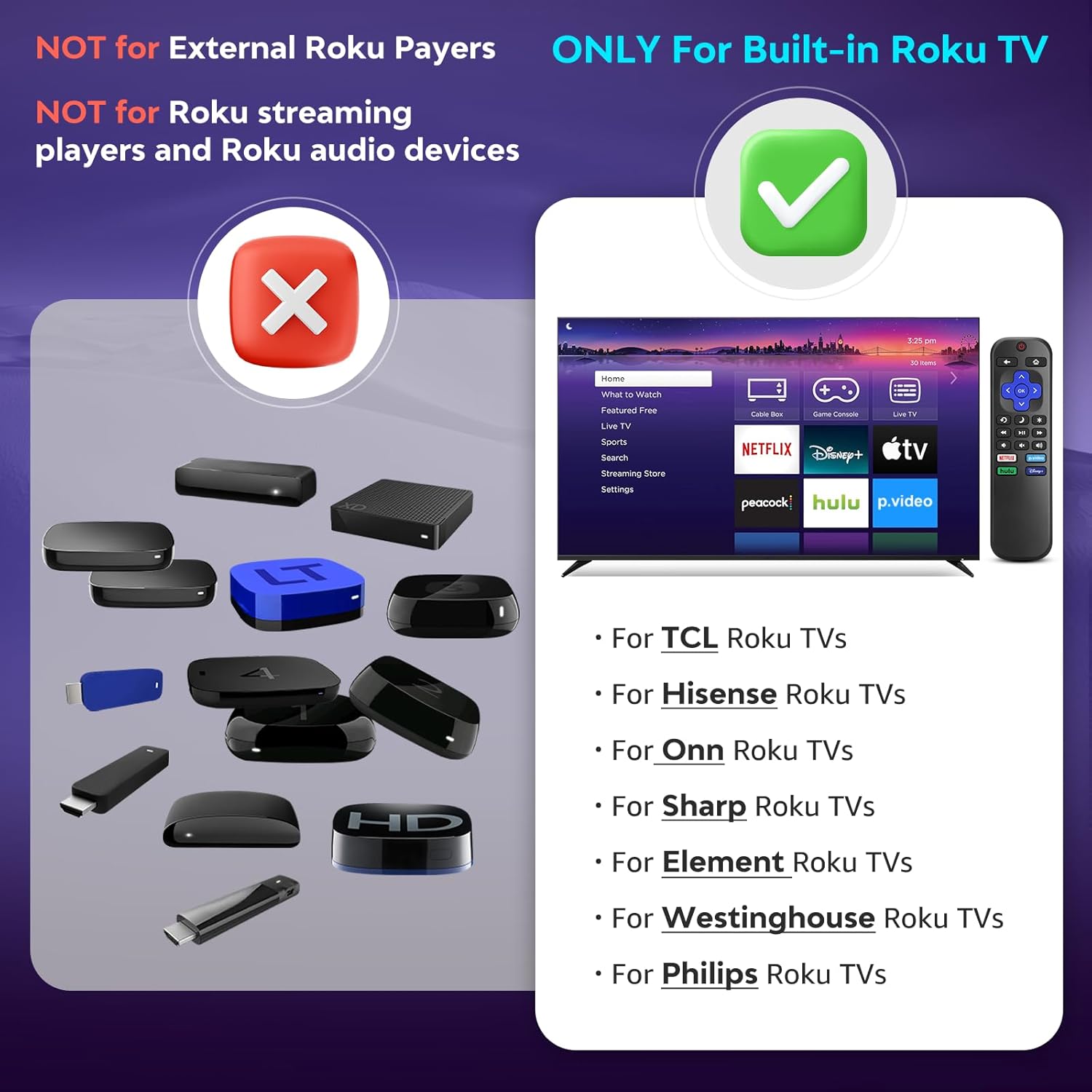
Imej 1.1: Keserasian berakhirview. The remote is compatible with TVs that have Roku built-in, but not with standalone Roku streaming devices.
2. Persediaan
2.1 Pemasangan Bateri
- Cari petak bateri di belakang alat kawalan jauh.
- Luncurkan penutup bateri ke bawah untuk membukanya.
- Insert two (2) AAA alkaline batteries, ensuring the positive (+) and negative (-) terminals match the diagrams inside the compartment.
- Luncurkan penutup bateri ke tempat semula sehingga ia berbunyi dengan selamat.
Nota: Bateri tidak disertakan dengan alat kawalan jauh.
2.2 Penggunaan Awal
This Angrox Universal Remote Control requires no programming or pairing. Once batteries are correctly installed, it is ready for immediate use with your compatible Roku Built-in TV.

Image 2.1: Battery installation guide. The remote requires two AAA batteries and no setup.
3. Arahan Operasi
The remote control features a standard layout for intuitive navigation and control of your Roku Built-in TV.
3.1 Butang Berfungsi Berakhirview

Image 3.1: Detailed button layout and functions of the Angrox Universal Remote Control.
- TV Power (Red Button): Menghidupkan atau mematikan TV.
- Belakang: Kembali ke skrin atau menu sebelumnya.
- Rumah: Navigates to the Roku home screen.
- Directional Pad (Up, Down, Left, Right) & OK: Digunakan untuk navigasi menu dan pemilihan.
- Mod tidur: Activates the TV's sleep timer function.
- Main Semula Segera: Melompat ke belakang beberapa saat dalam main balik video.
- Pilihan: Accesses context-sensitive options or settings.
- Rewind Scan (RWD Scan): Rewinds video playback.
- Main/Jeda: Plays or pauses video content.
- Fast Forward Scan (FWD Scan): Fast forwards video playback.
- Kawalan Kelantangan (+/-): Melaraskan kelantangan TV.
- Redam: Membisukan atau menyahredamkan audio TV.
3.2 Butang Pintasan
The remote includes four dedicated shortcut buttons for quick access to popular streaming services:
- NETFLIX
- p.video (Prime Video)
- hulu
- Disney+
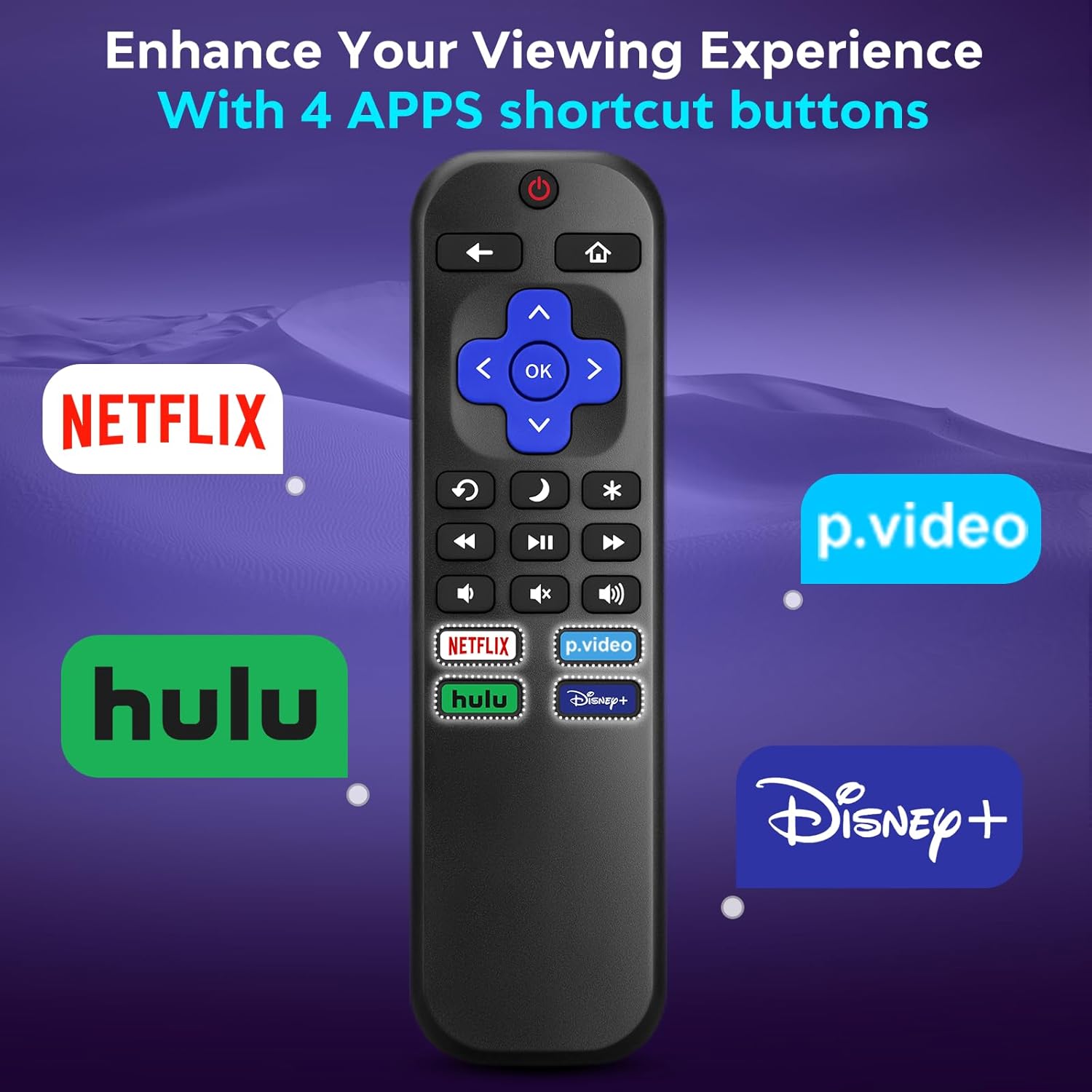
Image 3.2: The remote features dedicated shortcut buttons for popular streaming services.
3.3 Prestasi
The remote operates using infrared technology, providing a sensitive response and precise control. It has an effective transmission distance of up to 10 meters (32 feet).

Image 3.3: The remote offers fast response and a wide transmission range.
4. Penyelenggaraan
4.1 Pembersihan
To clean your remote control, gently wipe it with a soft, dry cloth. For stubborn dirt, slightly dampbilas kain dengan air. Elakkan menggunakan bahan kimia yang keras, pembersih yang kasar atau pelarut, kerana ini boleh merosakkan permukaan alat kawalan jauh atau komponen dalaman.
4.2 Penggantian Bateri
Replace batteries when the remote's response becomes sluggish or it stops functioning. Always replace both AAA batteries at the same time with new ones. Do not mix old and new batteries, or different types of batteries.
4.3 Penyimpanan
When not in use for extended periods, it is recommended to remove the batteries to prevent leakage, which could damage the remote. Store the remote in a cool, dry place away from direct sunlight and extreme temperatures.
The remote is constructed from high-quality ABS plastic and silicone for durability.
5. Penyelesaian masalah
- Jauh tidak bertindak balas:
- Pastikan bateri dimasukkan dengan betul dengan polariti yang betul.
- Gantikan bateri lama dengan bateri alkali AAA yang baharu.
- Check for any obstructions between the remote and the TV's infrared sensor. Ensure a clear line of sight.
- Verify that the remote is pointed directly at the TV.
- Remote only controls some functions:
- This remote is designed for Roku Built-in TVs. Ensure your TV has Roku integrated and is not an external Roku player connected to a standard TV.
- Some advanced TV functions not directly related to Roku may not be supported by this universal remote.
- TV does not turn on/off:
- Confirm the TV is plugged into a power source and is not in a deep sleep mode that requires a manual power button press on the TV itself.
6. Spesifikasi
| Ciri | Perincian |
|---|---|
| Jenama | Angrox |
| Model | B0DW7SW5C4 |
| Ciri Khas | Ergonomik, Tiada Pengaturcaraan Diperlukan, Universal |
| warna | Hitam |
| Bilangan Maks Peranti yang Disokong | 1 (Roku Built-in TV) |
| Peranti Serasi | Television (Roku Built-in TVs: TCL, ONN, Hisense, Sharp, Element, Westinghouse, Philips, etc.) |
| Sumber Kuasa | 2 x Bateri AAA (tidak termasuk) |
| Teknologi | Inframerah (IR) |
| Jarak Operasi | Sehingga 10 meter (32 kaki) |
| bahan | High-quality ABS plastic and silicone |
7. Waranti dan Sokongan
For warranty information, please refer to the documentation provided with your purchase or contact your retailer. Angrox is committed to providing quality products and customer satisfaction.
For further assistance or inquiries, please visit the official Angrox store on Amazon: Angrox Store.